


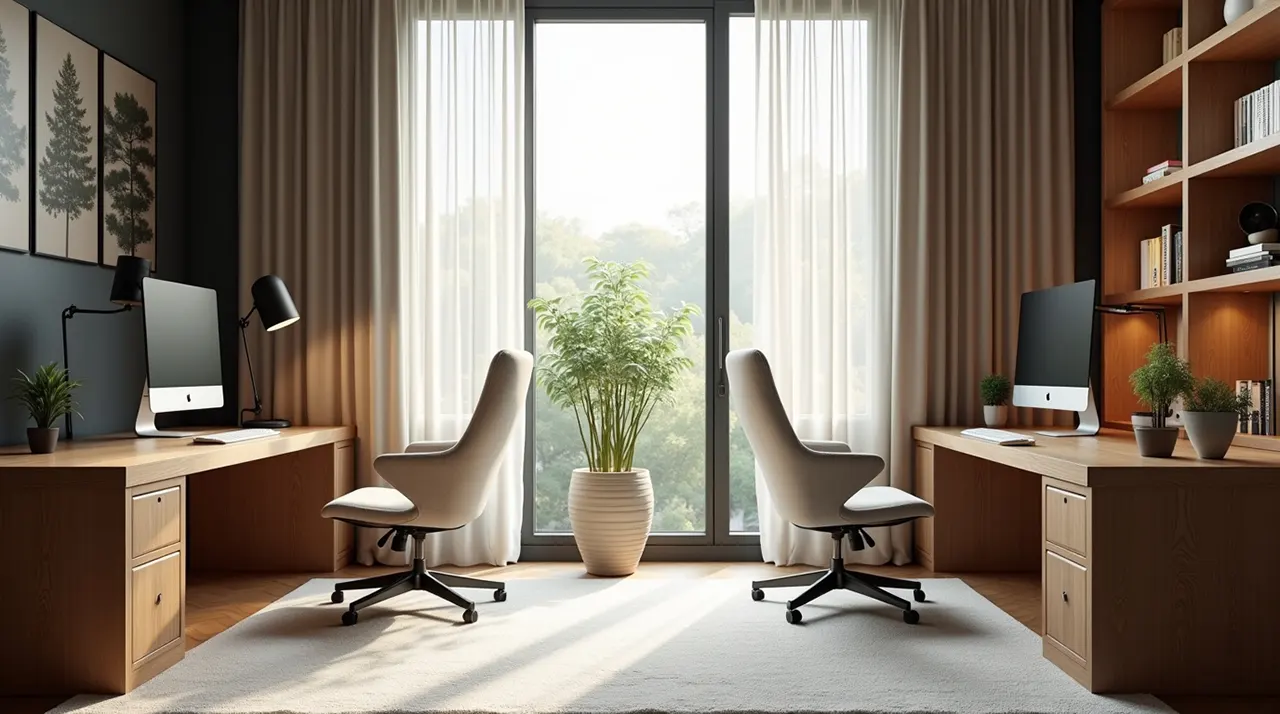
A shared home office layout needs smart planning to make it work for everyone. This guide offers essential tips for creating functional, peaceful, and productive shared workspaces at home, covering everything from desk setup to noise reduction.
Working from home has become more common. Many people now share their home office space. This can be with a partner, a roommate, or even children. It can be tricky to find a good shared home office layout. You need to make sure everyone has space to work. You also want to avoid distractions. This article will help you design a great shared home office. We will cover smart tips for setting up your space.
Contents
- 1 Why a Shared Home Office Layout Matters
- 2 Understanding Your Shared Space Needs
- 3 Sectioning Off Personal Work Zones
- 4 Choosing the Right Furniture for Shared Spaces
- 5 Smart Desk Setup Strategies
- 6 Maximizing Vertical Space and Storage
- 7 Lighting Considerations for Shared Offices
- 8 Noise Reduction Strategies for Harmony
- 9 Technology and Connectivity in Shared Spaces
- 10 Maintaining Order and Respect
- 11 FAQ: Your Shared Home Office Questions Answered
- 12 Conclusion: Your Path to a Productive Shared Home Office Layout
- 13 Author
A well-planned shared home office layout is crucial. It helps prevent conflicts and boosts productivity for all users. Without clear boundaries and organization, shared spaces can become chaotic. This leads to frustration and decreased work quality. Thinking about how people will use the space together is key.
Good organization in a shared office makes everyone happier. It shows respect for each other’s work needs. This setup helps avoid arguments over space or noise. It ensures that work can get done smoothly.
Before you arrange anything, talk to everyone who will use the office. What are their work hours? Do they need quiet time? What tools do they use most? Knowing these things helps you plan the best layout. This prevents misunderstandings later.
Discussing work styles is also important. One person might need absolute silence. Another might be okay with background noise. Understanding these differences helps create a compromise. It ensures the space works for everyone’s unique needs.
Sectioning Off Personal Work Zones
Creating distinct personal zones is vital in a shared office. Even in a small room, use furniture or dividers. This gives each person a sense of their own space. It helps them focus better and feel more private.
You can use bookcases, screens, or even plants to create these zones. The goal is to define areas without making the room feel cramped. This visual separation is very effective. It makes the shared space feel less crowded.
Furniture choice is key for a shared home office layout. Opt for furniture that fits the room size and offers good storage. Consider desks with built-in drawers or shelves. This helps keep shared areas tidy.
Look for ergonomic options to ensure comfort for all users. A comfortable chair can make a big difference in productivity. You can find great ergonomic chairs here. Choosing durable and functional furniture is a smart investment.
Smart Desk Setup Strategies
Each person needs a functional desk setup. Ensure enough surface area for their work. Consider monitor arms to free up desk space. This is especially helpful if you have multiple monitors.
Cable management is also important. Tangled wires look messy and can be a hazard. Use cable ties, sleeves, or desk grommets to keep them organized. A clean desk leads to a clear mind.
Maximizing Vertical Space and Storage
When space is limited, look up! Use wall-mounted shelves or cabinets. This keeps essential items off the desk and floor. Vertical storage maximizes your usable area. It keeps the shared office looking neat.
Consider multi-functional storage solutions. Ottomans with storage or filing cabinets that double as side tables can be useful. Smart storage reduces clutter effectively. This makes the workspace more pleasant for everyone.
Good lighting is essential for eye comfort and productivity. Aim for a mix of natural and artificial light. Position desks to take advantage of windows. Avoid glare on computer screens.
Use task lighting for each person’s desk. Desk lamps can provide focused light where needed. This allows users to adjust lighting to their preference. Proper lighting reduces eye strain and fatigue.
Noise Reduction Strategies for Harmony
Noise is often a big issue in shared offices. Use sound-absorbing materials. Rugs, curtains, and acoustic panels can help. These reduce echoes and soften sounds.
Headphones are a must-have for shared spaces. Encourage everyone to use noise-canceling headphones for focused work. This is a simple yet effective way to create quiet zones. It respects everyone’s need for concentration.
Ensure everyone has reliable internet access. Consider a Wi-Fi extender if the signal is weak. Plan for enough power outlets for all devices. A power strip with surge protection is a good idea.
Think about shared equipment like printers or scanners. Designate a specific area for these items. This keeps them accessible but out of the way. Efficient technology setup supports smooth workflows.
Maintaining Order and Respect
Regularly decluttering and cleaning is important. Set up a system for shared supplies. Agree on cleaning schedules for the space. Respecting each other’s belongings and space is crucial.
Open communication is the foundation of any successful shared space. Address issues calmly and constructively. A little effort goes a long way in maintaining harmony. This makes working together a positive experience.
What is the most important factor in a shared home office layout?
The most important factor is clear communication and mutual respect among users. Understanding everyone’s needs and agreeing on rules helps create a functional and peaceful shared space. This prevents conflicts and ensures productivity.
How can I create separate workspaces in a small room?
You can use furniture like bookshelves or screens as dividers. Even a strategically placed rug can define a personal zone. Ensure each workspace has adequate lighting and storage. This creates a sense of individual territory.
What if my partner and I have very different work styles?
Acknowledge and discuss your differences openly. Try to compromise on aspects like noise levels and meeting times. Using noise-canceling headphones can be a great solution for differing noise tolerances. Staggering work hours can also help.
How can I manage shared office supplies effectively?
Designate a specific storage area for shared items. Keep a running list of what’s needed. Agree on a system for purchasing replacements to avoid running out. Labeling supplies can also prevent confusion.
Is it possible to have a shared home office with kids?
Yes, but it requires clear boundaries and a designated quiet time. Consider soundproofing or using a separate room if possible. Noise-canceling headphones are essential for the adults. Setting expectations with children about work time is also key.
What are the best lighting solutions for a shared office?
A combination of natural light, overhead ambient light, and individual task lamps is ideal. This allows each user to customize their lighting. Position desks to minimize screen glare and eye strain.
Designing a successful shared home office layout is about thoughtful planning and ongoing communication. By implementing these tips, you can create a space that supports productivity, minimizes conflict, and respects everyone’s needs. Remember that a shared home office layout requires compromise and cooperation. It’s about making the workspace work for all its occupants. Consider this guide your starting point for a more harmonious and efficient work-from-home experience.
