


Published on: September 28, 2025 | Updated on: October 21, 2026
Yes, you can generally go through a standard metal detector with a Holter monitor, but it’s crucial to take specific precautions to protect your device and ensure accurate readings. This guide explains how to navigate security checkpoints and everyday situations safely.
Navigating everyday life with a Holter monitor can present unique challenges, especially when encountering security systems. Many people wonder, “Can you go through a metal detector with a Holter monitor?” It’s a common concern, as these monitors are sensitive electronic devices. This article will provide you with clear, practical advice based on real-world experience, helping you manage your monitoring period with confidence and ease. We’ll cover everything from understanding how metal detectors work to what steps you should take before and during your encounter.
Understanding Your Holter Monitor and Metal Detectors
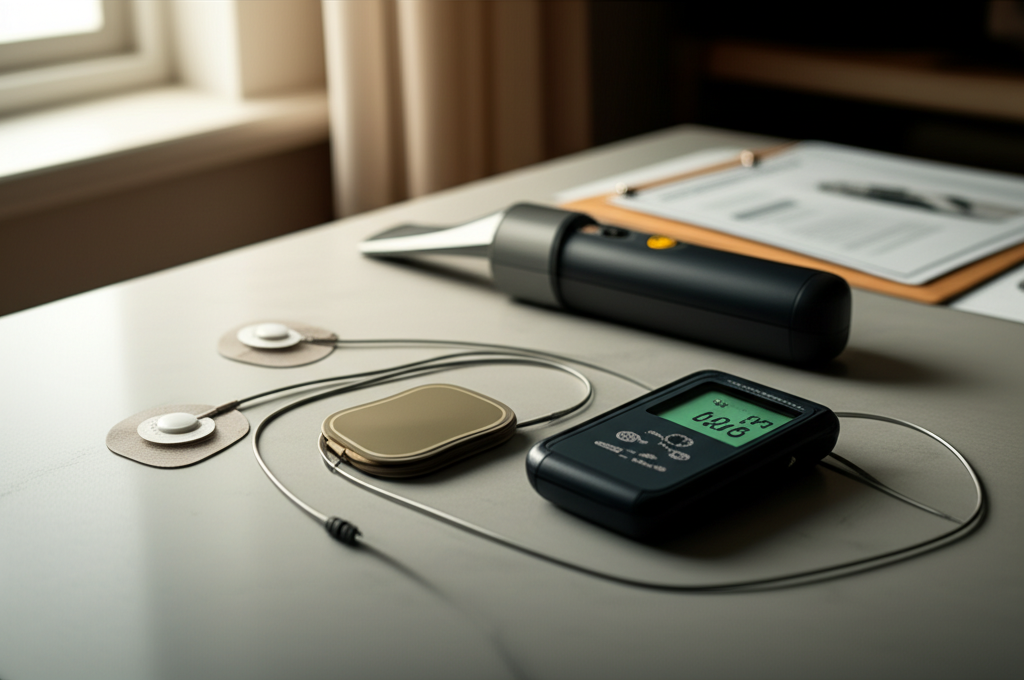
A Holter monitor is a portable device that records your heart’s electrical activity over a 24- to 48-hour period. It consists of electrodes attached to your chest and a small, battery-powered recording unit. Metal detectors, typically found at airports, courthouses, and other secure locations, use electromagnetic fields to detect metallic objects. The primary concern is whether the electromagnetic field from a metal detector could interfere with the Holter monitor’s function or damage it.
The Science Behind Metal Detectors and Medical Devices
Metal detectors operate by generating an electromagnetic field. When this field encounters a metallic object, it induces a current in the object, which in turn creates its own magnetic field. The detector senses this secondary field and triggers an alarm. Most modern Holter monitors are designed with shielding to protect their sensitive electronic components from typical electromagnetic interference.
Can You Go Through a Metal Detector With a Holter Monitor? The Direct Answer
In most cases, yes, you can go through a standard walk-through metal detector with a Holter monitor. The electromagnetic fields generated by these detectors are usually not strong enough to damage the Holter monitor or significantly affect its readings. However, it’s always best to err on the side of caution and inform security personnel about your medical device.
Airport Security and Holter Monitors: What to Expect
Airport security is a common place where you might need to pass through a metal detector with your Holter monitor. It’s advisable to inform the TSA (or equivalent security agency) agent about your medical device before you approach the screening area. They can often provide an alternative screening method, such as a pat-down, to avoid unnecessary exposure to the detector’s field.
Steps to Take Before Going Through a Metal Detector
Preparation is key when you have a Holter monitor. Before you head out, especially to a place with security screening, it’s wise to have a plan. This includes understanding the potential risks and knowing what to say to security personnel.
1. Consult Your Doctor: Always discuss your travel plans and potential encounters with metal detectors with your cardiologist or the technician who fitted your monitor. They can provide specific advice tailored to your device and medical condition.
2. Carry Documentation: Keep a copy of your prescription or a letter from your doctor explaining your need for the Holter monitor. This can be helpful if you need to explain your situation to security staff.
3. Understand Your Device: Familiarize yourself with your specific Holter monitor model. Some models might be more sensitive than others.
When you arrive at the metal detector, remain calm and follow these steps. Clear communication and a proactive approach can make the process smooth and stress-free. Your primary goal is to protect the device and ensure accurate data collection.
Inform Security: Approach a security officer and politely explain that you are wearing a medical device (Holter monitor).
Request Alternative Screening: Ask if you can undergo a pat-down or use a hand-held scanner instead of walking through the main detector. This is often standard procedure for individuals with medical implants or devices.
Avoid Lingering: If you must walk through, do so without delay. Do not pause or linger inside the detector’s archway.
Keep the Monitor on Your Person: Do not attempt to remove the Holter monitor unless specifically instructed to do so by medical or security personnel.
What About Hand-Held Metal Detectors?
Hand-held metal detectors, often used by security personnel for secondary screening, also emit electromagnetic fields. While generally considered safe, it’s still a good idea to inform the officer if you’re being scanned with a hand-held device. They can typically perform the scan without directly touching the Holter monitor.
Potential Interference and How to Minimize It
While the risk is low, some interference is theoretically possible. Stronger, industrial-grade metal detectors or prolonged exposure might pose a greater risk. Minimizing your exposure is the best way to ensure your Holter monitor functions correctly.
Limit Exposure Time: Do not stand in or near the metal detector longer than necessary.
Maintain Distance: Keep the Holter monitor unit itself as far as possible from the detector’s scanning beam if you are aware of its path.
Observe Detector Behavior: If the detector alarm sounds excessively, it might be due to your monitor or other metallic items you are carrying.
Alternatives to Standard Metal Detectors
For individuals with pacemakers or other sensitive medical implants, many facilities offer alternative screening methods. These can often be requested by anyone wearing a medical device, including a Holter monitor, to ensure their safety and the integrity of their equipment.
Pat-Down Screening: A security officer can conduct a manual pat-down to check for metallic items.
Advanced Imaging Technology (AIT) Scanners: Many airports now use AIT scanners (body scanners) which do not rely on the same electromagnetic principles as traditional metal detectors and are generally considered safe for medical devices.
Medical Exemption Cards: In some regions, specific medical exemption cards can be obtained for individuals with medical implants, though this is less common for temporary devices like Holter monitors.
When to Seek Professional Medical Advice
If you have any doubts or concerns about your Holter monitor and metal detectors, your healthcare provider is the best resource. They understand the specifics of your medical condition and the technology involved. Don’t hesitate to reach out to them with any questions.
Contact Your Cardiologist: If you have a pre-existing heart condition, it’s always best to confirm with your doctor.
Ask the Holter Monitor Technician: The team that fitted your monitor can often provide detailed information about its resilience to electromagnetic fields.
* Understand Device Specifications: If possible, find the manufacturer’s specifications for your Holter monitor regarding electromagnetic compatibility.
Frequently Asked Questions (FAQ)
Q1: Will a metal detector damage my Holter monitor?
A1: Standard walk-through metal detectors are unlikely to damage your Holter monitor due to their shielded design. However, prolonged exposure or extremely powerful detectors could theoretically cause interference.
Q2: Can I set off a metal detector alarm with my Holter monitor?
A2: While the monitor itself is not metallic, the electrodes or leads might contain small metallic components. Also, the alarm could be triggered by other metallic items you are carrying.
Q3: Should I remove my Holter monitor before going through a metal detector?
A3: No, you should not remove your Holter monitor. It is designed to be worn continuously, and removing it could disrupt the recording and affect your test results.
Q4: What if I’m flying and need to go through airport security?
A4: Inform TSA agents about your Holter monitor. They will likely offer alternative screening methods like a pat-down or AIT scanner to avoid the walk-through detector.
Q5: Can I use a hand-held metal detector with a Holter monitor?
A5: Yes, but it’s advisable to inform the security officer using the hand-held scanner. They can usually scan around the monitor without direct contact.
Q6: What should I do if my Holter monitor starts behaving erratically after passing a detector?
A6: If you suspect interference, note the time and location. Contact your doctor or the monitoring service immediately to report the issue and discuss potential data loss.
So, can you go through a metal detector with a Holter monitor? The straightforward answer is yes, you generally can, with precautions. By understanding how these devices work and communicating clearly with security personnel, you can navigate checkpoints safely and ensure your Holter monitor continues to collect accurate data. Always prioritize consulting your doctor and carrying necessary documentation. Your health and peace of mind are paramount, and with a little preparation, managing your Holter monitor during security screenings becomes a simple, manageable task.

