


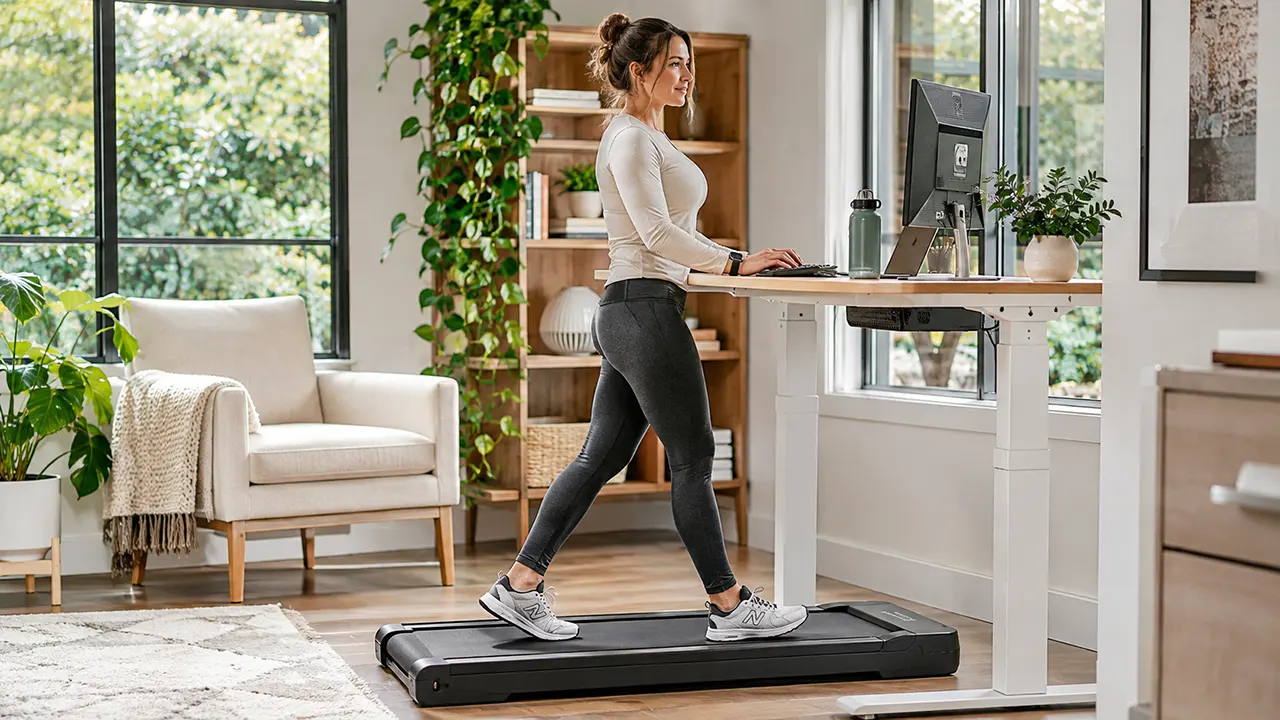
Walking pads can be good for your health because they make it easier to add movement to your daily routine, especially when you spend long hours sitting at a desk. Regular walking supports cardiovascular health, energy expenditure and general physical activity. However, walking pads have limitations. Slow walking may not provide enough intensity to meet aerobic exercise recommendations, and improper use can create fall, joint discomfort and equipment-related risks.
A walking pad is a compact, motorized treadmill designed mainly for indoor walking. Many models fit beneath a standing desk, allowing users to walk while working, reading or watching television.
Imagine spending eight hours at a computer. You may finish your workday without taking many steps. A walking pad can help break up those long periods of sitting without requiring a separate trip to the gym.
However, convenience does not automatically mean safety or fitness effectiveness. Your walking speed, posture, equipment quality and exercise habits all matter.
Key takeaways
- Walking pads make regular indoor movement more convenient.
- Walking can increase energy expenditure compared with sitting.
- Slow walking is not automatically moderate-intensity exercise.
- Walking pads do not replace strength training or other forms of exercise.
- Proper footwear, stable positioning and gradual speed progression help reduce risks.
- Check product safety warnings before using a walking pad.
7 Potential Health Benefits of Using a Walking Pad
Walking pads offer several potential health benefits when used as part of a consistent physical activity routine. Most benefits come from walking itself rather than any unique feature of the machine.
1. Helps Reduce Prolonged Sitting
Sitting for long periods is common among office workers, remote employees and people who spend much of their day using computers.
A walking pad provides an easy way to replace some sitting time with light physical activity. You can use it during suitable work tasks or between regular desk sessions.
The CDC encourages adults to move more and sit less. It also emphasizes that some physical activity is better than none. Even small amounts of movement can contribute to better health. CDC physical activity guidance.
The important point is consistency. A walking pad can help you build more movement into an otherwise sedentary day.
2. Makes Daily Movement Easier
Finding time for exercise can be difficult when you have work, family responsibilities and other daily activities.
A walking pad reduces some of these barriers because you can walk indoors without planning an outdoor route or visiting a gym.
For example, you might use it during a suitable online meeting, while listening to a podcast or during a short break from computer work.
This convenience can make regular walking easier to maintain. However, it is still important to choose activities that allow you to concentrate and maintain good balance.
3. Increases Energy Expenditure Compared With Sitting
Walking generally requires more energy than sitting still. A walking pad can therefore increase your energy expenditure when it replaces sedentary desk time.
A 2021 systematic review and meta-analysis examined 13 studies involving 351 participants. Its laboratory analysis found that treadmill-desk use increased energy expenditure by approximately 105.23 calories per hour compared with sitting.
However, this figure came from controlled laboratory studies. It is not a guaranteed result for every user, walking speed or walking pad. Workplace studies also showed more limited evidence of changes in cardiometabolic outcomes. Read the research on PubMed. PubMed
Your actual energy expenditure depends on factors such as walking speed, body weight, duration and individual movement patterns.
A walking pad can support an active lifestyle, but it should not be treated as a guaranteed weight-loss device.
4. Supports Cardiovascular Physical Activity
Walking is an accessible form of aerobic activity. When performed at sufficient intensity, it can help improve cardiovascular fitness.
Regular physical activity supports heart health and is associated with a lower risk of several chronic conditions.
The CDC identifies reduced risks of heart disease, stroke and type 2 diabetes among the long-term benefits of regular physical activity. These are benefits of physical activity generally, not proof that walking pads independently prevent these conditions. CDC: Health Benefits of Physical Activity.
A walking pad can make indoor walking more convenient, particularly when weather or outdoor conditions make walking difficult.
5. May Help With Weight Management
Walking increases energy expenditure, which can contribute to weight management when combined with appropriate nutrition and other healthy habits.
A walking pad may help you become more active without requiring a complicated exercise schedule.
However, weight change depends on several factors, including food intake, total daily activity, sleep and individual metabolism.
Do not assume that walking slowly for a few minutes will produce significant weight loss. Think of the machine as one tool that can support a broader healthy routine.
6. Can Support Better Movement Habits
One overlooked advantage of a walking pad is that it can make physical activity part of your normal daily schedule.
You do not always need to reserve a separate block of time for walking. You can add short sessions between work tasks or use the machine during appropriate low-concentration activities.
Over time, this may help establish a more consistent movement routine.
The best approach is to build a habit that fits your lifestyle rather than forcing yourself to walk for long periods every day.
7. Makes Indoor Walking More Convenient
Weather, traffic, limited outdoor space and busy schedules can make outdoor walking difficult.
A walking pad offers an indoor alternative. You can walk at home or in a suitable office environment without depending on outdoor conditions.
This is particularly useful for people who prefer exercising at home or want to add movement during their working hours.
However, indoor walking should not prevent you from enjoying other physical activities. Outdoor walking, cycling, swimming and strength training provide different experiences and benefits.
Walking Pad Disadvantages and Potential Health Risks
Walking pads are convenient, but they are not perfect exercise machines. Understanding their limitations helps you decide whether one is appropriate for your daily routine.
Limited Exercise Intensity on Some Models
Many compact walking pads are designed for walking rather than running or high-intensity training.
Their maximum speed, belt dimensions and motor capabilities may limit the range of exercises you can perform.
Slow walking can increase movement compared with sitting, but it does not necessarily provide enough intensity to improve aerobic fitness in the same way as brisk walking or more demanding exercise.
If your primary goal is vigorous cardio training, a conventional treadmill or another suitable exercise option may be more appropriate.
Possible Foot, Knee and Joint Discomfort
Walking for extended periods can cause discomfort, particularly when you are new to regular exercise or increase your activity too quickly.
Possible problems include:
- Foot soreness from inadequate footwear.
- Calf discomfort after increasing walking time.
- Knee discomfort associated with an unsuitable walking routine.
- Muscle fatigue from prolonged standing and walking.
- Back discomfort associated with poor posture or workstation positioning.
These problems are not inevitable consequences of using a walking pad. They may depend on your walking technique, activity level, footwear, equipment and individual physical condition.
Start with manageable sessions. If pain persists, stop using the machine and consider seeking advice from a qualified healthcare professional.
Balance and Fall Concerns
A moving belt requires coordination. Users must maintain their balance while adjusting to the machine’s speed.
This can be challenging for beginners or people with existing balance difficulties.
Compact walking pads also differ from conventional treadmills. Some models have no front handrail or side support.
If you need additional stability, consider whether a model with appropriate support features is more suitable. Do not assume that every walking pad is safe for every user.
Posture and Ergonomic Problems
Walking while using a computer can create new ergonomic challenges.
A poorly positioned monitor may encourage you to bend your neck. An unsuitable keyboard height can place extra strain on your shoulders and wrists.
Your workstation should allow you to maintain a comfortable posture while walking.
If you cannot maintain a stable position or concentrate on your work, stop the belt and complete the task while standing still or sitting.
Limited Exercise Variety
Walking pads mainly support walking. They do not provide the same training variety as a complete fitness routine.
For example, they do not replace resistance exercises that strengthen your major muscle groups.
You may also need other activities to improve balance, flexibility, strength and overall physical fitness.
Noise, Space and Maintenance Requirements
Although walking pads are compact, they still require adequate floor space and proper storage.
Some models produce noticeable motor and belt noise. This can become distracting during meetings or in shared workspaces.
You must also follow the manufacturer’s maintenance instructions. Depending on the model, this may include cleaning the walking surface, checking belt alignment and applying approved lubricant.
Neglecting maintenance can affect machine performance and safety.
Walking Pad Safety: 9 Precautions Before You Start
A walking pad is a motorized exercise machine with a moving belt. Safe operation depends on the equipment, its surroundings and the person using it.
Before starting your next session, follow these precautions.
1. Inspect the Walking Pad and Its Moving Belt
Check the walking pad before each use.
Look for visible damage, unusual belt movement, loose components and signs of wear.
Pay particular attention to:
- Walking belt condition.
- Belt alignment.
- Power cable damage.
- Loose or damaged housing.
- Unusual mechanical noises.
- Signs of overheating.
Do not use the machine if you notice a serious mechanical or electrical problem. Follow the manufacturer’s instructions or contact an authorized service provider.
2. Check Product Safety Warnings and Recalls
Checking product safety information is an important part of owning any motorized exercise machine.
In April 2026, the US Consumer Product Safety Commission (CPSC) issued a warning about certain Sperax walking pads and treadmills.
Important CPSC safety warning
April 16, 2026
The warning identifies these affected models:
- Sperax Pro
- Sperax Q1
- Sperax RM-01
- Sperax RM-02
CPSC reported 201 complaints involving uncontrollable speed, abrupt stops and related stability failures, resulting in at least 66 falls or injuries. It also reported 573 overheating, fire and other thermal incidents.
CPSC urges consumers to stop using the affected products immediately and dispose of them. Do not sell or give them away.
Source: US Consumer Product Safety Commission, Product Safety Warning No. 26-415.Read the official CPSC warning
This warning applies to the specified Sperax models. It does not mean every walking pad from every manufacturer has the same problem.
Before using a machine, check its brand, exact model number and applicable safety notices. You can also search the CPSC product safety website.
3. Use a Stable, Level Walking Surface
Place your walking pad on a firm, level and stable floor.
Avoid surfaces that move, shift or create an unstable base.
Make sure the machine does not rock during operation. Follow the manufacturer’s clearance requirements, especially behind the walking belt.
Do not position the machine where a fall could send you into furniture, a wall or another hard object.
4. Wear Supportive Walking Shoes
Proper footwear can help improve comfort and stability.
Choose comfortable athletic shoes that fit securely and provide suitable support.
Avoid:
- High heels.
- Loose slippers.
- Shoes with unstable soles.
- Footwear that can easily slip off.
- Barefoot use unless the manufacturer specifically permits it and the design is intended for that use.
Check your shoes for loose laces before starting. Keep loose clothing and accessories away from the moving belt.
5. Keep Children, Pets and Loose Objects Away
The moving belt and mechanical gaps can create hazards for children and pets.
Keep them away from the machine during operation.
Also remove objects that could interfere with your walking or become trapped near the belt.
Never allow children to operate the walking pad without appropriate supervision and manufacturer-approved use conditions.
6. Understand the Emergency Stop and Safety Key
Some walking pads include a safety key or emergency-stop mechanism. Others use a remote control or a different stopping system.
Learn how your particular model stops before using it.
If your machine includes a safety key, understand how it attaches and how it works. Keep the remote control within easy reach if your model relies on one.
Do not assume that every walking pad has an automatic fall-detection system.
7. Check Power Cords and Electrical Connections
Inspect the power cable and plug for damage before connecting the machine.
Follow the manufacturer’s electrical requirements. Use an appropriate power outlet and avoid overloading electrical circuits.
Do not use a walking pad with:
- Exposed or damaged wires.
- A loose power connection.
- A burnt or damaged plug.
- Signs of electrical overheating.
- Unusual electrical smells.
Never attempt to repair electrical components while the machine is connected to power.
8. Keep the Area Around the Machine Clear
Your walking pad should have enough surrounding space for safe operation.
Remove furniture, cables, rugs and other objects that could cause trips.
Keep the rear area clear so you have room to respond if you lose your footing.
If your walking pad folds for storage, follow the manufacturer’s locking and folding instructions. Make sure it cannot fall over when stored.
9. Follow the Manufacturer’s Weight and Operating Limits
Every walking pad has specific operating requirements.
Check its maximum user weight, speed range, recommended operating duration and maintenance schedule.
Do not exceed the manufacturer’s weight limit or use the machine in ways that its manual does not permit.
A walking pad designed for light walking may not be suitable for running or intensive exercise.
How to Start Walking on a Walking Pad Safely
If you are new to walking pads, avoid starting with long sessions or high speeds.
Your body needs time to adjust to the moving belt and the additional activity.
Begin at a Comfortable, Slow Pace
Read the user manual before your first session. Make sure you understand the controls and emergency-stop procedure.
Stand on the designated side areas before starting if your model’s instructions recommend this procedure. Start the machine according to its manual and step onto the belt carefully.
Choose a speed that allows you to walk naturally without reaching for support or losing balance.
Do not increase the speed simply because the machine allows it.
Increase Walking Time Before Chasing Higher Speeds
A gradual approach makes it easier to understand how your body responds to walking.
The following is an illustrative beginner progression, not a medically prescribed schedule.
| Stage | Suggested approach | Main goal |
|---|---|---|
| Initial sessions | Short sessions of around 5-10 minutes | Learn the controls and belt movement |
| Early progression | Gradually extend sessions if comfortable | Build familiarity |
| Regular use | Add manageable walking periods throughout the day | Establish consistency |
| Longer sessions | Increase duration only when well tolerated | Maintain a sustainable routine |
You do not need to follow these stages at a fixed pace. Some people may need more time, particularly if they have been inactive.
Monitor Comfort, Balance and Recovery
Pay attention to how you feel during and after walking.
Watch for:
- Unusual fatigue.
- Foot or calf discomfort.
- Changes in walking posture.
- Difficulty maintaining balance.
- Persistent joint discomfort.
Take breaks when needed. If symptoms persist or become worse, stop using the machine and seek appropriate medical advice.
When to Reduce Speed or Take a Break
Slow down or stop when you feel uncomfortable, unsteady or unusually tired.
Do not try to maintain a target step count at the expense of safe movement.
When finishing, reduce the speed and allow the belt to stop completely before stepping off. Follow your model’s stopping instructions.
Does Walking on a Walking Pad Count as Exercise?
Yes. Walking on a walking pad is physical activity. However, whether it counts toward recommended aerobic exercise depends on its intensity.
This distinction is important because not every walking session provides the same health benefits.
Light Walking Versus Moderate-Intensity Activity
Light walking generally requires less effort than brisk walking.
Moderate-intensity activity increases your breathing and heart rate. A useful way to estimate intensity is the talk test.
| Activity intensity | How it feels | Example |
|---|---|---|
| Light | You can talk and sing comfortably | Slow indoor walking |
| Moderate | You can talk but not sing comfortably | Brisk walking |
| Vigorous | You can only say a few words before pausing for breath | Running or other demanding aerobic activity |
These are practical descriptions rather than fixed walking-pad speed limits.
Your fitness level and individual circumstances affect how a particular speed feels.
Understanding the CDC’s 150-Minute Recommendation
According to the CDC’s December 2025 guidance, adults should aim for:
- At least 150 minutes of moderate-intensity aerobic activity each week.
- Or 75 minutes of vigorous-intensity aerobic activity.
- Or an equivalent combination of moderate and vigorous activity.
- Muscle-strengthening activities on at least two days each week.
You can divide aerobic activity into shorter sessions throughout the week.
The CDC also emphasizes that some physical activity is better than none.
A slow walking-pad session can still help reduce sedentary time, even when it does not reach moderate intensity.
Can a Walking Pad Replace Regular Exercise?
Not completely.
Walking pads provide a convenient way to increase daily movement, but they mainly support one type of activity.
A balanced fitness routine should also include muscle-strengthening exercises. Depending on your goals, you may benefit from other aerobic activities and exercises that improve strength, balance and flexibility.
Think of a walking pad as an additional tool for staying active rather than a complete replacement for exercise.
Is Walking While Working Safe and Productive?
Walking while working can help you add movement to your day. However, it can also affect concentration, typing accuracy and workstation comfort.
The key is choosing the right tasks and setting up your desk properly.
Why Walking Can Affect Typing Speed
A 2020 review and meta-analysis examined 18 studies involving active workstations.
The researchers found that treadmill desks reduced typing speed compared with conventional seated work. The study also found that active workstations did not necessarily reduce cognitive performance across all measured tasks. PubMed
This means walking while working is not automatically bad for productivity. The effect depends on the task and the individual.
Typing an occasional email is different from preparing a detailed financial report or editing complex technical content.
Which Office Tasks Are Suitable for Walking?
Some low-complexity activities may be easier to perform while walking slowly.
Examples include:
- Listening to podcasts or recorded training.
- Attending suitable audio-only meetings.
- Reviewing simple documents.
- Reading non-technical material.
- Brainstorming ideas.
- Listening to presentations.
These tasks may require less precise hand movement than detailed computer work.
Which Tasks Are Better Performed While Standing Still?
Pause your walking pad when a task requires accuracy, concentration or quick reactions.
Examples include:
- Detailed spreadsheet editing.
- Complex graphic design.
- Precise mouse movements.
- Video editing.
- Writing technical documents.
- Important presentations.
- Tasks requiring intense concentration.
You can return to walking after completing these activities.
How to Set Up a Comfortable Walking Workstation
Your desk setup matters just as much as the walking pad itself.
Follow these ergonomic principles:
- Position your monitor at a comfortable viewing height.
- Keep your shoulders relaxed.
- Place your keyboard and mouse within easy reach.
- Avoid leaning forward to read the screen.
- Maintain a natural walking posture.
- Keep the walking speed low enough to maintain control.
The OSHA Computer Workstations guide provides useful information about monitor positioning, keyboard placement and ergonomic workstation design.
For more practical guidance, read our article on how to use a walking pad while working.
When Should You Stop Using a Walking Pad?
A walking pad should operate smoothly and respond predictably to its controls.
If you notice unusual behavior, do not assume that it is a normal operating condition.
| Warning sign | Recommended action |
|---|---|
| Unexpected speed changes | Stop using the machine |
| Abrupt belt stops | Stop using it and investigate through authorized support |
| Burning smell or smoke | Stop if safe, disconnect power only if it is safe to do so, and follow emergency procedures |
| Unusual overheating | Stop using the machine and seek authorized inspection |
| Belt slipping or severe misalignment | Stop and follow manufacturer maintenance instructions |
| Damaged electrical cable | Do not reconnect or operate the machine |
| Persistent pain or dizziness | Stop exercising and assess whether medical advice is needed |
| Repeated loss of balance | Stop using the machine until the cause is addressed |
Unexpected Speed Changes or Abrupt Stops
A walking pad should not suddenly accelerate or stop unexpectedly.
These problems can cause you to lose your balance.
If this happens, stop using the machine. Do not continue operating it to see whether the problem happens again.
Unusual Noise, Heat or Burning Smells
A new grinding noise, unusual motor heat or burning smell may indicate a mechanical or electrical problem.
Turn off the machine and follow the manufacturer’s safety instructions.
If you notice smoke or fire, prioritize personal safety and contact emergency services when necessary. Do not attempt to repair the machine yourself.
Belt Slipping, Damage or Instability
A slipping belt can make walking unpredictable.
Check the manufacturer’s maintenance instructions, but do not attempt adjustments while the machine is running or connected to power.
If the problem continues, contact an authorized technician.
Pain, Dizziness or Loss of Balance
Physical discomfort should not be ignored.
Stop walking if you experience unusual pain, dizziness, shortness of breath beyond expected exertion or difficulty maintaining balance.
Seek urgent medical assistance for serious symptoms such as chest pain, fainting or severe breathing difficulty.
When to Seek Medical Advice
Most adults can benefit from regular physical activity, but the appropriate exercise level differs between individuals.
Consult a healthcare professional before starting or changing your exercise routine if you have a chronic health condition, significant mobility limitations or concerns about balance.
The CDC specifically recommends discussing suitable activity levels with a healthcare professional when you have conditions such as heart disease, arthritis or diabetes. CDC
Walking Pad vs Other Forms of Exercise
Walking pads are one way to stay active, but they are not the best option for every fitness goal.
Consider how they compare with other common activities.
| Activity | Main advantage | Main limitation |
|---|---|---|
| Walking pad | Convenient indoor walking | Limited exercise variety |
| Outdoor walking | Fresh air and varied surroundings | Weather and location dependent |
| Conventional treadmill | More options for speed and incline on suitable models | Requires more space |
| Strength training | Develops muscular strength | Requires resistance exercises |
| Cycling | Low-impact aerobic activity | Does not provide the same weight-bearing activity as walking |
| Swimming | Whole-body aerobic activity | Requires access to a suitable pool |
The best choice depends on your fitness goals, physical abilities and available space.
For example, a walking pad may be ideal for someone who wants to move more during remote work. A conventional treadmill may be more appropriate for someone who wants structured speed and incline training.
If you are comparing equipment, explore our guides to the best walking pads in 2026 and the best walking pads with incline.
You can also read our comparison of walking pads vs under-desk treadmills.
Frequently Asked Questions About Walking Pad Benefits and Safety
1. Is walking on a walking pad good for you every day?
Walking on a walking pad every day can be a convenient way to increase physical activity. However, your daily routine should match your fitness level and recovery needs. You do not need to walk for long periods every day to benefit from regular movement. Start gradually and adjust your activity if you experience persistent discomfort or fatigue.
2. Can you lose weight by using a walking pad?
A walking pad can support weight management by increasing energy expenditure when it replaces sitting. However, weight loss depends on your overall energy balance, food intake, activity level and other individual factors. Walking alone does not guarantee weight loss. Combine regular movement with sustainable eating habits and other suitable physical activities.
3. Is a walking pad safe for beginners?
A walking pad can be suitable for beginners who can walk safely and follow the manufacturer’s instructions. Start at a comfortable speed and use short sessions while learning how the belt and controls work. Beginners with balance difficulties or relevant health concerns should seek appropriate professional guidance before using one.
4. Can walking pads hurt your knees?
Walking pads do not automatically cause knee problems. However, unsuitable footwear, excessive walking duration, poor walking technique or increasing activity too quickly may contribute to discomfort. If knee pain develops, stop or reduce your activity and assess the cause. Persistent pain deserves evaluation by a qualified healthcare professional.
5. Is walking on a walking pad better than sitting?
Walking generally involves more physical activity and energy expenditure than sitting still. Replacing some sedentary time with walking can therefore be beneficial. However, standing and walking are not identical activities, and neither requires you to remain in one position all day. Regular movement breaks and varied activity are sensible approaches.
6. Can you use a walking pad without shoes?
Footwear recommendations depend on the machine’s design and manufacturer instructions. Supportive athletic shoes are generally a sensible choice for walking pads designed for shoe use. Barefoot walking may increase discomfort or create additional risks on unsuitable surfaces. Always follow the manufacturer’s footwear guidance.
7. Do walking pads count toward 150 minutes of exercise?
Walking-pad activity can count toward the CDC’s weekly aerobic activity recommendation when it reaches moderate or vigorous intensity. Slow walking may still provide benefits by reducing sedentary time, but it does not automatically qualify as moderate-intensity exercise. Use the talk test to estimate your effort level.
8. Can you use a walking pad while working all day?
You can use a walking pad during suitable work tasks, but walking continuously throughout the entire workday is not necessary. Treadmill-desk research has identified potential reductions in typing speed. Alternate walking with seated or stationary work, and stop the belt when a task requires precise computer input or full concentration.
Should You Add a Walking Pad to Your Daily Routine?
A walking pad can be a useful addition to your home or office, particularly if your daily routine involves long hours of sitting.
The best reason to use one is simple: it makes regular movement more convenient. You do not need to treat it as a replacement for every other form of exercise.
Start with a suitable machine, follow its safety instructions and build a walking routine that fits your abilities. If you are considering buying one, compare the available designs, safety features and operating limits before making your decision.
Ready to find a suitable model? Explore our best walking pads in 2026 guide to compare your options.
