


Published on: September 19, 2025 | Updated on: September 19, 2025
The Bounty Hunter 2 metal detector offers a solid entry point for hobbyists, balancing ease of use with functional features. This guide covers its capabilities, setup, and best practices for maximizing your treasure hunting success, making it a valuable tool for beginners and seasoned prospectors alike.
Are you ready to uncover hidden treasures but feel overwhelmed by the choices in metal detectors? The Bounty Hunter 2 metal detector often comes up in conversations among those starting their detecting journey. It’s a popular choice, but knowing how to get the most out of it is key. Many beginners wonder if it’s truly capable of finding those elusive coins, relics, or even gold nuggets. This guide is designed to demystify the Bounty Hunter 2, providing you with the practical knowledge to head out with confidence and make your detecting adventures more rewarding.
Why Choose the Bounty Hunter 2 Metal Detector?
The Bounty Hunter 2 metal detector stands out as a compelling option for newcomers to the hobby. It strikes a great balance between affordability and performance, offering essential features without overwhelming complexity. This makes it an excellent stepping stone into the world of metal detecting.
Understanding the Bounty Hunter 2: Key Features and Technology
The Bounty Hunter 2 metal detector is built with simplicity and effectiveness in mind. It typically employs a VLF (Very Low Frequency) detection technology, which is standard for most hobbyist detectors. This technology allows it to discriminate between different types of metals, helping you avoid digging up junk.
The detector usually features adjustable discrimination, allowing you to tune out common undesirable targets like iron nails. It also often includes sensitivity adjustments, which are crucial for adapting to different ground conditions and target depths. Many models come with a preset ground balance, simplifying operation for beginners.
Getting Started: Assembling Your Bounty Hunter 2 Metal Detector
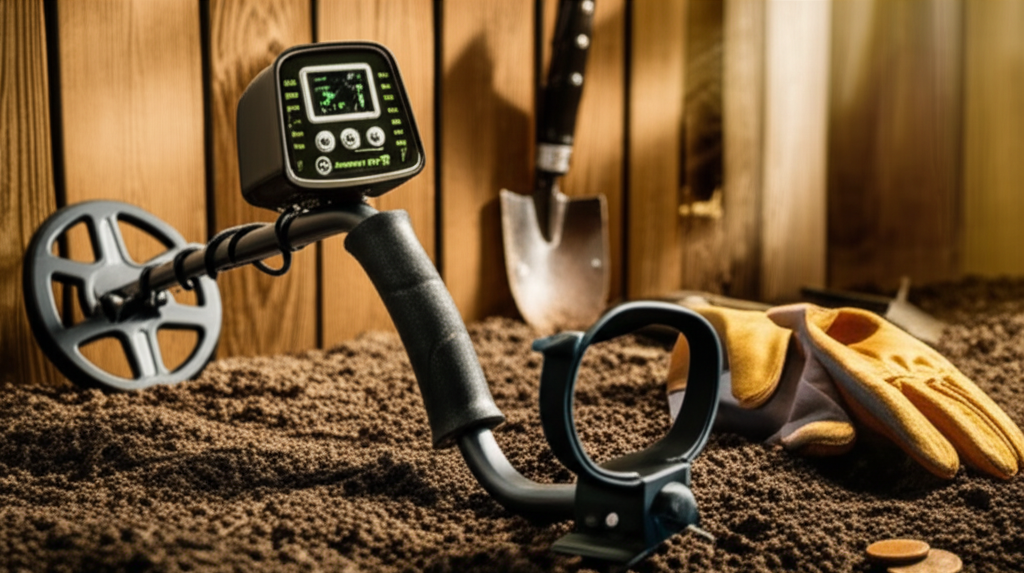
Setting up your Bounty Hunter 2 metal detector is a straightforward process, designed to get you detecting quickly. Typically, it involves three main sections: the control box, the stem, and the search coil. These parts usually connect with a simple locking mechanism.
1. Attach the Search Coil: Connect the search coil cable to the designated port on the control box. Ensure it’s securely plugged in.
2. Assemble the Stem: Slide the stem sections together, adjusting them to your preferred length. Most stems have a telescoping feature for easy adjustment.
3. Secure the Coil to the Stem: Mount the search coil onto the lower end of the stem, using the provided nuts and bolts. Make sure it’s snug to prevent wobbling.
4. Connect the Cable: Wrap the search coil cable neatly around the stem and plug the other end into the control box.
Once assembled, it’s a good idea to check that all connections are firm. This ensures optimal performance and prevents signal loss during operation.
Mastering the Controls: A User-Friendly Interface
The control panel of the Bounty Hunter 2 metal detector is designed for intuitive use. You’ll typically find a few key knobs or buttons that control the detector’s main functions. Understanding these will significantly improve your detecting efficiency.
Power Switch: This simply turns the detector on or off. Some models may have a separate volume control.
Sensitivity Dial: Adjust this to control how deeply the detector can sense targets and how responsive it is to small objects. Start with a medium setting and adjust as needed.
Discrimination Dial: This is your primary tool for filtering out unwanted targets, such as iron. Turning it clockwise typically increases discrimination, ignoring more metals.
Mode Selector (if applicable): Some Bounty Hunter 2 models may have different detecting modes, such as “All Metal” or “Discrimination” modes.
Learning to adjust these controls based on your environment and target type is essential. For instance, in an area with a lot of iron trash, you’ll want to increase discrimination.
Effective Detecting Techniques with the Bounty Hunter 2
Using the Bounty Hunter 2 metal detector effectively involves more than just swinging it around. Employing proper techniques will lead to more finds and fewer frustrating digs. The goal is to cover ground systematically and interpret the signals accurately.
Systematic Coverage: Sweep the detector in a grid pattern, overlapping each sweep by about half the coil’s width. This ensures you don’t miss any areas.
Proper Coil Height: Keep the search coil as close to the ground as possible without hitting it. This maximizes depth detection.
Slow and Steady Swing: Swing the coil at a consistent, slow pace. This allows the detector adequate time to analyze the target.
Listen to the Signals: Pay close attention to the audio tones. Different tones and patterns often indicate different types of metal.
Consistent practice with these techniques will help you develop an ear for the signals your Bounty Hunter 2 is producing. This skill is invaluable for distinguishing good targets from bad.
Interpreting Signals: What Your Bounty Hunter 2 is Telling You
Understanding the audio cues from your Bounty Hunter 2 metal detector is a crucial skill for any detectorist. The detector uses different tones to help you identify potential targets before you even dig. Learning these nuances will save you time and effort.
Generally, a clear, sharp, repeatable tone suggests a good metallic target. A low, choppy, or inconsistent tone often indicates iron or a piece of trash. Some detectors may offer a multi-tone audio system, where different tones correspond to different metal categories.
For example, a high-pitched tone might indicate a coin or jewelry, while a low tone could signal iron. Experimenting in your yard with known targets can help you learn your specific detector’s sound profile.
Common Targets and How the Bounty Hunter 2 Handles Them
The Bounty Hunter 2 metal detector is capable of finding a variety of metallic objects. From modern coins to historical relics, understanding what it can detect and how it signals them is key to successful hunts. Its versatility makes it suitable for different detecting interests.
Coins: The detector is generally very good at detecting modern and older coins. You’ll usually get a clear, often high-pitched tone, especially if you have discrimination set appropriately.
Jewelry: Rings, bracelets, and other jewelry items made of precious metals can be detected. The signal will vary depending on the metal and size.
Relics: Older artifacts, buttons, buckles, and other historical items can be found. These might produce a wider range of signals depending on their composition and age.
Prospecting: While not its primary focus, the Bounty Hunter 2 can sometimes detect larger gold nuggets, especially with careful sensitivity and discrimination settings.
Remember that depth and ground mineralization can affect how well any metal detector performs. Adjusting sensitivity and discrimination is key to optimizing performance for specific targets.
Where to Hunt: Prime Locations for Using Your Bounty Hunter 2
Choosing the right location is as important as having a good metal detector like the Bounty Hunter 2. Certain areas are more likely to yield exciting finds due to historical activity or the presence of lost items. Always ensure you have permission to detect on private property.
Parks and Playgrounds: These are great spots for finding modern coins and lost jewelry. Look for areas around benches, picnic tables, and where children play.
Old Home Sites: The grounds of former residences, especially those built before the mid-20th century, can be treasure troves of relics and old coins.
Beaches: Besides finding modern currency, beaches can be excellent for detecting lost jewelry, especially near popular swimming areas. Be aware of local regulations regarding metal detecting on beaches.
Schoolyards: Similar to parks, schoolyards are often hotspots for dropped coins and small trinkets.
Woodlands and Trails: Older trails or areas where people have historically gathered can yield interesting finds.
Always research local laws and regulations regarding metal detecting before you go out. Responsible detecting ensures the hobby remains enjoyable for everyone. For more information on detecting laws, you can consult resources like the Metal Detecting World website.
Essential Accessories for Bounty Hunter 2 Users
While the Bounty Hunter 2 metal detector is a capable unit on its own, a few accessories can significantly enhance your detecting experience and improve your recovery rates. These tools help you dig efficiently and protect your finds.
Pinpointer: A handheld pinpointer is invaluable for quickly locating a target once you’ve dug a plug. It dramatically reduces the time spent searching in the soil.
Digging Tool: A sturdy digging tool, such as a trowel or a specialized digging spade, is essential for cleanly excavating targets. Look for one with a serrated edge if you expect to encounter roots.
Pouch or Bag: A finds pouch or bag is necessary for storing your recovered items and any trash you collect. This keeps your hands free and your finds organized.
Headphones: Using headphones can help you hear faint signals more clearly, especially in noisy environments, and also keeps your detecting discreet.
Replacement Batteries: Always carry spare batteries to ensure you can continue detecting for as long as you wish.
Investing in these items will make your detecting trips more productive and enjoyable. A good pinpointer, like the Garrett Pro-Pointer AT, can truly transform your recovery process.
Maintenance and Care for Your Bounty Hunter 2
Proper maintenance will ensure your Bounty Hunter 2 metal detector continues to perform reliably for years to come. Protecting your investment is simple with a few regular care steps. These practices will keep your detector in top working condition.
Cleaning: After each use, wipe down the control box, stem, and search coil with a damp cloth. Avoid using harsh chemicals.
Storage: Store your detector in a dry, cool place, away from direct sunlight and extreme temperatures. A protective cover or case is ideal.
Battery Care: Remove batteries if you plan to store the detector for an extended period to prevent corrosion.
Search Coil Care: Be careful not to bang the search coil against hard objects, as this can damage the internal components.
Following these simple maintenance tips will help preserve the functionality and lifespan of your Bounty Hunter 2 metal detector.
Troubleshooting Common Issues with the Bounty Hunter 2
Even with a reliable detector like the Bounty Hunter 2, you might encounter occasional issues. Knowing how to troubleshoot common problems will save you frustration and keep you out in the field. Most issues are easily resolved with a few adjustments.
False Signals: If you’re getting a lot of false signals, try reducing the sensitivity slightly or increasing the discrimination. Ensure the coil cable is securely connected.
Not Detecting Anything: Check that the detector is powered on and the batteries are fresh. Make sure the sensitivity is set high enough and that you are swinging the coil slowly over the target area.
Interference: Strong electromagnetic interference (EMI) from power lines or other electronic devices can affect performance. Try moving to a different location or adjusting the sensitivity.
Speaker Not Working: Check the volume control (if applicable) and ensure headphones are not plugged in, as this often mutes the speaker.
If problems persist, consulting the user manual or contacting the manufacturer’s customer support can provide further assistance.
Frequently Asked Questions About the Bounty Hunter 2 Metal Detector
What is the best way to set up the Bounty Hunter 2 for coin hunting?

For coin hunting, start with a moderate discrimination setting to filter out common iron trash. Set the sensitivity to a level that provides clear signals without excessive chatter. A slow, steady sweep pattern is crucial for detecting coins effectively.
Can the Bounty Hunter 2 detect gold?
While primarily designed for coins and relics, the Bounty Hunter 2 can detect larger gold nuggets. However, it may not be as sensitive to small gold pieces as specialized gold prospecting detectors. Adjusting sensitivity and discrimination settings carefully is key.
How deep can the Bounty Hunter 2 detect targets?
The detection depth of the Bounty Hunter 2 depends on several factors, including target size, type, ground mineralization, and the detector’s settings. Typically, it can detect coins up to 6-8 inches deep. Larger targets will register at greater depths.
What does the discrimination setting on the Bounty Hunter 2 do?
The discrimination setting allows you to ignore certain types of metal, most commonly iron. By turning the discrimination up, you tell the detector to ignore signals from ferrous metals, helping you avoid digging up nails and other junk.
Do I need a pinpointer with the Bounty Hunter 2?
While not strictly necessary, a pinpointer is highly recommended. It drastically speeds up the process of locating a target in the soil after you’ve dug a plug, saving you time and effort.
What kind of batteries does the Bounty Hunter 2 use?
The Bounty Hunter 2 typically uses standard AA batteries. Always check your specific model’s manual for the exact battery type and number required. Carrying spare batteries is always a good idea for extended detecting sessions.
Is the Bounty Hunter 2 waterproof?
The search coil of the Bounty Hunter 2 is usually waterproof, allowing you to detect in shallow water or wet grass. However, the control box is typically not waterproof and should be protected from rain and immersion.
Conclusion: Your Treasure Hunting Journey with the Bounty Hunter 2
The Bounty Hunter 2 metal detector is a fantastic entry-level device that empowers newcomers to explore the exciting world of treasure hunting. Its user-friendly design, coupled with essential features, makes it an accessible and capable tool for finding coins, relics, and more. By understanding its capabilities, mastering its controls, and employing effective techniques, you’ll be well on your way to uncovering hidden gems. Remember to choose your hunting locations wisely, use appropriate accessories like a pinpointer, and maintain your detector for longevity. Your adventure with the Bounty Hunter 2 metal detector is just beginning, and with this guide, you’re equipped to make every outing a success.
