


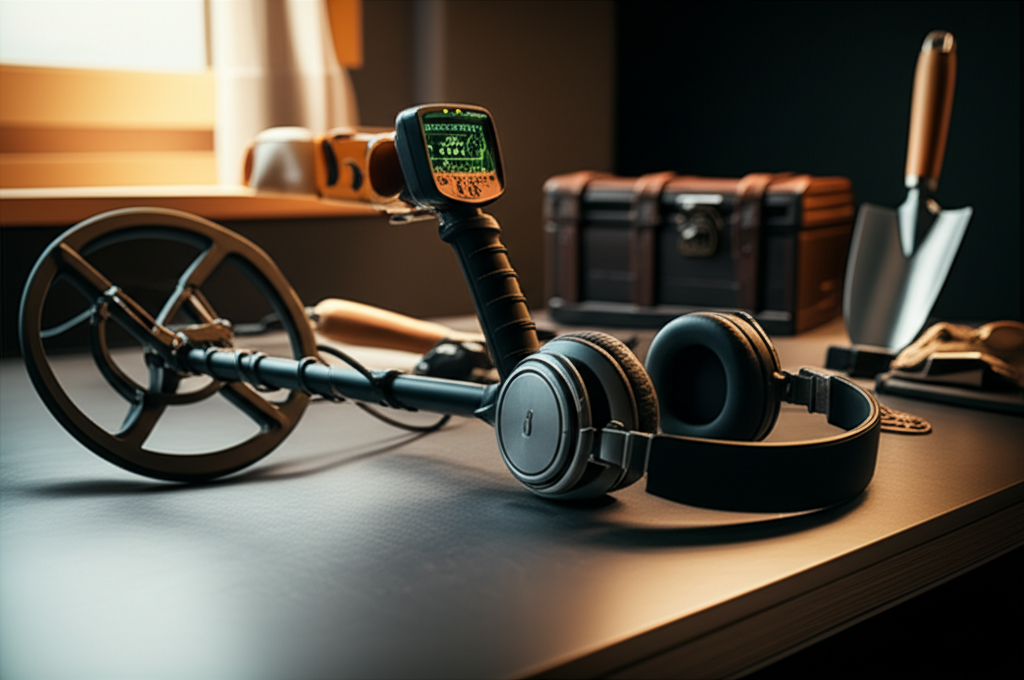
Published on: September 30, 2025 | Updated on: September 30, 2025
Yes, you can absolutely use a metal detector without headphones, but it’s generally not recommended for optimal performance and enjoyment. This guide explains why, explores the pros and cons, and offers practical solutions for detectorists who prefer not to use them.
Metal detecting is an incredibly rewarding hobby, opening doors to historical discoveries, unique finds, and a deeper connection with the outdoors. But sometimes, the gear can feel a bit cumbersome, and a common question I hear from fellow detectorists, especially beginners, is: “Can you use a metal detector without headphones?” It’s a valid question, and the short answer is yes, you can. However, doing so often means missing out on crucial auditory cues that make detecting more effective and enjoyable. Let’s break down why this is the case and what your options are, so you can make the best decision for your detecting adventures.
Why Headphones Are Almost Always Recommended for Metal Detecting
When you’re out in the field, the sounds your metal detector makes are your eyes and ears. They tell you what’s under your coil, whether it’s a coin, a relic, or just trash. Headphones are designed to amplify these subtle audio signals, making them distinct and clear above the ambient noise of your surroundings. Without them, you’re essentially trying to hunt for treasure with one hand tied behind your back, or perhaps more accurately, with your ears plugged.
The Importance of Auditory Feedback

Metal detectors use different tones and volumes to indicate the type and depth of a target. A crisp, high tone might signal a small, valuable item like a silver dime, while a low, rumbling tone could indicate a larger piece of iron. These nuances are vital for distinguishing between good targets and junk. Relying solely on the built-in speaker can make it incredibly difficult to discern these subtle differences, especially in noisy environments like parks or busy beaches.
Minimizing External Noise Interference
Imagine trying to hear a whisper in a crowded room. That’s often the challenge when using a metal detector’s external speaker in a place with background noise. Wind, traffic, other people, or even the rustling of leaves can easily drown out the faint signals from your detector. Headphones create a private listening environment, isolating the detector’s sounds so you can focus on what truly matters—your potential finds.
The Pros of Using a Metal Detector Without Headphones
While I strongly advocate for headphones, I understand that sometimes you might consider going without them. There are a few reasons why someone might choose this path, and it’s important to acknowledge them.
Increased Situational Awareness
One of the main advantages of not wearing headphones is staying connected to your surroundings. You can hear approaching people, vehicles, or wildlife, which can be important for safety and courtesy. This is particularly relevant when detecting in public areas or near roads where being aware of your environment is paramount.
Comfort and Convenience
For some, headphones can feel uncomfortable, especially during long detecting sessions. They can get warm, tangled, or simply be an extra item to carry and manage. Not using headphones eliminates this hassle, offering a simpler, more streamlined detecting experience.
Sharing the Experience
If you’re detecting with a child or a fellow enthusiast who isn’t wearing headphones, using the speaker allows them to hear the signals too. This can be a fun way to share the excitement of a find and teach others about how the detector works. It fosters a more communal detecting experience.
The Cons of Using a Metal Detector Without Headphones
Now, let’s dive into why I almost always have a pair of headphones plugged into my detector. The drawbacks of omitting them are significant and directly impact your success rate and enjoyment.
Difficulty Identifying Target Signals
As mentioned, the subtle tones are key. Without headphones, especially in any kind of noise, you’ll likely miss faint signals or misinterpret them. This means digging up more junk and potentially walking right over valuable targets without realizing it.
Reduced Depth Detection
Faint signals are often from deeper targets. The external speaker’s volume might not be sufficient to make these weaker signals audible over ambient noise, effectively limiting the depth at which you can reliably detect targets. Headphones boost these faint signals, bringing them within your audible range.
Battery Drain on Some Detectors
While not universal, some metal detectors might use slightly more battery power when running the external speaker at a higher volume compared to using headphones. This is a minor point, but worth considering if battery life is a critical factor for your detecting trips.
Annoyance to Others
Constantly beeping metal detector sounds can be disruptive and annoying to others nearby, especially in quiet public spaces like parks or libraries. Headphones keep the sound contained to you, showing consideration for those around you.
When It Might Be Okay to Detect Without Headphones
There are specific scenarios where using your metal detector’s speaker might be perfectly acceptable, or even preferable.
Testing and Demonstration
If you’re just testing a new detector in your backyard or demonstrating its features to someone, the speaker is fine. The environment is usually quiet, and you’re familiar with the signals. It’s a quick and easy way to show how the machine works.
Very Quiet, Isolated Environments
Detecting in a remote, silent natural setting, far from any human activity or significant wind, might allow for speaker use. Think of a deserted beach at dawn or a vast, empty field. Even then, a slight breeze can make a difference.
Training New Detectorists
As I touched on earlier, allowing a beginner, especially a child, to hear the sounds directly from the speaker can be educational. They can learn to associate certain sounds with certain types of targets without the added complexity of wearing headphones.
Essential Gear to Enhance Your Speaker-Only Experience (If You Must)
If you’re determined to use your metal detector without headphones, there are a few things you can do to mitigate the downsides, though they won’t fully replace the benefits of dedicated headphones.
Consider a Detector with a Louder, Clearer Speaker
Some higher-end metal detectors are designed with more powerful and nuanced internal speakers. These can offer a better listening experience than the tinny speakers found on basic models. Researching detectors known for their good speaker quality might be a starting point.
Use a Portable Amplifier
There are third-party portable audio amplifiers that can be connected to your detector’s headphone jack. These can boost the audio output, making the signals louder and clearer through the built-in speaker. This is a less common solution but could be an option.
Choose Your Detecting Time Wisely
Opt for times and locations with minimal ambient noise. Early mornings, late evenings, or remote areas far from traffic and crowds are your best bet. This significantly increases your chances of hearing the detector’s signals.
The Best Alternative: Wireless Headphones
For those who find traditional wired headphones cumbersome, the modern solution is wireless headphones. They offer all the benefits of wired headphones—superior audio clarity, noise isolation, and signal amplification—without the hassle of tangled cords.
Benefits of Wireless Metal Detecting Headphones
Wireless headphones connect to your detector via Bluetooth or a dedicated wireless transmitter. This frees you from snagging on bushes, getting caught on your coil, or feeling restricted in your movement. Many models are designed specifically for metal detecting, offering comfort, durability, and excellent sound quality.
Choosing the Right Wireless Headphones
When selecting wireless headphones, look for models with low latency (minimal delay between the detector’s signal and the sound you hear), long battery life, and a comfortable, secure fit. Brands like Garrett, Minelab, and Nokta Makro offer excellent wireless headphone options that integrate seamlessly with their detectors. Investing in a good pair of wireless headphones can truly transform your detecting experience.
Understanding Your Detector’s Audio Settings
Most modern metal detectors offer a range of audio customization options. Understanding these settings can help you get the most out of your detector, whether you’re using headphones or the speaker.
Tone Adjustments
Many detectors allow you to adjust the pitch and volume of different tones. You can often assign specific tones to different metal types (e.g., iron, foil, coins). Experimenting with these settings can help you better distinguish targets, even with the speaker.
Volume Control
Ensure your detector’s volume is set appropriately. Too low, and you’ll miss signals; too high, and it can be distorted or fatiguing. Finding that sweet spot is crucial for clear audio perception.
Notch Filtering and Target ID Audio
Features like notch filtering allow you to exclude certain unwanted signals (like iron nails), while Target ID audio provides a specific tone for identified targets. These features are designed to be heard clearly, making headphones even more beneficial.
A Real-World Scenario: Beach Detecting Without Headphones
Let’s paint a picture. You’re on a busy beach, waves are crashing, kids are playing, and people are chatting. You decide to use your detector’s speaker. A faint, high-pitched tone chirps. Is it a small gold ring, a piece of aluminum foil, or just interference from another detector? Without headphones, it’s incredibly hard to tell. You dig, and it’s foil. Frustrating, right? Now, imagine wearing headphones. That same faint chirp becomes a clear, distinct signal, allowing you to confidently pinpoint and recover that potential ring. The difference is night and day.
The Ultimate Solution: Investing in Quality Headphones
If you’re serious about metal detecting, investing in a good pair of headphones is one of the best decisions you can make. They are not just an accessory; they are an essential tool that significantly enhances your ability to find targets and enjoy the hobby.
Wired vs. Wireless: Making the Choice
Wired Headphones:
Pros: Generally more affordable, no battery concerns for the headphones themselves, often offer excellent sound quality.
Cons: Can be restrictive, prone to snagging and tangling, cable can be damaged.
Wireless Headphones:
Pros: Complete freedom of movement, no snagging, convenient.
Cons: More expensive, require charging, potential for signal interference or latency on lower-quality models.
For most detectorists, especially those using modern detectors, wireless headphones offer the best combination of convenience and performance. Brands like Garrett MS-3 Wireless Headphones are a popular choice, offering good sound and reliable connection.
Troubleshooting Common Audio Issues
Even with headphones, you might encounter audio problems. Here are a few common issues and how to fix them:
No Sound: Check that the headphones are securely plugged in, the detector is powered on, and the volume is turned up. Ensure the headphone jack isn’t damaged.
Distorted Sound: This could be due to a faulty headphone cable, a damaged speaker in the headphones, or the detector’s volume set too high. Try different headphones or lower the volume.
* Intermittent Sound: Often caused by a loose connection or a damaged cable. Wiggle the headphone plug gently to see if the sound returns.
Can You Use A Metal Detector Without Headphones: Final Verdict
So, can you use a metal detector without headphones? Technically, yes. However, for effective, enjoyable, and successful metal detecting, using headphones is overwhelmingly recommended. They are crucial for hearing faint signals, distinguishing between targets, ignoring trash, and maximizing the depth of your finds. The auditory feedback provided by headphones is fundamental to understanding what your detector is telling you. While there are minor conveniences to going without, the performance sacrifice is substantial. If comfort is an issue, explore wireless headphone options, which offer the best of both worlds: superior audio performance and complete freedom. Investing in good headphones will undoubtedly elevate your treasure-hunting experience.
Frequently Asked Questions (FAQ)
Q1: Will my metal detector work if I don’t plug in headphones?
Yes, your metal detector will still function and produce sound through its built-in speaker if you don’t plug in headphones. The headphones are an optional accessory that enhances the audio experience.
Q2: Can I hear targets better with headphones than the speaker?
Absolutely. Headphones provide a direct, isolated audio feed, amplifying subtle signals and filtering out background noise far better than a built-in speaker, especially in noisy environments.
Q3: Are there specific headphones for metal detecting?
Yes, many headphones are designed specifically for metal detecting. They are often more durable, comfortable for long wear, and offer features like volume control and good noise isolation.
Q4: Can I use regular computer or phone headphones with my metal detector?
Often, yes, but it’s not always ideal. Detector headphones are typically more robust and designed for the specific audio frequencies and signal types of a metal detector. Regular headphones might lack the durability or sound clarity needed.
Q5: Will using headphones drain my metal detector’s battery faster?
Generally, using headphones uses less battery power than running the built-in speaker at a high volume. Some wireless headphones have their own rechargeable batteries.
Q6: Is it rude to use a metal detector’s speaker in a public park?
Yes, it can be considered rude. The beeping sounds can be disruptive to others trying to enjoy a quiet environment. Headphones are the considerate choice for public spaces.
Q7: What is the most important feature to look for in metal detecting headphones?
The most important features are good sound quality for distinguishing signals, comfort for long detecting sessions, and effective noise isolation to block out ambient sounds.
