



Published on: November 10, 2025 | Updated on: October 21, 2026
Metal Detectors With Picture Screen: Ultimate Hidden Treasures
Metal detectors with picture screens show you what you’ve found before you dig. This makes treasure hunting easier and more exciting. Learn how these advanced tools help you find more hidden treasures.
Metal detecting is a hobby that can lead to amazing discoveries. Sometimes, though, it’s hard to know what’s underground. You might dig up a lot of junk. This can be frustrating. But there’s a better way to hunt for treasures. Metal detectors with picture screens can change the game. They give you visual clues. This helps you decide if it’s worth digging. Let’s explore how these detectors work and why they are great for finding hidden treasures.
What is a Metal Detector with a Picture Screen?
A metal detector with a picture screen is a special tool. It helps you see what might be buried in the ground. Most metal detectors make a sound. This sound tells you metal is there. A detector with a screen shows you more. It displays a picture or a symbol. This symbol can tell you what kind of metal it might be. It can also hint at the shape of the object. This makes finding coins, jewelry, and relics much easier.
How Do Picture Screen Metal Detectors Work?
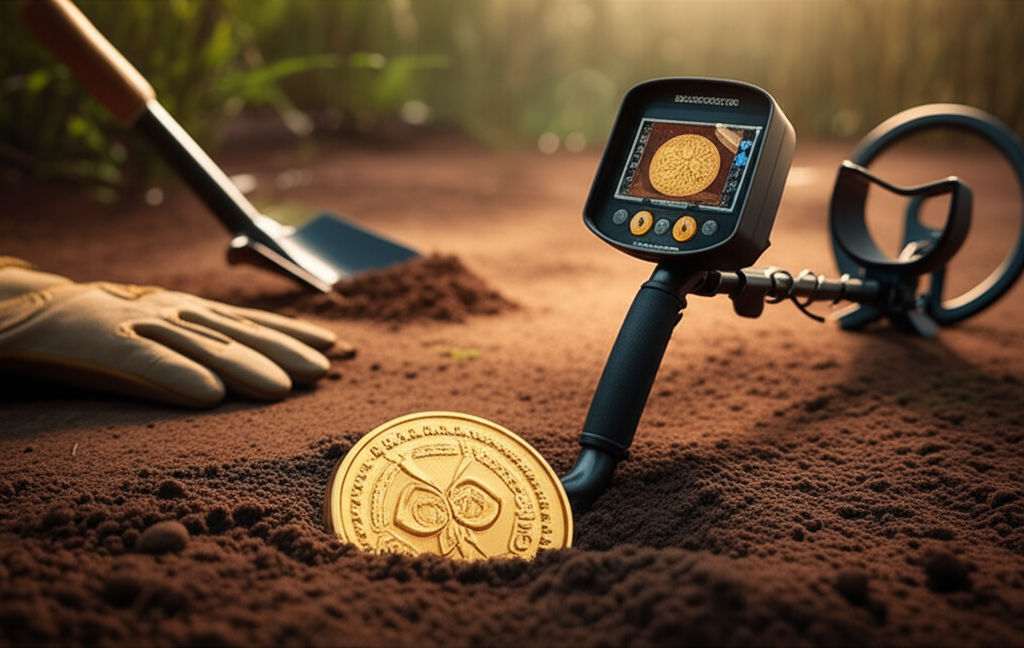
These detectors use advanced technology. They send out a signal into the ground. When this signal hits metal, it bounces back. The detector’s coil picks up this signal. Then, the detector’s brain processes the signal. It analyzes the signal’s strength and type. This information is sent to the screen. The screen shows a visual representation. This could be a number or a graphic. It helps you identify the target without digging.
The Technology Behind the Visuals
The visual display relies on signal analysis. Different metals reflect signals differently. For example, gold and silver give distinct signals. Iron often gives another type of signal. The detector’s software interprets these signals. It then translates them into on-screen data. This data might include a target ID number. It could also show a graphical icon. This visual feedback is key to identifying targets.
Benefits of Using a Metal Detector with a Picture Screen
Using a detector with a screen has many advantages. It helps you find more good stuff. It also saves you time and effort. You won’t waste time digging junk. You can focus on promising targets. This makes your treasure hunting more rewarding. It’s like having a treasure map right in your hand.
Increased Accuracy in Target Identification
Picture screens greatly improve accuracy. You get a better idea of what’s under the coil. This means fewer holes dug for trash. You can distinguish between a coin and an old nail. This is a huge help for beginners. Experienced detectorists also benefit. They can identify targets faster. This leads to more finds in less time.
Reduced Digging of Unwanted Targets
Nobody likes digging rusty nails or pull tabs. Metal detectors with screens help avoid this. The visual display shows a target ID. This ID can often indicate trash items. For example, a low target ID might mean iron. A high target ID might be a silver coin. You can learn to ignore low IDs. This means less digging and less frustration. You save your energy for real treasures.
Enhanced Learning and Skill Development
These detectors are great learning tools. You start to understand different metal signals. You see how they look on the screen. Over time, you build your own knowledge. You learn to trust the screen’s information. This helps you become a better detectorist. You can learn to identify specific items. This makes the hobby more engaging.
Top Features to Look for in a Picture Screen Metal Detector
When choosing a detector, look for specific features. Not all screens are the same. Some are more detailed than others. Consider what you want to find. This will help you pick the best detector. A good screen can make a big difference.
Screen Resolution and Brightness
A clear screen is important. Look for good resolution. This means sharp images and text. Brightness is also key. You’ll often be detecting in sunlight. A bright screen is easier to read. Some screens are color. Others are black and white. Color screens can offer more detail. They can make it easier to separate targets.
Target ID Numbers and Icons
Most detectors use Target ID numbers. These numbers represent different metals. They usually range from 0 to 99. Icons are also common. These are simple pictures. They might show a coin, a ring, or a pull tab. Learn what the numbers and icons mean. This is crucial for identifying finds. Some detectors let you customize these.
Adjustable Sensitivity and Discrimination Settings
Sensitivity controls how deep the detector can see. Higher sensitivity finds deeper targets. But it can also pick up more noise. Discrimination lets you ignore certain metals. For example, you can set it to ignore iron. This reduces digging trash. Look for detectors with adjustable settings. This allows you to fine-tune your search.
Waterproof Capabilities
Many detectorists like to search near water. Beaches and shallow rivers are great spots. A waterproof detector is essential for this. Check if the control box and coil are waterproof. Some are fully submersible. Others are only water-resistant. This feature opens up new hunting grounds.
Wireless Audio Options
Some detectors come with wireless headphones. This is a great convenience. You don’t have to deal with tangled wires. Wireless audio lets you hear faint signals clearly. It also helps you focus. You won’t miss any important sounds.
Popular Metal Detectors with Picture Screens
Many brands offer great detectors with screens. Here are a few examples. They are popular with hobbyists and pros alike.
Garrett AT Max / Apex
Garrett is a well-known brand. The AT Max and Apex models are popular. They have clear digital displays. They offer good target ID. The AT Max is waterproof. The Apex is a more budget-friendly option. Both are great for various types of detecting.
Minelab Equinox Series
The Minelab Equinox detectors are highly regarded. They use Multi-IQ technology. This means they can transmit multiple frequencies at once. This gives excellent target separation. The screens are bright and informative. They show Target ID and depth. They are also waterproof.
Nokta Makro Simplex+ / Legend
Nokta Makro offers excellent value. The Simplex+ is a fantastic entry-level detector. It has a clear screen and good features. The Legend is a more advanced model. It offers advanced features like multi-frequency. Both are waterproof and robust.
Quest Q30 / Q60
Quest detectors are known for their user-friendliness. The Q30 has a nice screen. It offers good performance for its price. The Q60 is a step up. It has more advanced features and a better screen. They are great options for beginners.
Using Your Picture Screen Detector Effectively
Having a good detector is only half the battle. You need to know how to use it. Proper technique will lead to more finds. Learn to interpret the screen. Practice makes perfect.
Understanding Target ID Numbers
Target ID numbers are your guide. Learn what each number typically means. Low numbers (0-20) often mean iron or foil. Mid-range numbers (20-60) can be coins, pull tabs, or jewelry. High numbers (60+) might be silver coins or larger silver items. This is a general guide. Different detectors have different ID ranges. Always check your detector’s manual.
Interpreting Icons and Graphics
Icons offer a visual shortcut. A coin icon is usually a coin. A ring icon might be jewelry. A pull tab icon means trash. Learn to recognize these symbols. They provide quick information. Some advanced detectors have detailed graphics. They can show the shape of the target. This helps you decide whether to dig.
Practicing in Known Areas
Before hitting the field, practice. Bury some items in your yard. Bury different types of metal. Use your detector to find them. See how the screen displays each item. This helps you learn your detector. You’ll build confidence. You’ll understand the signals better. This practice is invaluable.
Adjusting Settings for Different Terrains
Different locations require different settings. Beaches need different settings than parks. Iron-infested fields need careful discrimination. High sensitivity is good for open areas. Lower sensitivity might be needed in trashy spots. Experiment with your settings. Learn what works best for each location. Your detector’s manual is a great resource.
Where to Hunt for Treasures with Your Detector
The world is full of hidden treasures. You just need to know where to look. Certain places are more likely to yield finds. Always get permission before detecting.
Parks and Public Grounds
Old parks are often good hunting spots. People picnic, play, and lose things. Look for areas around benches, old trees, and playgrounds. Be mindful of park rules. Some parks have restrictions. Always check local regulations.
Beaches and Shorelines
Beaches are popular for a reason. Swimmers lose jewelry and coins. The sand is easy to search. Waterproof detectors are ideal here. Look in the wet sand and dry sand. High tide lines can be productive.
Old Homesites and Historical Areas
Old houses, even ruins, can hold history. People lived there for generations. They dropped or lost many items. Historical areas might have old coins or relics. Always get permission. Respect historical significance. Do not disturb sensitive sites.
Woodlands and Trails
Old trails and forests can be rewarding. People have walked these paths for years. You might find old buttons, coins, or tools. Be aware of your surroundings. Watch out for roots and uneven ground.
Essential Accessories for Metal Detectorists
Besides a great detector, you need accessories. These tools make detecting easier and more efficient. They help you recover your finds.
Pinpointer
A pinpointer is a small, handheld detector. It helps you pinpoint the exact location of a target in the soil. Once you dig a plug of dirt, use the pinpointer. It will beep faster as you get closer to the object. This saves a lot of time. It prevents you from damaging finds with your shovel.
Digging Tools
You’ll need good digging tools. A sturdy shovel or trowel is essential. Look for ones made of strong steel. Some detectorists use specialized digging tools. These can help cut clean plugs of soil. This minimizes damage to the ground. Always fill your holes neatly. Leave the site as you found it.
Carry Bag or Backpack
You need a way to carry your gear. A dedicated metal detector bag is useful. It protects your detector. It has pockets for accessories. A backpack works well too. Make sure it’s comfortable to carry.
Headphones
Good headphones are important. They help you hear faint signals. They also block out background noise. This lets you focus on your detector’s audio. Many detectors come with basic headphones. Upgrading can improve your experience.
Maintaining Your Metal Detector
Taking care of your detector ensures it lasts. Proper maintenance keeps it working well. It protects your investment.
Cleaning After Each Use
Always clean your detector after use. Wipe down the coil and shaft. Remove dirt and debris. Use a soft, damp cloth. Avoid harsh chemicals. If you detect in saltwater, rinse the detector with fresh water. This prevents corrosion.
Battery Care
Most detectors use batteries. rechargeable or alkaline. If using rechargeable batteries, follow the manufacturer’s instructions. Store batteries properly. Remove batteries if storing the detector for a long time. This prevents damage from leaks.
Coil Care
The coil is the most important part. Be gentle with it. Avoid hitting rocks or hard objects. Store it carefully. Some detectorists use coil covers. These protect the coil from scratches and impacts.
FAQ: Your Picture Screen Detector Questions Answered
Here are some common questions beginners ask.
What is the best metal detector with a picture screen for a beginner?
For beginners, the Nokta Makro Simplex+ or the Quest Q30 are excellent choices. They are user-friendly, affordable, and offer clear picture screens with helpful target ID features. They provide a great introduction to the hobby without being overwhelming.
Do metal detectors with picture screens find gold?
Yes, many metal detectors with picture screens can find gold. Look for models that offer multiple frequencies or advanced discrimination. Gold has specific target ID ranges that these detectors can identify. Prospecting-specific detectors often have specialized gold-finding modes.
How accurate are the target ID numbers on a picture screen detector?
Target ID numbers are generally accurate but not always perfect. They provide a strong indication of what might be underground. Factors like soil mineralization, target depth, and target shape can affect the ID. Learning your detector’s responses in different conditions is key.
Can I use my picture screen detector in the rain?
Many modern metal detectors with picture screens are waterproof or water-resistant. Always check the manufacturer’s specifications. Some coils are waterproof, while the control box might only be water-resistant. Using them in light rain is usually fine, but avoid submerging non-waterproof models.
How deep can a metal detector with a picture screen detect?
The depth depends on the detector’s power, coil size, and ground conditions. Basic detectors might find targets a few inches deep. More advanced models, especially with larger coils, can detect targets up to 12-18 inches or even deeper in ideal conditions.
Is a picture screen necessary on a metal detector?
A picture screen is not strictly necessary, but it’s highly beneficial, especially for beginners. It simplifies target identification, reduces digging trash, and speeds up the learning process. Traditional detectors use audio tones, which also work but require more experience to interpret.
Conclusion: Unearthing More with Visuals
Metal detectors with picture screens are a significant advancement. They make treasure hunting more accessible and rewarding. The visual feedback helps you identify targets quickly. This means less digging of junk and more time finding actual treasures. Whether you’re a beginner or an experienced detectorist, a detector with a picture screen can enhance your experience. It allows you to understand what’s underground before you even swing your shovel. Choose wisely, learn your machine, and happy hunting!
