


Published on: September 1, 2025 | Updated on: September 1, 2025
Unlock peak productivity and shared workspace harmony with the essential and transformative home office duo desk setup. Discover how this versatile solution can redefine your remote work experience.
Creating an ideal home office is more than just assembling furniture; it’s about crafting a space that nurtures your focus, creativity, and well-being. Many remote workers and professionals find themselves grappling with how to balance personal workspace needs with shared living areas, often leading to cluttered desks and compromised productivity. This guide will walk you through transforming your home office with the ultimate duo desk setup, ensuring both efficiency and aesthetic appeal. Get ready to discover how a well-designed duo desk can revolutionize your work-from-home experience.
The Duo Desk Advantage: Maximizing Space and Collaboration

A home office duo desk isn’t just a larger desk; it’s a strategic solution designed to enhance productivity, foster collaboration, and optimize space. This setup is particularly beneficial for households where multiple people work from home, couples sharing an office, or even for individuals who require distinct zones for different tasks. The inherent flexibility of a duo desk allows for shared workspaces without sacrificing individual comfort or concentration. It’s about creating a unified yet personalized environment.
What is a Duo Desk and Why It Matters for Your Home Office
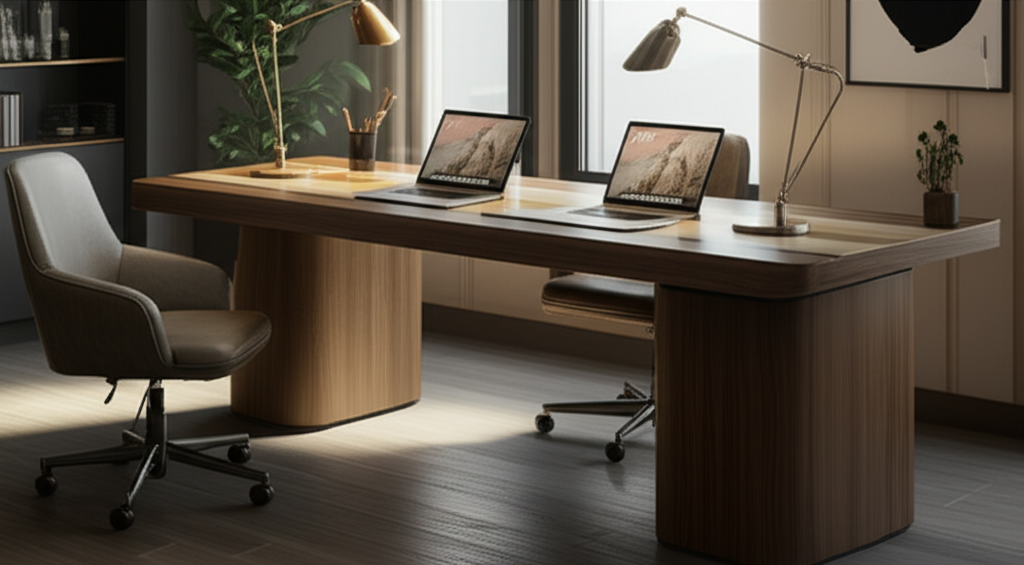
A duo desk, often referred to as a shared desk or a double workstation, is a single furniture piece designed to accommodate two individuals working side-by-side. Its primary advantage lies in its space-saving design, consolidating two workstations into one efficient unit. This is crucial for home offices where square footage might be limited. It also promotes a sense of shared purpose and can minimize the visual clutter associated with separate desks.
Designing Your Dream Home Office Duo Desk: Key Considerations
Before diving into specific desk types, it’s essential to lay the groundwork for a successful duo desk setup. This involves understanding your specific needs, the available space, and the overall aesthetic you wish to achieve. A thoughtful approach to these initial considerations will prevent common pitfalls and ensure your duo desk becomes a functional and inspiring centerpiece of your home office. Planning is paramount for creating a harmonious and productive shared workspace.
Assessing Your Space and Layout
Carefully measuring your available space is the first critical step. Consider not only the length and width but also the height, especially if you plan on incorporating shelving or monitor mounts. Think about natural light sources and electrical outlet locations. A well-placed duo desk can leverage natural light, reducing eye strain and boosting mood, while proximity to outlets simplifies cable management.
Understanding Your Workflow and Needs
Are you and your partner working on similar projects or entirely different ones? Do you need ample surface area for large monitors, or are you primarily using laptops? Identifying these needs will influence the desk’s size, shape, and the accessories you’ll require. For instance, if one person needs a dedicated area for drawing, the duo desk should accommodate that space requirement comfortably.
Balancing Aesthetics and Ergonomics
A home office duo desk should not only be functional but also visually appealing and comfortable to use for extended periods. This means selecting a desk that complements your home’s décor while prioritizing ergonomic principles for both users. Consider adjustable monitor arms, comfortable seating, and proper desk height to prevent strain and promote good posture.
Types of Home Office Duo Desks: Finding Your Perfect Fit
The market offers a variety of duo desk configurations, each catering to different needs and preferences. Understanding these options will help you select the desk that best suits your space, workflow, and aesthetic goals. From simple shared surfaces to more elaborate setups with integrated storage, there’s a duo desk out there for everyone. Let’s explore the most popular types to help you make an informed decision.
The Classic Side-by-Side Duo Desk
This is the most common configuration, featuring two distinct workspaces positioned adjacent to each other on a single, larger surface. They often share a common leg structure, making them a cohesive unit. This design is excellent for creating parallel work zones where individuals can focus independently yet share the same immediate environment.
Pros: Maximizes floor space, creates a unified look, easy to set up.
Cons: Limited privacy between users, can feel cramped if not adequately sized.
The L-Shaped Duo Desk
An L-shaped duo desk provides two distinct work surfaces that meet at a corner. This configuration is fantastic for maximizing corner space and offering more distinct zones for each user. It can offer a subtle sense of separation while still maintaining a shared workspace feel.
Pros: Excellent for corner placement, provides more distinct workspace areas, good for separating tasks.
Cons: Can be bulkier, may require more careful placement to avoid blocking pathways.
The Modular Duo Desk System
Modular duo desks offer unparalleled flexibility. These systems consist of individual desk modules that can be combined in various configurations to create a custom duo setup. You can add or rearrange modules as your needs evolve, making them a long-term investment.
Pros: Highly customizable, adaptable to changing needs, can be reconfigured into different layouts.
Cons: Can be more expensive, requires careful planning to ensure compatibility.
Duo Desks with Integrated Storage
Many duo desks come with built-in shelving, drawers, or cabinets. This integrated storage is invaluable for keeping your shared workspace tidy and organized, reducing clutter and improving efficiency. It’s a smart choice for maximizing functionality in a single furniture piece.
Pros: Excellent for organization, reduces the need for separate storage units, keeps essentials within reach.
Cons: Storage may not be sufficient for everyone, can add to the desk’s overall bulk.
Essential Ergonomic Setup for Your Home Office Duo Desk
Ergonomics is paramount for comfort and long-term health, especially when working from home. A duo desk setup requires attention to the individual needs of each user to ensure optimal posture and reduce the risk of repetitive strain injuries. Investing in ergonomic accessories can transform your workspace from a potential source of discomfort to a haven of productivity. Let’s explore the key components of an ergonomic duo desk setup.
The Foundation: Ergonomic Chairs
Choosing the right chair is arguably the most critical ergonomic decision. Look for chairs that offer adjustable height, lumbar support, armrests, and a breathable material. Both users should be able to adjust their chairs independently to suit their body types and desk heights. A good ergonomic chair supports your spine and promotes healthy sitting habits.
Key Features: Adjustable seat height, lumbar support, adjustable armrests, swivel base, breathable mesh.
Recommendation: Explore reputable brands known for ergonomic office furniture; many offer detailed guides on proper chair setup.
Monitor Placement for Optimal Viewing
Proper monitor height and distance are crucial for preventing neck and eye strain. Ideally, the top of your monitor should be at or slightly below eye level, and it should be about an arm’s length away. Consider using monitor stands or adjustable monitor arms, especially if you have multiple monitors or need to position them at different heights for each user.
Keyboard and Mouse Positioning
Your keyboard and mouse should be positioned so your elbows are bent at approximately 90 degrees, with your wrists straight and relaxed. Avoid hunching or reaching. Ergonomic keyboards and mice can also help promote a more natural hand and wrist position, further reducing strain.
Desk Height and Footrests
The desk height should allow you to type with your elbows at that 90-degree angle. If a desk is too high, an adjustable chair can compensate, but if it’s too low, it can lead to slouching. For taller individuals or those with desks that aren’t adjustable, a footrest can provide essential support and improve posture.
Optimizing Your Home Office Duo Desk for Productivity
Beyond ergonomics, several strategies can enhance the productivity of your duo desk setup. Creating distinct zones for each user, managing cables effectively, and incorporating smart storage solutions are key to a seamless and efficient work environment. A well-organized duo desk minimizes distractions and allows both individuals to focus on their tasks. Let’s delve into these productivity boosters.
Creating Defined Work Zones
Even though you share a desk, defining individual work zones can significantly improve focus. Use desk dividers, different colored desk mats, or strategically placed accessories to subtly demarcate personal space. This helps prevent the feeling of being in each other’s way and fosters a sense of personal territory.
Effective Cable Management
A tangle of wires can be a major visual distraction and a safety hazard. Invest in cable clips, sleeves, ties, or a cable management box to keep all cords organized and out of sight. This not only makes your duo desk look cleaner but also reduces the risk of accidental disconnections.
Smart Storage Solutions
Utilize the space above and around your duo desk effectively. Consider wall-mounted shelves, desk organizers, drawer units, or even rolling carts. Keeping essential items organized and within easy reach minimizes time spent searching and keeps your primary workspace clear.
Desk Organizers: Pen holders, tray sorters, file organizers.
Under-Desk Storage: Small filing cabinets, drawers, or baskets.
* Vertical Storage: Wall shelves, monitor risers with storage.
Lighting for Enhanced Focus
Good lighting is crucial for productivity and reducing eye strain. Aim for a combination of ambient and task lighting. Natural light is best, so position your duo desk to maximize it. Supplement with a desk lamp for focused task lighting, ensuring it’s adjustable and provides a comfortable light temperature.
Enhancing Your Home Office Duo Desk with Accessories
Once the core setup is in place, a few well-chosen accessories can elevate your home office duo desk from functional to exceptional. These additions can boost productivity, improve comfort, and add a personal touch to your shared workspace. Think about how each accessory can serve a purpose for one or both users.
Dual Monitor Setups and Mounting Solutions
For many professionals, dual monitors are a productivity game-changer. If both users require multiple displays, consider monitor mounting arms that attach to the desk. This frees up valuable desk surface area and allows for precise monitor positioning for each individual.
Noise-Canceling Headphones
In a shared workspace, minimizing distractions is key. Noise-canceling headphones are an invaluable tool for allowing each person to focus without being disturbed by ambient noise or each other’s activities. They create a personal bubble of concentration.
Desk Mats and Organizers
Desk mats not only protect your desk surface but also provide a smoother writing and mouse-tracking experience. Complement these with desktop organizers for pens, notepads, and other small essentials. These small touches contribute to a cleaner and more efficient workspace.
Cable Management Tools
Beyond basic ties, consider desk grommets for passing cables through the surface or under-desk cable trays for a truly hidden solution. A clean setup minimizes visual clutter, which directly impacts mental clarity and focus.
Personalization Touches
While maintaining a professional environment, don’t forget to add personal touches. A small plant, a favorite photo, or inspiring artwork can make the space more enjoyable and motivating. Encourage each user to personalize their immediate area within the shared desk.
Styling Your Home Office Duo Desk: Beyond Functionality
A home office duo desk doesn’t have to be sterile or purely functional. With thoughtful design choices, you can create a stylish and inspiring workspace that reflects your personalities and enhances your overall mood. Consider how to blend practical needs with aesthetic appeal to create a harmonious environment.
Choosing the Right Materials and Finishes
The material and finish of your duo desk can significantly impact the room’s aesthetic. Wood finishes offer warmth and a classic feel, while metal or glass can provide a more modern and sleek look. Consider the durability and ease of cleaning for the chosen materials.
Color Palettes and Décor
Select a color palette that promotes focus and creativity. Neutral tones are often best for the main desk area, with pops of color introduced through accessories, plants, or artwork. Ensure the décor complements the overall style of your home.
Integrating Plants and Greenery
Plants not only add a touch of nature but can also improve air quality and reduce stress. Strategically placed plants can soften the look of a duo desk and create a more welcoming atmosphere for both users.
Lighting Fixtures as Design Elements
Beyond task lighting, consider ambient lighting and decorative fixtures. Wall sconces, stylish pendant lights, or floor lamps can add warmth and character to your home office space. Ensure the lighting is sufficient for both workstations.
Troubleshooting Common Duo Desk Challenges
Even with the best planning, you might encounter a few challenges with a home office duo desk. Addressing these proactively can ensure your shared workspace remains a productive and comfortable environment for everyone involved. Open communication and a willingness to adapt are key to overcoming these hurdles.
Dealing with Distractions and Noise
If ambient noise or activity from the other user becomes a significant distraction, consider investing in higher-quality noise-canceling headphones or implementing simple soundproofing solutions like acoustic panels. Agreeing on quiet hours can also be beneficial.
Managing Different Work Styles
When users have very different work styles or schedules, it can sometimes lead to friction. Establishing clear communication channels and setting expectations about shared space usage can help manage these differences effectively. Regular check-ins can resolve potential conflicts before they escalate.
Space Optimization Issues
If you find your duo desk feels cramped or cluttered, re-evaluate your storage solutions and declutter regularly. Consider vertical storage options or even a small, dedicated storage unit if space allows. Sometimes, simply reorganizing existing items can make a big difference.
Maintaining a Shared Aesthetic
While personalization is important, maintaining a cohesive aesthetic for the shared desk is also key. Agree on a general style or color scheme for shared accessories and décor to ensure the space feels unified.
The Future of Home Office Duo Desks: Innovation and Adaptability
The evolution of work has spurred innovation in home office furniture. Duo desks are no exception, with manufacturers increasingly focusing on smart features, adaptability, and sustainability. As remote work continues to be a significant part of our lives, the duo desk is poised to become even more integral to productive home environments.
Smart Features and Integrated Technology
Future duo desks may incorporate integrated charging ports, wireless charging pads, adjustable LED lighting, and even built-in sit-stand mechanisms for both workstations. These features aim to streamline workflows and enhance user experience.
Sustainable Materials and Designs
There’s a growing emphasis on eco-friendly materials and sustainable manufacturing processes. Expect to see more duo desks made from recycled materials, bamboo, or reclaimed wood, reflecting a commitment to environmental responsibility.
Modular and Transformable Designs
The trend towards modularity will likely continue, offering even greater flexibility. Designs that can easily transform or reconfigure to suit different needs or spaces will become more prevalent, making the duo desk a truly adaptable piece of furniture.
Frequently Asked Questions About Home Office Duo Desks
Q1: How much space do I need for a home office duo desk?
A: A typical duo desk can range from 4 feet to over 7 feet in width. You’ll need to account for adequate depth for monitors and your keyboard, plus space for chairs and movement around the desk. Measure your intended space carefully before purchasing.
Q2: Can a duo desk be good for privacy?
A: While not offering complete privacy, some duo desk designs, particularly L-shaped or those with built-in dividers, can provide a subtle sense of personal space. Using noise-canceling headphones further enhances individual focus.
Q3: What are the best materials for a duo desk?
A: Common materials include solid wood, particleboard with laminate, MDF, metal, and glass. Solid wood and quality laminate offer durability and a premium feel, while metal and glass provide a modern aesthetic. Consider ease of cleaning and scratch resistance.
Q4: How do I ensure both users have a comfortable ergonomic setup?
A: Crucially, ensure both users have adjustable ergonomic chairs and that monitors are at the correct eye level and distance for each person. Providing adjustable monitor arms is highly recommended for dual setups.
Q5: What if my partner and I have very different work needs?
A: Modular duo desk systems offer the most flexibility. You can also arrange accessories and storage to create distinct functional zones for each user, ensuring individual needs are met within the shared space.
Q6: How can I manage cables effectively on a shared desk?
A: Utilize cable management sleeves, ties, clips, and under-desk trays. Desk grommets can also help route cables neatly through the desktop. A tidy cable setup significantly reduces visual clutter and potential hazards.
Investing in a home office duo desk is a transformative step towards creating a more organized, productive, and harmonious workspace. By carefully considering your space, individual needs, ergonomic requirements, and aesthetic preferences, you can design a setup that not only functions exceptionally but also inspires. The right duo desk setup minimizes distractions, maximizes efficiency, and fosters a positive work environment for all users. Embrace the potential of the home office duo desk and redefine your remote work experience for the better.
