


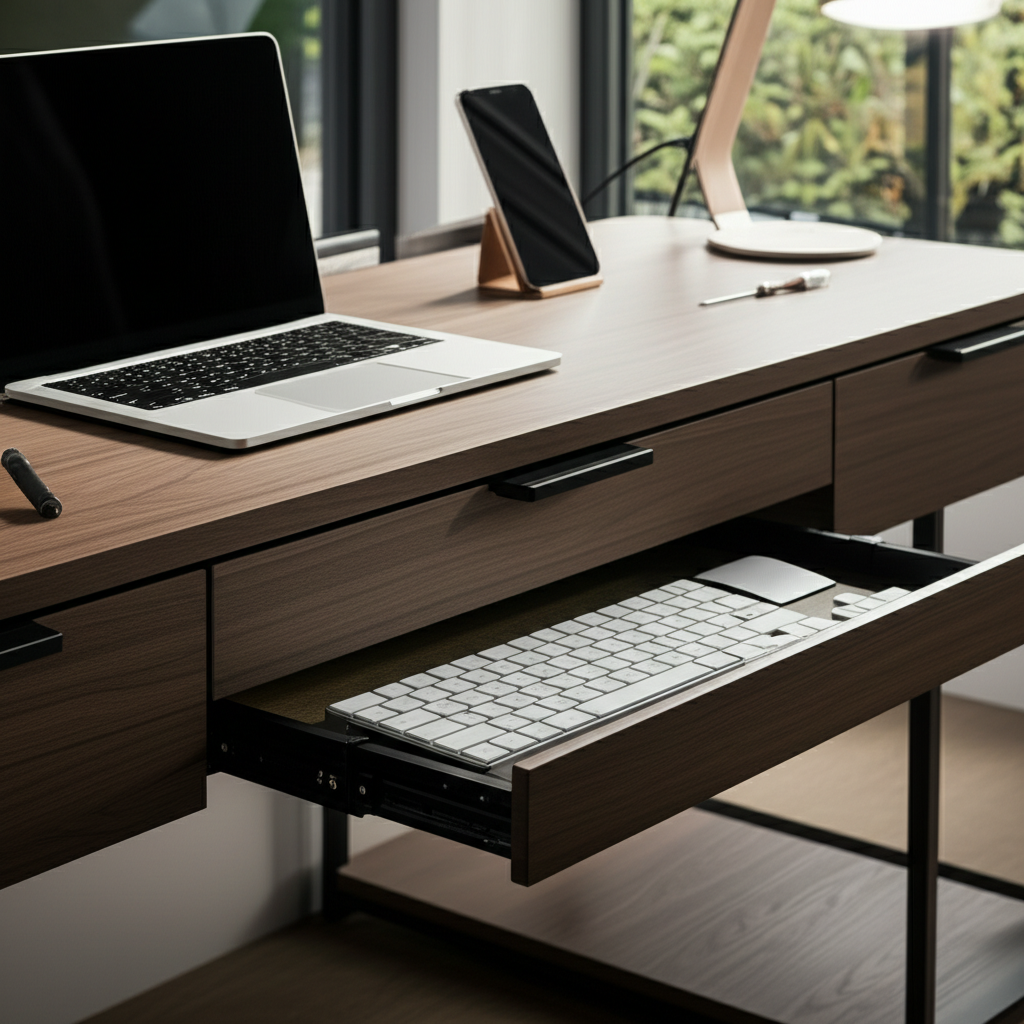
Transform your workspace with a DIY desk makeover featuring a keyboard drawer for ultimate organization and ergonomic comfort. This guide provides genius upgrades for a more productive home office.
Is your current desk feeling cluttered and uninspiring? A DIY desk makeover with a keyboard drawer can revolutionize your home office. This simple yet impactful upgrade clears valuable surface space, promotes better posture, and elevates your entire workspace aesthetic. We’ll guide you through the process, from planning to the final touches, ensuring a functional and stylish result that boosts your productivity and well-being. Get ready to create a home office you’ll love spending time in!
Contents
- 1 Why a Keyboard Drawer is a Game-Changer for Your Desk
- 2 Planning Your DIY Desk Makeover with Keyboard Drawer
- 3 Step-by-Step Guide: Installing a Pre-Made Keyboard Drawer
- 4 Building a Keyboard Drawer from Scratch: For the Ambitious DIYer
- 5 Beyond the Drawer: Complementary Desk Upgrades
- 6 Optimizing Your Workspace for Maximum Productivity
- 7 DIY Desk Makeover with Keyboard Drawer: Pros and Cons
- 8 Frequently Asked Questions (FAQ)
- 9 Conclusion: Elevate Your Workspace, Elevate Your Productivity
Why a Keyboard Drawer is a Game-Changer for Your Desk

A keyboard drawer isn’t just a fancy addition; it’s a strategic move for a more ergonomic and organized workspace. By tucking your keyboard and mouse away when not in use, you instantly reclaim desk real estate, reducing visual clutter and creating a cleaner environment. This also encourages better posture by allowing you to position your monitor at an optimal eye level without compensating for keyboard height. It’s a simple solution that offers significant benefits for both physical comfort and mental clarity.
Reclaiming Your Desk Surface: The Power of Hidden Storage
The most immediate benefit of a keyboard drawer is the liberation of your primary desk surface. Imagine a clear expanse where your monitor, a notebook, and perhaps a cup of coffee can reside without feeling cramped. This uncluttered space can significantly reduce distractions, allowing you to focus more effectively on your tasks. It’s amazing how much a little bit of hidden storage can impact your perception of your workspace and your ability to concentrate.
Enhancing Ergonomics: Your Back and Wrists Will Thank You
Proper ergonomics is crucial for anyone spending long hours at a desk. A keyboard drawer allows you to position your keyboard and mouse at the ideal height, promoting a neutral wrist posture and reducing strain. This can help prevent repetitive strain injuries like carpal tunnel syndrome. When you’re not using the drawer, it keeps these essential input devices neatly out of the way, preventing accidental bumps and further contributing to a tidy setup.
Boosting Productivity: A Clutter-Free Zone for Focus
Studies consistently show that a clean and organized workspace leads to increased productivity and reduced stress. By implementing a DIY desk makeover with a keyboard drawer, you’re actively creating an environment that supports focus. Less visual clutter means fewer distractions, allowing your mind to engage more deeply with your work. This simple upgrade can feel like unlocking a new level of efficiency in your daily routine.
Planning Your DIY Desk Makeover with Keyboard Drawer
Before you grab your tools, a little planning goes a long way in ensuring a successful DIY desk makeover with a keyboard drawer. Consider the dimensions of your existing desk, the type of keyboard drawer you want, and the overall aesthetic you’re aiming for. This phase is all about envisioning the end result and making sure your chosen components will fit seamlessly into your current setup. Thoughtful planning prevents costly mistakes and ensures you’re happy with the final outcome.
Assessing Your Existing Desk: What Can You Work With?
Take a close look at your current desk. Is it solid wood, laminate, or metal? What are its dimensions, and is there enough clearance underneath for a keyboard drawer? Understanding your desk’s material and construction will inform the type of drawer slides and mounting methods you can use. Measure the available space precisely, noting any obstructions like drawers or support beams. This assessment is the foundation of your entire DIY project.
Choosing the Right Keyboard Drawer: Options Galore
There’s a wide variety of keyboard drawers available, from simple under-desk trays to more elaborate sliding mechanisms. You can opt for pre-made keyboard drawer kits that include all the necessary hardware, or you can even build one from scratch if you’re feeling ambitious. Consider the weight capacity, the smoothness of the slide, and the aesthetic of the drawer itself. Think about whether you want it to be easily removable or a permanent fixture.
Gathering Your Tools and Materials: The DIY Toolkit
For a typical DIY desk makeover with a keyboard drawer, you’ll likely need a measuring tape, a pencil, a drill with appropriate drill bits, screws, and a screwdriver or drill bit set. You might also need a level to ensure everything is straight, sandpaper if you plan to refinish the desk, and perhaps some wood filler if you need to repair any existing damage. Having the right tools makes the process smoother and the results more professional.
Step-by-Step Guide: Installing a Pre-Made Keyboard Drawer
Installing a pre-made keyboard drawer is an excellent option for a straightforward DIY desk makeover with a keyboard drawer. These kits are designed for ease of installation and typically come with detailed instructions. By following these steps carefully, you can achieve a professional-looking result without needing advanced woodworking skills. This method is perfect for anyone looking for a quick and effective upgrade.
Step 1: Measure and Mark Your Installation Points
Begin by determining the ideal placement for your keyboard drawer. Position it so that your keyboard sits at a comfortable typing height when extended. Use your measuring tape to mark the exact locations for the drawer slides on the underside of your desk. Ensure these marks are level and parallel to each other for a smooth, even operation. A level is your best friend here for accurate alignment.
Step 2: Attach the Drawer Slides to the Desk
Carefully align the drawer slides with your marked lines. Most kits will have pre-drilled holes in the slides. Use your drill and the appropriate screws to securely attach the slides to the underside of your desk. Double-check that they are firmly attached and run parallel to each other. This is a critical step for the drawer’s stability and functionality.
Step 3: Assemble and Attach the Drawer Unit
Follow the manufacturer’s instructions to assemble the keyboard drawer itself if it comes in pieces. Once assembled, you’ll typically need to attach the corresponding parts of the drawer slides to the sides of the drawer unit. Again, ensure these are perfectly aligned and securely fastened. This is where the precision of your marking and drilling really pays off.
Step 4: Slide the Drawer into Place and Test
Gently slide the assembled drawer unit onto the slides attached to your desk. It should glide in smoothly. Once fully seated, test its operation by extending and retracting it several times. Check for any sticking or wobbling. If it feels smooth and secure, your DIY desk makeover with a keyboard drawer is nearly complete!
Building a Keyboard Drawer from Scratch: For the Ambitious DIYer
If you enjoy a challenge and want a truly custom solution for your DIY desk makeover with a keyboard drawer, building one from scratch offers ultimate control. This approach allows you to tailor the size, material, and design precisely to your needs and aesthetic preferences. While it requires more skill and time, the satisfaction of creating something functional and beautiful yourself is immense. This is where your creativity can truly shine.
Designing Your Custom Drawer: Dimensions and Materials
First, decide on the dimensions for your drawer. Consider the size of your keyboard, mouse, and any other items you might want to store there. Choose your material – plywood, solid wood, or even a sturdy MDF can work well. Sketch out a design, including how the drawer will be constructed and how you plan to incorporate drawer slides. This design phase is crucial for a successful build.
Cutting and Assembling the Drawer Box
Using your measurements, carefully cut the pieces for your drawer box. You’ll typically need a front, back, two sides, and a bottom. Assemble these pieces using wood glue and screws or nails, ensuring the box is square. A sturdy drawer box is the backbone of a well-functioning keyboard drawer. Pay attention to joinery for maximum durability.
Installing Drawer Slides and Mounting
Attach high-quality drawer slides to the sides of your custom drawer box and to the underside of your desk, following the same principles as with a pre-made kit. Ensure the slides are parallel and level. This step requires precision, as even slight misalignments can cause the drawer to stick or not operate smoothly. Take your time and use your level frequently.
Adding Finishing Touches: Paint, Stain, or Hardware
Once the drawer is installed and functioning, you can add your personal touch. Sand down any rough edges, and then paint, stain, or varnish the drawer to match your desk or to create a stylish contrast. You might also add a decorative pull or handle. These finishing touches transform a functional item into a beautiful piece of your DIY desk makeover.
Beyond the Drawer: Complementary Desk Upgrades
A DIY desk makeover with a keyboard drawer is a fantastic starting point, but why stop there? Elevating your home office further can significantly enhance both productivity and comfort. Consider these complementary upgrades that work harmoniously with your new keyboard drawer to create a truly optimized workspace. These additions can make a world of difference in your daily work life.
Ergonomic Chair: The Foundation of Comfort
No desk upgrade is complete without considering your seating. An ergonomic chair is paramount for supporting good posture and preventing back pain during long work sessions. Look for adjustable features like lumbar support, armrests, and seat height. Investing in a quality ergonomic chair is investing in your long-term health and productivity. It’s a foundational piece for any home office.
Lighting Solutions: Brightening Your Workspace
Proper lighting is essential for reducing eye strain and boosting mood. Consider a good desk lamp with adjustable brightness and color temperature, or explore ambient lighting options to create a more inviting atmosphere. Natural light is also incredibly beneficial, so position your desk near a window if possible. Good lighting makes your workspace more pleasant and less taxing on your eyes.
Cable Management: Taming the Tech Tangle
With your keyboard and mouse now tidily stored, tackle the rest of your cables. Use cable clips, sleeves, or a cable management box to keep everything organized and out of sight. This not only looks cleaner but also prevents tripping hazards and makes it easier to unplug devices when needed. A tidy workspace extends beyond just the desk surface itself.
Desk Accessories: Enhancing Functionality and Style
Add accessories that enhance both the function and aesthetic of your desk. This could include a monitor stand to bring your screen to eye level, stylish desk organizers for pens and papers, or a comfortable wrist rest. Choose items that complement your DIY desk makeover with a keyboard drawer and contribute to a cohesive look. These small additions can make a big impact.
Optimizing Your Workspace for Maximum Productivity
Your DIY desk makeover with a keyboard drawer is a significant step, but true productivity comes from a holistic approach to your workspace. Think about how your environment influences your focus, energy levels, and overall well-being. By making a few strategic adjustments, you can transform your desk into a productivity powerhouse. Let’s explore how to fine-tune your setup for peak performance.
The Importance of a Minimalist Approach
Embrace minimalism in your desk setup. A clean desk with only essential items promotes mental clarity and reduces distractions. Your new keyboard drawer is a key component of this, but extend the principle to everything on your desk. Less clutter means fewer things to pull your attention away from the task at hand. Aim for a serene and focused environment.
Creating an Ergonomic Workflow
Beyond the keyboard drawer, ensure your entire setup supports an ergonomic workflow. Position your monitor at eye level, keep frequently used items within easy reach, and ensure your chair supports good posture. Consider incorporating standing desk elements or taking regular breaks to move and stretch. An ergonomic workflow is key to sustained productivity and preventing physical discomfort.
Personalizing Your Space for Motivation
While minimalism is great for focus, don’t forget to personalize your space to make it inspiring. Add a plant, a piece of art, or a motivational quote. These personal touches can boost your mood and make your workspace a place you genuinely enjoy being in. The goal is to create an environment that is both functional and personally uplifting.
DIY Desk Makeover with Keyboard Drawer: Pros and Cons
Like any DIY project, a desk makeover with a keyboard drawer has its advantages and potential drawbacks. Understanding these can help you make an informed decision and prepare for the process. Weighing the pros and cons ensures you have realistic expectations and can address any potential challenges proactively. This thoughtful consideration leads to a more satisfying outcome.
| Pros of DIY Desk Makeover with Keyboard Drawer | Cons of DIY Desk Makeover with Keyboard Drawer |
|—|—|
| Increased Desk Surface Area: Frees up valuable space for a cleaner, more organized look. | Requires Tools and Skills: Basic DIY skills and tools are necessary, especially for building from scratch. |
| Improved Ergonomics: Promotes better posture and reduces strain on wrists and arms. | Time Commitment: The project takes time for planning, installation, and finishing. |
| Enhanced Productivity: A clutter-free environment can lead to better focus and reduced distractions. | Potential for Errors: Miscalculations or improper installation can lead to a non-functional drawer. |
| Customization Options: Allows you to tailor the solution to your specific needs and aesthetic. | Cost of Materials: While often cheaper than buying pre-made, materials still incur a cost. |
| Sense of Accomplishment: The satisfaction of upgrading your workspace yourself. | Desk Compatibility: Not all desks may be suitable for easy keyboard drawer installation. |
This table provides a concise overview to help you decide if a DIY desk makeover with a keyboard drawer is the right project for you. Consider your comfort level with DIY tasks and the time you have available.
Frequently Asked Questions (FAQ)
Can I install a keyboard drawer on any desk?
Generally, yes, but it depends on the desk’s construction and material. Solid wood or thick laminate desks are ideal. Very thin particleboard or desks with internal bracing in the wrong places might pose challenges. Always check clearance and mounting surfaces before purchasing or building.
What is the standard height for a keyboard drawer?
The ideal height is subjective and depends on your seated height and desk. A common guideline is to have the top of your keyboard at a height that allows your elbows to be bent at approximately 90 degrees while your shoulders are relaxed. This usually means the drawer bottom is around 25-28 inches from the floor.
How do I ensure the drawer slides smoothly?
Use high-quality drawer slides designed for the weight you anticipate. Ensure they are mounted perfectly level and parallel to each other. Lubricating the slides with a silicone-based lubricant can also help maintain smooth operation. Regular cleaning of the slides will also prevent dust buildup.
What if my desk doesn’t have enough clearance underneath?
If your desk is too low or has obstructions, you might consider alternative solutions. This could include building a slightly raised platform for your keyboard and mouse, using a separate keyboard tray that attaches to the desk edge, or even exploring a full desk replacement if the current one is unsuitable. Creativity is key here.
How do I choose the right size keyboard drawer?
Measure your keyboard and mouse to determine the minimum dimensions. Also, consider any other items you might want to store in the drawer. Ensure there’s enough depth for your keyboard to be fully retracted and enough width for comfortable mouse movement. Don’t forget to factor in the space needed for the drawer slides themselves.
Are there any safety considerations when installing a keyboard drawer?
Yes, always wear safety glasses when drilling. Ensure your drill is set to the correct torque to avoid stripping screws or damaging the desk. If working with power tools, familiarize yourself with their operation. Make sure the finished drawer is securely attached and won’t unexpectedly detach.
Conclusion: Elevate Your Workspace, Elevate Your Productivity
Embarking on a DIY desk makeover with a keyboard drawer is a rewarding project that brings tangible benefits to your home office. It’s more than just an aesthetic upgrade; it’s an investment in your comfort, health, and productivity. By decluttering your primary workspace and promoting better ergonomics, you create an environment that fosters focus and efficiency. Whether you choose a pre-made kit or build from scratch, the result is a more organized, functional, and enjoyable place to work. So, roll up your sleeves, gather your tools, and get ready to transform your desk into a productivity haven. Your future, more productive self will thank you for it.

I love all things tech, and I wear many hats – tech lover, business starter, digital marketer, and blogger. I love to play with various types of tools. I know the ins and outs of Digital Marketing, SEO, SEM, SMM, and how to generate leads. My goal? Making things simple for you with clear guides and reviews. I stumbled upon WordPress while creating my first business site, and I fell in love with it right away. When I’m not building websites, creating content, or boosting clients’ online efforts, I’m focused on staying healthy, hanging out with family, and exploring the world. Connect with me on Facebook, Twitter, Linkedin, or read my complete biography.