


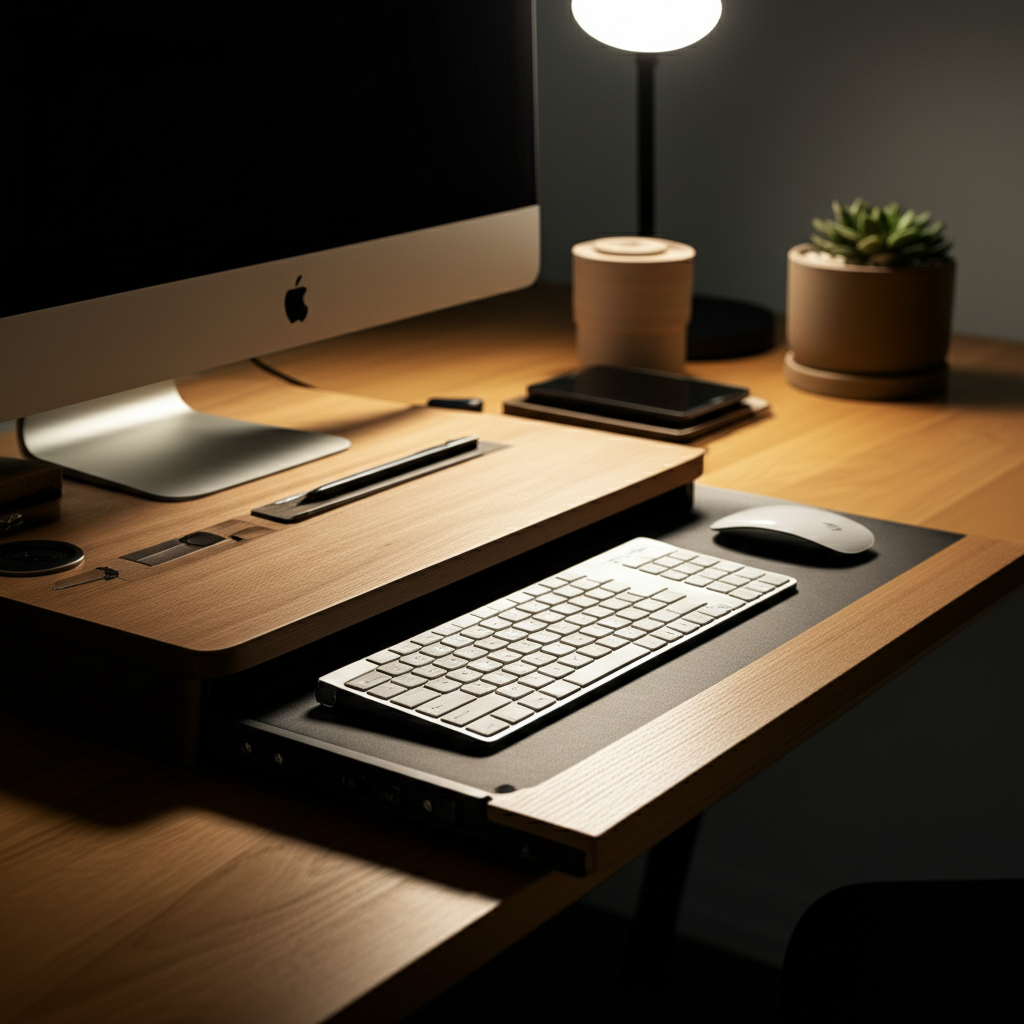
Transform your workspace with a minimalist desk setup featuring a keyboard tray for ultimate comfort and efficiency. Discover essential tips for a clutter-free, ergonomic, and productive environment.
Are you tired of a cluttered desk that stifles your creativity and drains your energy? Many of us struggle to find that perfect balance between a functional workspace and an aesthetically pleasing one. A messy desk can lead to lost productivity and increased stress, impacting your overall well-being. But what if there was a simple, elegant solution? Get ready to discover how a minimalist desk setup with a keyboard tray can revolutionize your workday, creating a serene and efficient hub for your tasks.
Contents
- 1 The Power of Minimalism: Decluttering for Focus
- 2 Why a Keyboard Tray is a Game-Changer for Your Desk
- 3 Designing Your Minimalist Desk Setup: Step-by-Step
- 4 The Essential Minimalist Desk Setup Checklist
- 5 Finding the Right Keyboard Tray: A Buyer’s Guide
- 6 Optimizing Your Minimalist Desk Setup for Productivity
- 7 Enhancing Ergonomics Beyond the Keyboard Tray
- 8 Maintaining Your Minimalist Desk Setup
- 9 Minimalist Desk Setup with Keyboard Tray: Styling and Aesthetics
- 10 Frequently Asked Questions (FAQ)
- 11 Conclusion: Your Path to a More Productive and Serene Workspace
The Power of Minimalism: Decluttering for Focus

Minimalism isn’t just an aesthetic; it’s a philosophy that prioritizes intentionality and simplicity. Applying this to your desk means surrounding yourself only with what truly serves a purpose, eliminating distractions and promoting mental clarity. This approach can significantly boost your focus and reduce feelings of overwhelm, making your workday more enjoyable and productive.
A minimalist desk setup is about more than just appearances; it’s about creating an environment that actively supports your workflow. By consciously choosing essential items and organizing them thoughtfully, you reduce visual noise and mental clutter, allowing your mind to concentrate on the tasks at hand.
Why a Keyboard Tray is a Game-Changer for Your Desk
A keyboard tray, often overlooked, is a crucial component for any ergonomic and minimalist desk setup. It positions your keyboard and mouse at the optimal height and angle, promoting a natural posture that prevents strain and discomfort. This simple addition can dramatically improve your typing experience and overall physical well-being during long work sessions.
Integrating a keyboard tray is a genius move for anyone seeking to enhance both their comfort and productivity. It frees up valuable desk surface space, contributing to that coveted minimalist aesthetic while actively supporting ergonomic principles.
Ergonomic Benefits: Preventing Strain and Discomfort
Poor posture while typing is a leading cause of neck, shoulder, and wrist pain. A well-implemented keyboard tray directly addresses this by allowing your arms to rest at a 90-degree angle, with your wrists in a neutral position. This alignment reduces pressure on your carpal tunnel and minimizes repetitive strain injuries.
By bringing your keyboard and mouse closer to your body, you also reduce the need to reach or lean forward. This fosters a more relaxed and supported posture, making extended periods of work far more comfortable and sustainable.
Space-Saving Magic: The Minimalist’s Dream
In a minimalist desk setup, every inch of space counts. A keyboard tray tucks away your input devices when not in use, instantly creating a cleaner, more open workspace. This decluttering effect not only looks good but also makes it easier to organize other essential items.
Imagine a desk surface that’s clear for writing, sketching, or simply enjoying a moment of peace. A keyboard tray makes this a reality, contributing significantly to the serene and organized feel of a truly minimalist workspace.
Designing Your Minimalist Desk Setup: Step-by-Step
Creating your ideal minimalist desk setup with a keyboard tray involves thoughtful planning and execution. Start by assessing your current workspace, identifying what’s essential, and then gradually incorporating elements that promote focus and comfort. Remember, the goal is to create a space that feels calm, organized, and inspiring.
This journey is about more than just aesthetics; it’s about crafting a personalized environment that enhances your productivity and well-being. Let’s break down the process into actionable steps to build your perfect minimalist haven.
Step 1: Declutter and Purge
Begin by removing everything from your current desk. Sort items into categories: keep, donate, discard, and relocate. Be ruthless – if an item doesn’t serve a purpose or bring you joy, it’s likely clutter. This initial purge is fundamental to achieving a truly minimalist setup.
Focus on items directly related to your work. Old papers, excess stationery, and unused gadgets are prime candidates for removal. A clean slate is essential before you start building your new, organized space.
Step 2: Choose the Right Desk
Your desk is the anchor of your workspace. For a minimalist setup, opt for a clean-lined desk with ample surface area but without unnecessary adornments. Consider materials like wood, metal, or a sleek laminate. A standing desk or a sit-stand desk converter can also be excellent additions for ergonomic flexibility.
The desk’s functionality is key. Ensure it has enough space for your monitor, essential accessories, and perhaps a small plant or a notebook. The simpler the design, the better it will complement your minimalist aesthetic.
Step 3: Select Your Keyboard Tray
Keyboard trays come in various types: under-desk mounted, clamp-on, and freestanding. For a truly minimalist look, under-desk mounted trays offer the cleanest appearance, hiding the mechanism entirely. Ensure the tray you choose is adjustable in height and tilt to achieve optimal ergonomics.
When selecting, measure your available space and consider the weight capacity. Compatibility with your desk type is also crucial. Many modern desks are designed with integrated keyboard tray mounts, offering a seamless solution.
Step 4: Ergonomic Monitor Placement
Position your monitor at eye level to avoid neck strain. Use a monitor stand or adjustable arm if necessary. The top of your screen should be roughly level with your eyes, and about an arm’s length away. This placement is critical for long-term comfort and preventing posture-related issues.
An adjustable monitor arm is a fantastic addition to a minimalist setup, as it further declutters the desk surface and offers unparalleled flexibility in positioning. It’s an investment in your physical health.
Step 5: Cable Management is Key
Visible cables are the enemy of a minimalist aesthetic. Invest in cable ties, sleeves, clips, or a cable management box to keep all wires neatly organized and out of sight. Running cables along the underside of the desk or through designated channels can make a huge difference.
Taming the cable monster is perhaps one of the most impactful steps towards achieving that clean, serene workspace. It transforms a potentially chaotic area into one of order and calm.
Step 6: Essential Accessories Only
Beyond your keyboard, mouse, and monitor, be selective about desk accessories. Consider a minimalist desk lamp, a charging station for your devices, and perhaps a single notebook or planner. Avoid excessive knick-knacks or decorative items that serve no functional purpose.
Think about multi-functional items. A desk organizer that also serves as a charging hub, for instance, can reduce clutter while increasing utility.
Step 7: Lighting and Ambiance
Good lighting is crucial for productivity and eye comfort. Natural light is ideal, so position your desk near a window if possible. Supplement with a quality desk lamp that provides adjustable, focused light without glare. Warm-toned bulbs can create a more inviting and less sterile atmosphere.
Consider ambient lighting as well. Soft, indirect lighting can reduce eye strain and contribute to a more relaxing environment. A well-lit space is inviting and conducive to focus.
Step 8: Storage Solutions
Even in a minimalist setup, some storage is necessary. Opt for sleek, unobtrusive solutions like floating shelves, minimalist drawer units, or desk organizers. Keep frequently used items within easy reach, and store less common items away.
The goal is to keep your primary work surface as clear as possible. Smart storage ensures that necessary items are accessible without contributing to visual clutter.
The Essential Minimalist Desk Setup Checklist
To ensure you haven’t missed any crucial elements, here’s a handy checklist for creating your minimalist desk setup with a keyboard tray.
Desk: Clean-lined, functional, appropriate size.
Keyboard Tray: Under-desk mounted or sleek clamp-on, adjustable.
Keyboard & Mouse: Ergonomic, wireless options for less clutter.
Monitor: Eye-level placement, possibly with an adjustable arm.
Lighting: Natural light preferred, supplemented by a quality desk lamp.
Cable Management: Ties, sleeves, clips, or a management box.
Essential Accessories: Minimal, functional items only (e.g., pen holder, notebook).
Storage: Discreet shelves or drawers for necessary items.
Personal Touch: One or two items that inspire or bring calm (e.g., small plant).
This checklist provides a solid foundation for building your perfect workspace. Remember to adapt it to your specific needs and preferences.
Finding the Right Keyboard Tray: A Buyer’s Guide
With so many options available, choosing the right keyboard tray can feel overwhelming. Consider these key factors to ensure you find a tray that perfectly complements your minimalist desk setup.
Types of Keyboard Trays:
Under-Desk Mounted: These are screwed directly into the underside of your desk, offering the cleanest look. They are generally very stable.
Clamp-On: These attach to the edge of your desk using clamps. They are easier to install and remove, making them a good option for adjustable desks or if you move frequently.
Freestanding: These sit on your desk surface and can be a good temporary solution or for desks that cannot accommodate mounted or clamped trays. They can take up more surface space.
Key Features to Look For:
Adjustability: Height, tilt, and swivel adjustments are crucial for finding your perfect ergonomic position.
Material & Durability: Look for sturdy materials like metal or high-quality wood/MDF that can support the weight of your keyboard and mouse.
Size & Depth: Ensure the tray is deep enough to comfortably hold your keyboard and provide ample space for your mouse.
Smooth Glide Mechanism: A good tray will slide in and out smoothly without sticking or wobbling.
* Aesthetics: Choose a tray that matches your desk’s style and color for a cohesive look.
When searching, look for terms like “ergonomic keyboard tray,” “under-desk keyboard drawer,” or “sliding keyboard platform.” Reading reviews can also provide valuable insights into the quality and user experience of different models. For instance, brands like 3M offer a range of ergonomic solutions, including keyboard trays that are known for their durability and adjustability.
Optimizing Your Minimalist Desk Setup for Productivity
A minimalist desk setup with a keyboard tray is inherently designed to boost productivity, but a few extra touches can elevate your workspace even further. Think about workflow, focus, and well-being.
Consider the placement of your essentials. Keep your most frequently used items within arm’s reach, but not so close that they create clutter. A small, dedicated space for your phone or notepad can prevent them from migrating across your desk.
The strategic placement of your monitor and keyboard via the tray is paramount. Ensure your line of sight is clear and your posture is supported. This physical setup directly influences your mental state and ability to concentrate.
The Psychology of a Clean Workspace
Our environment significantly impacts our mental state. A cluttered desk can trigger feelings of stress and anxiety, making it harder to focus. Conversely, a clean, organized, and minimalist space promotes a sense of calm and control, allowing your mind to engage more effectively with tasks.
The visual simplicity of a minimalist setup reduces cognitive load. Your brain doesn’t have to work as hard to process distracting visual information, freeing up mental resources for creative problem-solving and deep work.
Incorporating Smart Technology
Even in a minimalist setup, technology plays a vital role. Wireless peripherals, like keyboards and mice, significantly reduce cable clutter, enhancing the clean aesthetic. Consider a docking station or USB hub to manage device connections efficiently, keeping your workspace streamlined.
Smart lighting solutions, such as those controlled via an app or voice command, can also contribute to a seamless experience. Adjusting light intensity or color temperature to match your task or mood can enhance focus and comfort.
The Role of Plants and Natural Elements
While minimalism emphasizes reduction, incorporating natural elements can add warmth and life without creating clutter. A small, low-maintenance plant can improve air quality and boost mood, contributing to a more pleasant and productive environment.
Consider incorporating natural materials into your desk or accessories, such as wood or stone. These elements can add texture and a grounding presence to your minimalist space.
Enhancing Ergonomics Beyond the Keyboard Tray
While the keyboard tray is central to an ergonomic setup, a holistic approach considers your entire workstation. Investing in an ergonomic chair that provides good lumbar support is crucial. Ensure your feet are flat on the floor or on a footrest, and your elbows are at roughly a 90-degree angle.
Your monitor height is also critical. Using a monitor arm or stand to bring the top of the screen to eye level minimizes neck strain. This combination of an ergonomic chair and proper monitor placement, alongside your keyboard tray, creates a truly supportive work environment.
The Ideal Ergonomic Chair
An ergonomic chair is arguably the most important piece of furniture for anyone spending hours at a desk. Look for features like adjustable height, lumbar support, armrests, and tilt control. A chair that conforms to your body’s natural curves will provide the best support and comfort.
Investing in a quality ergonomic chair is an investment in your long-term health and productivity. It prevents the aches and pains that can arise from prolonged sitting in an unsupportive chair. Consider brands known for their ergonomic designs, such as Herman Miller.
Footrests and Posture Support
If your feet don’t comfortably reach the floor, a footrest is essential. It helps maintain proper posture by supporting your legs and reducing pressure on your lower back. Ensure the footrest is adjustable to accommodate your height and preferred angle.
Proper foot support completes the ergonomic triangle – your feet, your chair, and your desk. When all three are aligned correctly, you create a stable and comfortable foundation for your entire body.
Maintaining Your Minimalist Desk Setup
The beauty of a minimalist desk setup is its ease of maintenance. Once you’ve established your organized system, keeping it that way requires minimal effort. The key is to be mindful of what you bring back onto your desk.
Develop a habit of tidying up at the end of each workday. Put items back in their designated places, wipe down surfaces, and clear away any new clutter. This nightly ritual ensures your desk is ready for a productive start the next morning.
The “One In, One Out” Rule
For a truly sustainable minimalist setup, consider adopting the “one in, one out” rule. When you acquire a new item for your desk, ensure you remove a similar item. This prevents the gradual accumulation of unnecessary things and helps maintain your clutter-free space.
This principle applies to everything from pens to desk organizers. It’s a simple yet powerful way to keep your workspace intentionally curated and efficient.
Regular Cleaning and Decluttering
Even with the best habits, a quick weekly tidy-up is beneficial. Dust surfaces, organize drawers, and reassess your setup to ensure it’s still serving your needs effectively. This prevents small messes from becoming overwhelming and keeps your space feeling fresh.
A clean workspace is not just aesthetically pleasing; it’s also more hygienic and conducive to focused work. A quick wipe-down can make a surprising difference in how your workspace feels.
Minimalist Desk Setup with Keyboard Tray: Styling and Aesthetics
Achieving a minimalist desk setup with a keyboard tray isn’t just about function; it’s also about creating a visually pleasing and calming environment. The aesthetic should be clean, uncluttered, and intentional. Think of it as creating a sanctuary for your work.
Focus on a cohesive color palette, perhaps neutrals with subtle pops of color. Materials should be clean and modern. The keyboard tray itself should blend seamlessly with your desk, not stand out as an awkward addition.
Color Palette and Materials
Neutral tones like white, grey, black, and natural wood create a serene backdrop. You can introduce subtle color through accessories like a desk lamp, a plant pot, or a notebook. The materials you choose – such as wood, metal, glass, or matte finishes – should complement each other for a harmonious look.
The keyboard tray material is also important. Many under-desk trays come in finishes like black, white, or wood grain that can easily match your desk. Ensure the finish is durable and easy to clean.
Personal Touches that Don’t Clutter
While minimalism shuns excess, personal touches can make your workspace feel more inviting and inspiring. Choose items that hold meaning or spark creativity, but keep them limited and purposeful. A framed photo, a small piece of art, or a favorite mug can add personality without disrupting the minimalist aesthetic.
These items should be placed thoughtfully, perhaps on a shelf above the desk or in a designated corner, ensuring they don’t encroach on your primary work surface.
Frequently Asked Questions (FAQ)
Q1: Is a keyboard tray really necessary for a minimalist desk setup?
Yes, a keyboard tray is highly recommended for a truly minimalist and ergonomic desk setup. It helps declutter your desk surface by tucking away your keyboard and mouse, and it promotes better posture by positioning them at an optimal height.
Q2: What is the best type of keyboard tray for a minimalist setup?
Under-desk mounted keyboard trays are generally considered the best for minimalist setups as they are completely hidden, offering the cleanest aesthetic. Clamp-on trays are a good alternative if under-desk mounting isn’t feasible.
Q3: How do I choose the right height for my keyboard tray?
Your elbows should be at approximately a 90-degree angle when typing, with your wrists in a neutral, straight position. The top of your keyboard should be at or slightly below your elbow height. Adjustability is key to finding this perfect position.
Q4: Can a keyboard tray help with carpal tunnel syndrome?
Yes, by promoting a neutral wrist posture and reducing strain, a keyboard tray can significantly help alleviate and prevent symptoms associated with carpal tunnel syndrome and other repetitive strain injuries.
Q5: How do I manage cables with a keyboard tray?
Cable management is crucial. Use cable ties, sleeves, or clips to bundle wires together. Mount them neatly along the underside of your desk or the keyboard tray itself to keep them out of sight and prevent tangles.
Q6: What if my desk doesn’t have space for an under-desk keyboard tray?
If under-desk mounting isn’t an option, consider a clamp-on keyboard tray that attaches to the edge of your desk. While slightly less minimalist, they still offer significant ergonomic benefits and can help declutter your main surface.
Conclusion: Your Path to a More Productive and Serene Workspace
Creating a minimalist desk setup with a keyboard tray is a powerful step towards a more focused, comfortable, and productive work life. By decluttering your space, optimizing your ergonomics, and being intentional with your choices, you can transform your desk into a sanctuary that supports your well-being and enhances your efficiency. Embrace the simplicity, enjoy the clarity, and experience the genius of a well-designed workspace. Your journey to a clutter-free, ergonomic haven begins now.

I love all things tech, and I wear many hats – tech lover, business starter, digital marketer, and blogger. I love to play with various types of tools. I know the ins and outs of Digital Marketing, SEO, SEM, SMM, and how to generate leads. My goal? Making things simple for you with clear guides and reviews. I stumbled upon WordPress while creating my first business site, and I fell in love with it right away. When I’m not building websites, creating content, or boosting clients’ online efforts, I’m focused on staying healthy, hanging out with family, and exploring the world. Connect with me on Facebook, Twitter, Linkedin, or read my complete biography.