


Published on: November 7, 2025 | Updated on: November 7, 2025
The adjustable desk chair is your key to a pain-free, productive workday, offering personalized support that adapts to your body and tasks, making long hours at your desk feel comfortable and energizing.
Working from home has become the norm for many. But sitting for hours can lead to aches and pains. A common culprit is your office chair. If it doesn’t fit you well, it can cause discomfort and lower your productivity. This guide will help you find the perfect adjustable desk chair. We’ll explore why they are so important for your health and how to choose the best one for your needs. Get ready to transform your workspace into a haven of comfort and efficiency.
Why an Adjustable Desk Chair is a Game-Changer for Your Workspace
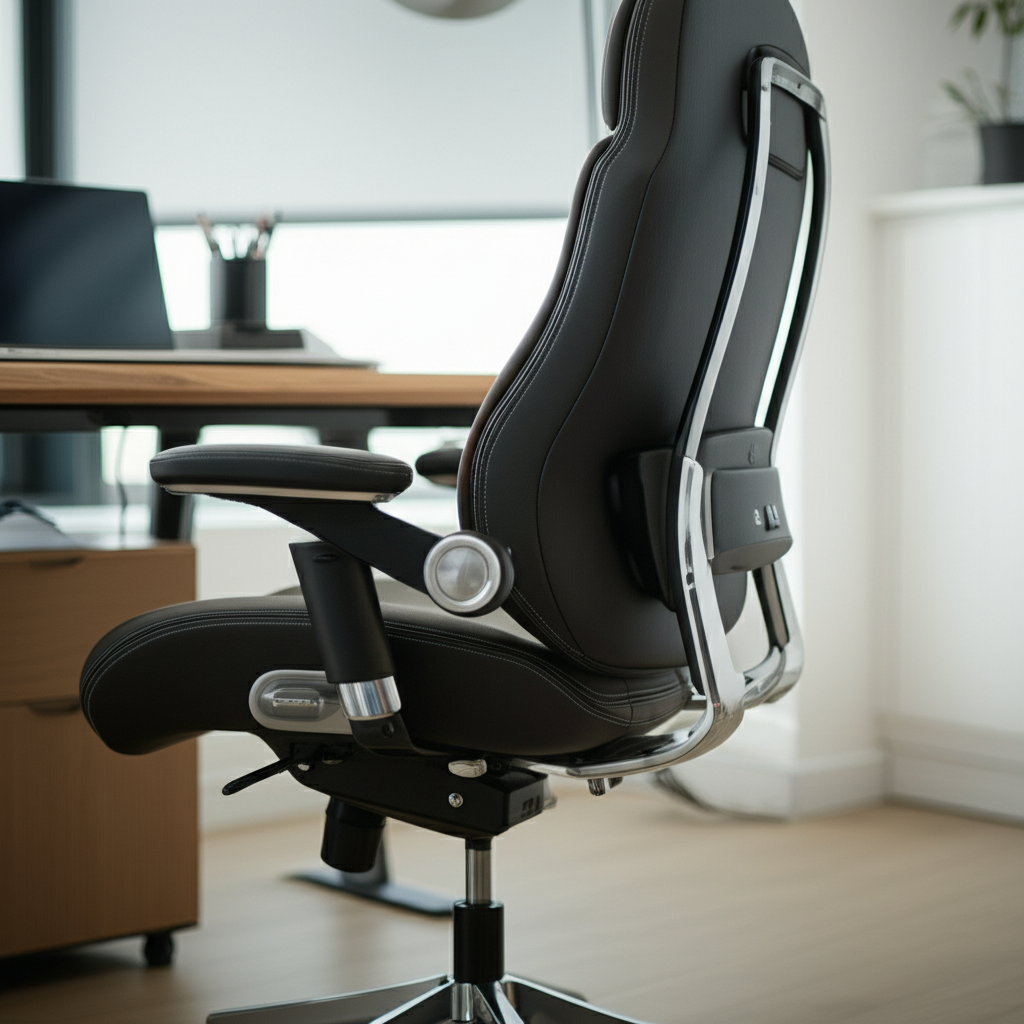
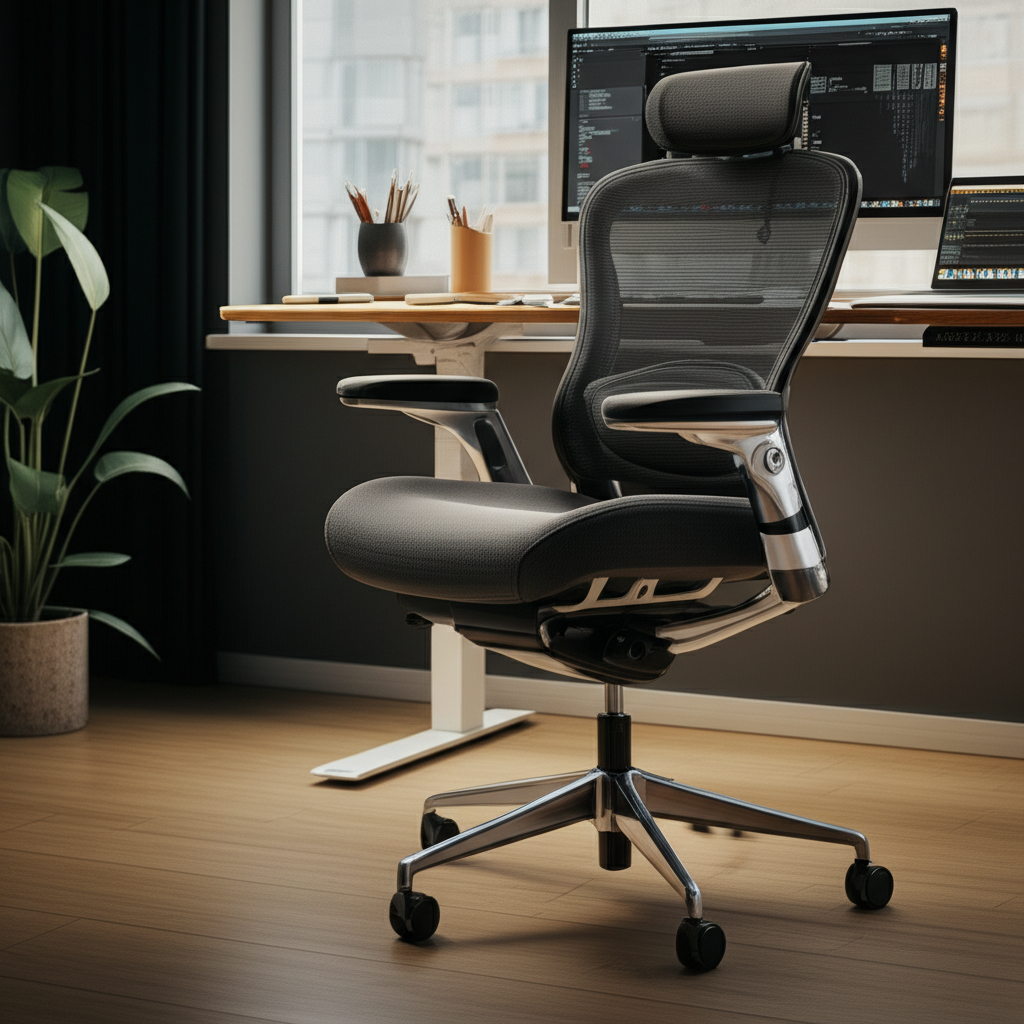
An adjustable desk chair is more than just a place to sit. It’s a tool designed to support your body properly throughout the workday. Unlike standard chairs, these offer many ways to change their settings. This allows you to tailor the chair to your unique body shape and how you work. Investing in one can significantly improve your comfort and health.
This type of chair helps prevent common issues like back pain, neck strain, and poor posture. By allowing you to adjust height, armrests, and back support, it ensures your body is in a neutral, healthy position. This leads to better focus and less fatigue, making your work hours more productive and enjoyable.
The Pillars of Ergonomic Comfort: What Makes a Chair “Adjustable”?
True ergonomic comfort comes from a chair’s ability to adapt. Adjustable desk chairs excel at this because they offer several key adjustment points. These features allow you to customize the chair to your specific needs. Understanding these adjustments is crucial for making an informed choice.
These customizable elements work together to create a seating experience that supports your body correctly. This reduces strain and promotes good posture, which is vital for long periods of sitting. Let’s break down the essential adjustments.
Seat Height Adjustment
This is the most basic and crucial adjustment. It allows you to set the seat so your feet are flat on the floor. Your knees should be at a 90-degree angle. Proper seat height prevents pressure on your thighs and promotes good circulation.
Most chairs use a pneumatic lever for this. You pull the lever up while seated to lower the seat. To raise it, you lift the lever while unweighted. Finding the right height is the first step to an ergonomic setup.
Lumbar Support Adjustment
Your lower back has a natural curve. Lumbar support helps maintain this curve, preventing slouching. Many adjustable chairs offer built-in lumbar support that you can move up or down. Some also allow you to adjust the depth of the support.
This feature is vital for preventing lower back pain. It ensures your spine stays aligned. Without proper lumbar support, you are more likely to lean forward or slouch, straining your back.
Armrest Adjustments
Adjustable armrests are essential for supporting your arms and shoulders. They help reduce tension in your neck and upper back. You should be able to rest your arms comfortably while typing.
Look for armrests that adjust in height and width. Some also pivot inward or outward. This allows you to position them perfectly so your shoulders remain relaxed.
Backrest Angle and Tilt
The backrest should support your entire spine. Many chairs allow you to adjust the angle of the backrest. You can also often tilt the entire chair or just the backrest. This lets you change positions throughout the day.
Being able to lean back slightly can relieve pressure on your spine. It also allows for a brief stretch. This feature is great for reducing fatigue during long work sessions.
Seat Depth Adjustment
Not all chairs have this, but it’s a valuable feature. Seat depth adjustment lets you change how far forward or backward the seat goes. This is important for people with longer or shorter thighs. You want to ensure there’s a comfortable gap between the edge of the seat and the back of your knees.
This adjustment prevents pressure points under your thighs. It also ensures you can utilize the chair’s backrest fully. Proper seat depth supports your posture and comfort.
The Science Behind Comfort: How Ergonomics Reduces Pain and Boosts Productivity
Ergonomics is the science of designing workplaces and tools to fit the people who use them. In the context of an adjustable desk chair, it means creating a chair that supports your body’s natural alignment. This reduces stress on your muscles, nerves, and skeleton. The result is less pain and more energy.
When your body is properly supported, you can focus better on your work. You don’t have to constantly shift to find a comfortable position. This improved comfort translates directly into increased productivity and better overall well-being.
Reducing Musculoskeletal Disorders (MSDs)
Prolonged sitting in a poorly designed chair can lead to MSDs. These are injuries to muscles, nerves, and tendons. Back pain, carpal tunnel syndrome, and neck stiffness are common examples. An adjustable chair helps prevent these by promoting good posture and reducing strain.
According to the Occupational Safety and Health Administration (OSHA), ergonomic solutions can significantly reduce the risk of MSDs in office environments. By adjusting your chair correctly, you actively work to protect your body.
Enhancing Focus and Concentration
When you’re in pain or uncomfortable, your mind wanders. You’re thinking about how to relieve the discomfort instead of concentrating on your tasks. An adjustable desk chair eliminates these distractions. It allows you to remain focused and engaged in your work for longer periods.
A comfortable worker is a productive worker. Studies have shown a direct link between ergonomic office setups and improved employee performance. The right chair contributes significantly to this.
Improving Energy Levels and Reducing Fatigue
Poor posture and constant muscle strain can drain your energy. Your body uses a lot of energy just trying to stay upright and comfortable. An ergonomic chair provides the support needed, freeing up your energy for cognitive tasks.
This means you feel less tired at the end of the day. You might even find you have more energy for activities outside of work. It’s a win-win for your professional and personal life.
Choosing Your Perfect Adjustable Desk Chair: A Step-by-Step Guide
Selecting the right adjustable desk chair involves considering several factors. It’s not just about looks; it’s about how it fits your body and your workspace. Follow these steps to make a confident purchase that will serve you well for years.
We’ll walk you through assessing your needs, understanding chair features, and making the final decision. This process ensures you get a chair that provides ultimate ergonomic comfort.
Step 1: Assess Your Body and Your Work Habits
Before looking at chairs, think about your own body. Do you have specific pain points, like a sensitive lower back? Are you tall or short? Do you spend most of your day sitting, or do you move around a lot?
Also, consider your work habits. Do you lean forward when you type intensely? Do you often recline to think? Understanding these personal details will help you prioritize certain features in an adjustable chair.
Step 2: Prioritize Essential Adjustments
Based on your self-assessment, decide which adjustments are most important for you. For most people, seat height and lumbar support are non-negotiable. If you have shoulder issues, adjustable armrests are key.
If you have longer legs, seat depth adjustment is crucial. If you prefer to recline often, a good tilt mechanism is important. Don’t get swayed by features you won’t use; focus on what directly benefits your comfort.
Step 3: Consider Material and Durability
Chairs come in various materials like mesh, fabric, and leather. Mesh offers breathability, fabric provides comfort, and leather offers a premium feel. Think about your climate and how much you tend to sweat. Also, consider how easy the material is to clean.
Durability is also key. Look for sturdy frames, high-quality casters, and robust adjustment mechanisms. A well-built chair will last longer and provide consistent support. Check user reviews for insights into long-term durability.
Step 4: Measure Your Space
Ensure the chair will fit comfortably in your workspace. Measure the area where the chair will be placed. Consider the chair’s dimensions, especially its width and depth, and ensure it doesn’t make your workspace feel cramped.
Also, check if the chair’s casters are suitable for your flooring. Some casters are designed for carpet, while others work best on hard floors. This prevents damage and ensures smooth movement.
Step 5: Set Your Budget and Read Reviews
Adjustable desk chairs vary widely in price. Determine a budget you’re comfortable with. Remember that a higher price often reflects better build quality and more advanced features. However, there are excellent options at various price points.
Always read reviews from multiple sources. Look for detailed feedback on comfort, durability, and customer service. Pay attention to common complaints or praises. This real-world feedback is invaluable.
Top Features to Look For in an Adjustable Desk Chair
When shopping for an adjustable desk chair, certain features stand out for providing superior ergonomic support. Beyond the basic adjustments, several other elements contribute to overall comfort and well-being. Focusing on these can help you find a chair that truly meets your needs.
These features often differentiate a good chair from a great one. They are the details that make a significant impact on your daily comfort and long-term health.
Breathable Mesh Backs
Mesh backrests are popular for a reason. They allow air to circulate, keeping you cool and preventing discomfort, especially in warmer environments. This breathability is a significant advantage over traditional upholstered chairs.
Mesh also offers a good balance of flexibility and support. It conforms to your back’s shape without feeling stiff. This makes it ideal for extended sitting periods.
High-Density Foam Seat Cushions
The seat cushion is critical for comfort. High-density foam provides firm yet comfortable support. It distributes your weight evenly, reducing pressure points. Cheaper chairs often use low-density foam that quickly flattens.
A good seat cushion will maintain its shape over time. It should feel supportive without being too hard. This prevents discomfort and numbness in your legs.
Adjustable Headrest and Footrest
While not essential for everyone, an adjustable headrest can provide crucial neck support. This is particularly beneficial if you recline frequently or experience neck strain. Some chairs also offer an optional footrest, which can be great for occasional relaxation.
These additions can enhance the chair’s versatility. They offer extra support for your head, neck, and legs, contributing to a more complete ergonomic experience.
Synchro-Tilt Mechanism
A synchro-tilt mechanism is a sophisticated feature. It allows the backrest and seat to tilt at different ratios. Typically, the backrest tilts back further than the seat. This promotes a more natural and comfortable reclining posture.
This mechanism helps maintain proper body alignment even when you recline. It’s a sign of a higher-quality, more ergonomic chair design.
Waterfall Seat Edge
A waterfall seat edge curves downward slightly at the front. This design reduces pressure on the back of your thighs and improves blood circulation. It’s a subtle feature that makes a big difference in comfort, especially for those with longer legs.
This design helps prevent your legs from falling asleep. It promotes a healthier sitting posture by allowing your legs to rest naturally.
Comparing Top Adjustable Desk Chair Models: Features and Price Points
The market offers a wide array of adjustable desk chairs, from budget-friendly options to high-end ergonomic marvels. Understanding how different models stack up in terms of features and cost is essential for finding the best fit. We’ve compiled a comparison to guide your decision.
Here’s a look at how various chairs might compare. Prices are approximate and can vary.
| Feature | Budget (<$200) | Mid-Range ($200-$500) | Premium ($500+) |
| :——————- | :—————————- | :—————————- | :—————————- |
| Seat Height | Standard | Standard, Pneumatic | Pneumatic, Wide Range |
| Lumbar Support | Basic fixed or adjustable | Adjustable height & depth | Advanced adjustable |
| Armrests | Fixed or basic height adjust | Height & width adjust | 3D/4D adjust (height, width, pivot, depth) |
| Backrest Tilt | Basic tilt lock | Synchro-tilt, multiple locks | Advanced synchro-tilt, tension control |
| Seat Depth | Usually fixed | Sometimes adjustable | Commonly adjustable |
| Headrest | Rare | Optional/Included | Often standard, adjustable |
| Material | Basic fabric, mesh | Breathable mesh, quality fabric | Premium mesh, leather, high-end fabric |
| Durability | Moderate | Good | Excellent |
| Warranty | 1-3 years | 3-10 years | 5-15+ years |
This table illustrates that as the price increases, so do the adjustability options and build quality. Choosing depends on your specific needs and budget.
Case Study: Sarah’s Journey to a Pain-Free Workday
Sarah, a freelance graphic designer, suffered from persistent lower back pain. She spent 8-10 hours a day at her desk. Her old office chair offered no support. After researching, she invested in a mid-range adjustable desk chair with excellent lumbar support and adjustable armrests.
Within weeks, Sarah noticed a significant reduction in her back pain. She felt more energetic and could focus longer on her design projects. Her adjustable chair became an indispensable part of her home office setup. This highlights how the right chair can dramatically improve quality of life.
Common Frustrations with Non-Adjustable Chairs (And How Adjustable Ones Solve Them)
Many people experience discomfort with standard office chairs. These chairs often have a one-size-fits-all approach that doesn’t suit everyone. An adjustable desk chair directly addresses these common pain points. Understanding these frustrations helps highlight the value of adjustability.
If you’ve ever felt these issues, you know how distracting they can be. Adjustable chairs offer a solution to these persistent problems.
1. Back Pain and Poor Posture
This is perhaps the most common complaint. Non-adjustable chairs often lack adequate lumbar support. This forces users to slouch or adopt unnatural postures, leading to back pain.
An adjustable chair with customizable lumbar support helps maintain the spine’s natural curve. This significantly reduces back strain and promotes healthier posture.
2. Neck and Shoulder Strain
When armrests are too high or too low, or absent entirely, your shoulders hunch up. This leads to tension in the neck and shoulders. This is especially true if your desk height isn’t perfectly matched to your chair.
Adjustable armrests allow you to position them correctly. This keeps your shoulders relaxed and reduces strain on your neck.
3. Leg Discomfort and Numbness
A seat that’s too high or too deep can cut off circulation to your legs. The edge of the seat can press into your thighs. This causes discomfort and can lead to numbness.
Adjustable seat height and depth ensure your feet are flat and your thighs are supported without pressure. This improves circulation and comfort.
4. Fatigue and Reduced Concentration
When you’re constantly trying to get comfortable, your energy levels drop. You become distracted by physical discomfort, which impacts your ability to concentrate.
An adjustable chair that fits you perfectly minimizes physical distractions. This allows you to stay focused and energized throughout the day.
5. Incompatibility with Different Desks
Standard chairs might not work well with desks of varying heights. You might find yourself too high or too low, compromising your ergonomic setup.
Adjustable seat height allows you to achieve the correct desk-to-chair relationship regardless of desk height. This ensures an optimal working posture.
Maintaining Your Adjustable Desk Chair for Longevity
Your adjustable desk chair is an investment in your comfort and health. Proper maintenance will ensure it functions correctly and lasts for many years. Regular care is simple and prevents minor issues from becoming major problems.
Taking a few minutes each week or month can make a big difference. Here’s how to keep your chair in top shape.
Regular Cleaning
Wipe down the chair’s surfaces regularly with a damp cloth. For fabric or mesh, use a mild soap and water solution. Always check the manufacturer’s instructions for specific cleaning recommendations. Avoid harsh chemicals that can damage the materials.
This prevents dirt and grime buildup. It also keeps the chair looking its best.
Check Adjustment Mechanisms
Periodically test all adjustment levers and mechanisms. Ensure they move smoothly and lock into place securely. If a lever feels stiff, apply a small amount of lubricant as recommended by the manufacturer.
Make sure the chair’s height, tilt, and armrests hold their position. Loose mechanisms can be a safety hazard and reduce functionality.
Inspect Casters and Base
Keep the casters clean and free of debris. Hair, dust, and small objects can get tangled and impede movement. You might need to remove the casters to clean them thoroughly. Check the base for any signs of wear or damage.
Smooth-rolling casters are essential for easy movement. Damaged casters can scratch your floor.
Tighten Loose Screws and Bolts
Over time, screws and bolts can loosen due to regular use. Periodically inspect the chair for any loose hardware. Use the appropriate tools to tighten them securely.
This ensures the structural integrity of the chair. It prevents creaking sounds and potential instability.
When to Consider Upgrading Your Current Chair
Even the best chairs might need replacing eventually. If your current adjustable desk chair shows signs of wear and tear, or no longer provides adequate support, it might be time for an upgrade. Don’t wait until it causes significant discomfort or breaks down.
Recognizing these signs early can help you choose a new chair proactively. This prevents prolonged periods of discomfort or potential injury.
Signs Your Chair Needs Replacing
Worn-out cushioning: If the seat feels flat and unsupportive, the foam has likely compressed.
Malfunctioning adjustments: Levers that don’t lock, or mechanisms that stick, indicate wear.
Structural damage: Cracks in the base, arms, or backrest are serious issues.
Persistent discomfort: If you still experience pain or fatigue despite proper adjustment, the chair may no longer be suitable.
* Excessive squeaking or noise: While sometimes fixable, constant noise can indicate internal wear.
If you notice any of these, it’s a good indicator that your chair has reached the end of its useful life. Looking for a new adjustable desk chair becomes a priority.
Frequently Asked Questions About Adjustable Desk Chairs
What is the most important adjustment on an adjustable desk chair?
The most important adjustment is seat height. It ensures your feet are flat on the floor and your knees are at a 90-degree angle, which is fundamental for proper posture and circulation.
Can an adjustable desk chair help with my back pain?
Yes, an adjustable desk chair can significantly help with back pain. Customizable lumbar support, proper seat depth, and the ability to maintain good posture are key factors in alleviating and preventing back discomfort.
How do I know if my armrests are at the right height?
Your armrests are at the right height when your shoulders are relaxed, and your elbows are bent at approximately a 90-degree angle. You should be able to rest your forearms on them while typing without raising your shoulders.
Is a mesh back or a padded back better for an adjustable chair?
Both can be good, depending on your preference and environment. Mesh offers superior breathability and is cooler, ideal for warmer climates or if you tend to overheat. Padded backs can offer a plusher feel but may be warmer.
How often should I adjust my chair throughout the day?
It’s good practice to make small adjustments to your chair throughout the day. Shifting your position slightly, adjusting recline, or fine-tuning lumbar support can help prevent stiffness and fatigue. You should also readjust if you change tasks or sit for very long periods.
Are expensive adjustable desk chairs worth the investment?
Often, yes. Higher-priced chairs typically use better materials, have more advanced adjustment features (like 3D or 4D armrests, advanced synchro-tilt), and offer longer warranties, indicating greater durability and ergonomic sophistication. This can be a worthwhile investment for your long-term health and productivity.
Conclusion: Investing in Your Comfort with an Adjustable Desk Chair
An adjustable desk chair is more than just office furniture; it’s a crucial component of a healthy and productive workspace. By allowing you to customize your seating position, it combats the common issues of back pain, poor posture, and fatigue associated with prolonged sitting. Prioritizing features like adjustable height, lumbar support, armrests, and seat depth ensures you create an ergonomic setup tailored specifically to your body.
Investing in a quality adjustable desk chair is an investment in your well-being and your work output. Take the time to assess your needs, explore the options available, and choose a chair that offers the ultimate ergonomic comfort. Your body will thank you for it, and your productivity will soar. Follow us for more tips on optimizing your home office!
