



Published on: November 13, 2025 | Updated on: November 13, 2025
The best ergonomic office chair provides essential comfort for long work hours, supporting your posture and reducing strain, crucial for home office setups.
Spending hours at your desk can lead to aches and pains. Many people struggle with discomfort from chairs that don’t fit their bodies well. This often leads to poor posture and decreased focus. Finding the right chair is key to a healthier and more productive workday. This guide will help you choose the best ergonomic office chair for your needs. We’ll cover what makes a chair ergonomic and what features to look for.
Why an Ergonomic Office Chair is a Must-Have
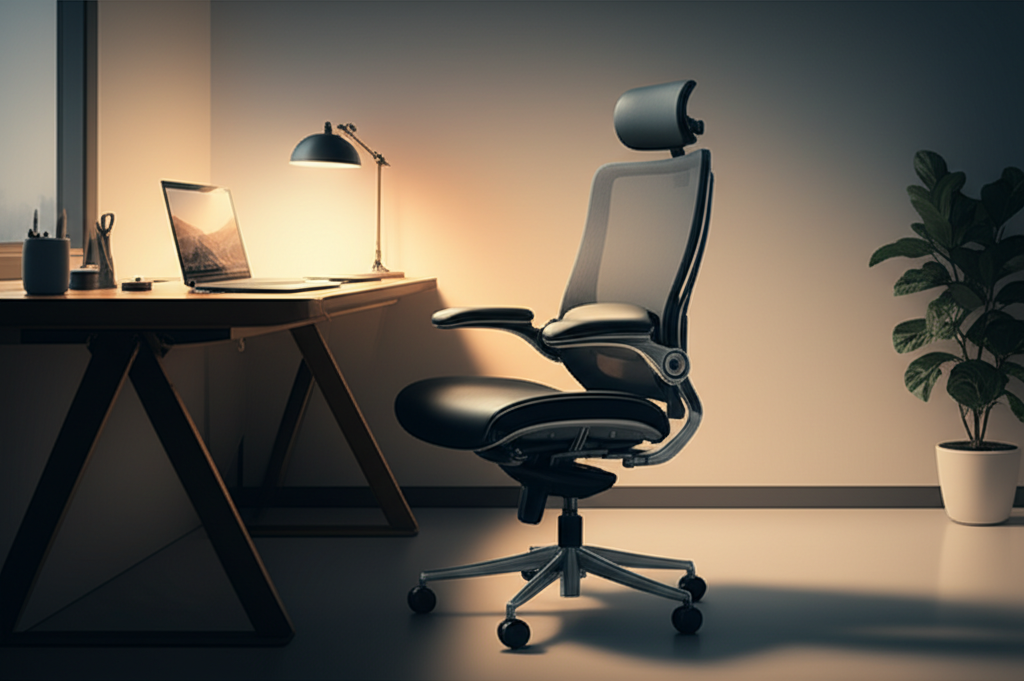
An ergonomic office chair is designed to support your body in a natural, healthy posture. It helps reduce the stress and strain that prolonged sitting can cause. These chairs often have adjustable parts to fit your unique body shape and desk setup. Investing in one can prevent long-term health issues like back pain and repetitive strain injuries.
An ergonomic chair supports your spine and reduces pressure points. This leads to better comfort and less fatigue during your workday.
Understanding Ergonomic Chair Features
Ergonomic chairs offer several adjustable features. These allow you to customize the chair for maximum comfort and support. Key features include adjustable height, lumbar support, armrests, and seat depth. Understanding these helps you pick a chair that fits you perfectly.
Adjustable features allow you to tailor the chair to your body. This is crucial for preventing discomfort and maintaining good posture.
Adjustable Seat Height
This feature lets you set the chair’s height so your feet are flat on the floor. Your knees should be at a 90-degree angle. This helps maintain proper circulation and reduces pressure on your thighs.
Getting the seat height right is the first step to an ergonomic setup. It ensures your legs are positioned correctly.
Lumbar Support: The Back’s Best Friend
Lumbar support is the curve in the lower back of the chair. It should fit the natural curve of your spine. Many chairs offer adjustable lumbar support, allowing you to move it up, down, or in and out. This is vital for preventing lower back pain.
Proper lumbar support keeps your spine in its natural ‘S’ shape. This reduces strain on your back muscles.
Adjustable Armrests
Armrests should allow your shoulders to relax. Your elbows should be bent at about 90 degrees when resting on them. Adjustable armrests can move up, down, sideways, and forward/backward. This helps reduce tension in your neck and shoulders.
Well-adjusted armrests prevent you from hunching over. This keeps your upper body relaxed.
Seat Depth and Tilt
Seat depth refers to the distance from the front of the seat to the back. You should have a few fingers’ width between the front of the seat and the back of your knees. A tilt function allows the seat and backrest to angle together. This can relieve pressure on your thighs and promote movement.
Adjusting seat depth ensures proper leg support. A tilt function adds comfort and flexibility.
Top Ergonomic Office Chairs for Every Budget
Choosing the best ergonomic office chair depends on your needs and budget. We’ve researched some top options that offer great value and support. These chairs cater to different preferences and price points.
Here are some of the best ergonomic office chairs available today. They offer excellent comfort and adjustability.
High-End Ergonomic Chairs (The Premium Choice)
These chairs often come with extensive adjustability and premium materials. They are built for durability and long-term comfort. Brands like Herman Miller and Steelcase are well-known in this category. They offer sophisticated designs that support various body types.
Premium chairs provide superior adjustability and materials. They are an investment in your long-term health and productivity.
Herman Miller Aeron: Famous for its breathable mesh and supportive design. It offers a wide range of adjustments.
Steelcase Gesture: Designed to support natural body movements. It’s great for people who move around a lot while sitting.
These chairs offer unparalleled support and durability. They are ideal for those who spend many hours seated.
Mid-Range Ergonomic Chairs (Best Value)
Mid-range chairs strike a balance between features, comfort, and price. You can find chairs with good lumbar support, adjustable armrests, and breathable materials. These are excellent choices for most home office users. They offer significant improvements over standard office chairs.
Mid-range options provide a great blend of features and cost. They are a smart choice for many home office workers.
Secretlab Titan Evo: Known for its gaming chair comfort, it offers excellent lumbar support and adjustability. It comes in various materials and sizes.
Branch Ergonomic Chair: A popular choice for its minimalist design and robust support. It offers good adjustability for the price.
These chairs offer a substantial upgrade in comfort and support. They are a solid investment for your workspace.
Budget-Friendly Ergonomic Chairs (Affordable Comfort)
Even on a tight budget, you can find comfortable ergonomic chairs. Look for chairs with essential features like adjustable height and basic lumbar support. These chairs might have fewer adjustment options but still offer a significant improvement. They are a good starting point for improving your home office setup.
Budget chairs offer essential ergonomic features at a lower cost. They are a great starting point for a more comfortable workspace.
Sihoo M57 Ergonomic Office Chair: Often praised for its value, offering adjustable lumbar support and a mesh back.
Hbada Ergonomic Office Chair: Provides decent support and adjustability for its price point.
These chairs make ergonomic benefits accessible to everyone. They are a good option for those new to ergonomic seating.
Key Factors When Buying an Ergonomic Office Chair
When selecting an ergonomic office chair, several factors are crucial. Your personal needs, the chair’s adjustability, material, and warranty all play a role. Consider your work habits and any specific physical needs you have.
Thinking about these factors will help you make the right choice. It ensures you get a chair that truly supports you.
Material and Breathability
The chair’s material affects comfort, especially during long hours. Mesh chairs are popular for their breathability, keeping you cool. Fabric chairs can be comfortable but may retain heat. Leather chairs offer a premium feel but can be less breathable.
Breathable materials prevent overheating and keep you comfortable. Mesh is a popular choice for its cooling properties.
Weight Capacity and Durability
Ensure the chair you choose can support your weight comfortably and safely. Most chairs list their weight capacity. Higher weight capacities often indicate a more robust build. Durability means the chair will last longer, providing consistent support.
Check the chair’s weight limit to ensure it’s suitable for you. A durable chair is a long-term investment.
Warranty and Return Policy
A good warranty indicates the manufacturer’s confidence in their product’s quality. Look for warranties covering parts and labor for at least 5 years. A flexible return policy is also important. It allows you to try the chair and return it if it doesn’t meet your expectations.
A strong warranty protects your investment. A good return policy ensures you can exchange it if it’s not a good fit.
How to Adjust Your Ergonomic Office Chair Correctly
Even the best ergonomic office chair won’t help if it’s not adjusted properly. Taking a few minutes to set it up correctly makes a huge difference. Follow these steps to ensure optimal comfort and support.
Proper adjustment is key to unlocking the chair’s ergonomic benefits. It tailors the chair to your unique body.
Step-by-Step Adjustment Guide
1. Seat Height: Adjust the height so your feet are flat on the floor. Your knees should be at about a 90-degree angle.
2. Lumbar Support: Position the lumbar support to match the curve of your lower back. It should feel supportive, not pushy.
3. Armrests: Adjust the armrests so your shoulders are relaxed. Your elbows should be near a 90-degree angle.
4. Seat Depth: Ensure there’s a gap of 2-3 fingers between the edge of the seat and the back of your knees.
5. Backrest Recline: Set the recline tension so you can lean back easily. Lock it in a position that feels comfortable and supportive.
Following these steps ensures your chair is set up for your body. This minimizes strain and maximizes comfort.
Beyond the Chair: Complementary Ergonomic Solutions
While the best ergonomic office chair is crucial, other elements enhance your workspace. Consider incorporating a standing desk, monitor stand, or ergonomic keyboard and mouse. These accessories work together to create a truly ergonomic and productive environment.
Complementary tools boost comfort and productivity. They create a holistic ergonomic workspace.
Standing Desks
Standing desks allow you to alternate between sitting and standing. This reduces sedentary time and can improve circulation. Many are adjustable, letting you switch positions easily. This is a great addition to an ergonomic chair setup.
Alternating between sitting and standing is healthier. Standing desks make this easy to achieve.
Monitor Stands and Arms
Raising your monitor to eye level is essential. A monitor stand or arm helps achieve this. It prevents neck strain from looking down. This complements your chair’s support for good posture.
Positioning your screen correctly reduces neck and eye strain. This is vital for long work sessions.
Ergonomic Keyboards and Mice
These accessories are shaped to fit your hands naturally. They reduce wrist strain and the risk of carpal tunnel syndrome. Using them with an ergonomic chair creates a complete system for comfort.
Ergonomic peripherals support natural hand and wrist positions. They prevent discomfort and repetitive strain injuries.
Common Ergonomic Chair Problems and Solutions
Even with the best intentions, you might encounter issues. Understanding common problems helps you troubleshoot. Most issues are easily resolved with proper adjustment or maintenance.
Facing common problems is normal. Knowing the solutions makes it easier to fix them.
Problem: Lower back pain persists.
Solution: Re-adjust the lumbar support to ensure it’s in the correct position for your spine’s curve. Make sure the seat depth is also set correctly. Sometimes, a different chair model might be a better fit for your specific back shape.
Problem: Neck and shoulder tension.
Solution: Adjust the armrests higher or lower, and inwards or outwards. Ensure your screen is at eye level to prevent hunching. Take regular breaks to stretch your neck and shoulders.
Problem: Discomfort after prolonged sitting.
Solution: Ensure all adjustable features are correctly set. Incorporate standing breaks using a standing desk. Even short walks can significantly reduce discomfort.
Addressing these issues promptly ensures your chair continues to provide comfort. It helps maintain productivity and well-being.
Frequently Asked Questions About Ergonomic Office Chairs
What is the most important feature of an ergonomic office chair?
The most important feature is adjustable lumbar support. It directly impacts the health of your lower back, which is crucial for long-term comfort.
How often should I adjust my ergonomic chair?
You should adjust your chair whenever you switch tasks or feel discomfort. It’s good practice to re-evaluate your setup at the start of each workday.
Can an ergonomic chair cure back pain?
An ergonomic chair can significantly reduce back pain caused by poor posture. It supports your spine and reduces strain. However, it’s not a cure-all and may need to be combined with exercise and good habits.
What is the difference between a gaming chair and an ergonomic office chair?
Ergonomic office chairs are designed for sustained, healthy posture. Gaming chairs often prioritize aesthetics and comfort for shorter bursts, sometimes lacking the same level of targeted support.
How do I know if my chair is too high or too low?
If your feet don’t rest flat on the floor, or your knees are higher than your hips, the chair is likely too high. If your thighs aren’t supported or your feet hang, it’s too low.
Are mesh chairs better than fabric or leather?
Mesh chairs offer superior breathability, keeping you cooler. Fabric can be softer, and leather offers a premium look. The best choice depends on personal preference and climate.
Conclusion: Invest in Your Comfort and Productivity
Choosing the best ergonomic office chair is a vital step towards a healthier and more productive home workspace. By understanding the key features, adjusting your chair correctly, and considering complementary accessories, you can create an environment that supports your well-being. Don’t underestimate the impact a quality chair has on your daily comfort and long-term health. Investing in the best ergonomic office chair is investing in yourself.
Explore options that fit your budget and needs. Your body will thank you for it.
