


Published on: October 1, 2025 | Updated on: October 1, 2025
Build a comfortable and productive home office without breaking the bank with a cheap ergonomic desk setup. Discover essential, affordable upgrades to boost your well-being and efficiency, transforming your workspace into a haven of productivity.
Feeling the pinch from long hours at an uncomfortable desk? You’re not alone. Many of us are juggling work, life, and a makeshift office, leading to aches, pains, and a serious productivity slump. But what if I told you that creating an ergonomic haven doesn’t require a massive budget? This guide is your roadmap to achieving a cheap ergonomic desk setup that’s both kind to your body and your wallet. Let’s transform your workspace from a source of discomfort into a powerhouse of efficiency.
Why Your Home Office Deserves an Ergonomic Upgrade

A poorly designed workspace can silently sabotage your health and productivity. It’s the invisible culprit behind that nagging backache, the stiff neck, and the general fatigue that creeps in by midday. Investing in ergonomics isn’t just about comfort; it’s a strategic move to enhance focus, reduce strain, and ultimately, make your workdays more enjoyable and effective. Think of it as a smart investment in your most valuable asset: yourself.
The Hidden Costs of a Non-Ergonomic Setup
Ignoring ergonomics can lead to a cascade of problems. You might experience headaches, carpal tunnel syndrome, or chronic musculoskeletal issues. These aren’t just uncomfortable; they can lead to missed workdays, costly medical bills, and a significant drop in your overall quality of life. The initial investment in an ergonomic setup is a proactive step to avoid these far greater future expenses and discomforts.
Boosting Productivity Through Comfort
When your body is comfortable and supported, your mind is free to focus. A cheap ergonomic desk setup minimizes distractions caused by physical discomfort. This allows for longer periods of concentration, deeper work, and a noticeable improvement in the quality and quantity of your output. It’s amazing how much more you can achieve when you’re not constantly shifting to find a less painful position.
Key Principles of a Cheap Ergonomic Desk Setup
Creating an ergonomic workspace is about thoughtful arrangement and smart choices, not necessarily expensive gear. The core principles revolve around maintaining neutral postures, ensuring proper support, and minimizing strain on your body. We’ll focus on practical, budget-friendly solutions that deliver maximum impact for your health and productivity.
Understanding Neutral Posture
Neutral posture is the position where your body is most relaxed and supported, minimizing stress on muscles, joints, and ligaments. For your desk setup, this means your wrists are straight, your elbows are at roughly a 90-degree angle, your feet are flat on the floor, and your eyes are level with the top of your screen. Achieving this posture is the foundation of any effective ergonomic strategy.
The “Adjust, Adapt, Arrange” Approach
This simple mantra guides your cheap ergonomic desk setup journey. First, adjust your existing furniture and equipment as much as possible. Then, adapt your habits and workspace layout. Finally, arrange for comfort and efficiency, bringing in affordable accessories where needed. This iterative process ensures you make the most of what you have before buying anything new.
Essential Elements of Your Affordable Ergonomic Workspace
Let’s break down the non-negotiables for a comfortable and productive home office, focusing on budget-friendly options. We’ll look at your chair, desk, monitor placement, and keyboard/mouse positioning – the pillars of your ergonomic foundation. Each element plays a crucial role in preventing strain and promoting well-being.
The Foundation: Your Ergonomic Chair (On a Budget)
Your chair is arguably the most critical piece of your ergonomic setup. While high-end chairs can cost a fortune, there are fantastic budget-friendly options and clever ways to improve your current seating. The goal is to support your back, allow for proper leg positioning, and encourage movement.
Finding Affordable Ergonomic Chairs
Look for chairs that offer adjustable lumbar support, height adjustability, and armrests. Second-hand office furniture stores or online marketplaces can be goldmines for quality used ergonomic chairs. Sometimes, a good office supply store sale can yield a surprisingly capable chair within a modest budget.
DIY Chair Enhancements
If a new chair isn’t in the cards, enhance your current one. Use a rolled-up towel or a small cushion for lumbar support. Ensure your feet are flat on the floor; if not, use a sturdy footrest (even a stack of books can work initially). Adjusting your sitting posture to maintain the natural curve of your spine is key.
The Desk: Function Over Form (and Price)
The desk itself is important, but its height and the space it provides are paramount. A cheap ergonomic desk setup doesn’t require a fancy standing desk converter immediately, though it’s a worthy upgrade down the line. Focus on achieving the correct desk height for neutral wrist posture.
Achieving the Right Desk Height
The ideal desk height allows your elbows to be at a 90-degree angle when your shoulders are relaxed, and your wrists are straight while typing. If your desk is too high, consider removing the chair’s armrests if they prevent you from getting close enough or use a keyboard tray. If it’s too low, use sturdy blocks or risers (like thick books or wood scraps) to elevate it.
Maximizing Desk Space for Ergonomics
Ensure you have enough clear space to work comfortably. Clutter can force you into awkward postures. Keep frequently used items within easy reach to avoid overstretching. A tidy desk contributes significantly to both physical comfort and mental clarity.
Monitor Placement: Your Eyes Will Thank You
Proper monitor height and distance are vital for preventing neck strain and eye fatigue. Misaligned monitors are a common cause of discomfort in home offices. Getting this right is often free and makes a huge difference.
The 20-20-20 Rule and Screen Height
Position your monitor so the top of the screen is at or slightly below eye level. You should be looking slightly downwards, not craning your neck up or hunching down. Sit about an arm’s length away from your screen. For prolonged computer use, remember the 20-20-20 rule: every 20 minutes, look at something 20 feet away for 20 seconds.
Using Affordable Monitor Risers
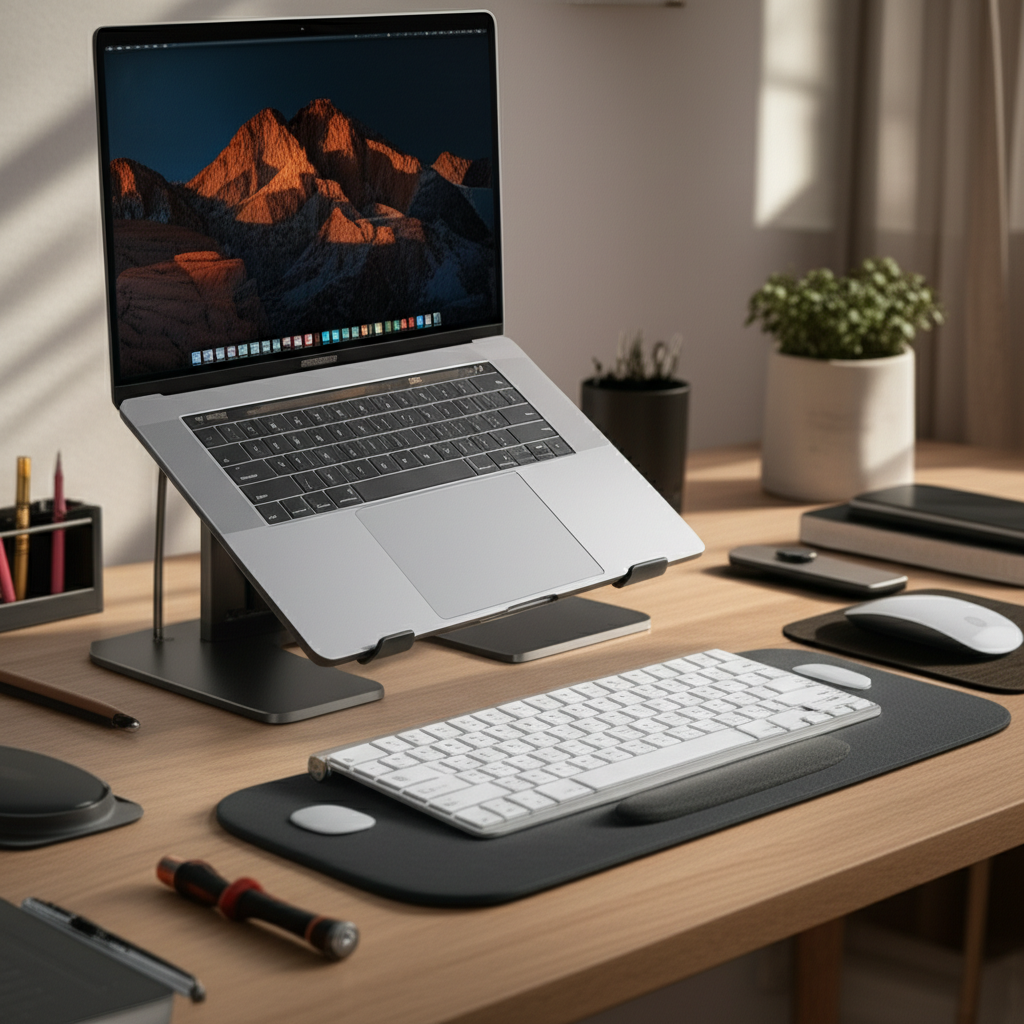
If your monitor is too low and cannot be adjusted, use an affordable monitor riser. These can be simple wooden or plastic stands, or even a sturdy stack of books. If you use a laptop, a laptop stand is essential to elevate the screen to the correct height, paired with an external keyboard and mouse.
Keyboard and Mouse: Your Hands’ Best Friends
Your keyboard and mouse are your primary tools for interaction. Improper positioning can lead to wrist pain and repetitive strain injuries. Simple adjustments and affordable accessories can make a world of difference here.
Wrist Position is Key
Keep your wrists straight and neutral, avoiding bending them up, down, or to the sides. Your keyboard should be positioned so you can type with your forearms parallel to the floor. Consider an ergonomic keyboard or mouse if you experience persistent discomfort, but often, proper positioning is enough.
Affordable Keyboard & Mouse Accessories
A simple wrist rest can provide support and encourage a neutral wrist posture. Gel wrist rests are inexpensive and widely available. Ensure your mouse is comfortable to grip and allows your hand to rest naturally. An ergonomic mouse might be a good investment if you spend many hours typing and mousing.
Smart Storage and Organization for a Clutter-Free Workspace
A disorganized desk can be as detrimental to ergonomics as poor posture. Clutter forces you to reach awkwardly for items and creates visual noise that distracts the mind. Implementing smart, affordable storage solutions is crucial for maintaining an ergonomic and productive environment.
Vertical Space is Your Friend
Think upwards! Using vertical space frees up your desk surface and keeps essentials within easy reach. Wall-mounted shelves, pegboards, and tiered desk organizers are excellent and often inexpensive ways to maximize vertical storage. This keeps your primary workspace clear, promoting better posture and focus.
Desk Organizers and Drawer Inserts
Small items tend to multiply and create chaos. Invest in affordable drawer inserts or desktop organizers to keep pens, paper clips, and other necessities tidy. This simple step prevents items from cluttering your workspace, allowing for a cleaner, more ergonomic arrangement of your essential tools.
Cable Management for Sanity and Safety
Loose cables are not only unsightly but can also be a tripping hazard and make cleaning difficult. Use inexpensive cable ties, clips, or sleeves to bundle and manage your cords. This creates a cleaner look, reduces clutter, and makes your workspace safer and more pleasant to use.
Lighting: Illuminate Your Productivity and Well-being
Proper lighting is often overlooked in home office setups but plays a critical role in reducing eye strain and boosting mood and productivity. A cheap ergonomic desk setup includes thoughtful lighting strategies that are both functional and affordable. Natural light is your best friend, but supplemental lighting is also important.
Harnessing Natural Light
Position your desk to take advantage of natural daylight whenever possible. Ideally, your monitor should be perpendicular to any windows to avoid glare. If direct sunlight is an issue, use blinds or curtains to diffuse the light. Maximizing natural light can reduce eye strain and improve your overall mood.
Strategic Task and Ambient Lighting
Supplement natural light with appropriate artificial lighting. A good desk lamp provides focused task lighting for reading or writing. Ambient lighting, like a soft overhead light or a floor lamp, can reduce the contrast between your screen and the room, further minimizing eye strain. Look for LED bulbs, which are energy-efficient and provide good light quality.
Affordable Ergonomic Accessories to Elevate Your Setup
Once the core elements of your cheap ergonomic desk setup are in place, consider a few key accessories that can significantly enhance comfort and productivity without a hefty price tag. These are the smart additions that fine-tune your workspace.
Footrests for Leg Comfort
If your feet don’t comfortably reach the floor even after adjusting your chair, a footrest is essential. This promotes better circulation and reduces pressure on your legs and lower back. You can find affordable options online or even create a DIY version using sturdy blocks or a small stool.
Keyboard Trays and Laptop Stands
As mentioned, a laptop stand is crucial for laptop users to achieve proper screen height. An adjustable keyboard tray can also be a game-changer, allowing you to position your keyboard and mouse at the perfect height and angle, independent of your desk surface. Many are surprisingly affordable and easy to install.
Anti-Fatigue Mats for Standing Desks
If you’re experimenting with standing or have a standing desk converter, an anti-fatigue mat is a must-have. These cushioned mats reduce pressure on your feet and legs, making standing for longer periods much more comfortable. They are a relatively small investment for significant comfort gains.
The Standing Desk Revolution: Budget-Friendly Entry Points
Standing desks are lauded for their health benefits, but the cost can be prohibitive. Thankfully, there are ways to incorporate standing into your workday without buying an expensive electric standing desk. These budget-friendly solutions allow you to experience the benefits of alternating between sitting and standing.
Standing Desk Converters
These are platforms that sit on top of your existing desk and can be raised or lowered. They are significantly cheaper than full standing desks and offer a flexible way to switch between sitting and standing. Look for models with ample keyboard and monitor space and smooth adjustment mechanisms.
DIY Standing Desk Solutions
For the truly budget-conscious, a DIY standing desk is an option. This could involve stacking sturdy boxes or using adjustable shelf units to create a raised surface for your monitor and keyboard. While less refined, it can provide a functional way to test out standing at work.
The Benefits of Alternating Postures
The key isn’t to stand all day, but to alternate between sitting and standing. This movement helps improve circulation, reduce back pain, and boost energy levels. Even incorporating short periods of standing throughout your day can make a significant difference in how you feel and perform.
Ergonomic Habits: The Ultimate Free Upgrade
Beyond furniture and accessories, your habits are the most powerful tool for an ergonomic workspace. Developing conscious routines can prevent strain and boost productivity without spending a dime. These are the foundational practices that make any desk setup work better.
Regular Movement and Breaks
Set reminders to get up and move every 30-60 minutes. Stretch, walk around, or do a few simple exercises. Short, frequent breaks are more effective than one long one. This combats the negative effects of prolonged sitting and keeps your body and mind refreshed.
Proper Sitting and Standing Techniques
Be mindful of your posture throughout the day. Actively engage your core, keep your shoulders relaxed, and ensure your spine is supported. When standing, maintain a slight bend in your knees and avoid locking your joints. Conscious effort makes a huge difference.
Hydration and Eye Care
Staying hydrated is essential for overall health and can impact focus. Keep a water bottle at your desk. For your eyes, practicing the 20-20-20 rule (look 20 feet away for 20 seconds every 20 minutes) is crucial. These simple habits support your body’s ability to work comfortably for longer periods.
Maintaining and Evolving Your Cheap Ergonomic Desk Setup
Your ergonomic journey doesn’t end once you’ve made initial adjustments. It’s an ongoing process of listening to your body and making small improvements over time. A cheap ergonomic desk setup is designed to be adaptable and evolve with your needs.
Listen to Your Body
Pay attention to any discomfort or fatigue you experience. These are signals that something in your setup or habits might need adjustment. Don’t ignore aches and pains; they are your body’s way of telling you it needs attention.
Gradual Upgrades
As your budget allows, you can gradually upgrade individual components. Perhaps start with a better chair, then a monitor arm, or a more advanced standing desk converter. Prioritize upgrades based on what will provide the most benefit for your specific comfort and productivity needs.
Continuous Learning
The field of ergonomics is always evolving. Stay informed about best practices and new product innovations. Reading articles, watching videos, and even consulting with an ergonomist (if possible) can provide valuable insights to further optimize your workspace.
Frequently Asked Questions About Cheap Ergonomic Desk Setups
Q1: What is the single most important factor for a cheap ergonomic desk setup?
The most crucial element is achieving neutral posture, especially for your wrists and back. This means ensuring your keyboard and monitor are at the right heights and your chair provides adequate lumbar support. Even with basic furniture, proper positioning can make a significant difference.
Q2: How can I improve my existing office chair without buying a new one?
You can use a rolled-up towel or a small cushion for lumbar support. Ensure your feet are flat on the floor or use a footrest. Adjusting your sitting position to maintain the natural curve of your spine is also vital.
Q3: Is a standing desk converter really worth the investment for a budget setup?
Yes, a standing desk converter can be a worthwhile investment if you find prolonged sitting uncomfortable. They offer flexibility to switch postures throughout the day, which is beneficial for health and energy. Many affordable options are available that don’t require a complete desk replacement.
Q4: What are some simple ways to reduce eye strain at my desk?
Practice the 20-20-20 rule: every 20 minutes, look at something 20 feet away for 20 seconds. Ensure your monitor is at the correct height (top of the screen at or below eye level) and distance (about an arm’s length away). Proper lighting, both natural and artificial, also plays a key role.
Q5: How can I organize my desk on a very tight budget?
Utilize vertical space with wall shelves or pegboards. Use old jars or containers for pens and small items. Implement cable management with inexpensive ties or clips. The key is to declutter and keep essentials within easy reach without creating a mess.
Q6: Do I need an ergonomic keyboard and mouse to be ergonomic?
Not necessarily. While specialized ergonomic keyboards and mice can be beneficial for some, proper positioning of standard peripherals is often sufficient to prevent strain. Focus on maintaining neutral wrist posture first; consider specialized gear if discomfort persists.
Conclusion: Your Affordable Path to a Healthier, More Productive Workspace
Embarking on the journey to a cheap ergonomic desk setup is a powerful step towards enhancing both your physical well-being and your professional output. You don’t need a fortune to transform your home office into a space that supports your body and sharpens your focus. By applying the principles of neutral posture, utilizing affordable accessories, optimizing your lighting, and adopting mindful habits, you can create a truly functional and comfortable workspace. Remember, small, consistent changes can lead to significant improvements. Start implementing these tips today and discover the profound difference a well-designed, ergonomic environment can make. Your body and your productivity will thank you for it.
