


Published on: September 19, 2025 | Updated on: September 19, 2025
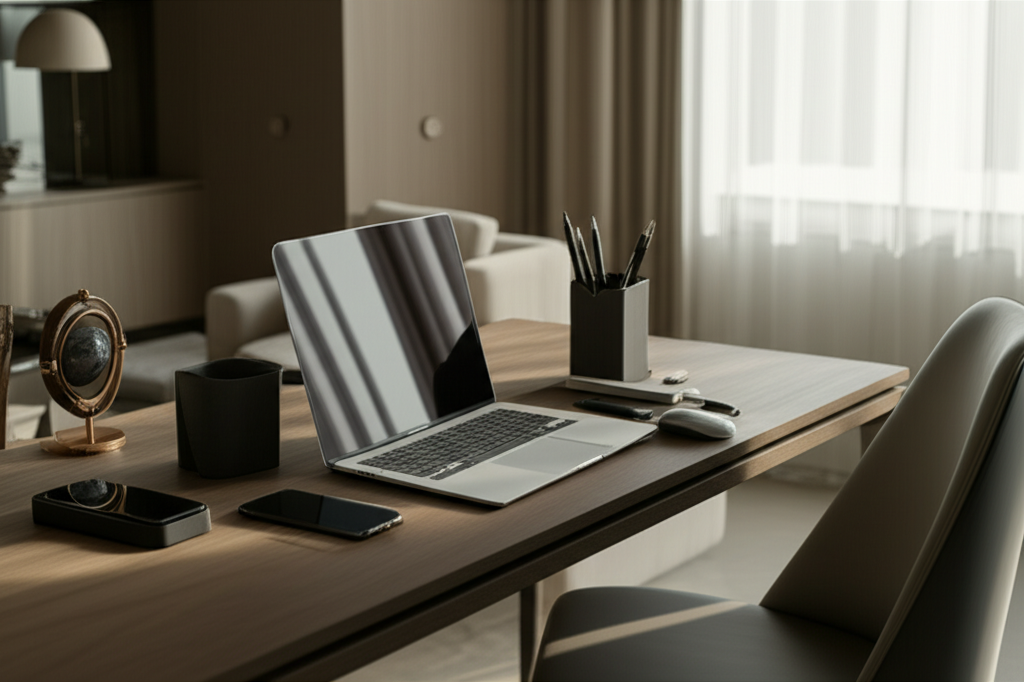
Transform your living room or guest room into a productive workspace without sacrificing style or comfort. Discover smart solutions for a shared office that blends seamlessly into your home, boosting efficiency and peace of mind.
Struggling to find a dedicated spot for work in a home that’s already bustling with life? You’re not alone. Many of us don’t have the luxury of a separate home office, forcing us to get creative. Setting up a functional workspace in your living room or guest room can feel like a daunting puzzle. But fear not! I’m here to guide you through transforming these shared spaces into productive havens. Let’s explore how to create a dual-purpose area that works beautifully for both living and working.

A shared office in your living room or guest room is a practical necessity for many remote workers and students. It acknowledges that not everyone has a spare room, making it a common yet often challenging setup. By thoughtfully designing this space, you can achieve a harmonious balance between personal and professional life.
This approach offers flexibility and maximizes existing square footage. It’s about clever integration, not just cramming a desk into a corner. We’ll delve into how to make this shared office setup not just functional, but also aesthetically pleasing and conducive to deep work.
Choosing between your living room and guest room for a shared office depends on your lifestyle and needs. Each offers unique advantages and disadvantages for integrating work into your home.
Living Room as a Shared Office: Pros and Cons
The living room is often the most accessible and frequently used space. This makes it a convenient location for a home office, but it also means more potential for distraction and less privacy.
- Pros: High accessibility, natural light potential, central location for quick access.
- Cons: High traffic area, potential for constant distractions, less privacy, work can feel “always on.”
A living room setup requires excellent visual separation and noise management. It’s a delicate balance to maintain a welcoming family space while accommodating a productive work zone.
Guest Room as a Shared Office: Pros and Cons
A guest room offers more potential for privacy and separation, but it might be less convenient to access daily. It can feel more like a dedicated “work zone” when needed.
- Pros: Greater privacy, easier to “close the door” on work, less daily distraction.
- Cons: Less accessible, might feel like a dedicated work-only space that’s harder to switch off from, potential for clutter if not managed.
The guest room offers a more traditional office feel if you can dedicate it for work hours. This allows for better focus and a clearer distinction between work and home life.
When space is limited, choosing the right furniture is paramount. Opt for pieces that are functional, stylish, and can adapt to your dual-purpose room.
Compact Desks for Tight Spaces
A desk is the centerpiece of any office, and in a shared space, it needs to be smart. Look for desks that offer ample workspace without overwhelming the room.
- Wall-mounted desks: These fold away when not in use, completely disappearing into the wall.
- Corner desks: They utilize often-wasted corner space effectively.
- Ladder desks: These combine shelving and a workspace, offering vertical storage.
- Narrow console desks: Perfect for tight spots, they provide a slim profile.
Consider desks with built-in storage like drawers or shelves. This helps keep essentials organized and out of sight, maintaining the room’s primary function.
Ergonomic Seating That Fits the Aesthetic
Don’t compromise on comfort for your health. An ergonomic chair is crucial, even in a shared living area. Modern designs are more stylish and less “office-y.”
- Stylish ergonomic chairs: Many brands now offer chairs with sleek lines and attractive upholstery that complement living room décor.
- Multi-functional stools: Some stools can serve as extra seating and an occasional workspace chair, though not for long hours.
- Consider the scale: Ensure the chair’s size fits proportionally within the room and doesn’t dominate the space.
Investing in a good chair is investing in your long-term health and productivity. Look for adjustable lumbar support, armrests, and seat height to ensure proper posture.
Smart Storage Solutions to Minimize Clutter
Clutter is the enemy of productivity and aesthetics, especially in a multi-use room. Smart storage keeps your shared office tidy and functional.
- Vertical shelving units: These maximize wall space for books, supplies, and décor.
- Ottomans with hidden storage: They provide extra seating and a place to stash away work items.
- Wall-mounted shelves and cabinets: Keep work essentials organized and off surfaces.
- Decorative bins and baskets: These stylish containers hide smaller items and add a touch of personality.
Think about how you can integrate storage that also serves a decorative purpose. This helps the workspace blend seamlessly with the room’s overall design.
Creating a Dedicated Work Zone Visually
Defining your workspace within a shared area is key to mental separation and focus. Visual cues can create a distinct zone without physical walls.
The Power of Rugs and Layout
A well-placed rug can anchor your workspace, clearly delineating it from the rest of the room. Experiment with different layouts to optimize flow and function.
- Area Rugs: Place your desk and chair on an area rug to visually separate the workspace.
- Furniture Arrangement: Position your desk facing away from the main seating area if possible. This creates a psychological barrier.
- Utilize Corners: A corner desk setup can naturally carve out a nook for your work.
Consider how the furniture arrangement impacts both the work zone and the primary function of the room. A thoughtful layout enhances usability for everyone.
Screens, Dividers, and Greenery
Physical or semi-physical dividers can offer a sense of privacy and structure. They help create a mental separation, crucial for focus.
- Folding Screens: These are versatile and can be folded away when not in use.
- Bookshelves as Dividers: Open-back bookshelves allow light to pass through while still defining a space.
- Tall Plants: Lush greenery can create a natural, calming barrier.
- Curtains: Lightweight curtains can be drawn for privacy when needed.
These elements don’t just divide space; they can also add significant aesthetic value. They break up sightlines and can introduce color and texture.
Optimizing Lighting for Productivity and Ambiance
Good lighting is essential for any workspace, but in a shared room, it needs to serve multiple purposes. It should be functional for work and complement the room’s ambiance.
Layering Light: Ambient, Task, and Accent
A combination of lighting types ensures your workspace is well-lit for tasks and comfortable for relaxation. This approach prevents eye strain and creates a pleasant atmosphere.
- Ambient Lighting: This is the general illumination of the room, usually from overhead fixtures or large lamps.
- Task Lighting: A desk lamp is crucial for focused work, providing direct light on your documents or keyboard. Look for adjustable arms to direct light precisely.
- Accent Lighting: Use this to highlight artwork or plants, adding warmth and personality to your workspace.
Ensure your task light is positioned to avoid glare on your screen. Consider adjustable brightness and color temperature for optimal comfort throughout the day.
Harnessing Natural Light
Maximizing natural light can boost mood and productivity. Position your desk to take advantage of windows without causing glare.
- Desk Placement: Ideally, position your desk to the side of a window, not directly facing it or with the window directly behind you. This minimizes screen glare and harsh shadows.
- Sheer Curtains: Use sheer or light-filtering curtains to soften intense sunlight while still allowing light to enter.
- Avoid Blockages: Ensure tall furniture or plants don’t obstruct natural light sources.
Natural light is a powerful tool for well-being. Even a small amount can make a significant difference in how you feel and perform at your desk.
Technology and Cable Management: Keeping it Tidy
Visible wires and cluttered tech can make even the most stylish shared office feel chaotic. Effective cable management is key to a clean, professional look.
Concealing Wires for a Seamless Look
Tangled cords detract from the aesthetics and can be a safety hazard. Several simple solutions can keep them out of sight.
- Cable Sleeves and Ties: Bundle cables together for a neater appearance.
- Under-Desk Cable Trays: These mount beneath your desk to hold power strips and excess cords.
- Cable Management Boxes: Place power strips and adapters inside these decorative boxes.
- Wireless Peripherals: Opt for wireless keyboards, mice, and chargers whenever possible.
A clean setup minimizes visual distractions, allowing you to focus better. It also makes cleaning the area much easier.
Choosing the Right Tech for Small Spaces
Consider the footprint of your technology. Compact and multi-functional devices can save valuable desk and room space.
- All-in-One Computers: These combine monitor and computer, reducing the number of devices and cables.
- Compact Printers/Scanners: Look for smaller, wireless models that can be tucked away when not in use.
- Laptop Stands: Elevate your laptop to free up desk space and improve ergonomics.
Think about how your technology integrates with the room’s overall design. Sleek, modern devices often blend better than bulky, older equipment.
A workspace should be inspiring and comfortable. Adding personal touches makes it a place you want to spend time in.
Adding Décor That Complements the Room
Your home office décor should align with your living room or guest room’s existing style. This ensures a cohesive and harmonious look.
- Color Palette: Use colors that are already present in the room or that complement them.
- Artwork and Photos: Frame inspiring quotes, personal photos, or artwork that you love.
- Plants: Greenery adds life, color, and a sense of calm.
- Comfort Items: A cozy throw blanket or a comfortable cushion can make the space more inviting.
The goal is to make your workspace feel like a natural extension of your home, not an imposition.
Incorporating Productivity-Boosting Elements
Beyond aesthetics, consider elements that actively enhance your focus and well-being.
- Inspirational Mood Board: A visual representation of your goals and aspirations.
- Whiteboard or Corkboard: For jotting down ideas, to-do lists, or important reminders.
- Good Quality Speakers: For background music or podcasts that aid concentration.
- Aromatherapy Diffuser: Certain scents can promote focus or relaxation.
Thoughtful personalization makes your workspace uniquely yours, fostering a sense of ownership and motivation.
One of the biggest challenges of a shared office is maintaining work-life balance. Clear boundaries are essential for preventing burnout and preserving relationships.
Establishing a “Workday” Routine
Even without a separate office, having a routine helps signal the start and end of your workday. This is crucial for mental separation.
- Start Time Ritual: Begin your workday by clearing your desk, making a cup of coffee, or doing a quick tidy-up.
- “Commute” Simulation: If possible, take a short walk before and after work.
- End of Day Shutdown: Pack away work materials, close your laptop, and physically leave the workspace.
Consistency is key. These small rituals help your brain transition between work mode and relaxation mode.
Communicating with Household Members
Open communication with family or roommates is vital for a functional shared office. Set expectations and respect each other’s needs.
- Discuss Noise Levels: Agree on acceptable noise levels during work hours.
- Respect “Do Not Disturb” Signals: If you’re using a visual cue (like headphones or a sign), ask others to respect it.
- Schedule “Work-Free” Times: Designate periods when the workspace is purely for relaxation or family activities.
Clear communication fosters understanding and minimizes potential conflicts, making the shared space work for everyone.
The right tools can significantly enhance your productivity and comfort. Consider items that are both functional and space-efficient.
Essential Ergonomic Accessories
Beyond the chair, several accessories can improve your posture and reduce strain.
- Adjustable Monitor Stand: Positions your screen at eye level, preventing neck strain.
- Ergonomic Keyboard and Mouse: Designed to support natural hand and wrist positions.
- Footrest: Promotes better posture and circulation if your feet don’t comfortably reach the floor.
- Laptop Lap Desk: For occasional comfortable use away from your main desk.
These items are investments in your health. They help mitigate the physical tolls of prolonged sitting and computer use.
Productivity-Boosting Gadgets
Small gadgets can make a big difference in your workflow and organization.
- Noise-Canceling Headphones: Essential for focus in a busy household.
- Smart Plugs/Outlets: For controlling devices and managing energy usage.
- Portable Document Scanner: For digitizing important papers without a bulky machine.
- Desk Organizer Sets: Keep pens, paperclips, and other small items neatly arranged.
Select tools that genuinely streamline your work and reduce friction. Avoid unnecessary gadgets that could add to clutter.
Q1: How do I prevent my workspace from looking too “office-like” in my living room?
Choose furniture with softer lines and upholstery that matches your living room décor. Incorporate plants, artwork, and decorative storage like baskets and bins. Opt for a slim, stylish desk and a comfortable, aesthetically pleasing chair rather than a traditional, bulky office setup.
Q2: What’s the best way to manage noise distractions in a shared living room office?
Noise-canceling headphones are your best friend. Discuss quiet hours with your household members. Strategic placement of furniture, like positioning your desk away from high-traffic areas or using a room divider, can also help absorb sound.
Q3: Can I use my dining table as a temporary office space?
Yes, you can, but it’s best for occasional use. For daily work, it’s crucial to have a dedicated spot. Constantly setting up and packing away can be inefficient and may lead to work encroaching on family time. If you must use it, try to pack away all work materials at the end of each day.
Q4: How do I keep my shared office tidy when it’s also a living space?
Implement a strict “clean as you go” policy. Utilize vertical storage, desk organizers, and hidden storage solutions like ottomans. At the end of each workday, take 5-10 minutes to tidy your desk and put away any work-related items that don’t belong in the living area.
Q5: Is it worth investing in an ergonomic chair for a guest room office?
Absolutely. Even if the room is primarily for guests, if you plan to use it for work regularly, your health and productivity are paramount. An ergonomic chair supports good posture, reduces fatigue, and prevents long-term strain, making your work hours more comfortable and effective.
Q6: How can I make my shared office feel more inspiring?
Personalize the space with items that motivate you: inspiring artwork, photos of loved ones, plants, or a vision board. Ensure good lighting, especially natural light, and keep the area clutter-free. A comfortable and visually pleasing environment can significantly boost your mood and creativity.
Designing a shared office in your living room or guest room is entirely achievable with thoughtful planning and the right solutions. By focusing on space-saving furniture, smart storage, effective lighting, and visual separation, you can create a functional and beautiful workspace that integrates seamlessly into your home. Remember, the goal is to foster productivity without sacrificing comfort or the primary purpose of your living space. Experiment with these strategies to find what works best for your unique situation. You can transform any corner into a dedicated, inspiring work zone that supports your professional and personal life.
