


Published on: October 15, 2025 | Updated on: October 15, 2025
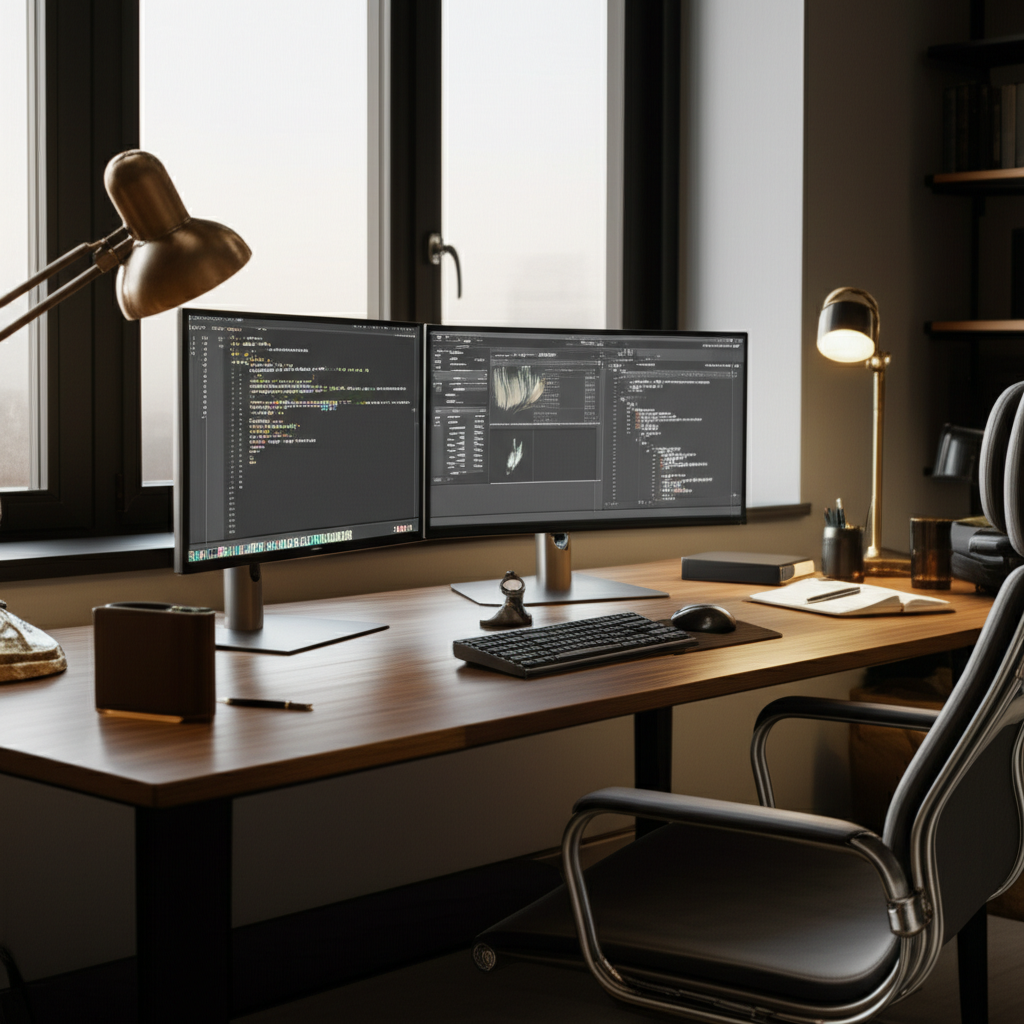
Transform your workspace with a dual monitor home office for professionals, unlocking peak productivity and comfort with smart, ergonomic setups and genius organization tips.
Are you tired of switching between windows all day? A dual monitor home office for professionals can change that. It’s like having two desks in one. This setup helps you see more at once. It makes work faster and easier. Many remote workers struggle with cluttered or inefficient spaces. I understand how frustrating that can be. This guide will show you exactly how to build the best dual monitor home office for professionals. We will cover everything from choosing the right screens to organizing your space perfectly. Get ready to boost your productivity and enjoy your work more.
Contents
- 1 Why Dual Monitors Are a Game Changer for Professionals
- 2 Essential Components for Your Dual Monitor Home Office
- 3 Genius Setup Strategies for Your Dual Monitor Home Office
- 4 Optimizing Your Dual Monitor Setup for Specific Professions
- 5 Advanced Tips and Accessories for a Supercharged Setup
- 6 Creating a Minimalist Dual Monitor Home Office
- 7 Maintaining Your Dual Monitor Home Office for Long-Term Success
- 8 Frequently Asked Questions About Dual Monitor Home Offices
- 9 Conclusion: Your Empowered Dual Monitor Home Office Awaits
- 10 Author
Why Dual Monitors Are a Game Changer for Professionals

Dual monitors are a secret weapon for professionals working from home. They let you see more information at once. This means less clicking and searching. You can keep important documents open on one screen. Then, you can work on your main task on the other. This speeds up your work significantly. It also reduces eye strain and neck pain. A well-set-up dual monitor home office for professionals makes work feel smoother.
Boosted Productivity and Efficiency
Having two screens is like giving your brain more room to think. You can compare data side-by-side easily. For example, a writer can have their research on one screen and their document on the other. A programmer can see their code and the output simultaneously. This reduces the time spent switching between tasks. You stay focused for longer periods. This setup truly enhances your workflow.
Enhanced Multitasking Capabilities
Multitasking becomes effortless with a dual monitor setup. You can have your email open on one screen and your main project on the other. Video calls can run on one screen while you take notes on the second. This prevents you from missing important details. It helps you manage multiple responsibilities without feeling overwhelmed. Your home office becomes a command center.
Reduced Eye Strain and Improved Ergonomics
Staring at a single screen and constantly switching can strain your eyes. With dual monitors, you can adjust the placement and brightness of each screen. This reduces glare and eye fatigue. Proper positioning also helps maintain good posture. It prevents neck and shoulder pain. A dual monitor home office for professionals is designed for your comfort.
Essential Components for Your Dual Monitor Home Office
Setting up your dual monitor home office for professionals requires a few key items. You need the right screens, a sturdy desk, and comfortable seating. Don’t forget good lighting and organization tools. Each piece plays a role in creating a functional and pleasant workspace. Let’s break down what you need.
Choosing the Right Monitors
The heart of your setup is your monitors. For a dual monitor home office for professionals, consider size and resolution. Most people find 24-inch to 27-inch monitors ideal. They offer enough screen real estate without taking over your desk. Look for a resolution of at least 1920×1080 (Full HD). Higher resolutions like 2560×1440 (QHD) offer even sharper images.
Size: 24-27 inches is a good balance.
Resolution: Full HD (1080p) is standard. QHD (1440p) is even better.
Refresh Rate: For most office tasks, 60Hz is fine. Gamers might want higher.
Connectivity: Ensure monitors have ports that match your computer (HDMI, DisplayPort).
Think about how you work. If you deal with a lot of spreadsheets, wider monitors might be useful. If you edit photos, color accuracy is important. Choosing the right monitors sets the foundation for your dual monitor home office for professionals.
The Ideal Desk for Dual Monitors
Your desk needs to be large enough to hold two monitors comfortably. It also needs to be sturdy. Dual monitors can be heavy. A wobbly desk is distracting. For a dual monitor home office for professionals, a desk that is at least 48 inches wide is recommended. Deeper desks (24 inches or more) give you space to position monitors correctly.
Size: Aim for 48 inches wide and 24 inches deep.
Material: Solid wood or metal desks are durable.
Height: Ensure it’s at a comfortable height for typing.
Consider a standing desk. These allow you to switch between sitting and standing. This is great for your health. It adds another layer of functionality to your dual monitor home office for professionals.
Ergonomic Chair: Your Back’s Best Friend
An ergonomic chair is crucial for long work hours. It supports your body properly. This prevents back pain and improves posture. Look for chairs with adjustable height, lumbar support, and armrests. A good chair makes a huge difference in your daily comfort. It’s an investment in your health and productivity.
Features to look for in an ergonomic chair:
Adjustable Seat Height: Your feet should rest flat on the floor.
Lumbar Support: This supports the natural curve of your lower back.
Adjustable Armrests: They should allow your shoulders to relax.
Breathable Material: Prevents overheating during long sessions.
Investing in a quality ergonomic chair is essential for any dual monitor home office for professionals. Your body will thank you.
Monitor Mounts: Declutter and Optimize
Monitor mounts are genius tools for a dual monitor home office for professionals. They free up desk space by holding your monitors. This creates a cleaner look. It also allows for more flexible positioning. You can adjust the height, tilt, and swivel of each monitor. This is key for perfect ergonomics.
Types of monitor mounts:
Desk Clamp Mounts: Attach to the edge of your desk. They are very popular.
Freestanding Mounts: Sit on your desk. Good for desks that cannot be clamped.
Wall Mounts: If you want to save all desk space.
Using a monitor mount can drastically improve the feel of your workspace. It makes your dual monitor setup look professional and organized.
Genius Setup Strategies for Your Dual Monitor Home Office
Once you have your essential components, it’s time to arrange them. A smart setup maximizes your efficiency and comfort. It’s about creating a flow that works for you. This is where the “genius” part comes in. Small adjustments can make a big impact.
Monitor Placement for Maximum Productivity
The placement of your dual monitors is critical. Your primary monitor should be directly in front of you. This is the screen you’ll use most often. Your secondary monitor should be placed to the side of your primary. Position it so you can easily glance at it without turning your head too much.
Primary Monitor: Directly in front, at eye level.
Secondary Monitor: To the left or right, slightly angled.
Distance: Both monitors should be an arm’s length away.
Ensure the top edge of both monitors is at or slightly below eye level. This reduces neck strain. This careful placement is a hallmark of a well-designed dual monitor home office for professionals.
Cable Management: The Secret to a Tidy Space
Visible cables can make even the cleanest desk look messy. Good cable management is key to a professional and calming dual monitor home office for professionals. It also prevents tripping hazards. There are many simple ways to keep cables hidden.
Tools for cable management:
Cable Sleeves: Bundle multiple cables together.
Cable Clips: Stick to the desk or wall to guide cables.
Cable Trays: Mount underneath your desk to hold power strips and excess cable.
Velcro Straps: Great for securing cables loosely.
A tidy cable setup makes your workspace look much more polished. It contributes to a focused mind.
Lighting Your Workspace Effectively
Good lighting prevents eye strain and boosts mood. Natural light is best. Position your desk so that windows are to your side, not directly in front or behind your screens. This avoids glare. If natural light is limited, use artificial lighting wisely.
Ambient Lighting: General room light.
Task Lighting: A desk lamp for focused work.
Monitor Light Bars: Sit on top of your monitor. They light up your desk without screen glare.
A well-lit dual monitor home office for professionals is more inviting and productive. It reduces fatigue significantly.
Personalizing Your Space with Décor
Your home office should be a place you enjoy being in. Personal touches make it feel like yours. Add plants, artwork, or photos. Keep décor minimal to avoid distractions. The goal is a balance between function and personal style.
Ideas for décor:
Plants: Add life and improve air quality.
Art: Choose pieces that inspire you.
Photos: Remind you of loved ones or happy memories.
Color Scheme: Use calming colors to promote focus.
A personalized dual monitor home office for professionals can be a sanctuary for work. It reflects your personality.
Optimizing Your Dual Monitor Setup for Specific Professions
The best dual monitor home office for professionals can vary based on your job. Tailoring the setup to your specific needs makes it even more powerful. Here are a few examples.
For Writers and Editors
Writers often need to reference materials while writing. A dual monitor setup is perfect for this. Keep your word processor on one screen and research articles, notes, or style guides on the other. This seamless flow allows for uninterrupted creative thought.
Primary Monitor: Your writing document.
Secondary Monitor: Research, notes, dictionary, thesaurus.
This setup helps maintain focus and reduces the need to constantly alt-tab. It makes the writing process much smoother.
For Programmers and Developers
Developers juggle code, documentation, and terminal windows. Dual monitors are almost a necessity. You can view code on one screen and the application’s output or debugging information on the other. This makes troubleshooting and development much faster.
Primary Monitor: Your code editor.
Secondary Monitor: Terminal, browser for testing, documentation.
This configuration significantly speeds up the coding process. It allows for real-time feedback.
For Designers and Creatives
Designers need ample screen space to view their work and tools. Dual monitors allow for large canvas views alongside tool palettes and reference images. Color accuracy in monitors is also vital here.
Primary Monitor: Design software (e.g., Photoshop, Illustrator).
Secondary Monitor: Reference images, color palettes, project briefs.
High-resolution monitors are especially beneficial for detailed design work. This setup ensures precision.
For Remote Teams and Virtual Meetings
If you attend many video calls, dual monitors are a lifesaver. Keep your video conference software on one screen. Use the other for your presentation, notes, or the main work task. This allows you to see participants clearly while staying engaged with your work.
Primary Monitor: Video call application (Zoom, Teams).
Secondary Monitor: Your work, notes, shared screen.
This makes virtual meetings feel more personal and less disconnected. It’s a key feature of many modern dual monitor home office setups for professionals.
Advanced Tips and Accessories for a Supercharged Setup
Ready to take your dual monitor home office for professionals to the next level? A few extra accessories and smart tweaks can make a big difference. These are for those who want to refine their workspace even further.
Ultrawide vs. Dual Monitors
Many professionals wonder about ultrawide monitors versus two standard monitors. Ultrawide monitors offer a single, very wide screen. This can be great for immersive experiences and some specific tasks. However, dual monitors often provide more flexibility. You can position them independently and they are easier to transport if needed.
| Feature | Dual Monitors | Ultrawide Monitor |
| :————– | :——————————— | :——————————— |
| Flexibility | High (independent positioning) | Moderate (single screen) |
| Multitasking| Excellent (separate windows) | Good (split screen features) |
| Cost | Varies (can be cheaper) | Often higher |
| Portability | Easier (can use one monitor) | Difficult |
| Ergonomics | Easier to tailor positioning | Can be harder to position optimally|
For most dual monitor home office for professionals needs, two separate monitors offer superior adaptability.
Keyboard and Mouse Considerations
Your input devices matter too. An ergonomic keyboard can prevent wrist strain. A comfortable mouse that fits your hand well is also important. Consider a wireless setup to reduce cable clutter. Many professionals opt for mechanical keyboards for their tactile feedback.
Ergonomic Keyboard: Designed for natural hand and wrist posture.
Comfortable Mouse: Fits your hand size and grip style.
Wireless Options: Reduce desk clutter and offer freedom.
Choosing the right peripherals enhances your comfort during long work sessions.
Productivity Software and Tools
Beyond hardware, software plays a role. There are apps that help manage multiple windows. Some help with task management or focus. These tools can amplify the benefits of your dual monitor setup.
Examples of helpful software:
Window Management Tools: Like FancyZones (part of Microsoft PowerToys) to create custom layouts.
Virtual Desktops: Built into Windows and macOS to organize apps.
Focus Apps: Block distracting websites or apps.
Smart software use complements your physical dual monitor home office for professionals.
The Importance of a Good Webcam and Microphone
For professionals who spend a lot of time on video calls, a good webcam and microphone are essential. They ensure you present yourself clearly and professionally. Integrated laptop webcams are often low quality. An external setup makes a significant difference.
Webcam: Look for 1080p resolution or higher.
Microphone: A USB microphone offers much better audio quality than built-in mics.
Clear audio and video build better connections in virtual environments.
Creating a Minimalist Dual Monitor Home Office
A minimalist approach can declutter your mind and your space. It focuses on essential items and clean lines. For a dual monitor home office for professionals, this means being intentional about every item on your desk.
Decluttering Your Desk
The first step to minimalism is removing anything that doesn’t serve a purpose. Keep only your essential work tools. Use cable management to hide wires. A clean desk surface promotes focus.
Remove unnecessary items: Pens, papers, gadgets not in use.
Go digital: Scan documents and store them.
Utilize vertical space: Shelves or wall organizers.
A clutter-free desk is a cornerstone of a minimalist dual monitor home office for professionals.
Choosing Sleek and Functional Furniture
Select furniture with clean designs and simple forms. Avoid bulky items. A floating shelf or a desk with integrated storage can help maintain a minimalist aesthetic.
Desk: Simple lines, possibly with built-in drawers.
Chair: Modern design, comfortable but not overly padded.
Accessories: Minimal, functional, and aesthetically pleasing.
A streamlined look can make your workspace feel larger and more serene.
Organizing with Hidden Storage
Minimalism thrives on hidden storage. Use drawers, cabinets, or stylish boxes to keep items out of sight. This maintains the clean look of your dual monitor home office for professionals.
Drawer organizers: Keep supplies tidy within drawers.
Closed cabinets: Store files and equipment.
Decorative boxes: Hide small items on shelves.
Everything should have its place, and that place should be out of sight.
Maintaining Your Dual Monitor Home Office for Long-Term Success
Setting up your dual monitor home office for professionals is just the start. Regular maintenance ensures it stays functional and comfortable. This helps you avoid problems down the line.
Regular Cleaning and Maintenance
Dust accumulates quickly. Make a habit of wiping down your monitors, desk, and keyboard regularly. This keeps your equipment in good condition. It also makes your workspace more pleasant.
Daily: Wipe down your desk surface.
Weekly: Clean monitor screens with a microfiber cloth. Dust keyboard and mouse.
Monthly: Deep clean cables and organize drawers.
A clean environment supports a clear mind.
Ergonomic Check-ins
Your body might change, or your habits might shift. Periodically check your ergonomic setup. Are your monitors still at the right height? Is your chair still providing good support? Small adjustments can prevent long-term issues.
Posture check: Are you slouching?
Monitor height: Is the top of the screen at eye level?
Chair adjustments: Is lumbar support still effective?
Regular ergonomic checks are vital for any dual monitor home office for professionals.
Software Updates and System Checks
Keep your operating system and all software updated. This ensures security and optimal performance. Regularly back up your important files. A well-maintained computer system is as important as a well-maintained desk.
Run software updates: Keep everything current.
Perform backups: Protect your data.
Check disk space: Ensure your computer runs smoothly.
This technical maintenance is part of a healthy dual monitor home office for professionals.
Frequently Asked Questions About Dual Monitor Home Offices
Q1: Is a dual monitor setup really worth the cost for a home office?
Yes, for most professionals, the increase in productivity and efficiency makes the investment worthwhile. You’ll save time by not switching between windows, which can offset the cost over time.
Q2: What is the best way to position two monitors for my dual monitor home office for professionals?
Place your primary monitor directly in front of you at eye level. Position the secondary monitor to the side, slightly angled, so you can glance at it easily without straining your neck.
Q3: Can I use monitors of different sizes or resolutions in a dual monitor setup?
While you can, it’s generally recommended to use monitors of the same size and resolution for a seamless experience. If they differ, try to match the height of the top edges for better ergonomics.
Q4: How do I prevent glare on my monitors in my dual monitor home office for professionals?
Position your desk away from direct light sources like windows. If that’s not possible, use blinds or curtains. Monitor light bars can also provide focused light without causing screen glare.
Q5: What if I have limited desk space for a dual monitor setup?
Consider using monitor arms that clamp to the desk or wall mounts. These save a lot of surface area. Also, invest in good cable management to keep the space tidy.
Q6: How many hours a day should I use dual monitors?
There’s no strict limit. The key is to take regular breaks. Use the dual monitor setup to work efficiently, but always step away from your screen every hour.
Q7: What are the main benefits of a dual monitor home office for professionals compared to a single monitor?
The main benefits are significantly improved multitasking, faster task completion, easier comparison of information, and a more organized workflow, all contributing to higher overall productivity.
Conclusion: Your Empowered Dual Monitor Home Office Awaits
Creating a dual monitor home office for professionals is more than just adding a second screen. It’s about crafting a space that works for you. It boosts your productivity, enhances your comfort, and supports your well-being. By carefully selecting your components, optimizing their placement, and keeping your space organized, you can build a truly genius setup. Remember to personalize your area and maintain it for long-term success. Your dual monitor home office for professionals is your command center. Make it work wonders for you.
