


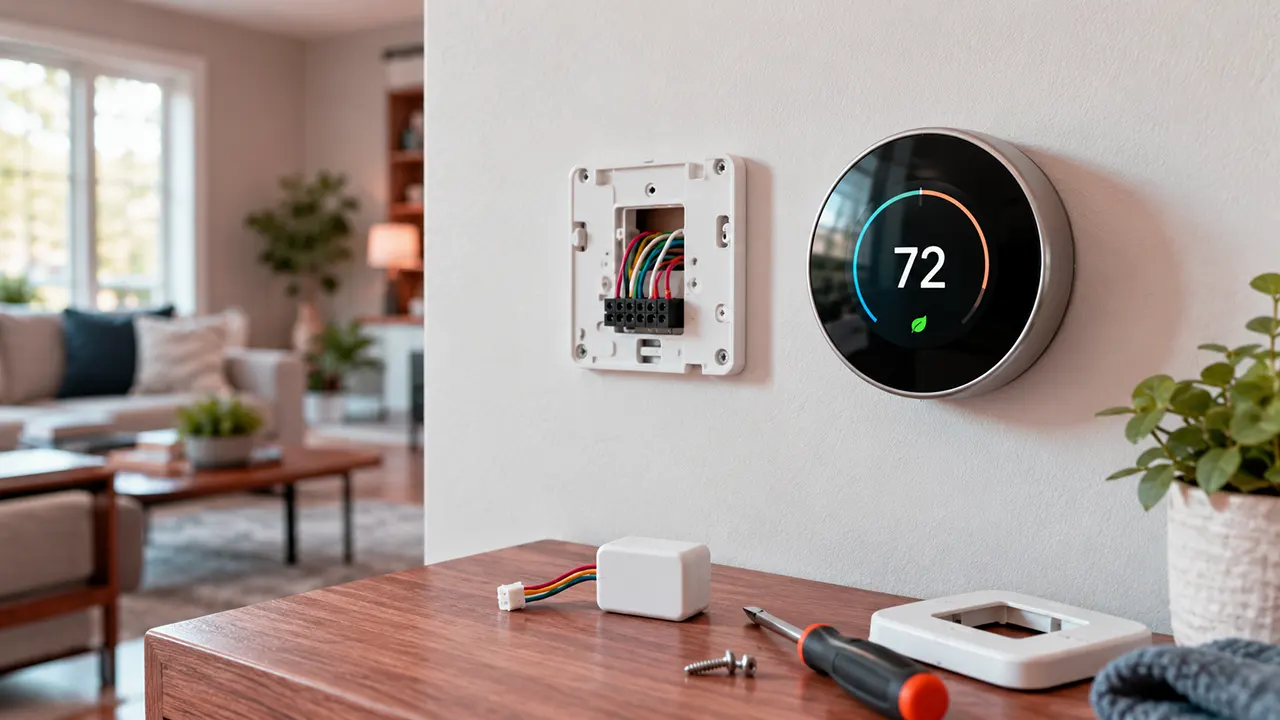
To install a smart thermostat, first confirm that it supports your HVAC system, voltage, heating and cooling stages, and wiring. Most smart thermostats work with compatible 24-volt systems, but high-voltage baseboard heaters and some proprietary controls need different solutions. Check C-wire requirements before buying, then follow the manufacturer’s installation instructions.
Replacing a thermostat can be a straightforward home improvement project. The difficult part is choosing a model that works with your existing equipment. A thermostat may fit on the wall and connect to Wi-Fi yet still fail to control your heating or cooling system correctly.
This guide explains how to check compatibility, understand C-wire requirements, compare three popular smart thermostats, estimate installation costs, and decide when to call an HVAC professional. Product recommendations are based on manufacturer specifications and published information, not hands-on testing.
Affiliate disclosure: This article may contain affiliate links when approved product URLs are added. A qualifying purchase may earn a commission at no additional cost to you. No product-specific affiliate links are included in this draft.
Before You Install a Smart Thermostat, Check These 5 Things
Before ordering a thermostat, identify the equipment it will control. The following checklist can help you avoid buying a model that cannot support your home’s heating and cooling system.
- HVAC system type: Identify whether you have a conventional furnace, central air conditioner, heat pump, boiler, or electric baseboard heater.
- Thermostat voltage: Confirm whether the existing thermostat uses low-voltage controls or a 120V/240V line-voltage connection.
- Wiring and power: Check the terminal labels and determine whether a C-wire or compatible power adapter is required.
- Heating and cooling stages: Identify auxiliary heat, emergency heat, multiple heating stages, and other equipment controls.
- Connectivity and features: Check Wi-Fi requirements, app compatibility, smart-home integration, and any subscription-dependent features.
Do not identify your system by wire color alone. Wire colors are not guaranteed to follow a consistent convention, and a terminal’s function matters more than the color of the connected wire.
The Google Nest compatibility checker and the official ecobee compatibility checker are useful starting points. If you cannot identify your system confidently, consult the HVAC manufacturer or a qualified technician. Google Home and Nest Help+1
How to Tell Which Smart Thermostat Your HVAC System Needs
A smart thermostat must support the control signals used by your heating and cooling equipment. Start by identifying the system type, then check the exact thermostat model’s compatibility documentation.
Conventional furnace and central air conditioning
Many gas, oil, and electric furnaces use 24V thermostat controls. Compatible smart thermostats can often control the heating system and central air conditioning through terminals assigned to heating, cooling, fan, and power.
However, not every conventional system has the same wiring. A two-stage furnace, for example, may need additional controls compared with a single-stage furnace. Check the equipment specifications and thermostat compatibility tool before choosing a model.
Heat pump with auxiliary or emergency heat
A heat pump moves heat rather than generating it through a conventional furnace alone. Its thermostat may control a reversing valve, commonly connected to an O or B terminal, as well as auxiliary or emergency heat.
The thermostat must support the actual configuration. Incorrect reversing-valve settings can cause the system to operate in the wrong mode. Auxiliary heat controls also need to match the equipment manufacturer’s requirements.
Dual-fuel heat pump and furnace systems
A dual-fuel system combines a heat pump with a separate furnace, often gas or oil. The controls must manage the two heat sources correctly.
Do not assume that a thermostat supporting ordinary heat pumps also supports dual-fuel equipment. For example, Amazon states that its Smart Thermostat is incompatible with heat pumps that use a backup gas or oil furnace. ecobee lists support for compatible dual-fuel systems, subject to its equipment requirements. Amazon DigPRJ Survey+1
Boilers, millivolt systems, and proprietary controls
Some boilers and older heating systems use millivolt controls or configurations that differ from standard 24V HVAC wiring. Certain modern HVAC systems also use proprietary communicating controls.
These systems require model-specific verification. A conventional smart thermostat may not preserve the original system’s full functionality, even if an adapter or wiring modification appears possible.
High-voltage electric baseboard heating
Some electric baseboard heaters use 120V or 240V line-voltage thermostats. These circuits are not interchangeable with standard 24V thermostat connections.
If your existing thermostat has a high-voltage label or heavy wires connected with wire nuts, stop before attempting a replacement. Choose a thermostat explicitly designed for the equipment or ask a qualified electrician to assess the installation. Google identifies high-voltage systems as incompatible with its Nest thermostats unless the system is appropriately modified by a professional. Google Home and Nest Help
Does a Smart Thermostat Need a C-Wire?
A C-wire, or common wire, provides a continuous power path for compatible thermostats. Some smart thermostats can operate without one, while others require a C-wire or an approved adapter.
The correct solution depends on the thermostat model and HVAC equipment. A missing C-wire does not automatically mean that you must run new cable, but it also does not mean that every adapter will work.
How to check whether your thermostat has a C-wire
Turn off the HVAC system’s power before opening the thermostat. If you are only inspecting the existing terminal labels, photograph the wiring before removing anything. Do not disconnect wires or touch exposed conductors if you are unsure how the system is powered.
Look for a wire connected to a terminal labeled C. A spare wire tucked behind the thermostat may be useful, but its presence does not prove that it is connected to the HVAC control board or suitable for use.
The wiring diagram for your specific equipment is the best way to verify the connection.
C-wire adapters, power sharing, and other options
| Power arrangement | What it means | What to check |
|---|---|---|
| Existing C-wire | The thermostat may receive power through the common terminal | Verify the wire is correctly connected at both ends |
| Compatible adapter | An accessory may provide a supported power arrangement without running a new wire | Confirm compatibility with the thermostat and HVAC system |
| Power-sharing technology | Some thermostats can operate without a C-wire in many installations | Check whether your equipment requires an additional power accessory |
| New wiring | A technician may be able to run a suitable common wire | Confirm wiring routes, equipment terminals, and local requirements |
For the Google Nest Learning Thermostat (4th gen), Google says a C-wire is unnecessary in most homes because of its Power Sharing technology, although some installations require a C-wire or Nest Power Connector. ecobee includes a Power Extender Kit for many installations without a C-wire. Amazon’s Smart Thermostat requires a C-wire or compatible adapter. Google Store+3
Important: An adapter solves a power-related problem only when the thermostat and HVAC system support that arrangement. It cannot correct an incompatible voltage, unsupported control system, or unsuitable heat-pump configuration.
Compare 3 Smart Thermostats Before Buying
The best smart thermostat is the one that supports your HVAC system and provides the features you will actually use. The following comparison covers three approved models using manufacturer documentation, not hands-on testing.
1. Google Nest Learning Thermostat (4th gen)
Google Nest Learning Thermostat (4th gen)
Google’s fourth-generation Nest Learning Thermostat supports most compatible 24V HVAC systems, including gas, electric, oil, forced-air, heat-pump, and radiant systems. It offers learning features and a circular display. Its Power Sharing technology means a C-wire is unnecessary in most homes, but some systems still need a C-wire or Nest Power Connector. Google Store+1
Best for: Buyers who want a premium thermostat with learning features and broad support for compatible low-voltage HVAC equipment.
Limitations: Its premium price does not guarantee compatibility with every system. Check the official compatibility tool, particularly if you have unusual wiring, zone controls, or additional HVAC accessories.
2. ecobee Smart Thermostat Premium
The ecobee Smart Thermostat Premium supports many conventional HVAC systems, multistage equipment, compatible heat pumps, and dual-fuel configurations. Its included Power Extender Kit provides an option for many homes without a spare C-wire. The thermostat uses a dedicated 24VAC power supply. ecobee
Best for: Buyers who want a feature-rich thermostat and need compatibility with a wider range of supported HVAC configurations.
Limitations: Compatibility still depends on equipment stages, wiring, and accessories. The included kit does not make every HVAC system compatible, so verify your configuration before purchasing.
3. Amazon Smart Thermostat
Amazon’s Smart Thermostat is a budget-oriented option for compatible HVAC systems. Amazon specifies that the thermostat requires a C-wire or compatible adapter and supports air-to-air and geothermal heat pumps. It does not support heat pumps paired with a backup gas or oil furnace. Amazon DigPRJ Survey
Best for: Buyers who want a straightforward smart thermostat and have a compatible HVAC setup.
Limitations: The dual-fuel restriction is important. Do not purchase this model for a heat pump with a gas or oil backup furnace.
Smart thermostat compatibility comparison
| Feature | Google Nest Learning (4th gen) | ecobee Premium | Amazon Smart Thermostat |
|---|---|---|---|
| Manufacturer-listed US price | $279.99 | $259.99 | $135.98 |
| C-wire | Not required in most homes; exceptions apply | Uses 24VAC; included kit supports many homes without a C-wire | Required or compatible adapter |
| Conventional 24V HVAC | Most compatible systems | Most compatible systems | Compatible systems only |
| Heat pumps | Supported configurations | Supported configurations | Air-to-air and geothermal |
| Dual-fuel | Verify exact configuration | Supported configurations | Not compatible with backup gas/oil furnace |
| High-voltage baseboard | Not directly compatible | Not a standard 24V installation | Not a standard 24V installation |
Sources: Official manufacturer documentation. Compatibility is model- and system-specific; this table does not replace the manufacturer’s checker. Google Store+3
Which should you choose? Consider Nest if its learning features and premium design justify the higher price. Consider ecobee if its supported HVAC configurations and included power accessory fit your needs. Consider Amazon’s model only after confirming its wiring and heat-pump restrictions. None should be selected on price alone.
How to Install a Compatible Smart Thermostat
The exact installation steps vary by model and HVAC system. Use the manufacturer’s instructions as the controlling guide rather than treating the following process as a universal wiring diagram.
1. Turn off HVAC power and document the wiring
Switch off the relevant HVAC circuit at the breaker or service switch, following the equipment manufacturer’s instructions. Confirm the equipment is no longer operating before opening the thermostat.
Take a clear photograph of the existing wiring and terminal labels. Record which wire connects to each terminal, not just the wire colors. If you cannot safely identify the power source or wiring, stop and call a qualified professional.
2. Remove the old thermostat
Follow the old thermostat’s removal instructions. Label the wires using their original terminal assignments before disconnecting them. Keep the wires from slipping back into the wall.
Do not assume that the old terminal labels will map directly to the new thermostat’s terminals. Some models use different connections or require specific configuration settings.
3. Mount and wire the new thermostat
Install the mounting plate according to the manufacturer’s directions. Connect each wire to the terminal specified by the new thermostat’s wiring guide.
Use only an approved power accessory if one is required. Do not connect a 120V/240V circuit to a thermostat designed for 24V controls.
If the existing wiring does not match the manufacturer’s diagram, stop rather than improvising a connection.
4. Restore power and configure the thermostat
Once the wiring and mounting have been checked against the installation instructions, restore power as directed. Complete the setup in the manufacturer’s app, including HVAC system type, heating and cooling stages, Wi-Fi, and any supported accessories.
Heat pumps may require a specific reversing-valve setting. Select the configuration specified for your equipment rather than assuming the default is correct.
5. Test the system before relying on automation
Test the available operating modes according to the thermostat and HVAC manufacturer’s instructions. Check heating, cooling, fan operation, and auxiliary or emergency heat where applicable.
If the system behaves unexpectedly, switch it off and investigate using the manufacturer’s troubleshooting guidance. Do not keep running equipment that appears to be heating or cooling incorrectly.
How Much Does Smart Thermostat Installation Cost?
Smart thermostat installation costs depend on the device, existing wiring, HVAC complexity, and local labor rates. For US homeowners, third-party estimates provide a useful starting point, but they are not a quote for a specific home.
HomeAdvisor’s June 17, 2026 estimate puts smart thermostat installation at an average of $350, with most professional installations costing $200-$500. Fixr’s February 4, 2026 guide gives a broader range of $185-$600 for smart/Wi-Fi thermostat installation. These estimates use different methods and project assumptions. Home Advisor+1
DIY installation and hardware costs
A DIY installation may cost less when the existing system is compatible and the wiring is already suitable. The thermostat purchase price is only one part of the total: you may also need an approved adapter or other installation materials.
The three models in this guide have different price points and power arrangements. Check the current manufacturer or retailer price before deciding which offers the best overall value.
Professional installation and additional wiring
Professional installation is worth considering when the system has complex wiring, multiple heating stages, dual-fuel controls, or a missing common wire that requires new wiring.
HomeAdvisor’s 2026 thermostat replacement guidance estimates that installing a new C-wire may add approximately $90-$135, although the actual cost varies with access and the work required. Home Advisor
Ask the installer to separate the thermostat price, labor, wiring changes, and any additional equipment costs. This makes quotes easier to compare.
Utility rebates and ENERGY STAR
Some US utility programs offer incentives for eligible smart thermostats. Availability and eligibility depend on the utility, service area, specific product, and program rules.
Check the ENERGY STAR smart thermostat guidance and your utility’s current program before buying. ENERGY STAR notes that heating and cooling account for almost half of the annual energy bill for the average American household, exceeding $900. That figure is a national estimate, not a prediction of how much a smart thermostat will save an individual household. ENERGY STAR
A certified thermostat and a utility rebate can improve the value of a purchase, but neither guarantees a particular reduction in your bill.
When Should You Hire an HVAC Professional?
DIY installation is most appropriate when the existing equipment is compatible, the wiring is clearly documented, and the manufacturer provides instructions for your setup. Professional help becomes more important when a wiring mistake could damage equipment or compromise safe operation.
Consider hiring a qualified HVAC technician or electrician when:
- The thermostat or equipment uses 120V/240V wiring, or the voltage is uncertain.
- You have a dual-fuel system, multiple transformers, or complex multistage controls.
- The system uses proprietary communicating controls.
- You need new wiring, an unfamiliar adapter, or changes to the HVAC control board.
- Heating or cooling operates incorrectly after installation.
- You cannot confidently identify the terminal functions or follow the wiring diagram.
Local rules may also affect who can legally perform electrical work. Check applicable requirements before hiring an installer.
Smart Thermostat Installation Problems and What to Check
A thermostat that does not work correctly after installation may have a wiring, configuration, power, or connectivity issue. The safest first step is to compare the installation with the manufacturer’s instructions rather than changing connections at random.
Thermostat will not power on
Check the manufacturer’s troubleshooting instructions and confirm that the HVAC system has power. Verify that the model’s required power arrangement is present and that wiring matches the official diagram.
If the thermostat requires a C-wire or adapter, do not assume a spare wire or an unverified connection will solve the problem. Turn off the system before inspecting wiring. If the power source remains unclear, call a professional.
Heating or cooling runs in the wrong mode
Incorrect system settings or wiring can affect heating and cooling operation. Heat pumps are particularly sensitive to reversing-valve configuration.
Stop operating the system if it behaves unexpectedly. Compare the setup with the HVAC manufacturer’s documentation and the thermostat’s compatibility guide before attempting a correction.
Auxiliary heat behaves incorrectly
Auxiliary heat configuration depends on the heat pump and its supplemental heating equipment. Do not change advanced settings based on a generic online wiring diagram. Use the equipment-specific instructions or ask an HVAC technician to verify the configuration.
Thermostat cannot connect to Wi-Fi
Check that the thermostat supports your network configuration, is within range of the router, and has completed its setup process. Follow the manufacturer’s instructions for reconnecting the device.
Wi-Fi problems are separate from HVAC wiring compatibility. A successful network connection does not prove that the thermostat is controlling the heating and cooling equipment correctly.
Frequently Asked Questions
1. Can you install a smart thermostat without a C-wire?
Yes, some smart thermostats can operate without a C-wire, but the available options depend on the model and HVAC system. The Google Nest Learning Thermostat (4th gen) uses Power Sharing technology in most installations, while ecobee includes a Power Extender Kit for many homes without a C-wire. Amazon’s Smart Thermostat requires a C-wire or compatible adapter. Always check the official compatibility tool before buying.
2. Can a smart thermostat work with a heat pump?
Yes, many smart thermostats support heat pumps, but they must support the specific system configuration. Check compatibility with the reversing valve, auxiliary heat, emergency heat, and the number of heating and cooling stages. A thermostat that supports an ordinary heat pump may not support a dual-fuel setup that combines a heat pump with a gas or oil furnace.
3. Can you use a smart thermostat with electric baseboard heating?
Only if the thermostat is specifically designed for the baseboard system’s voltage and controls. Many baseboard heaters use 120V or 240V line-voltage thermostats, while common smart thermostats are designed for low-voltage HVAC systems. Never connect a standard 24V thermostat directly to a high-voltage circuit. Check the equipment specifications or consult a qualified electrician.
4. Does every C-wire adapter work with every smart thermostat?
No. A C-wire adapter must be compatible with the thermostat and the HVAC equipment. Some adapters work with specific models or wiring arrangements, while others may not support the system’s controls. Check the manufacturer’s instructions before purchasing an adapter. If the wiring or terminal functions are unclear, ask an HVAC professional to identify a suitable solution.
5. Is professional smart thermostat installation worth the cost?
Professional installation is particularly valuable for high-voltage systems, dual-fuel heat pumps, complex wiring, proprietary HVAC controls, or installations requiring new wiring. For a straightforward compatible 24V system, DIY installation may be practical if you can follow the manufacturer’s instructions safely. Compare the installation quote with the cost of the thermostat, accessories, and any required wiring work.
Choose the Thermostat That Fits Your System
The most important step in smart thermostat installation happens before you remove the old device: confirm that the replacement supports your HVAC system. Once you know the voltage, wiring, heating and cooling stages, and C-wire requirements, you can compare products on features and price without risking an incompatible purchase.
Check your system with the manufacturer’s compatibility tool first. Then choose the Nest, ecobee, or Amazon model that fits your verified configuration. If the wiring or system type remains uncertain, get professional advice before installation.
Ready to compare options? Start with the official product pages linked in this guide, verify current prices, and confirm compatibility before purchasing. Approved affiliate URLs can be inserted when available.
