


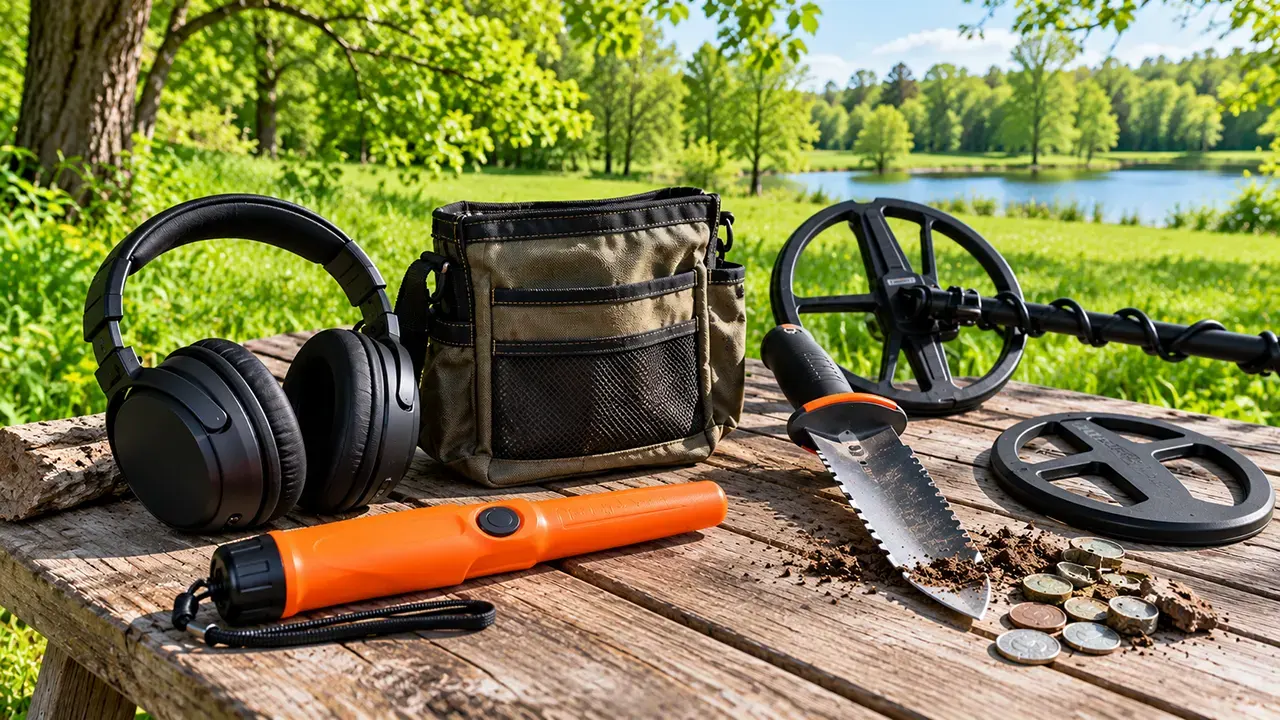
A beginner-friendly metal detector setup starts with the manufacturer’s recommended preset, then adjusts sensitivity, discrimination, and ground balance to suit the conditions. Keep sensitivity stable, avoid rejecting too many targets, and follow your model’s ground-balancing instructions. When a signal sounds strange, change one setting at a time and test the same spot again.
Start With These Metal Detector Settings for Your First Hunt
If you have just switched on a metal detector, the screen can feel like a control panel full of unfamiliar numbers. The good news is that you do not need to master every feature before your first hunt. Start with a general-purpose search mode, learn the main controls, and make small changes only when you have a clear reason.
The most useful beginner rule is simple: a stable detector that you can understand is more useful than one that constantly beeps at maximum sensitivity.
The best beginner baseline
Use this table as a starting point, not a universal formula. Your detector’s manual takes priority because controls and available features vary between models.
| Setting | Beginner starting point | When to adjust |
|---|---|---|
| Search mode | General, Park, or Coin mode if available | Match the mode to your target and location |
| Sensitivity | Manufacturer’s recommended starting level | Lower it if the detector becomes unstable |
| Discrimination | Use a light rejection setting or the beginner preset | Adjust only when you understand which targets may be rejected |
| Ground balance | Use the recommended preset or automatic procedure | Recheck when the soil or ground response changes |
| Noise cancel | Use the feature if available and interference is a problem | Try again if electrical noise changes |
| Recovery speed | Keep the default if your detector has this control | Consider a change in areas with many closely spaced targets |
Why factory presets are useful
A preset gives you a known starting point. It reduces the number of variables you need to understand at once and helps you learn how your detector responds to common targets.
For example, start in a general-purpose Park mode if your detector offers one and you are searching a typical public park. If the machine becomes noisy, investigate the cause before switching modes or changing several controls together.
Adjust settings in the right order
- Read the quick-start instructions and select a suitable search mode.
- Check that the coil and cable are secure and the coil moves normally.
- Begin with the recommended sensitivity level.
- Follow the manual’s ground-balance instructions if needed.
- Keep discrimination conservative while learning.
- Test a known target and listen to the response.
- Change one setting at a time and repeat the test.
Practice with a coin and a few common pieces of metal on the surface of the ground before you start digging. This gives you a simple way to learn your detector’s tones and target ID behavior.
How to Adjust Metal Detector Sensitivity
Sensitivity controls how readily a detector responds to target signals. Higher sensitivity may help reveal small or weak targets, but it can also make the detector more reactive to mineralized soil, electrical interference, and nearby metal. The best setting is the highest level that remains usable under your current conditions, not necessarily the maximum.
What sensitivity actually controls
Think of sensitivity as a trade-off between detecting weaker responses and maintaining a stable signal. Raising it can help in quiet ground, while lowering it may make the detector easier to use in noisy or difficult conditions.
Sensitivity does not guarantee a particular detection depth. Target size, metal composition, coil design, target orientation, soil conditions, and the detector itself all affect the result.
How to find the highest usable setting
Use this practical method:
- Start with the manufacturer’s suggested setting.
- Sweep the coil over a clear area with a consistent height and speed.
- Raise sensitivity by one step at a time, if the detector allows it.
- Listen for chatter or repeated responses that do not correspond to a clear target.
- If the machine becomes unstable, lower sensitivity until the responses are manageable.
- Test a known target again to compare the results.
Do not keep increasing sensitivity just because you want greater depth. If the machine becomes so noisy that you cannot distinguish useful signals, the extra sensitivity is not helping you make better decisions.
When to lower sensitivity
Consider reducing sensitivity when:
- The detector chatters over apparently clean ground.
- You are near electrical infrastructure or other sources of interference.
- The ground is highly mineralized.
- You are detecting around heavy concentrations of metal trash.
- Wet salt sand causes unstable responses on a detector that is not configured for those conditions.
Garrett’s AT Pro manual specifically advises using lower sensitivity when the detector behaves erratically because of mineralized soil, saltwater beaches, electrical interference, excessive metallic trash, or other nearby detectors. This is a model-specific example of a general troubleshooting principle.
Sensitivity versus detection depth
Higher sensitivity can help the detector respond to weaker signals, but it does not make every target easier to identify. A deeper target may produce an inconsistent ID, while a shallow target near other metal may also behave unpredictably.
Practical tip: Compare settings using the same target, coil height, and sweep speed. If you change all three, you cannot tell whether the sensitivity adjustment caused the difference.
How Metal Detector Discrimination Settings Work
Discrimination lets a detector reject or reduce responses from selected target categories or ID ranges. It can help you spend less time investigating unwanted metal, but aggressive rejection can also hide desirable objects. Beginners should learn how their detector responds before filtering out broad groups of targets.
Discrimination versus notch discrimination
Standard discrimination generally rejects target categories or ranges according to the detector’s design. Notch discrimination, when available, lets you accept or reject selected portions of the target ID scale.
The names and behavior vary by manufacturer. Some detectors offer preset discrimination patterns rather than a simple adjustable range.
For example, a coin-hunting preset may reject some iron responses. That can make a hunt less noisy, but it does not guarantee that every accepted signal is a coin or that every rejected signal is worthless.
How discrimination can reject desirable targets
Consider a common US park scenario. Your detector produces a response that resembles a small piece of aluminum. You might be tempted to increase discrimination to avoid digging similar objects.
However, gold jewelry and common trash can produce overlapping target IDs. A gold ring may register near foil or pull tabs, depending on the ring, detector, and conditions. Rejecting the entire range could mean missing a valuable target along with unwanted metal.
This is why a low-rejection approach is useful while learning. You can observe the responses your detector produces before deciding which targets you are willing to ignore.
Beginner discrimination settings for coins and jewelry
- For learning: Use the general-purpose preset or limited rejection recommended by the manufacturer.
- For coin hunting: A Coin mode may help filter some unwanted responses, but check what its discrimination pattern actually rejects.
- For jewelry: Keep rejection low enough to hear a broad range of targets, including low- and medium-conductivity responses.
- For trash-heavy areas: Increase filtering only when the reduced number of signals is worth the possibility of missing desirable objects.
Do not copy a target ID range from a different detector and assume it will behave the same way on yours. Even similar models may use different scales or processing.
How to Ground Balance a Metal Detector
Ground balance helps a detector compensate for the mineral response of the soil. Without suitable compensation, changing ground conditions can produce unwanted signals that make targets harder to interpret. Some detectors use preset or automatic ground balance, while others also offer manual adjustment or tracking.
What ground balance does
Soil contains naturally occurring minerals that can affect a detector’s response. Ground balance helps reduce that response so the machine can distinguish potential metal targets more effectively.
Ground balance is not the same as discrimination. Discrimination filters target responses, while ground balance addresses the detector’s response to the ground itself.
The amount of adjustment needed depends on the detector and the soil. Some general-purpose modes use a preset ground-balance value, so manually changing it is not always necessary.
Automatic versus manual ground balance
| Method | How it works | Best starting approach |
|---|---|---|
| Preset | Uses a factory-defined ground-balance value | Use it when the manual recommends it for your mode or location |
| Automatic | Measures the ground and adjusts the balance | Follow the detector’s automatic procedure when ground noise warrants it |
| Manual | Lets you adjust the value yourself | Use it when your model supports it and you understand the instructions |
| Tracking | Continuously or periodically adapts to changing ground | Use only as recommended for the detector and detecting conditions |
There is no universally best method. The correct choice depends on the model, search mode, soil, and whether the detector is designed to balance automatically.
How to ground balance a detector
If your detector supports manual ground balancing, the process often follows this pattern. Always check your owner’s manual for the exact button sequence and coil movement.
- Find a patch of ground that does not contain a known metal target.
- Select the ground-balance control using the method described in your manual.
- Raise and lower the coil over the clear patch, or use the specified balancing motion.
- Observe the detector’s audio response or displayed value.
- Adjust as directed by the manufacturer until the ground response is minimized or the detector indicates that balancing is complete.
- Resume detecting and check the response if the ground conditions change.
For a concrete example, the Minelab EQUINOX 600/800 manual describes raising and lowering the coil over clear ground for manual balancing and provides a separate automatic procedure. Its default ground-balance recommendation for certain Park, Field, and Beach modes should not be generalized to every detector.
When to ground balance again
Recheck ground balance when you move into noticeably different soil, the ground begins producing strong unwanted responses, or your detector’s instructions call for a new balance. You do not need to repeat the process at every step if the detector is stable and the ground remains similar.
Mineralized soil, including some iron-rich ground, can create challenging conditions. Wet salt sand can also require a suitable beach mode or specific salt-handling procedure. If automatic balancing does not reduce the noise, consult the model’s instructions rather than repeatedly changing unrelated settings.
How to Read Target ID Numbers and Audio Tones
Target ID numbers and audio tones help estimate the characteristics of a possible metal target. They do not identify an object with certainty. Depth, target shape, orientation, nearby metal, mineralization, and detector design can all affect the response.
What target ID numbers can tell you
A target ID is a reading generated by the detector’s signal processing. Depending on the model, it may appear as a number, a category, a tone, or a combination of indicators.
Use the ID to form a hypothesis, not to make a final decision. Learn the typical responses of common objects using your own detector and known test targets.
A reading that resembles a coin can come from another object. Likewise, a target that produces an inconsistent number may still be worth investigating.
Why coins, pull tabs, foil, and rings can overlap
Different metal objects can share similar electrical characteristics from the detector’s point of view. Their shape, size, position, and surrounding material also influence the response.
For example, a small gold ring and an aluminum pull tab may produce overlapping readings. A thin piece of foil may produce a response similar to some small or low-conductivity objects. Exact readings vary by detector and target, so fixed numerical ranges are not reliable universal rules.
How to check a signal from different directions
When a signal sounds promising or confusing:
- Sweep over it from one direction.
- Rotate your position and sweep across it from a different direction.
- Keep the coil height and sweep speed reasonably consistent.
- Listen for how the audio changes and observe whether the target ID remains similar.
- If your detector has pinpoint mode, use it according to the manual to help locate the target.
A repeatable signal is easier to interpret than one that appears only under inconsistent conditions. However, a changing response does not automatically mean the target is trash; nearby objects and target orientation can complicate the reading.
Why depth estimates and target IDs can be misleading
Depth indicators are estimates, not precise measurements. A large object may appear deeper or shallower than expected, and a small object can behave differently from a coin-sized target used to calibrate a depth display.
Use the target ID, audio response, and signal consistency together. Then use appropriate recovery equipment to locate the object safely.
How to Fix False Signals on a Metal Detector
A false signal is an unwanted or misleading response that does not behave like a clear, isolated target. It may come from ground mineralization, electrical interference, coil movement, nearby metal, or an unstable setting. The best troubleshooting method is to identify when the signal occurs, then test one likely cause at a time.
Chatter across apparently clean ground
If your detector produces repeated beeps without an obvious target, do not immediately assume it is defective.
Try these checks in order:
- Reduce sensitivity by one step and test the area again.
- Check whether the coil is moving consistently and the cable is secure.
- Follow the manual’s ground-balancing procedure if the ground response appears to be the problem.
- If the noise continues near electrical infrastructure or other detectors, try the model’s noise-cancel function or move to a quieter location.
If reducing sensitivity makes the detector stable, keep the lower setting for now. Do not increase it again until you have a reason to test whether the extra sensitivity is useful.
Jumping target IDs
A target ID that changes between sweeps can result from several conditions, including a deep or small target, nearby metal, mineralized ground, or more than one object under the coil.
Slow down and sweep across the target from another direction. If the response remains inconsistent, treat the ID as uncertain rather than forcing it into a particular metal category.
Signals that change with coil movement
If a beep occurs when the coil touches the ground, changes height, or reaches the end of a swing, check your sweep technique and equipment.
Keep the coil at a consistent height and parallel to the ground. Check that the coil cable is secure and positioned according to the manufacturer’s instructions. Repeat the sweep without striking the ground.
A signal that follows a particular movement may indicate a movement-related issue, but it does not prove that no target is present.
Electrical interference and noise cancel
Electrical interference can cause unstable responses, especially near power infrastructure or other electronic equipment. If your detector has a noise-cancel or frequency-selection feature, follow the manual to select a quieter operating channel or configuration.
Do not confuse this process with ground balancing. Noise cancellation addresses electrical interference; ground balancing addresses the detector’s response to soil.
Ground noise versus a possible metal target
Use this comparison as a diagnostic aid, not a definitive test.
| Observation | Possible explanation | What to try |
|---|---|---|
| Noise occurs across a broad patch of similar ground | Ground response or mineralization | Follow the ground-balance instructions |
| Noise changes near electrical infrastructure | Electromagnetic interference | Try noise cancel or relocate |
| Signal appears only when the coil bumps the ground | Coil movement or mechanical issue | Maintain a consistent sweep and inspect the coil setup |
| Signal repeats over one small area | A possible metal target | Cross-sweep and investigate the response |
| ID changes sharply when nearby metal is present | Multiple targets or target masking | Sweep from different directions and isolate the response |
The important distinction is that a noisy detector and a bad target reading are not necessarily the same problem. Diagnose the source before changing multiple settings.
Metal Detector Settings for Parks, Beaches, and Mineralized Soil
The best settings depend on both your target and the environment. A general-purpose park preset may work well in mild soil, while wet salt sand or highly mineralized ground can require different controls. Use location-based recommendations as starting points and follow your detector’s instructions.
General-purpose settings for US parks and coin hunting
For a typical park hunt, start with the manufacturer’s general-purpose or Coin mode if available. Use a stable sensitivity setting and avoid aggressive discrimination until you know which target responses it rejects.
Parks can contain coins, pull tabs, foil, bottle caps, nails, and other metal objects. Your settings should help you manage the volume of signals without assuming that every unwanted-looking response is worthless.
Before detecting, check the property’s rules and obtain permission where required. Public access does not automatically mean metal detecting is permitted.
Dry sand versus wet salt sand
Dry sand and wet salt sand can behave differently because of moisture and salt content. A detector that runs quietly on dry sand may become unstable in wet salt sand.
- Dry sand: Begin with a suitable general-purpose or Beach mode, if available, and check stability.
- Wet salt sand: Use the detector’s recommended saltwater or wet-beach mode, if supported. Follow the manual’s sensitivity and ground-balance guidance.
- Surf and shallow water: Confirm the detector and coil are rated for the intended use before entering the water.
Do not assume every detector can handle wet salt sand equally well. The appropriate settings depend on its design and capabilities.
Mineralized soil and black sand
Some iron-rich soils and black-sand deposits can create strong ground responses. If the detector becomes noisy, follow its ground-balancing procedure and reduce sensitivity if necessary.
A lower sensitivity setting may produce a more interpretable response, even if it means giving up some ability to hear weak targets. The aim is to obtain useful, repeatable signals rather than maximize a number on the screen.
Trash-heavy areas with closely spaced targets
In an area full of nails, pull tabs, and other metal trash, nearby targets can interfere with one another’s responses. If your detector offers a recovery-speed control, consult the manual before changing it.
Some detectors let you prioritize target separation over other aspects of performance. The available trade-offs differ by model, so avoid assuming that the highest recovery speed or the strongest discrimination is always best.
Model-Specific Metal Detector Settings for Beginners
The controls on different detectors are not interchangeable. One machine may use a numbered sensitivity scale, another may use bars, and another may offer automatic adjustment through preset modes. Always verify exact settings against the manual for your specific model.
How to find the correct settings in your owner’s manual
Look for these terms in the manual’s contents or index:
- Sensitivity or sensitivity adjustment
- Discrimination and accept/reject
- Ground balance or ground tracking
- Noise cancel or frequency selection
- Search modes and target ID
- Recovery speed, if available
Check the recommended starting settings for your chosen search mode. Use the manual’s actual button sequence rather than following instructions written for a different model.
Garrett settings: use the manual for the exact model
Garrett’s AT Pro manual describes eight sensitivity settings and advises lowering sensitivity when erratic behavior occurs due to mineralized soil, saltwater beaches, electrical interference, excessive metallic trash, or nearby detectors.
This example demonstrates why the best setting depends on the environment. Do not copy the AT Pro’s scale or control sequence to another Garrett model without checking its manual.
Minelab settings: understand the model’s sensitivity and ground balance
The Minelab EQUINOX 600/800 manual describes manual and automatic ground-balancing procedures and gives model-specific guidance for its Park, Field, and Beach modes.
Use those instructions only if you own a compatible model. Other Minelab detectors may use different controls, menu layouts, or recommended procedures.
Why settings cannot be copied directly between detectors
Two detectors can show different numbers for the same target because their scales, coils, signal processing, and operating modes differ. Even the same detector can produce different readings when the target is deeper, tilted, or close to another object.
Learn the behavior of your own machine with known targets. A repeatable reference test is more useful than memorizing an ID number taken from a different model.
Common Beginner Settings Mistakes to Avoid
Most setup problems become easier to solve when you resist the urge to change every control at once. Watch for these five mistakes during your first few hunts.
Running sensitivity at maximum
Maximum sensitivity is not automatically the best choice. If the detector becomes unstable, lower it and compare the response before deciding whether more sensitivity helps.
Rejecting too many target responses
Heavy discrimination may reduce unwanted signals, but it can also eliminate responses from objects you would want to find. Learn what your detector rejects before using aggressive filtering.
Changing multiple settings at once
If you change sensitivity, discrimination, and ground balance together, you may not know which adjustment improved the response. Change one control, test again, and record the result.
Assuming every beep represents a desirable target
A beep is evidence of a response, not proof of a coin or another valuable object. Listen for repeatability, compare sweeps, and use the target ID as supporting information.
Copying another detector’s settings
A recommendation written for one model may not apply to another. Confirm the available controls and their behavior in your own manual before using a numerical setting or menu instruction.
Frequently Asked Questions
1. What settings should a beginner use on a metal detector?
Start with the manufacturer’s general-purpose preset or beginner mode. Use a sensitivity level that gives stable responses, keep discrimination conservative while learning, and follow the recommended ground-balancing procedure for your detector. Test a known target before beginning your hunt. These settings provide a starting point, not a guarantee of the best performance in every location.
2. Should metal detector sensitivity be set to maximum?
No. Maximum sensitivity can make a detector more responsive to weak targets, but it can also increase unwanted signals from mineralized ground, electrical interference, and nearby metal. Start with the recommended setting and increase it gradually while checking stability. If the detector becomes noisy, lower sensitivity until you can interpret its responses more confidently.
3. Why does my metal detector beep when there is no metal?
The detector may be responding to mineralized soil, electrical interference, coil movement, or a small or difficult-to-identify target. Reduce sensitivity slightly, check your sweep technique, and follow the ground-balancing instructions if appropriate. If the noise occurs near electrical infrastructure, try noise cancel or move to another location. Do not assume every unexplained beep has the same cause.
4. Can a metal detector tell the difference between gold and aluminum?
Not reliably in every situation. Gold jewelry, aluminum pull tabs, and foil can produce overlapping target ID readings because the response depends on the object’s size, shape, orientation, and the detector’s design. Target ID can help you decide what to investigate, but it cannot prove that an object is gold. Use audio, signal consistency, and careful recovery to learn more.
5. Should I use automatic ground balance?
Automatic ground balance is a good starting option when your detector supports it and the manufacturer recommends it for your conditions. It measures the ground response and adjusts the balance according to the detector’s procedure. Some detectors also use preset values or tracking. Check the manual to determine which method suits your search mode and soil conditions.
6. What settings should I use for coins in a park?
Begin with the manufacturer’s Park or Coin mode if available. Choose a sensitivity level that produces stable signals and avoid rejecting too many target categories. Parks often contain both coins and unwanted metal, so aggressive discrimination may cause you to miss desirable objects. Learn the target ID and audio behavior of your detector before making further adjustments.
7. Do metal detector settings change on wet sand?
They can. Wet salt sand may produce a stronger ground response than dry sand, depending on the detector and conditions. Use a suitable Beach or saltwater mode if your detector supports it, and follow its instructions for sensitivity and ground balance. Do not assume that a setting that works well on dry sand will also work in wet sand or surf.
8. How often should I ground balance my metal detector?
Follow the manufacturer’s guidance rather than using a fixed interval for every detector. You may need to balance again when the soil changes significantly or when ground-related noise becomes noticeable. Some detectors use preset ground balance in certain modes, while others provide automatic adjustment or tracking. If the detector is stable and the ground remains similar, constant manual adjustment may be unnecessary.
Choose Your Next Step With Confidence
The most useful skill for a beginner is learning to recognize when a setting improves the signal and when it merely makes the detector noisier. Start with the recommended baseline, test one change at a time, and learn the responses of your own machine before relying on advanced controls.
When you are ready to improve target recovery, explore ToolGuider’s metal detecting accessories for beginners, pinpointer metal detector guide, and metal detecting digging tools. These guides can help you choose equipment for the next stage of your detecting setup.
Authoritative references
- Garrett AT Pro owner’s manual – sensitivity and ground-balance controls.
- Minelab EQUINOX 600/800 instruction manual – ground-balancing procedures and model-specific guidance.
- Minelab’s getting-started guide – basic detector operation and beginner practice.
