


Published on: September 4, 2025 | Updated on: September 4, 2025
Learn how to install an under desk keyboard tray with this effortless setup guide, transforming your workspace for ultimate comfort and productivity.
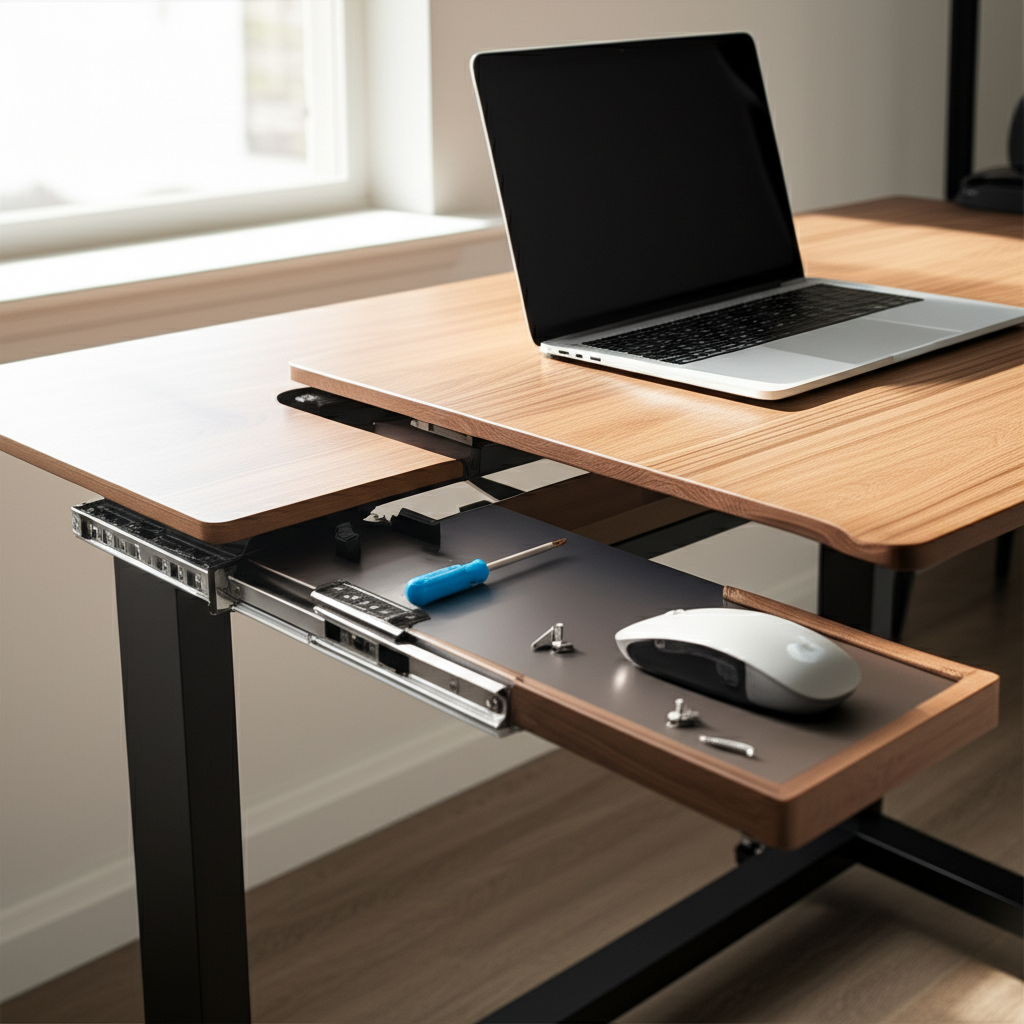
Transforming your home office into a haven of productivity and comfort often starts with the small details. One of the most impactful upgrades you can make is installing an under desk keyboard tray. Many of us find ourselves hunched over our desks, leading to neck and shoulder strain. A keyboard tray can alleviate this, bringing your keyboard and mouse to a more ergonomic position. This guide will walk you through the entire process, making the setup feel like a breeze. Get ready to elevate your workspace experience!
Why an Under Desk Keyboard Tray is a Game-Changer for Your Workspace

An under desk keyboard tray is more than just an accessory; it’s a key component in creating an ergonomic and efficient workspace. By positioning your keyboard and mouse at the correct height, you significantly reduce strain on your wrists, arms, and shoulders. This simple addition can boost your comfort during long work sessions and contribute to better posture, preventing common issues like carpal tunnel syndrome. Investing in a good keyboard tray is an investment in your long-term health and productivity.
Understanding Your Under Desk Keyboard Tray: Types and Features
Before we dive into the installation, it’s essential to understand the different types of under desk keyboard trays available. Most trays fall into a few main categories, primarily distinguished by their mounting mechanism and adjustability. Knowing these differences will help you choose the best option for your specific desk and needs. This knowledge is the first step to a successful and satisfying installation.
Swivel and Extendable Trays
Many modern keyboard trays offer swivel and extendable features. Swivel trays allow you to adjust the angle of the tray, which is crucial for finding your perfect typing position. Extendable trays slide in and out, giving you flexibility in how close you bring your keyboard to your body. These adjustable features are vital for personalized ergonomics, ensuring comfort throughout your workday.
Tilt and Height Adjustable Trays
Height adjustability is paramount for achieving proper ergonomic alignment. A good tray will allow you to lower your keyboard and mouse so your elbows are at a 90-degree angle and your wrists are straight. Tilt adjustment further refines this by allowing you to angle the keyboard for a more natural hand position. Look for trays with easy-to-use adjustment mechanisms for maximum benefit.
Tray Materials and Weight Capacity
Keyboard trays come in various materials, including wood, plastic, and metal. Wood offers a classic aesthetic, while plastic is often lighter and more affordable. Metal trays are typically the most durable and can support heavier setups. Always check the weight capacity of the tray to ensure it can comfortably hold your keyboard, mouse, and any other accessories you might place on it.
Essential Tools and Preparation for Installation
Having the right tools and preparing your workspace beforehand makes the installation process smooth and stress-free. Gathering everything you need upfront saves time and prevents frustration. This preparation ensures you can focus on the steps without interruptions. Let’s get your workspace ready for this ergonomic upgrade!
Gathering Your Tools
Most under desk keyboard tray installations require only a few basic tools. You’ll typically need a Phillips head screwdriver, and sometimes a measuring tape and a pencil for marking. Some kits might include a small wrench if specific bolts are used. Always check the manufacturer’s instructions that came with your tray, as they will list any specific tools required.
Preparing Your Desk and Workspace
Clear the area under your desk completely. This means removing any existing equipment, boxes, or clutter. Ensure you have adequate lighting so you can clearly see what you’re doing. If your desk has a lip or a specific edge design, measure carefully to ensure the tray will fit without obstruction. Taking a moment to clean the underside of your desk is also a good idea.
Pre-Installation Checks and Considerations
Before you start drilling or attaching anything, take a moment to review the manufacturer’s instructions that came with your keyboard tray. Familiarize yourself with the specific components and how they are meant to fit together. Consider the placement of the tray, ensuring it won’t interfere with any desk drawers or cables once installed. This pre-planning is key to a successful setup.
Step-by-Step Guide: How to Install Under Desk Keyboard Tray
Now that you’re prepared, let’s get to the heart of it: the installation. This step-by-step guide will break down the process into manageable actions. Following these instructions carefully will ensure your keyboard tray is securely and correctly installed, ready to enhance your workspace.
Step 1: Position and Mark the Mounting Brackets
Lay the keyboard tray and its mounting brackets on the underside of your desk. Adjust the tray to your preferred height and angle, ensuring your wrists are in a neutral position. Once you’ve found the perfect spot, use a pencil to lightly mark the screw hole locations for the mounting brackets. It’s crucial to get this positioning right for optimal ergonomics.
Step 2: Pre-Drilling Pilot Holes (If Necessary)
Depending on your desk material (especially for solid wood or harder surfaces), it’s often recommended to pre-drill pilot holes. Use a drill bit that is slightly smaller than the screws provided. This prevents the wood from splitting and makes driving the screws easier. If your desk is made of particleboard or a softer material, you might be able to skip this step, but it’s still good practice.
Step 3: Attach the Mounting Brackets
Align the mounting brackets with your marked pilot holes or screw locations. Using your Phillips head screwdriver (or the appropriate tool), carefully drive the screws through the brackets and into the desk. Ensure the brackets are flush against the desk surface and securely fastened. Don’t overtighten, as this can strip the screws or damage the desk.
Step 4: Connect the Keyboard Tray to the Brackets
Most trays slide or clip onto the installed mounting brackets. Carefully align the tray with the brackets and slide it into place, or attach it according to the manufacturer’s design. You might hear a click or feel it lock into position. Gently tug on the tray to ensure it is securely attached and won’t detach during use.
Step 5: Test the Adjustments and Stability
With the tray attached, test its movement. Slide it in and out, swivel it, and adjust the tilt if your model allows. Ensure all movements are smooth and the tray feels stable. Place your keyboard and mouse on it and test the ergonomics. Make any minor adjustments to height or tilt as needed for your comfort.
Fine-Tuning for Maximum Ergonomic Benefit
The installation is complete, but the process of optimizing your workspace for comfort and productivity isn’t over. Fine-tuning your under desk keyboard tray is crucial for unlocking its full ergonomic potential. Even small adjustments can make a significant difference in how you feel during your workday.
Achieving the Ideal Wrist and Elbow Position
Your goal is to have your wrists straight and your elbows bent at approximately a 90-degree angle while typing. The keyboard tray should be positioned so that your forearms are parallel to the floor. If the tray is too high, you’ll be reaching up; too low, and you’ll be slouching. Experiment with the height and tilt settings until this ideal position is achieved.
Mouse Placement for Comfort and Control
Don’t forget your mouse! Ensure your mouse sits comfortably on the tray at a height and angle that allows your wrist to remain neutral. Some trays come with a separate mouse pad attachment that can be positioned to the side. Proper mouse placement is just as important as keyboard placement for preventing repetitive strain injuries.
Integrating Your Keyboard Tray with Your Chair
Your ergonomic chair and keyboard tray should work in harmony. Adjust your chair height so your feet are flat on the floor, and your thighs are parallel to the floor. Then, adjust the keyboard tray to meet your arms in that comfortable 90-degree elbow position. This synergy between chair and tray is the foundation of a truly ergonomic setup.
Common Installation Challenges and How to Overcome Them
Even with clear instructions, you might encounter a few hiccups during installation. Knowing what to expect and having solutions ready can save you a lot of trouble. These common issues are usually easily resolved with a little patience and the right approach.
Desk Material and Screw Compatibility
Some desks, especially those made of metal or with very hard surfaces, might require different screws or mounting hardware than what’s provided. If you’re unsure about your desk material, it’s always best to consult the tray manufacturer or an expert. Using the wrong screws can lead to poor stability or damage.
Limited Under-Desk Space or Obstructions
If your desk has drawers, support beams, or a curved underside, finding the perfect spot for the tray can be tricky. Measure your available space meticulously. Sometimes, rotating the mounting brackets or choosing a tray with a more compact design can help. In some cases, a different type of keyboard tray might be necessary.
Difficulty Achieving a Stable Mount
If the tray feels wobbly after installation, double-check that all screws are tightened securely. Ensure the mounting brackets are flush against the desk surface. For very smooth or laminate surfaces, some users find adding a thin piece of rubber or fabric between the bracket and the desk can improve grip and stability.
Advanced Ergonomic Tips for Your New Workspace
Once your under desk keyboard tray is installed and adjusted, consider these advanced tips to further optimize your workspace for peak performance and well-being. These strategies build upon the foundation of your new ergonomic setup.
Incorporating a Monitor Arm for Full Ergonomic Alignment
To achieve complete ergonomic alignment, consider adding a monitor arm. This allows you to position your monitor at eye level, preventing neck strain. When your monitor, keyboard, and mouse are all optimally positioned, you create a workstation that supports your body’s natural alignment for extended periods.
Cable Management for a Tidy and Efficient Setup
A keyboard tray can sometimes lead to more cables. Invest in cable management solutions like zip ties, Velcro straps, or under-desk cable trays. This keeps your workspace tidy, prevents cables from snagging on your tray, and contributes to a more professional and focused environment. A clean workspace often leads to a clearer mind.
Lighting and Desk Accessories for Enhanced Productivity
Good lighting is crucial for reducing eye strain. Position your desk so natural light is to your side if possible. Consider a good desk lamp for task lighting. Complement your ergonomic setup with accessories like a wrist rest for your keyboard and mouse, and a footrest if needed. These elements contribute to a holistic approach to comfort and productivity.
Maintaining Your Under Desk Keyboard Tray
Your new keyboard tray is built to last, but a little maintenance goes a long way. Keeping it in good condition ensures it continues to provide ergonomic benefits and looks great in your workspace. Simple care will extend its lifespan significantly.
Cleaning Your Keyboard Tray
Regularly wipe down your keyboard tray with a damp cloth. For tougher grime, use a mild soap solution. Avoid harsh chemicals that could damage the material. Pay attention to the sliding mechanisms; keeping them free of dust and debris will ensure smooth operation.
Checking Screws and Mountings Periodically
It’s a good practice to periodically check that all screws and mounting hardware remain tight. Over time, vibrations or heavy use can cause them to loosen slightly. A quick check every few months can prevent any potential issues and ensure the tray remains securely attached.
Frequently Asked Questions About Installing Under Desk Keyboard Trays
Here are answers to some common questions that beginners often have when looking to install an under desk keyboard tray.
Will any keyboard tray fit my desk?
Most under desk keyboard trays are designed to fit a wide range of desks. However, it’s crucial to measure the available space under your desk and check the tray’s dimensions, especially if your desk has unique features like curved edges or built-in drawers. Always consult the product’s specifications.
Do I need to drill holes in my desk?
The majority of under desk keyboard trays require drilling pilot holes and screwing the mounting brackets to the underside of your desk. Some clamp-on models exist, but they may not offer the same stability or adjustability. Always follow the manufacturer’s instructions for your specific model.
How do I know the correct height for my keyboard tray?
The ideal height is when your elbows are bent at roughly 90 degrees, and your wrists are straight and neutral while typing. Your forearms should be parallel to the floor. You might need to experiment with your chair and tray adjustments to find this perfect ergonomic position.
Can I install a keyboard tray on a glass desk?
Installing on a glass desk can be more challenging as you typically cannot drill into glass. Some trays use strong clamps or adhesives, but their stability can be questionable. If you have a glass desk, look for specific clamp-on models designed for such surfaces or consider alternative ergonomic solutions.
What if my desk has a lip?
If your desk has a lip or overhang, you’ll need to measure the clearance to ensure the keyboard tray and its sliding mechanism will fit and operate freely. Some trays have adjustable mounting brackets that can accommodate slight lips, but a very deep lip might require a different tray model or placement.
How much weight can an under desk keyboard tray support?
Weight capacity varies significantly by model. Most standard trays can support between 10-20 pounds, which is usually sufficient for a keyboard and mouse. Heavy-duty models are available that can support more. Always check the product specifications for the tray’s weight limit.
Conclusion: Effortless Setup for an Enhanced Workspace
Installing an under desk keyboard tray is a straightforward process that yields significant benefits for your comfort and productivity. By following this guide on how to install under desk keyboard tray, you can transform your workspace into a more ergonomic and efficient environment. This simple upgrade helps reduce strain, improve posture, and ultimately makes your workdays more enjoyable. Embrace this change and feel the difference it makes in your daily routine.
