


Published on: October 14, 2025 | Updated on: October 14, 2025
Transform cramped corners into productive dual-monitor workstations with these smart small space dual monitor desk ideas. Maximize efficiency and style without sacrificing precious room.
Working from home is common now. Many people need a good workspace. Having two monitors helps a lot with work. But what if you don’t have much space? Don’t worry, I’m here to help. This guide will show you clever small space dual monitor desk ideas. We’ll make your small area feel bigger and work better. Get ready to create your dream desk setup.
Why Dual Monitors Are Great for Small Spaces
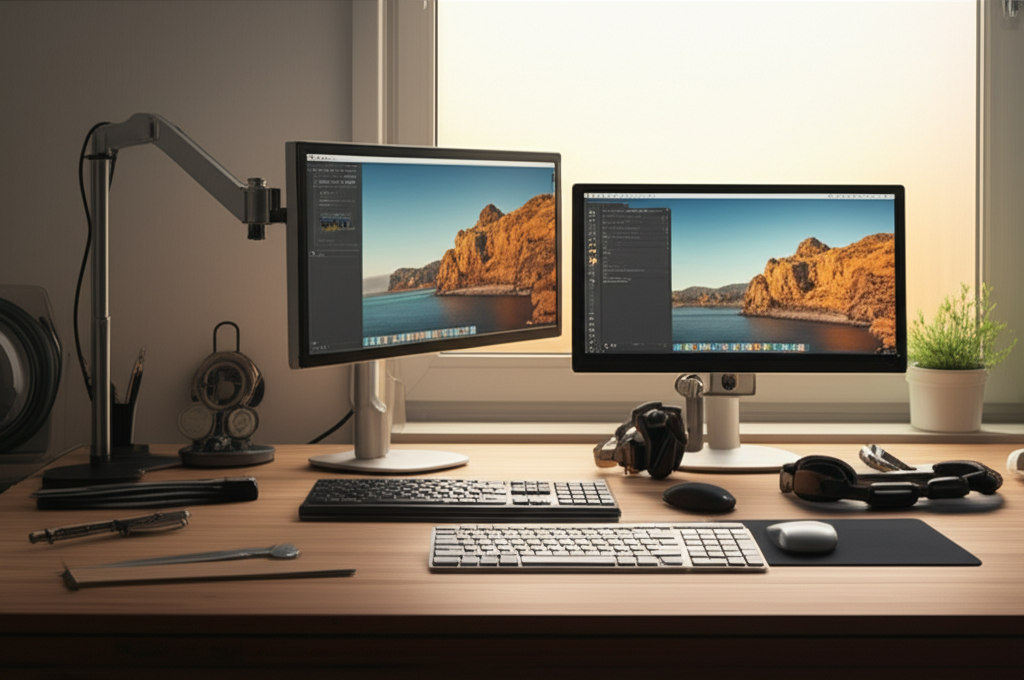
Dual monitors boost your productivity significantly. You can see more at once. This means less switching between windows. It’s like having two screens for your tasks. Even in a small space, this can make a big difference. It helps you work faster and smarter.
Choosing the Right Desk for Your Small Space
Selecting the right desk is the first big step. For small spaces, think smart. You need a desk that fits your room. It also needs to hold your monitors well. Compact designs are key here. Look for desks that are not too deep. This saves floor space.
Compact Desks with Enough Surface Area
Some desks are made for small rooms. They are often narrower. They might also be less deep. But they still offer enough space for two monitors. Look for desks with a good width. Ensure there’s room for your keyboard and mouse too.
Wall-Mounted Desks: The Ultimate Space Saver
Wall-mounted desks are fantastic. They attach directly to your wall. This means no legs on the floor. It frees up so much room. You can fold some of them up when not in use. This is perfect for very tiny apartments.
Corner Desks for Underutilized Spaces
Corners are often empty. A corner desk fills this space well. It uses the corner area efficiently. These desks can often fit two monitors easily. They make good use of awkward room shapes.
Floating Shelves as a Desk Surface
Floating shelves are simple. They attach to the wall. You can use one or two shelves. This creates a minimalist desk surface. It’s great for a single monitor setup. For dual monitors, you might need a wider shelf. It offers a clean look.
Optimizing Monitor Placement for Ergonomics and Space
How you place your monitors matters. It affects your comfort and how much space you use. Good placement is key for your neck and eyes. It also helps your desk feel less cluttered. We want both monitors to be easy to see.
The 20-20-20 Rule for Eye Strain
When using two screens, your eyes work harder. The 20-20-20 rule helps. Every 20 minutes, look at something 20 feet away. Do this for 20 seconds. This gives your eyes a break. It’s important for long work sessions.
Monitor Arms: A Game Changer for Small Desks
Monitor arms are essential for small spaces. They hold your monitors up. This frees up desk surface. You can adjust them easily. Many arms can hold two monitors. This is a huge space saver. It also lets you position monitors perfectly.
Desk Mounts vs. Freestanding Stands
Desk mounts attach to the desk edge. They are very stable. They lift monitors off the desk. Freestanding stands sit on the desk. They take up more desk space. For small areas, desk mounts are usually better.
Ergonomic Height and Angle Adjustments
Your monitors should be at the right height. The top of the screen should be near eye level. This prevents neck strain. Tilting the monitors can reduce glare. Adjust them for the best viewing angle. This makes working more comfortable.
Clever Cable Management for a Tidy Workspace
Cables can make any desk look messy. This is especially true in small spaces. Good cable management is a must. It makes your desk look clean. It also makes it safer. No more tripping over wires.
Cable Clips and Sleeves: Simple Solutions
Cable clips stick under your desk. They hold cables in place. Cable sleeves bundle wires together. This makes them look neat. These are inexpensive and easy to use. They make a big difference.
Cable Trays and Boxes for Hidden Storage
Cable trays go under the desk. They hide power strips and excess wire. Cable boxes keep things tidy. You put the power strip inside. Then you feed cables out. These are great for a really clean look.
Wireless Peripherals to Reduce Clutter
Consider wireless keyboards and mice. They have no cables. This reduces clutter significantly. It makes your desk look much cleaner. It also gives you more freedom to move.
Storage Solutions for Small Desk Setups
Even with dual monitors, you need storage. Small spaces require smart storage. You need a place for your papers and supplies. We don’t want clutter on the desk.
Vertical Storage: Shelves and Wall Organizers
Think upwards for storage. Wall shelves above your desk work well. You can also use pegboards. These attach to the wall. You can hang items on them. This keeps your desk clear.
Drawer Units and Under-Desk Storage
Small drawer units fit under the desk. They are perfect for pens and notebooks. You can also find storage carts. These roll under the desk. They offer extra space.
Desk Organizers and Trays
Desktop organizers hold small items. They keep pens, clips, and notes tidy. Trays can stack papers neatly. These small items prevent desk mess. They make finding things easy.
Lighting Your Small Space Dual Monitor Desk
Good lighting is crucial for any workspace. It helps your eyes. It also sets the mood. In small spaces, lighting is important. We want to avoid glare.
Desk Lamps for Task Lighting
A good desk lamp is essential. It shines light directly on your work. Look for adjustable lamps. You can move them where you need them. This helps reduce eye strain.
Ambient Lighting for a Comfortable Atmosphere
Don’t forget overall room lighting. Soft ambient light is good. It makes the space feel calm. Avoid harsh overhead lights. They can cause glare on your screens.
Positioning Lights to Avoid Screen Glare
Place lights so they don’t shine directly on your screens. Light from the side or behind is often best. This prevents annoying reflections. It makes viewing your monitors easier.
Minimalist Small Space Dual Monitor Desk Ideas
Minimalism is perfect for small spaces. It means keeping things simple. Less clutter makes a space feel larger. A minimalist desk looks clean.
The “Less is More” Approach
This means only keeping essentials. Have only what you need on your desk. Put extra items away. This creates a calm workspace. It helps you focus better.
Choosing Sleek, Functional Furniture
Select desks with clean lines. Avoid bulky or ornate designs. Choose items that do more than one thing. This keeps the space uncluttered. White or light wood finishes can make it feel bigger.
Color Palette and Décor for a Serene Feel
Use calming colors. Light blues, grays, and whites work well. Add a small plant for life. Keep décor minimal. A clean space feels more open.
Desk Setup Examples for Tiny Homes and Apartments
Let’s look at some real-world examples. These show how small spaces can work. They prove you can have a dual monitor setup.
The Floating Shelf Workstation
Imagine two wide floating shelves. Mount them at desk height. Use a monitor arm for two screens. Keep the shelves clear of clutter. This looks very modern and airy.
The Compact Corner Unit
A small L-shaped corner desk fits perfectly. Place monitors on the corner. Use a single monitor arm to save space. Keep the rest of the desk clear. This uses a tricky corner well.
The Fold-Down Wall Desk
A wall desk that folds down is amazing. Mount it in a closet or alcove. Set up your monitors on it. Fold it up when you’re done. This hides your workspace completely.
The Narrow Console Table Desk
A narrow console table can work. It needs to be sturdy. Use a monitor arm to lift screens. This creates a slim profile desk. It fits well behind a sofa or in a hallway.
Essential Accessories for Your Small Space Setup
Some accessories make your setup better. They help with comfort and function. They are often small but important.
Ergonomic Keyboard and Mouse
These help your wrists. They are designed for comfort. They can prevent pain. Choose ones that fit your hands well.
Laptop Stand (if using a laptop)
If you use a laptop, a stand is great. It lifts the screen. This helps with ergonomics. You can then use external monitors. It keeps your laptop out of the way.
Comfortable, Compact Chair
You need a good chair. It should support your back. Look for chairs that aren’t too big. Some chairs are designed for smaller spaces. They offer great support without bulk.
A Small, Stylish Waste Bin
Even small spaces need a bin. A small, stylish one fits in. It keeps your area tidy. Empty it regularly.
FAQ: Your Small Space Dual Monitor Questions Answered
Q1: Can I really fit two monitors on a small desk?
Yes, absolutely! With smart choices like monitor arms and compact desks, it’s very possible. You can make it work even in tight spots.
Q2: What’s the best type of desk for a tiny room?
Wall-mounted desks or floating shelves are great. Corner desks also use space well. Look for desks that are shallow or foldable.
Q3: How do I manage all the cables in a small space?
Use cable clips, sleeves, and trays. Bundling cables makes them neat. Wireless accessories also help a lot.
Q4: Will dual monitors make my small space feel cramped?
Not if you set them up right. Using monitor arms frees up desk space. Keeping your desk tidy also helps it feel open.
Q5: What’s more important: desk size or monitor size for a small space?
Desk size is more critical. You need a stable surface. You can use smaller monitors if needed. But the desk must fit your space well.
Q6: How far apart should my two monitors be?
They should be close enough so your head doesn’t turn too much. They should form a slight arc. You want to see both without strain.
Conclusion: Creating Your Productive Small Space Haven
Designing a dual monitor setup in a small space is achievable. It’s about making smart choices. Think about your desk size, monitor placement, and storage. Good cable management and lighting are also key. These small space dual monitor desk ideas can transform your work area. You can have a productive and stylish space. Don’t let a small room stop you. With a little planning, you can create a fantastic home office. Your productivity will thank you.
