


Published on: September 11, 2025 | Updated on: September 11, 2025
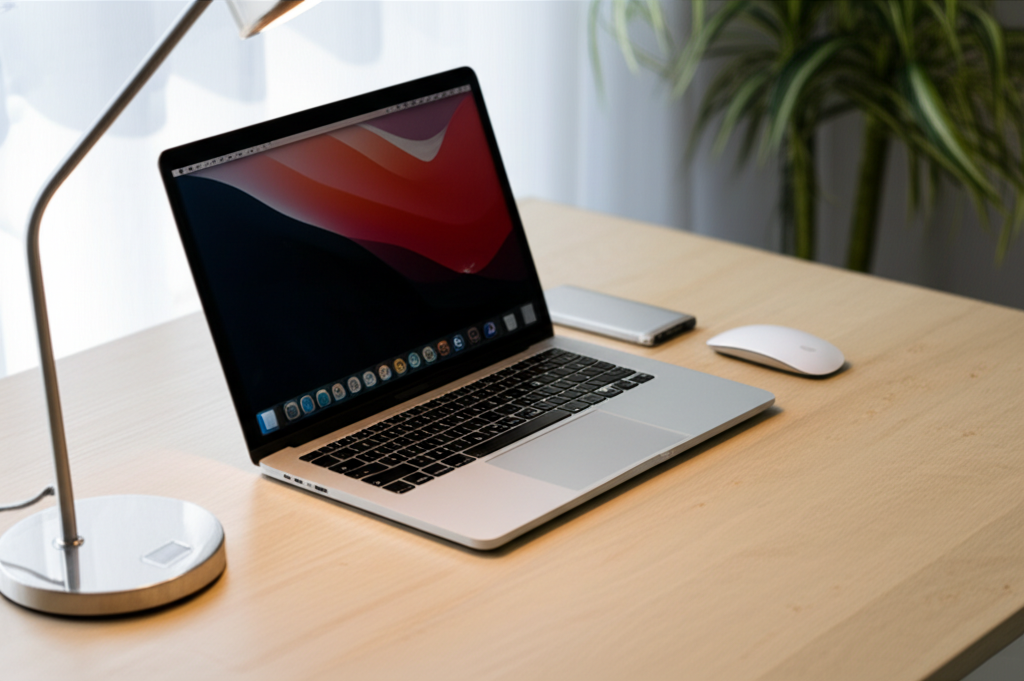
Create a stunning, minimalist MacBook desk setup that declutters your space and boosts productivity. Discover essential elements, smart organization, and aesthetic tips for your dream workspace.
In today’s work-from-home world, your desk is more than just a surface; it’s your command center. For MacBook users, achieving a clean, minimalist desk setup can feel like a dream, but it’s entirely achievable with the right approach. A cluttered workspace can stifle creativity and focus, leaving you feeling overwhelmed. I’m here to guide you through transforming your desk into a serene, efficient haven that complements your MacBook and enhances your productivity. Let’s build a space that inspires you every day.
Why a Minimalist MacBook Desk Setup Matters

A minimalist MacBook desk setup isn’t just about aesthetics; it’s a strategic choice for enhanced focus and productivity. When your workspace is free from visual distractions, your mind can concentrate better on the tasks at hand. This streamlined approach reduces decision fatigue and makes your environment feel more calming and organized. Embracing minimalism can lead to a more intentional and enjoyable work experience.
The Core Pillars of a Minimalist Desk
Building a successful minimalist desk setup rests on a few fundamental principles. It’s about intentionality, functionality, and a curated selection of items that serve a purpose. We’re aiming for a workspace that feels open, airy, and free from unnecessary clutter. Think of it as a gentle decluttering of both your physical space and your mental load.
Decluttering with Purpose
The first step to any minimalist setup is to ruthlessly declutter. Go through everything on your desk and ask yourself if it’s essential for your daily work. If it’s not used regularly, or if it doesn’t serve a dual purpose (like storage and decor), it’s likely time to find it a new home. This process is liberating and forms the foundation for a truly minimalist MacBook desk setup.
Functionality First
Every item on your minimalist desk should have a clear function. This means choosing tools and accessories that are not only beautiful but also highly practical. For a MacBook user, this often translates to selecting items that integrate seamlessly with your Apple ecosystem and support your workflow. Prioritize quality over quantity, opting for pieces that will last and perform well.
Aesthetic Harmony
While functionality is key, the visual appeal of a minimalist desk cannot be overlooked. Aim for a cohesive color palette and material choices that create a sense of calm and order. Think natural textures, muted tones, and clean lines. This deliberate aesthetic choice contributes to a more pleasant and inspiring work environment.
Essential Elements for Your MacBook Desk Setup
Creating a minimalist MacBook desk setup involves selecting specific items that enhance both form and function. These are the building blocks that will transform your workspace into an oasis of productivity and style. Each element should contribute to a clean aesthetic and a streamlined workflow.
The Foundation: A Clean Desk Surface
Your desk surface is the canvas for your minimalist setup. Opt for a desk with clean lines and ample space, preferably with built-in cable management to keep wires out of sight. Materials like wood, metal, or a smooth laminate can all contribute to a minimalist aesthetic. A standing desk option can also be a fantastic addition for ergonomics and dynamism.
The Star: Your MacBook
Your MacBook is the heart of this setup, and its sleek design naturally lends itself to minimalism. Ensure it’s clean and free from smudges. Consider using a laptop stand to elevate your screen to eye level, promoting better posture and freeing up desk space underneath. This simple addition significantly impacts ergonomics and visual tidiness.
Input Devices: Keyboard and Mouse
For a truly minimalist MacBook desk setup, consider an external keyboard and mouse. Wireless options are ideal for reducing cable clutter. Look for sleek, low-profile designs in complementary colors to your MacBook. Many users prefer mechanical keyboards for their tactile feedback, while others opt for ultra-slim, silent models.
Wireless Keyboard: Choose a compact, wireless keyboard that matches your MacBook’s aesthetic.
Wireless Mouse: A comfortable, ergonomic wireless mouse is essential for long work sessions.
Trackpad: Apple’s Magic Trackpad offers a familiar and efficient input method for MacBook users.
Display: External Monitor (Optional but Recommended)
While a MacBook’s screen is excellent, an external monitor can significantly boost productivity, especially for multitasking. Opt for a monitor with slim bezels and good resolution that complements your MacBook. Connecting your MacBook to an external display often involves a single USB-C cable for both video and power, further reducing clutter.
Lighting: Ambient and Task
Good lighting is crucial for reducing eye strain and setting the mood. A minimalist desk setup benefits from natural light whenever possible. Supplement this with a stylish desk lamp that provides focused task lighting without overwhelming the space. Warm LED lighting can create a more inviting atmosphere.
Natural Light: Position your desk to maximize natural light exposure.
Desk Lamp: Choose an adjustable, minimalist desk lamp.
Ambient Lighting: Consider subtle ambient lighting for evenings.
Smart Organization for a Clutter-Free Zone
Organization is the secret sauce to maintaining a minimalist MacBook desk setup. Without smart storage and organization strategies, even the most beautifully curated desk can quickly become cluttered. The goal is to keep essentials within reach while keeping the surface clear.
Cable Management Solutions
Visible cables are the arch-nemesis of a minimalist desk. Investing in effective cable management is non-negotiable. This can involve cable sleeves, clips, ties, or a dedicated cable management box. For a MacBook setup, a single USB-C cable can power both your laptop and external monitor, dramatically simplifying your wiring.
Cable Sleeves: Bundle multiple cables into one neat sleeve.
Adhesive Cable Clips: Keep individual cables tidy and in place.
Cable Management Box: Conceal power strips and excess wiring.
Under-Desk Trays: Mount organizers beneath your desk to hide cables and power bricks.
Storage That Disappears
When you need storage, opt for solutions that blend seamlessly into your desk setup or disappear altogether. Floating shelves, minimalist drawer units, or even the space under your monitor stand can be utilized. The aim is to keep items stored away but easily accessible when needed.
Digital Organization
A minimalist physical desk often goes hand-in-hand with a minimalist digital workspace. Organize your files into clear, logical folders and keep your desktop clean. Use cloud storage solutions like iCloud Drive to sync your files across devices, reducing the need for physical storage.
Ergonomics: Comfort Meets Productivity
A minimalist MacBook desk setup isn’t just about looking good; it’s about feeling good and working efficiently. Ergonomics plays a vital role in preventing discomfort and long-term strain. A well-designed ergonomic setup supports your body and enhances your focus.
The Right Chair
Your chair is arguably the most critical piece of ergonomic equipment. Invest in a chair that offers good lumbar support, adjustable height, and armrests. While some minimalist setups might feature sleek, modern chairs, ensure they don’t compromise on essential ergonomic features.
Desk Height and Monitor Placement
Achieving the correct desk height is crucial. Your elbows should be at a 90-degree angle when typing, with your wrists straight. Your monitor should be positioned so the top of the screen is at or slightly below eye level. This prevents neck strain and encourages better posture.
Keyboard and Mouse Positioning
Keep your keyboard and mouse close to your body to avoid reaching. Your wrists should remain straight and relaxed while typing or using the mouse. Consider a wrist rest if you find yourself resting your wrists on the desk edge.
Aesthetic Touches for a Stunning Finish
Once the functional and organizational elements are in place, you can add subtle aesthetic touches to elevate your minimalist MacBook desk setup. These are the details that make your workspace personal and inspiring, without adding clutter.
Minimalist Décor
Choose a few carefully selected decorative items. This could be a small plant, a piece of art with clean lines, or a high-quality notebook. Avoid overwhelming the space with too many trinkets. The goal is to add personality and warmth, not distraction.
Greenery: A small, low-maintenance plant can bring life to your desk.
Art: A simple, framed print or photograph with a calming theme.
* Personal Items: One or two cherished photos or mementos.
Color Palette and Materials
Stick to a limited color palette, often featuring neutrals like white, black, grey, or natural wood tones. This creates a sense of unity and calm. The materials you choose—wood, metal, glass—should also complement each other.
Sound and Scent
Consider how sound and scent can impact your workspace. Noise-canceling headphones can be invaluable for focus. A subtle, calming scent from a diffuser can also enhance the atmosphere. These are non-visual elements that contribute to the overall minimalist experience.
Productivity Hacks for Your Minimalist Workspace
A minimalist MacBook desk setup is a fantastic foundation for productivity, but a few smart hacks can take it even further. These tips leverage your organized space to maximize your focus and efficiency.
Time Blocking and Pomodoro Technique
Your clean workspace is perfect for implementing time management techniques. Use time blocking to dedicate specific periods to tasks, or try the Pomodoro Technique with a simple timer. The absence of distractions in your minimalist setup will make these techniques even more effective.
Digital Detox Zones
Designate specific times or areas where you disconnect from digital distractions. Your clean desk can serve as a visual reminder to stay focused on the task at hand, rather than getting lost in notifications.
Curated Tools and Apps
Just as you curate physical items, curate your digital tools. Uninstall unnecessary apps and organize your most-used software for quick access. A streamlined digital environment mirrors your physical workspace.
Integrating Your MacBook Seamlessly
The beauty of a minimalist MacBook desk setup lies in how seamlessly your Apple devices integrate. With a few thoughtful additions, your MacBook can become the central hub without dominating your workspace.
Docking Stations and Hubs
A good docking station or USB-C hub is essential for a clean MacBook setup. It allows you to connect multiple peripherals (monitor, keyboard, mouse, external drives) with a single cable, keeping your desk tidy.
Wireless Peripherals
As mentioned, wireless keyboards and mice are key. Apple’s Magic Keyboard and Magic Mouse or Trackpad are excellent choices that integrate flawlessly with your MacBook.
Monitor Integration
Consider monitors that offer USB-C connectivity, allowing for a single-cable connection to your MacBook for display, data, and even charging. This is the ultimate in desk simplicity.
Frequently Asked Questions About Minimalist MacBook Desk Setups
Q1: What are the absolute must-have items for a minimalist MacBook desk setup?
For a minimalist MacBook desk setup, you absolutely need your MacBook, a comfortable workspace (desk and chair), and effective cable management. A good external display and ergonomic keyboard/mouse are highly recommended for productivity and comfort.
Q2: How can I hide all the cables for a truly clean look?
To hide cables, use cable sleeves, clips, ties, or a cable management box. Mount organizers under your desk or behind it. Utilizing a docking station with a single USB-C cable connection to your MacBook significantly reduces visible wires.
Q3: Is a minimalist desk setup good for everyone?
A minimalist desk setup is excellent for anyone looking to reduce distractions, improve focus, and create a calming workspace. It’s particularly beneficial for those working from home who need to create a dedicated, productive environment.
Q4: What kind of desk is best for a minimalist MacBook setup?
The best desk for a minimalist MacBook setup is one with clean lines, ample surface area, and ideally, built-in cable management. Standing desks or simple wooden/metal desks often fit the aesthetic well.
Q5: How do I choose the right monitor for my MacBook?
Choose an external monitor with slim bezels, good resolution (matching or exceeding your MacBook’s), and USB-C connectivity for a single-cable solution. Consider the size that best suits your multitasking needs.
Q6: Can I incorporate color into a minimalist desk setup?
Yes, you can! Minimalism doesn’t mean stark white. Use a limited, cohesive color palette, perhaps incorporating natural wood tones, muted pastels, or accent colors through carefully chosen decor items like a plant or artwork.
Q7: What if I need a lot of physical storage?
If you require significant storage, opt for minimalist furniture pieces like a sleek filing cabinet, floating shelves, or a desk with integrated drawers that blend into the overall design. Keep these storage solutions tidy and organized.
Conclusion: Your Productive Sanctuary Awaits
Creating a minimalist MacBook desk setup is a journey towards a more focused, productive, and aesthetically pleasing work environment. By prioritizing essential elements, implementing smart organization, and focusing on ergonomics, you can transform your workspace into a sanctuary that inspires creativity and efficiency. Remember, minimalism is about intentionality – choosing what serves you best and letting go of the rest. Your MacBook deserves a stage that highlights its power and your work deserves a space that fosters deep concentration. Embrace these principles, and you’ll discover a renewed sense of calm and productivity.
