


Published on: October 8, 2025 | Updated on: October 8, 2025
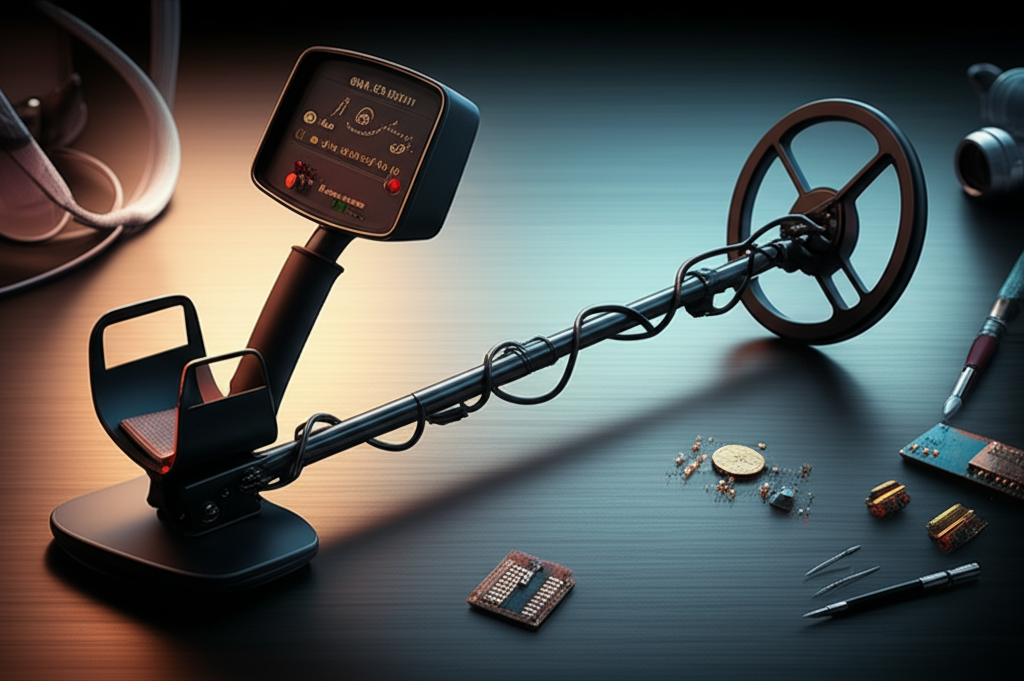
A diagram of a metal detector reveals its core components working in harmony: a search coil emitting and receiving electromagnetic fields to detect metallic objects. Understanding this diagram is key to unlocking better finds and mastering your detecting skills.
Metal detecting can feel like a bit of a mystery sometimes, especially when you’re just starting out. You’ve got this device, and you swing it around, hoping for that satisfying beep. But what’s actually happening inside that coil? Understanding the basic diagram of a metal detector demystifies the process. It’s not magic; it’s science, and knowing how it works will boost your confidence and your finds. We’ll break down each part, so you’ll know exactly what’s going on under the surface.
The Heart of the Matter: Understanding the Metal Detector Diagram
A metal detector diagram showcases how different components work together to identify buried metal. This understanding is crucial for any detectorist, from beginner to seasoned pro, to optimize performance and make informed equipment choices.
1. The Search Coil: The Electromagnetic Eyes and Ears

The search coil is arguably the most critical component of any metal detector. It’s the part that interacts directly with the ground, sending out and receiving the electromagnetic signals that reveal hidden treasures. Think of it as the detector’s eyes and ears, constantly scanning the environment for metallic signatures.
How the Search Coil Works: Transmitting and Receiving
At its core, the search coil contains two main windings: a transmitter coil and a receiver coil. The transmitter coil generates an electromagnetic field when an electric current passes through it. This field penetrates the ground. If this field encounters a metal object, it induces a small electrical current in that object. This current, in turn, generates its own magnetic field. The receiver coil is designed to detect this secondary magnetic field generated by the target. When it picks up this signal, it sends it to the detector’s control box for processing.
Types of Search Coils: Tailoring Your Scan
There are several types of search coils, each suited for different conditions and targets. Concentric coils are known for good depth and target separation, making them versatile. Double-D coils, on the other hand, offer excellent ground balancing capabilities and are less susceptible to mineralization, which is common in many soil types. Elliptical coils are great for navigating through trashy areas or tight spaces like rocky terrains. The choice of coil can significantly impact your detecting experience and the types of items you can find. For instance, a smaller coil might be better for pinpointing tiny gold nuggets, while a larger coil can cover more ground and reach deeper targets.
2. The Control Box: The Brains of the Operation
The control box is where all the magic happens after the search coil does its work. It houses the electronics that process the signals received from the coil, interpret them, and then alert the user. This is the command center, allowing you to tune your detector and understand what it’s telling you.
Signal Processing and Discrimination
Within the control box, sophisticated circuitry analyzes the signals from the receiver coil. It filters out unwanted noise from the ground and identifies patterns that indicate metal. A key feature here is discrimination, which allows the detector to ignore certain types of metal, like iron or foil, and focus on more desirable targets like coins or jewelry. This feature is invaluable for reducing frustration and digging fewer junk targets. Different detectors offer varying levels of discrimination, allowing for precise tuning to the user’s needs.
User Interface and Settings
The control box also features the user interface, typically including knobs, buttons, and a display screen. These controls allow you to adjust sensitivity, discrimination levels, ground balance, and volume. The display screen often provides visual cues, such as target ID numbers, which can help you make a more educated guess about what you’ve found before digging. Understanding these settings is crucial for optimizing your detector’s performance in different environments.
3. The Shaft and Handle: Ergonomics for Extended Hunts
While not directly involved in detecting, the shaft and handle are vital for a comfortable and effective metal detecting experience. They connect the search coil to the control box and provide the means for swinging the detector. Good ergonomics can mean the difference between a short, tiring outing and a long, productive day of hunting.
Adjustable Shafts for Comfort
Most modern metal detectors feature adjustable shafts. This allows users to customize the length of the detector to their height, ensuring a natural swinging motion. An adjustable shaft also makes the detector easier to transport and store. Finding the right length reduces strain on your arm and back, allowing you to cover more ground without fatigue.
Comfortable Grip and Armrest
A well-designed handle and armrest are essential for comfort, especially during long detecting sessions. A padded grip prevents blisters, and a sturdy armrest provides support for the detector’s weight. These features might seem minor, but they contribute significantly to the overall user experience and endurance in the field.
4. The Power Source: Keeping the Detector Alive
Every electronic device needs power, and metal detectors are no exception. The power source is what fuels the transmitter coil and the control box electronics. Without a reliable power source, your detector is just an inert piece of equipment.
Battery Types and Lifespan
Metal detectors typically run on batteries, most commonly AA or 9V batteries, though some higher-end models have rechargeable lithium-ion packs. The type of battery and its capacity will determine how long you can operate your detector on a single charge or set of batteries. It’s always a good idea to carry spare batteries or a portable charger, especially when venturing out for extended periods. Understanding battery life helps you plan your hunts effectively and avoid disappointment.
Battery Management for Optimal Performance
Keeping your batteries charged and in good condition is important for consistent performance. Low batteries can sometimes lead to erratic behavior from the detector, such as false signals or reduced sensitivity. Always check your battery levels before heading out, and consider using rechargeable batteries to save money and reduce waste.
5. The Pinpointer: Precision in Target Location
Once your metal detector signals a potential target, a pinpointer becomes your best friend for accurate recovery. While the main detector tells you if something is there and roughly where, a pinpointer helps you pinpoint the exact location within the plug of dirt. This tool drastically reduces digging time and minimizes damage to your finds and the environment.
How a Pinpointer Works
Pinpointers are essentially small, handheld metal detectors. They use a small search coil and emit a proportional audio or vibration alert as they get closer to the target. Many pinpointers also feature LED lights to help illuminate the target area. This concentrated detection capability allows you to quickly zero in on the object without disturbing a large area of soil.
Integrating Pinpointers into Your Workflow
Using a pinpointer effectively is a skill that significantly speeds up your recovery process. After locating the general area with your main detector, you’ll carefully excavate a plug of soil. Then, you’ll use the pinpointer to scan the soil plug and the hole until you get a strong signal, indicating the target’s precise location. This systematic approach is much more efficient than randomly digging.
6. The Speaker and Headphones: Hearing the Signals
The signals detected by the coil are translated into audible alerts by the detector’s speaker or headphone jack. This is how you receive the information from your detector, allowing you to react to potential finds. The quality of the audio output can make a big difference in distinguishing subtle signals from background noise.
Audio Tones and Target Identification
Many metal detectors use different audio tones to indicate different types of targets. For example, a low-pitched tone might signal iron, while a higher-pitched tone could indicate a coin. Understanding these tones is a key part of interpreting what your detector is telling you. Some advanced detectors offer multi-tone audio, providing even more nuanced information about a target.
The Advantage of Headphones
While built-in speakers are convenient, using headphones is highly recommended for serious detectorists. Headphones provide a more immersive audio experience, allowing you to hear faint signals that might be missed with a speaker, especially in noisy environments like windy beaches or busy parks. They also help conserve battery life and maintain discretion.
7. The Ground Balance Feature: Adapting to Soil Conditions
Ground balance is a critical feature that allows your metal detector to ignore the signals from minerals in the soil. Different soils have varying levels of mineralization, which can cause false signals or mask real targets. Proper ground balancing ensures your detector is tuned to ignore these ground effects, maximizing its depth and accuracy.
Manual vs. Automatic Ground Balance
Metal detectors can have either manual or automatic ground balance. Manual ground balance requires the user to perform a specific procedure to set the balance, while automatic ground balance adjusts on the fly as you swing the coil. Both methods aim to achieve the same result: optimizing the detector for the specific soil conditions. Many modern detectors offer both options.
Why Ground Balance Matters for Depth and Accuracy
Without proper ground balancing, mineralization can be interpreted as a metallic signal, leading to constant chatter and frustrating false positives. This can also cause your detector to miss deeper targets. By correctly balancing the ground, you effectively “tune out” the soil, allowing the detector to focus solely on buried metallic objects. This leads to cleaner signals and greater detection depth.
8. The Visual Display: Reading the Target ID
Modern metal detectors often come equipped with a visual display, which offers another layer of information beyond audio cues. This display can show target identification (ID) numbers, depth estimations, and signal strength. These visual aids can significantly improve your ability to identify targets before you even dig.
Understanding Target ID Numbers
Target ID numbers are a numerical representation of the conductivity and/or ferrous properties of a detected metal object. While not always 100% accurate due to various factors like target shape, depth, and soil conditions, they provide a valuable guide. For instance, common coin denominations often fall within specific ID ranges, helping you decide whether to dig. Learning the typical ID ranges for targets in your area is a skill that develops with experience.
Interpreting Depth and Signal Strength
The display can also provide an estimate of how deep the target is buried and how strong the signal is. A strong signal from a target ID known to be a coin, for example, suggests it’s likely a good find. Conversely, a weak signal might indicate a deeper target or a smaller object. This information, combined with audio cues, helps you make more informed decisions in the field.
9. The Coil Connector: The Link Between Coil and Box
The coil connector is the physical interface that links the search coil to the control box. It’s a simple yet crucial part of the system, ensuring a secure and reliable connection for the electrical signals to flow between the two main components. A faulty connection here can lead to intermittent signals or complete loss of detection.
Maintaining a Good Connection
It’s important to keep the coil connector clean and free from debris. Dirt, moisture, or corrosion can interfere with the signal transmission. Regularly inspect the connector for any damage and ensure it’s properly seated when attaching the coil. Most detectors use waterproof connectors, but it’s still wise to dry them off after use, especially if you’ve been detecting near water.
Troubleshooting Common Connection Issues
If you experience erratic behavior or no signal from your detector, the coil connector is a good place to start troubleshooting. Ensure the cable is not frayed or damaged and that the connector is securely plugged in. Sometimes, simply unplugging and replugging the coil can resolve minor connection issues.
10. The Coil Cover: Protecting Your Investment
A coil cover, also known as a skid plate, is a protective shield that fits over the search coil. Its primary purpose is to protect the coil from scratches, impacts, and abrasion from rocks, roots, and other debris encountered during detecting. This simple accessory can significantly extend the lifespan of your search coil.
Benefits of Using a Coil Cover
Beyond protection, a coil cover can also improve performance in certain conditions. It helps to keep the coil clean, ensuring a more consistent electromagnetic field. Some coil covers are designed to reduce the “chatter” caused by the coil scraping against surfaces, leading to cleaner signals. Investing in a quality coil cover is a small price to pay for safeguarding a vital and often expensive part of your detector.
Choosing the Right Coil Cover
Coil covers are typically designed for specific coil sizes and shapes. It’s essential to purchase a cover that fits your coil snugly. While most are made of durable plastic, some specialized covers offer additional features. Ensuring your coil cover is securely attached will provide the best protection for your metal detector’s most important component.
Frequently Asked Questions About Metal Detector Diagrams
What are the main parts of a metal detector?
The main parts of a metal detector are the search coil, control box, shaft, handle, and power source. The search coil sends out and receives electromagnetic fields, the control box processes signals, the shaft and handle provide ergonomics, and the power source fuels the device.
How does the search coil work?
The search coil has a transmitter and a receiver. The transmitter creates an electromagnetic field, and when this field hits metal, it induces a current in the target. This creates a secondary magnetic field that the receiver coil detects, signaling a potential find.
What is the purpose of the control box?
The control box is the brain of the metal detector. It contains the electronics that process signals from the search coil, filter out unwanted noise, and allow the user to adjust settings like sensitivity and discrimination. It then alerts the user to potential targets.
Why is ground balance important?
Ground balance is crucial for ignoring the signals from minerals in the soil. Different soil conditions can cause false signals or mask real targets. Proper ground balancing optimizes the detector’s performance, increasing depth and accuracy by tuning out ground effects.
What is target ID and how accurate is it?
Target ID is a numerical value displayed by the detector that estimates the type of metal detected based on its conductivity. It’s a helpful guide but not always perfectly accurate, as factors like target size, depth, and orientation can affect the reading.
Should I use headphones with my metal detector?
Yes, using headphones is highly recommended. They allow you to hear faint signals that might be missed with a speaker, especially in noisy environments. Headphones also help conserve battery and offer more discretion.
Conclusion: Mastering Your Detector Through Understanding
Understanding the diagram of a metal detector transforms it from a mere gadget into a sophisticated tool. Each component, from the electromagnetic pulse of the search coil to the nuanced audio tones from the control box, plays a vital role in your treasure hunting success. By grasping how these parts work together, you gain the knowledge to select the right equipment, tune it effectively for various environments, and ultimately, make more rewarding finds. This foundational knowledge is the essential breakthrough for any detectorist aiming to maximize their time and effort in the field. Happy hunting!
