


Published on: September 2, 2025 | Updated on: September 2, 2025
Unlock peak creativity and productivity with the ultimate minimalist dual workstation setup for creators. This guide provides essential tools, smart organization, and ergonomic principles to craft your dream workspace, blending style with function for enhanced focus and well-being.
For many creators, the home office is more than just a place to work; it’s a sanctuary for ideas to flourish. Yet, juggling multiple projects and creative tools often leads to cluttered, distracting spaces. A well-designed dual workstation can revolutionize your workflow, but achieving that sleek, minimalist aesthetic while maintaining functionality can feel like a puzzle. This article will guide you through creating your ultimate minimalist dual workstation setup for creators, ensuring efficiency, comfort, and inspiration. We’ll break down each essential component, from the desk itself to the lighting and organization, so you can build a space that truly supports your creative journey.
The Power of a Dual Workstation for Creators
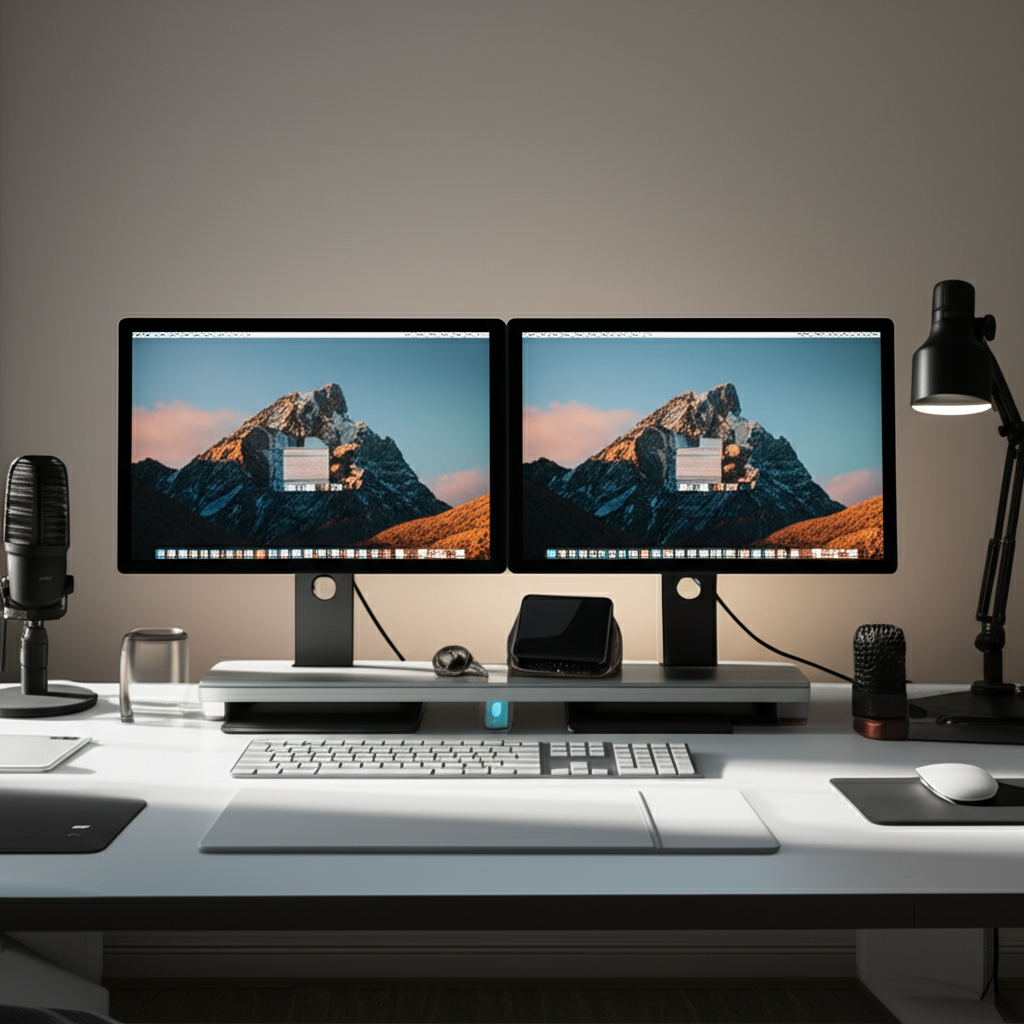
A dual workstation setup offers unparalleled efficiency for creators by allowing for seamless multitasking and project segregation. You can dedicate one screen to your primary creative software, like video editing or graphic design, while using the other for research, communication, or asset management. This separation minimizes context switching, a major productivity drain. It also fosters a more organized and visually appealing workspace, crucial for a minimalist approach.
This setup is ideal for anyone who needs to manage multiple applications simultaneously, reducing the need to constantly switch between windows. It’s a strategic investment in your creative output, providing a tangible boost to your daily workflow and overall satisfaction.
Why Minimalism Matters for Creative Flow
Minimalism isn’t just an aesthetic choice; it’s a powerful productivity tool, especially for creators. By decluttering your physical and digital space, you reduce visual distractions, allowing your mind to focus on the task at hand. A minimalist environment promotes a sense of calm and order, which can significantly enhance creative thinking and problem-solving.
When your workspace is free from unnecessary clutter, your thoughts can flow more freely. This streamlined approach helps prevent overwhelm and encourages a more intentional and focused creative process.
Essential Components of Your Minimalist Dual Workstation Setup
Building an effective dual workstation starts with selecting the right core components. These are the foundational elements that will support your entire creative workflow and aesthetic. Prioritizing quality and functionality ensures a long-lasting and inspiring setup.
The goal is to choose pieces that are both beautiful in their simplicity and highly practical for your creative demands. Each element should contribute to a cohesive and clutter-free environment.
The Desk: Foundation of Your Dual Setup
Choosing the right desk is paramount for a dual workstation. You need ample surface area for two monitors, peripherals, and essential creative tools, without overwhelming the space. A large, sturdy desk is essential, but a minimalist design keeps it visually light.
Consider desks with built-in cable management or those that allow for easy routing of wires to maintain that clean, uncluttered look. The desk’s dimensions should comfortably accommodate your monitors and equipment while leaving enough space for your working materials.
Standing Desk Options: Ergonomics Meets Productivity
Standing desks have become a cornerstone of modern home offices, promoting better health and energy levels. For a dual workstation, a larger standing desk is ideal, offering the flexibility to alternate between sitting and standing throughout the day. This physical variation can combat fatigue and boost focus, essential for long creative sessions.
Look for electric standing desks with programmable height settings for effortless transitions. Ensure the desk’s weight capacity can support your dual monitor setup and other equipment. Many minimalist standing desks offer sleek designs that complement any home office aesthetic.
Benefits of Standing Desks:
Improved posture and reduced back pain.
Increased energy levels and reduced fatigue.
Potential for boosted metabolism and calorie burn.
Enhanced focus and productivity.
A quality standing desk provides the ergonomic flexibility crucial for creators who spend extended hours at their workstations. Investing in one supports your physical well-being while optimizing your work environment.
Monitor Selection: The Creator’s Canvas
For a dual workstation, monitor choice directly impacts your ability to work efficiently. Aim for monitors with similar specifications, ideally in the 24-27 inch range, for a cohesive visual experience. High resolution (QHD or 4K) and good color accuracy are vital for visual creators.
Consider monitors with thin bezels to create a near-seamless visual field when placed side-by-side. This enhances immersion and reduces visual interruptions. The ergonomic stands that allow for height and tilt adjustment are also important for optimal viewing angles.
Monitor Arms: Maximizing Space and Ergonomics
Monitor arms are a game-changer for minimalist dual workstation setups. They free up valuable desk space by lifting your monitors off the surface, allowing for better cable management and a cleaner aesthetic. They also offer superior ergonomic adjustability, letting you position each monitor at the perfect height and angle for your comfort.
Dual monitor arms can hold both screens, further reducing clutter and providing a sleek, unified look. Look for arms that are sturdy enough to support your monitor size and weight.
Key Features of Monitor Arms:
Height, tilt, and swivel adjustment.
Space-saving design.
Improved ergonomics.
Integrated cable management.
Implementing monitor arms is a simple yet impactful way to elevate both the functionality and the minimalist appeal of your dual workstation. They are an essential tool for creating an organized and comfortable workspace.
The Ergonomic Chair: Comfort for Long Creative Sessions
Your chair is arguably the most critical piece of furniture for comfort and long-term health. An ergonomic chair supports your body correctly, preventing strain and fatigue during extended periods of work. For creators, this means investing in a chair that offers excellent lumbar support, adjustable armrests, and breathable materials.
A good chair should promote good posture and allow you to adjust it to your specific body type and desk height. This customization is key to maintaining comfort and focus throughout your creative process.
Key Ergonomic Chair Features to Look For:
Adjustable Lumbar Support: Crucial for maintaining the natural curve of your spine.
Adjustable Armrests: Should allow your shoulders to remain relaxed.
Seat Depth Adjustment: Ensures proper thigh support.
Headrest: Provides neck support, especially for long sessions.
Breathable Mesh or Fabric: Keeps you cool and comfortable.
Investing in a high-quality ergonomic chair is an investment in your health and productivity. It directly combats the physical toll that prolonged computer use can take, allowing you to focus on your creative work.
Optimizing Your Minimalist Dual Workstation
Beyond the core components, several factors contribute to a truly optimized and minimalist workspace. These elements focus on decluttering, organizing, and creating an environment that fosters focus and inspiration. Thoughtful integration of these aspects transforms a functional setup into a creative haven.
Every detail, from lighting to cable management, plays a role in achieving that serene, productive atmosphere. Let’s explore how to refine your space.
Cable Management: The Unsung Hero of Minimalism
Visible cables are the enemy of a minimalist aesthetic. Effective cable management is crucial for achieving that clean, streamlined look. This involves using cable ties, sleeves, raceways, and under-desk trays to keep all wires neatly organized and out of sight.
When setting up your dual workstation, plan your cable routing from the start. This proactive approach prevents a tangled mess from forming. A tidy workspace contributes significantly to mental clarity and focus.
Essential Cable Management Tools:
Velcro Cable Ties
Cable Sleeves
Adhesive Cable Clips
Under-Desk Cable Trays
Cable Raceways
Mastering cable management is a foundational step towards a truly minimalist and functional dual workstation setup for creators. It’s a detail that has a profound impact on the overall feel and efficiency of your workspace.
Lighting: Enhancing Mood and Reducing Eye Strain
Proper lighting is vital for both productivity and well-being, especially in a dual workstation setup. Aim for a layered lighting approach that combines ambient, task, and accent lighting. Natural light is always preferred, so position your desk to maximize its benefits without causing screen glare.
Task lighting, such as an adjustable desk lamp, is essential for focused work. Consider lamps with adjustable color temperature to mimic natural daylight, which can improve alertness and reduce eye strain.
Types of Lighting:
Ambient Lighting: General room illumination (e.g., ceiling lights).
Task Lighting: Focused light for your work area (e.g., desk lamp).
Accent Lighting: Highlights décor or specific areas (e.g., LED strips behind monitors).
Thoughtful lighting design can transform your dual workstation from a mere workspace into an inspiring and comfortable environment. It directly impacts your mood and ability to concentrate, making it a key element for any creator.
Storage and Organization: Decluttering for Clarity
Even with a minimalist design, effective storage is necessary to keep your essential tools accessible yet out of the way. Opt for sleek, understated storage solutions that blend seamlessly with your desk and overall décor. Think drawer units, floating shelves, or minimalist desk organizers.
The key is to keep only what you need for your current project easily accessible, while storing the rest neatly. This prevents your workspace from becoming cluttered and maintains the calming aesthetic.
Minimalist Storage Solutions:
Floating Shelves: Ideal for displaying a few curated items or storing frequently used books.
Drawer Units: Keep stationery, cables, and other small items hidden.
Desk Organizers: For pens, notebooks, and essential tools.
Pegboards: Versatile for hanging tools, headphones, or even small plant pots.
Strategic storage is the backbone of a truly minimalist dual workstation setup for creators. It ensures that your workspace remains tidy, functional, and conducive to focused creative work.
Enhancing Your Minimalist Dual Workstation
Once the core elements are in place, you can refine your setup with thoughtful additions that boost productivity, comfort, and aesthetic appeal. These enhancements cater to the specific needs of creators, ensuring your workspace supports your unique workflow.
Consider these elements to elevate your dual workstation into a personalized creative hub. They are the finishing touches that make a significant difference.
Peripherals and Accessories: Function Meets Form
The right peripherals can significantly enhance your dual workstation experience. Consider a comfortable, minimalist keyboard and mouse, perhaps with wireless connectivity to further reduce cable clutter. A high-quality headset can be essential for calls or immersive work sessions.
When selecting accessories, prioritize those that offer both excellent functionality and a clean, unobtrusive design. This aligns with the core principles of your minimalist setup.
Recommended Peripherals:
Ergonomic Keyboard
High-Precision Mouse
Wireless Charging Pad
Noise-Cancelling Headphones
Webcam with Good Resolution
Choosing peripherals that complement your minimalist dual workstation setup for creators ensures that every tool you use contributes to a cohesive and efficient workflow. They are extensions of your creative process.
Décor and Personalization: Inspiring Your Creative Spirit
While minimalism is about reducing clutter, it doesn’t mean sacrificing personality. Thoughtful décor can make your dual workstation a more inspiring and enjoyable place to be. Think about adding a small plant, a piece of art you love, or a few cherished items.
These personal touches can significantly boost your mood and creativity without overwhelming the minimalist aesthetic. The goal is to create a space that feels both calm and invigorating.
Minimalist Décor Ideas:
A single, well-placed plant.
A piece of abstract art or photography.
A stylish desk lamp.
A minimalist clock.
A curated selection of books.
Infusing your minimalist dual workstation setup for creators with personal décor elements makes it uniquely yours. This thoughtful personalization fosters a deeper connection with your workspace, enhancing creativity and motivation.
The Importance of a Dedicated Workspace
Creating a distinct workspace, even within your home, is crucial for mental separation between work and personal life. This dedicated area signals to your brain that it’s time to focus and be productive. For a dual workstation, having a designated zone reinforces this boundary.
This separation helps prevent burnout and allows you to fully immerse yourself in your creative tasks when you’re in your workspace. It also helps maintain a tidier home environment.
Benefits of a Dedicated Workspace:
Improved focus and concentration.
Clearer boundaries between work and personal life.
Reduced distractions.
Enhanced professionalism.
Establishing a dedicated space for your minimalist dual workstation setup for creators is a fundamental step in optimizing your productivity and well-being. It creates a mental cue for focused work.
Advanced Tips for a Seamless Creator Workflow
To truly maximize your dual workstation, consider workflow optimizations that leverage its unique capabilities. These tips go beyond the physical setup and focus on how you interact with your tools and projects. They are designed to make your creative process smoother and more efficient.
Think of these as workflow hacks that build upon the foundation of your minimalist dual workstation setup for creators. They help you work smarter, not just harder.
Software and Workflow Integration
Leverage your dual screens to their full potential by integrating your software and workflow. For example, use one screen for your primary design software and the other for project management tools, communication apps, or reference materials. This allows for constant visibility of essential information without interrupting your primary creative task.
Consider using window management tools or specific keyboard shortcuts to quickly move applications between screens. This seamless transition is key to maintaining momentum.
Workflow Integration Examples:
Graphic Design: Design software on one screen, Adobe Bridge/stock photos/client briefs on the other.
Video Editing: Editing timeline on one screen, preview monitor/audio mixer/asset library on the other.
Writing: Manuscript/draft on one screen, research/notes/grammar checker on the other.
Smart software and workflow integration transforms your dual workstation into a powerhouse of productivity for creators. It ensures that your tools work in harmony with your creative process.
Digital Decluttering for a Clearer Mind
Just as physical clutter can be distracting, so too can digital clutter. Regularly organize your desktop, files, and browser tabs. A clean digital environment mirrors the clarity of your minimalist physical space and reduces cognitive load.
Use cloud storage, organize files into logical folders, and unsubscribe from unnecessary email newsletters. A tidy digital life contributes to a calmer, more focused mind.
Digital Decluttering Practices:
Regularly clean your desktop.
Organize files into a clear folder structure.
Use cloud storage for accessibility and backup.
Manage browser tabs effectively.
Unsubscribe from unwanted emails.
Extending your minimalist ethos to your digital life is essential for a truly optimized dual workstation setup for creators. It ensures your mental space is as clear as your physical workspace.
Utilizing Productivity Tools and Apps
Enhance your dual workstation with productivity tools that streamline tasks and boost efficiency. Project management apps, note-taking software, and focus timers can all contribute to a more organized and productive workflow. Choose tools that integrate well with your existing software and operating system.
These tools can help you manage deadlines, collaborate effectively, and maintain focus on your creative projects. They are the digital assistants that support your work.
Helpful Productivity Apps:
Project Management: Asana, Trello, Monday.com
Note-Taking: Evernote, Notion, OneNote
Focus Timers: Forest, Pomofocus, Freedom
Password Managers: LastPass, 1Password
Integrating the right productivity tools amplifies the benefits of your minimalist dual workstation setup for creators. They provide structure and support, allowing you to concentrate on what you do best.
Maintaining Your Minimalist Dual Workstation
Creating a beautiful and functional minimalist dual workstation setup for creators is only half the battle; maintaining it is key to long-term success. Regular upkeep ensures your space remains inspiring and efficient. This involves consistent habits that prevent clutter from creeping back in.
Think of maintenance as an ongoing process, not a one-time event. Small, consistent efforts make a big difference.
Daily and Weekly Tidying Routines
Implement simple daily and weekly routines to keep your workspace in pristine condition. A quick 5-minute tidy at the end of each workday can prevent clutter from accumulating. This might involve putting away stray items, wiping down surfaces, and organizing your immediate work area.
Weekly, dedicate a bit more time for deeper cleaning, like dusting equipment, sorting mail, and ensuring cables remain organized. These habits are fundamental to preserving your minimalist aesthetic.
Daily Tidy-Up:
Put away supplies.
Wipe down desk surface.
Organize papers.
Weekly Deep Clean:
Dust monitors and equipment.
Check cable management.
Clear out any accumulated clutter.
Consistent tidying routines are the secret to sustaining the serene and productive environment of your minimalist dual workstation setup for creators. They ensure your space always feels fresh and ready for inspiration.
Digital Hygiene and File Management
Extend your tidying habits to your digital realm. Regularly back up your files, organize your digital assets, and clear out unnecessary downloads or temporary files. Good digital hygiene prevents slowdowns and ensures you can easily find what you need.
This digital decluttering process is just as important as physical tidying for maintaining a clear mind and efficient workflow. It keeps your creative process smooth and uninterrupted.
Digital Hygiene Practices:
Regular file backups.
Consistent folder organization.
Deleting unnecessary files and applications.
Managing cloud storage space.
Maintaining digital hygiene reinforces the principles of your minimalist dual workstation setup for creators, ensuring both your physical and digital environments are optimized for focus and efficiency. It’s about creating a seamless experience across all your tools.
Frequently Asked Questions
What is the ideal desk size for a dual workstation?
For a dual workstation, a desk that is at least 55-60 inches wide is recommended to comfortably accommodate two monitors, peripherals, and your working materials. This provides ample space without feeling cramped.
How do I choose the right monitors for a dual setup?
It’s best to choose monitors with similar screen sizes, resolutions, and refresh rates for a cohesive visual experience. Thin bezels are also ideal for a more seamless look.
Is a standing desk really necessary for a minimalist dual workstation?
While not strictly necessary, a standing desk offers significant ergonomic benefits, allowing you to alternate between sitting and standing. This can boost energy and reduce fatigue, which is highly beneficial for creators.
How can I keep my minimalist dual workstation tidy with so much equipment?
Effective cable management, utilizing monitor arms, and implementing smart storage solutions are key. Regularly decluttering both physical and digital spaces will also help maintain a clean aesthetic.
What are the best lighting options for a creator’s workspace?
A combination of natural light, ambient room lighting, and focused task lighting is ideal. Consider adjustable desk lamps with customizable color temperatures to reduce eye strain and enhance focus.
How often should I declutter my workspace?
It’s beneficial to do a quick tidy-up daily and a more thorough decluttering session weekly. This consistent approach prevents clutter from accumulating and keeps your space optimized.
Can I personalize a minimalist setup without making it cluttered?
Absolutely! Personalization can be achieved through a few carefully selected items like a plant, a piece of art, or inspiring books. The key is to choose items that add value and meaning without overwhelming the space.
Conclusion: Your Inspiring Creative Hub Awaits
Creating your minimalist dual workstation setup for creators is a journey towards enhanced productivity, well-being, and creative expression. By carefully selecting your desk, monitors, ergonomic chair, and optimizing with smart cable management, lighting, and storage, you build a foundation for success. Remember that minimalism is about intentionality – choosing only what serves your creative purpose and brings you joy.
This thoughtfully designed space will not only improve your workflow but also serve as a constant source of inspiration. Embrace the process, personalize your setup, and enjoy the focused, clutter-free environment that allows your creativity to truly shine. Your ultimate minimalist dual workstation setup for creators is now within reach, promising a more efficient and inspiring creative life.
