


Published on: September 1, 2025 | Updated on: September 1, 2025
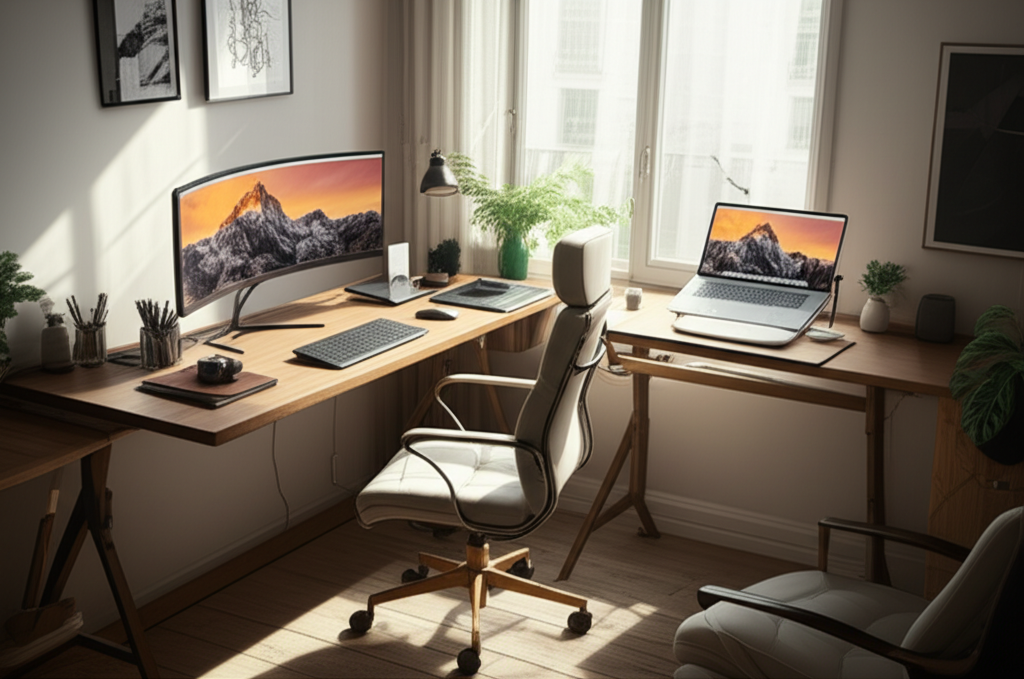
Transform your home office with these genius dual workstation ideas, maximizing productivity and comfort for two, even in compact spaces. Discover smart layouts, ergonomic tips, and stylish solutions to create a harmonious shared workspace.
Setting up a home office can be a challenge, especially when you need to accommodate two people. Whether it’s for a couple working from home, a parent and child, or roommates sharing a space, finding the right dual workstation ideas for your home office is crucial. It’s easy to feel cramped or unproductive when two distinct work zones need to coexist harmoniously. But fear not! I’m here to guide you through creating functional, stylish, and ergonomic shared workspaces that boost everyone’s efficiency and well-being.
Why Dual Workstations Are a Smart Home Office Investment

Creating a dedicated dual workstation setup in your home office is more than just dividing a desk; it’s about fostering productivity and ensuring comfort for multiple users. A well-designed shared space minimizes distractions, defines clear work boundaries, and can even enhance collaboration if needed. It acknowledges that modern work-from-home life often involves more than one person needing a focused environment.
Understanding Your Needs: The Foundation of a Dual Workstation
Before diving into specific designs, let’s assess what you and your co-worker(s) truly need. This involves understanding your respective work styles, equipment requirements, and any shared or individual preferences. A clear picture of your combined needs will prevent common pitfalls and lead to a more successful setup.
Key Considerations for Dual Workstation Planning
Space Assessment: Measure your available area accurately. Consider the footprint of desks, chairs, and essential equipment.
Ergonomic Needs: Do both users require specific ergonomic adjustments like adjustable desks or specialized chairs?
Equipment & Storage: List all necessary monitors, computers, keyboards, printers, and storage items for each person.
Lighting & Power: Ensure adequate natural and artificial lighting for both workstations, plus sufficient power outlets.
Acoustics & Privacy: How will you minimize noise distractions and create a sense of personal space?
Aesthetics: What is the desired visual style for the shared office?
Genius Dual Workstation Layout Ideas for Home Offices
The layout of your dual workstation is paramount to its success. It dictates flow, functionality, and the overall feeling of the space. Here are some proven layout strategies that maximize efficiency and minimize conflict.
The Parallel Setup: Facing the Same Direction
This layout is excellent for shared spaces where visual privacy is important. Both individuals face the same direction, often towards a window or a shared wall, creating a sense of calm and focus. It’s a popular choice for couples or individuals who don’t need constant interaction.
Pros: Maximizes wall space, good for visual privacy, creates a sense of order.
Cons: Can feel a bit isolated, requires adequate wall length.
Best For: Offices with long walls, users who prefer minimal interaction during work.
This parallel arrangement can be achieved with two separate desks placed side-by-side along a wall, or a single, long desk divided into two distinct zones. Ensure there’s enough personal space between each workstation for comfort and to avoid accidental bumps.
The Back-to-Back Setup: Sharing a Central Point
This layout is ideal for maximizing desk real estate in a smaller room. By placing two workstations back-to-back, often with a shared desk or a central divider, you can create two distinct work areas. It’s space-efficient and can foster a subtle sense of connection without being intrusive.
Pros: Space-efficient, creates defined personal zones, good for shared equipment placement.
Cons: Can lead to some visual or auditory distractions, requires careful cable management.
Best For: Smaller rooms, users who don’t mind occasional proximity, sharing a central monitor or printer.
Consider using a long, shared desk with a low divider or even two separate desks back-to-back. Investing in good noise-canceling headphones can significantly enhance the experience for both users in this configuration.
The Corner or L-Shaped Setup: Maximizing Space Utilization
This layout uses the often-underutilized corner of a room effectively. An L-shaped desk can naturally divide the space, providing each person with their own distinct work area. It’s a smart solution for irregularly shaped rooms or when you want to carve out a dedicated zone.
Pros: Excellent use of corner space, creates natural separation, good for defining zones.
Cons: Can sometimes feel a bit enclosed, desk placement might be limited.
Best For: Rooms with corners, creating distinct work pods, maximizing usable desk surface.
This setup is particularly effective when one person faces outwards and the other faces a wall, offering different visual environments within the same footprint. It’s a versatile approach that can adapt to various room dimensions.
The Face-to-Face Setup: Encouraging Collaboration
For teams or pairs who need to collaborate regularly, the face-to-face setup is a natural fit. This arrangement facilitates easy communication and idea-sharing. However, it requires careful consideration of visual distractions and personal space.
Pros: Promotes easy communication and collaboration, good for brainstorming.
Cons: High potential for distractions, less visual privacy, requires good acoustics.
Best For: Pairs who work closely together, brainstorming sessions, shared projects.
To make this work, consider adding a small partition or planter between the desks to create a visual buffer. It’s crucial to establish clear communication protocols regarding noise and interruptions.
Ergonomic Essentials for Dual Home Office Workstations
Ergonomics isn’t just a buzzword; it’s fundamental to long-term comfort and productivity. When setting up a dual workstation, ensuring both individuals have supportive and adjustable setups is key to preventing strain and fatigue.
The Ergonomic Chair: Your Foundation of Comfort
Choosing the right ergonomic chair for each person is non-negotiable. Look for chairs with adjustable height, lumbar support, armrests, and seat depth. This allows each user to customize their seating for optimal posture.
Key Features: Adjustable lumbar support, breathable mesh back, adjustable armrests, seat depth adjustment.
Considerations: User weight and height, preferred seating style.
Investing in quality ergonomic chairs can significantly reduce the risk of back pain and improve focus throughout the workday. Brands like Herman Miller and Steelcase are renowned for their ergonomic designs.
Standing Desks: The Power of Movement
Adjustable standing desks, often called sit-stand desks, are a fantastic addition to any home office, especially a dual setup. They allow users to alternate between sitting and standing, which is beneficial for circulation and overall health.
Benefits: Improved posture, reduced back pain, increased energy levels, better circulation.
Types: Manual crank, electric, pneumatic.
Electric standing desks offer the most convenience, allowing for quick and easy height adjustments with the press of a button. Ensure the desk has a sufficient weight capacity for monitors and other equipment.
Monitor Placement and Ergonomics
Proper monitor placement is vital for preventing neck and eye strain. The top of your monitor should be at or slightly below eye level, and it should be about an arm’s length away. For dual setups, consider monitor arms or stands to achieve optimal positioning for each user.
Best Practice: Top of screen at eye level, 20-40 inches away.
Solutions: Monitor arms, desk risers, adjustable monitor stands.
Using dual monitor arms can free up desk space and offer greater flexibility in positioning each screen independently. This is particularly useful if users have different height preferences or monitor sizes.
Smart Storage Solutions for Clutter-Free Dual Workstations
Clutter is the enemy of productivity. In a dual workstation, managing storage effectively is even more critical to ensure both individuals have easy access to their essentials without encroaching on each other’s space.
Vertical Storage: Maximizing Wall Space
Utilize wall space with shelves, wall-mounted organizers, and pegboards. This keeps items off the desk surface, creating a cleaner and more spacious feel. Vertical storage is especially useful in smaller home offices.
Options: Floating shelves, wall-mounted cabinets, pegboards, monitor shelves.
Benefits: Frees up desk space, keeps frequently used items accessible.
Consider modular shelving systems that can be adapted as your needs change. This offers flexibility and scalability for your home office storage.
Desk Organizers and Drawer Units
Desk organizers, drawer units, and file cabinets can keep stationery, documents, and other supplies neatly tucked away. Opt for units that fit the aesthetic of your office and provide the necessary compartments for each person’s needs.
Types: Drawer caddies, file cabinets, desktop organizers, rolling carts.
Purpose: Sorting documents, storing supplies, keeping workspaces tidy.
A small rolling cart can be a versatile storage solution, easily moved to where it’s needed most or tucked away when not in use. This is a great way to share resources like printers or supplies.
Cable Management: The Unsung Hero
Tangled cables can make any workspace look messy and unprofessional. Invest in cable management solutions like cable clips, sleeves, ties, and under-desk trays to keep cords organized and out of sight. This is especially important in dual setups where twice the electronics mean twice the cables.
Solutions: Cable clips, cable sleeves, Velcro ties, under-desk cable management trays, raceways.
Impact: Creates a cleaner look, reduces tripping hazards, makes cleaning easier.
Effective cable management not only improves aesthetics but also makes it easier to unplug and replug devices when needed, enhancing overall efficiency.
Lighting Strategies for Optimal Dual Workstation Environments
Good lighting is crucial for reducing eye strain, improving mood, and boosting productivity. In a dual workstation, you need to consider both ambient and task lighting for each individual.
Natural Light: The Best Source
Position your workstations to maximize natural light whenever possible. Facing a window can be beneficial, but avoid direct glare on screens. Sheer curtains or blinds can help diffuse harsh sunlight.
Placement: Position desks to benefit from natural light without direct glare.
Control: Use blinds or sheer curtains to manage light intensity.
Natural light has been shown to improve mood and reduce eye strain, making it a valuable asset in any workspace.
Task Lighting: Focused Illumination
Each workstation should have its own task lighting, such as a desk lamp. This allows individuals to adjust the light to their specific needs without affecting their co-worker. Look for adjustable lamps with different brightness settings.
Types: Desk lamps, swing-arm lamps, LED task lights.
Features: Adjustable brightness, flexible neck, cool or warm light options.
Consider LED desk lamps that offer adjustable color temperatures, allowing users to choose between cool, energizing light or warmer, more relaxed tones.
Ambient Lighting: Setting the Mood
Ensure the overall room lighting is comfortable and doesn’t create harsh shadows. Overhead lighting or floor lamps can provide ambient light. Dimmable options are ideal for adjusting the mood and brightness as needed.
Purpose: Provides general illumination, reduces contrast between screens and surroundings.
Options: Ceiling lights, floor lamps, smart bulbs.
A well-lit environment reduces visual fatigue and contributes to a more pleasant and productive atmosphere for both users.
Choosing the Right Desk for Your Dual Workstation
The desk is the centerpiece of any workstation. For dual setups, the type of desk you choose can significantly impact space utilization, workflow, and aesthetics.
Shared Long Desks: Unity and Space
A single, long desk can visually unify the space while providing ample surface area for two. This can be a large, custom-built desk or a long, modular office desk. It’s important to define zones on the desk, perhaps with different mat colors or desk organizers.
Pros: Creates a cohesive look, offers generous workspace, can be cost-effective.
Cons: Less individual privacy, requires good organization to avoid overlap.
Best For: Couples, shared projects, users who want a connected workspace.
Consider a desk with built-in cable management channels to keep the shared surface tidy. This is key to maintaining order in a shared long desk setup.
Two Separate Desks: Independence and Flexibility
Using two individual desks offers maximum flexibility and privacy. You can choose desks that complement each other in style and size, or even opt for desks with different functionalities. This allows each person to tailor their workspace to their specific needs.
Pros: Maximum privacy, individual customization, easy to adjust or move.
Cons: Can sometimes look less cohesive, requires more space than some shared options.
Best For: Users with very different needs, prioritizing individual space, flexibility in arrangement.
When using separate desks, consider placing them at a slight angle or distance to create a visual separation and personal zones.
Corner Desks: Maximizing Footprint
Corner desks are excellent for utilizing space efficiently, especially in smaller rooms or awkward layouts. An L-shaped desk can be used by one person, or you can place two smaller corner desks to create a mirrored or complementary setup.
Pros: Excellent space utilization, creates defined work areas.
Cons: Can be less flexible in placement, might limit desk shape options.
Best For: Rooms with corners, maximizing desk surface in compact spaces.
This arrangement naturally divides the workspace, offering distinct zones for each individual without feeling too close.
Decor and Personalization: Making it Yours
Even in a shared space, personal touches make a home office feel inviting and inspiring. It’s about balancing functionality with personality.
Incorporating Personal Style
Allow each individual to bring in elements that reflect their personality, whether through desk accessories, artwork, or plants. Use complementary color schemes or a neutral base that both users can personalize.
Ideas: Plants, framed art, personal photos, unique desk accessories.
Goal: Create an inspiring and comfortable environment for both.
A few well-chosen decorative items can make a significant difference in the overall ambiance of the home office.
Plants for Productivity and Well-being
Adding plants to your dual workstation can improve air quality, reduce stress, and boost mood. Choose low-maintenance plants that thrive in office conditions. Snake plants, ZZ plants, and spider plants are great options.
Benefits: Improved air quality, reduced stress, increased creativity.
Easy Care Options: Snake plants, ZZ plants, Pothos, Spider plants.
Plants can also act as natural visual dividers, adding a touch of biophilic design to your shared workspace.
Inspiring Artwork and Motivational Quotes
Incorporate artwork or motivational quotes that resonate with both individuals. This can create a positive and inspiring atmosphere conducive to productivity.
Purpose: Boost mood, encourage focus, add visual interest.
Considerations: Choose pieces that appeal to both users or have separate personalized areas.
Shared visual elements can foster a sense of unity and shared purpose within the dual workspace.
Tech and Accessories for Enhanced Dual Workstation Productivity
The right tech and accessories can significantly streamline workflows and improve the overall experience in a dual home office.
Dual Monitors: Boosting Efficiency
For many, dual monitors are essential for multitasking and efficiency. Ensure each workstation has the space and support for two monitors, whether side-by-side or stacked. Monitor arms are excellent for this.
Benefits: Increased screen real estate, improved multitasking, reduced window switching.
Considerations: Desk space, monitor arms, appropriate desk weight capacity.
Using two monitors can dramatically increase productivity by allowing you to view multiple applications or documents simultaneously.
Noise-Canceling Headphones: A Must-Have
In a shared space, noise-canceling headphones are invaluable for minimizing distractions and maintaining focus. This is especially true for face-to-face or back-to-back setups.
Purpose: Minimize distractions, create personal focus zones.
Key Features: Active noise cancellation, comfort for long wear.
Investing in a good pair of noise-canceling headphones is one of the most effective ways to ensure individual concentration in a shared office.
Smart Devices and Productivity Apps
Consider smart plugs for managing power, or use productivity apps like Trello, Asana, or Google Workspace to manage shared tasks and projects if applicable.
Tools: Smart plugs, productivity apps, cloud storage.
Goal: Streamline workflows, manage projects efficiently.
Leveraging technology can help both individuals stay organized and collaborate effectively, even when working separately.
Adapting Your Dual Workstation for Different Needs
A dual workstation isn’t static; it can evolve as your needs change. Here are some ideas for adapting your setup.
Parent and Child Workstations
When a parent and child share a space, flexibility is key. Consider a setup where the parent has a primary desk and the child has a smaller, dedicated homework station. Ensure the child’s area is organized with easy access to school supplies.
Considerations: Child’s age, homework needs, safety, ergonomic adjustments for a growing body.
Layout: Separate zones with clear boundaries, child-friendly storage.
Utilize modular furniture that can grow with the child, such as adjustable-height desks and chairs. This ensures long-term usability and comfort.
Couple or Roommate Workstations
For couples or roommates, balancing shared space with individual needs is crucial. Clear communication about work hours, noise levels, and shared equipment is vital. Consider separate but complementary desks and ample personal storage.
Key Factors: Communication, clear boundaries, personal space, shared amenities.
Design: Complementary furniture, noise reduction, adequate storage for two.
A shared aesthetic can make the space feel more harmonious, even with distinct personal zones.
Work-From-Home and Hobby Space
If one person is working and the other is pursuing a hobby, the setup needs to accommodate both. This might mean a dedicated work desk and a separate area for creative pursuits. Ensure adequate lighting and ventilation for all activities.
Needs: Differentiated zones for work and leisure, appropriate tools and lighting for each.
Solutions: Flexible furniture, distinct lighting zones, good airflow.
Modular furniture can be particularly useful here, allowing for easy reconfiguration as needs shift between work and creative projects.
Maintaining Harmony in Your Dual Workstation
Creating a functional dual workstation is only half the battle; maintaining harmony requires ongoing effort and clear communication.
Establishing Clear Boundaries
Discuss and agree upon work hours, acceptable noise levels, and when it’s okay to interrupt each other. Visual cues, like desk mats or small dividers, can also help reinforce personal space.
Communication: Discuss work hours, noise tolerance, interruption protocols.
Visual Cues: Desk mats, plants, low dividers to define personal zones.
Respecting each other’s work rhythm and personal space is paramount to a peaceful shared environment.
Regular Decluttering and Organization
Commit to a regular tidying schedule. A quick 5-minute tidy at the end of each day can prevent clutter from accumulating and making the space feel overwhelming.
Habits: Daily tidy-ups, weekly deeper clean, end-of-day organization.
Goal: Prevent clutter build-up and maintain a functional workspace.
A shared commitment to keeping the space clean and organized benefits both individuals immensely.
Shared Equipment Etiquette
If you share equipment like printers or scanners, establish clear rules for their use and maintenance. Ensure supplies are replenished and the equipment is kept in good working order.
Practices: Shared supply management, equipment maintenance, considerate use.
* Goal: Ensure smooth operation and accessibility of shared resources.
Clear guidelines for shared resources prevent misunderstandings and ensure everyone can access what they need.
Frequently Asked Questions About Dual Workstations
Q1: What is the best layout for a dual home office workstation?
The best layout depends on your space and needs. Parallel setups are good for privacy, back-to-back is space-efficient, and L-shaped desks maximize corners. Consider how much interaction and privacy you both require.
Q2: How can I create separate workspaces in a small room?
Use L-shaped desks, place two desks back-to-back, or use long desks with low dividers. Vertical storage and monitor arms also help free up surface space, making the room feel less cluttered.
Q3: Is it better to have one long desk or two separate desks for a dual workstation?
One long desk can create a cohesive look and save space, but offers less privacy. Two separate desks provide more individual space and flexibility but might require more room and careful coordination to look unified.
Q4: How do I manage cables for two workstations?
Invest in cable management solutions like cable clips, sleeves, ties, and under-desk trays. Bundle cables neatly to keep them out of sight and prevent tripping hazards, especially crucial in shared spaces.
Q5: How can I ensure good lighting for both users in a dual workstation?
Maximize natural light without direct glare, and provide individual task lighting for each desk. Ambient lighting should be comfortable for both, perhaps with dimmable options to suit different preferences.
Q6: What are essential ergonomic considerations for dual workstations?
Both users need ergonomic chairs with adjustable features and proper monitor placement (top of screen at eye level, arm’s length away). Consider adjustable standing desks for alternating between sitting and standing.
Designing a dual workstation for your home office is a rewarding process that can significantly enhance productivity and well-being for everyone involved. By carefully considering your space, needs, and implementing smart layout, ergonomic, and organizational strategies, you can create a functional, comfortable, and stylish shared workspace. Remember, clear communication and a willingness to adapt are key to maintaining harmony. Embrace these dual workstation ideas for your home office and unlock a more efficient and enjoyable work-from-home experience.
