


Published on: September 1, 2025 | Updated on: September 1, 2025
Discover essential and genius small home office ideas for two people, transforming cramped spaces into productive, shared sanctuaries with smart layout, furniture, and organization tips.
Juggling work from home alongside a partner or colleague in a limited space can feel like an impossible puzzle. Sharing a small home office demands careful planning to ensure both individuals have dedicated, functional zones without sacrificing comfort or productivity. It’s a common challenge many remote workers face, leading to frustration and diminished efficiency. But don’t worry, with the right approach, even the tiniest room can become a surprisingly efficient and inspiring dual workspace. Let’s dive into genius solutions that will help you create a harmonious and productive home office for two.
Why Sharing a Small Home Office is a Smart Move

Sharing a small home office can be an incredibly efficient way to maximize limited space and foster a sense of accountability. It allows for shared resources, potentially reducing costs on furniture and equipment. This setup can also create a unique dynamic, encouraging collaboration and a shared sense of purpose in your work environment.
When done right, sharing a workspace can boost productivity and create a more engaging work experience for everyone involved. It’s about smart design and intentional organization to make the most of every square inch.
The Foundation: Smart Layouts for Two
The most crucial element of a successful small home office for two is a smart, functional layout. Thoughtful arrangement ensures that both individuals have ample personal space and can work without constant interruption. This involves understanding how to divide the space effectively, even in the absence of physical walls.
We’ll explore various layout strategies that prioritize workflow, minimize distractions, and maximize the utility of your shared environment. Choosing the right layout is the first step towards a productive dual workspace.
Facing Each Other: The Collaborative Setup
Placing desks facing each other can foster a sense of connection and collaboration, ideal for partners or colleagues who need to communicate frequently. This arrangement encourages eye contact and makes it easier to share thoughts or brainstorm ideas. It can also create a more dynamic and interactive work atmosphere within the confined space.
Ensure there’s enough distance between the desks to prevent elbow bumps and provide a comfortable working posture. This setup is particularly beneficial for tasks that involve discussion or teamwork.
Back-to-Back: The Focused Zone
For those who require deep concentration, setting up desks back-to-back offers a natural division and minimizes visual distractions. Each person can focus on their tasks without being easily pulled into the other’s activity. This layout creates individual “zones” of focus within the shared space.
This arrangement is excellent for minimizing sensory overload and maximizing individual productivity. It’s a classic approach for a reason, promoting independent work effectively.
L-Shaped or Corner Layout: Maximizing Angles
Utilizing an L-shaped or corner layout can be a genius move for small spaces, as it maximizes the use of often-underutilized corners. This can create distinct working areas that feel separate yet connected. It’s a versatile approach that can adapt to various room shapes and sizes.
This layout often allows for more desk surface area and can efficiently incorporate storage solutions. It’s a practical way to carve out two comfortable workstations.
Desk Placement Against a Wall: The Classic Divide
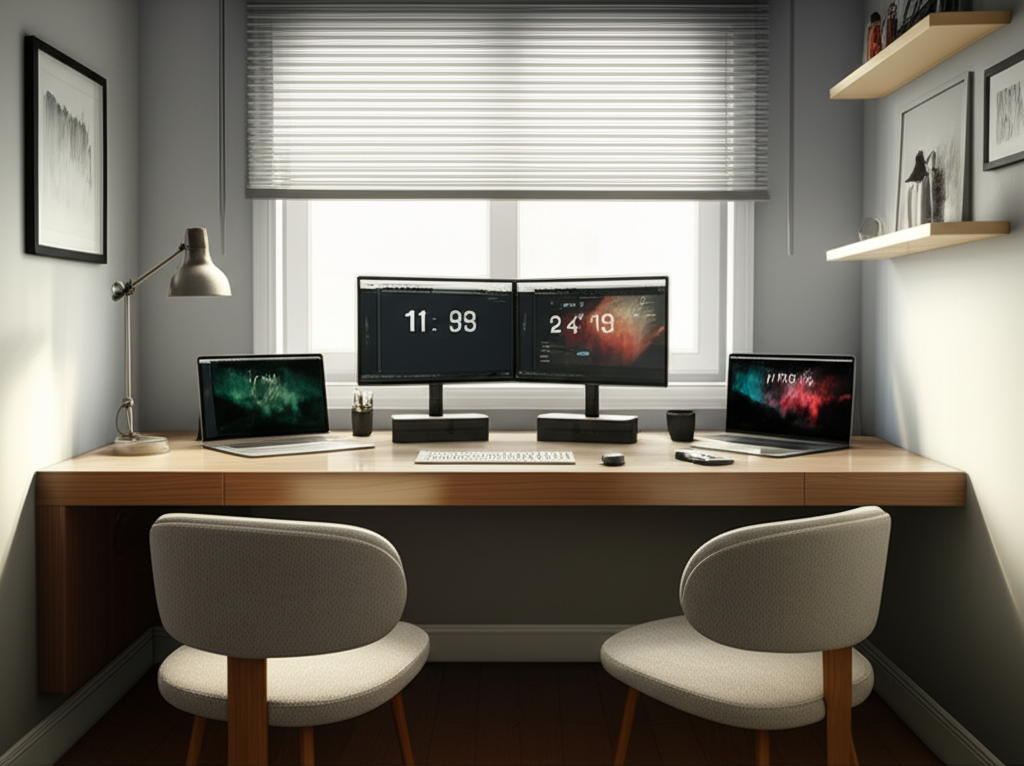
Placing desks parallel to each other along the same wall is a straightforward and effective way to divide a small room. This classic arrangement creates a clear separation while keeping both workstations within easy reach. It’s a simple yet powerful way to define individual workspaces.
This setup is excellent for maintaining a clean aesthetic and is easy to implement in most rooms. It’s a reliable option for establishing two distinct work zones.
Selecting the right furniture is paramount when designing a small home office for two. The goal is to find pieces that are functional, space-saving, and comfortable, without overwhelming the room. Every furniture choice should serve a purpose and contribute to an organized and efficient environment.
We’ll focus on desks, chairs, and storage that are perfectly suited for shared, compact spaces, ensuring both individuals have what they need to thrive.
Compact Desks: The Space-Saving Heroes
Choosing the right desks is critical for a small shared office. Look for compact designs that offer sufficient workspace without dominating the room. Options like corner desks, wall-mounted desks, or even simple console tables can work wonders.
Consider desks with built-in storage like drawers or shelves to keep supplies organized and off the main work surface. This maximizes utility in a limited footprint.
Wall-Mounted Desks: Floating into Efficiency
Wall-mounted desks are a fantastic space-saving solution for small home offices. They free up floor space, creating a more open and airy feel. These desks can be installed at custom heights, offering ergonomic flexibility.
They often provide a clean, minimalist look and can be folded away when not in use, further enhancing space efficiency. Explore options that can support the weight of dual monitors if needed.
Corner Desks: Embracing the Angles
Corner desks are ingeniously designed to fit into room corners, utilizing often-neglected space. They can offer a surprisingly generous amount of workspace and can create a natural division between two people if positioned correctly. This makes them ideal for small shared offices.
An L-shaped corner desk can even provide each person with their own dedicated “wing” of the workspace. They are excellent for maximizing every inch of your room’s layout.
Console or Slim Desks: Streamlined Workstations
Slim or console desks offer a sleek and minimalist approach to home office furniture. Their narrow depth makes them perfect for smaller rooms, providing just enough surface area for essential work. They contribute to a less cluttered visual aesthetic.
These desks are often stylish and can blend seamlessly with your home decor. They are a great choice when screen time is the primary activity and extensive paper shuffling is minimal.
Ergonomic Chairs: Comfort for Both
Investing in comfortable, ergonomic chairs is non-negotiable, especially when you’ll be sharing a space for extended periods. Poor posture can lead to discomfort and reduced productivity. Both individuals need chairs that support their bodies properly throughout the workday.
Look for adjustable features like lumbar support, armrests, and seat height to ensure a customized fit for each person. Prioritizing comfort is key to sustained focus and well-being.
Key Ergonomic Features to Look For:
- Adjustable Lumbar Support: Crucial for maintaining the natural curve of the spine.
- Adjustable Armrests: Help reduce shoulder and neck strain.
- Seat Height Adjustment: Allows for proper foot placement on the floor.
- Swivel and Tilt Functionality: Promotes movement and changes in posture.
- Breathable Mesh or Fabric: Enhances comfort during long working sessions.
Remember, the best chair is one that fits your body and your specific working needs. Try before you buy if possible, or research brands known for their ergonomic quality.
Smart Storage Solutions: Decluttering the Duo
Effective storage is vital for keeping a shared small office tidy and functional. Clutter can quickly accumulate in a dual workspace, leading to stress and inefficiency. Smart storage solutions are the backbone of any well-organized home office for two.
We’ll explore various ways to store supplies, documents, and tech gear without making the space feel cramped. Staying organized is key to maintaining a productive atmosphere.
Vertical Storage: Reaching for the Sky
When floor space is limited, looking up is the answer. Vertical storage units like tall bookshelves, wall-mounted shelves, or stackable organizers are perfect for maximizing space. They keep items accessible without taking up valuable desk or floor real estate.
This strategy allows you to store a significant amount of items in a small footprint. Consider units with adjustable shelves to accommodate different-sized items.
Desk Organizers: Taming the Surface Chaos
Desk organizers are essential for keeping frequently used items within easy reach and preventing surface clutter. Pen holders, file sorters, monitor stands with storage, and drawer organizers can make a huge difference. These small additions contribute significantly to a tidy workspace.
Invest in organizers that suit your specific needs, whether it’s for stationery, tech accessories, or important documents. A clean desk promotes a clear mind.
Under-Desk Storage: Hidden Efficiency
Don’t forget the space beneath your desks! Rolling carts, filing cabinets, or simple storage bins can be tucked away neatly. This hidden storage is perfect for less frequently accessed items, keeping the main workspace clear.
Choosing rolling units offers flexibility, allowing you to reposition them as needed. They are a practical way to keep your office essentials organized and out of sight.
Lighting Strategies for a Harmonious Workspace
Proper lighting is often overlooked but is crucial for productivity and well-being, especially in a shared small space. The right lighting can reduce eye strain, improve mood, and make the environment more inviting. It’s about creating a balance that works for both individuals.
We’ll discuss how to achieve optimal lighting by combining natural light with artificial sources, ensuring neither person is left in the dark.
Maximize Natural Light: The Best Illumination
Natural light is the most beneficial for working, improving mood and reducing eye fatigue. Position desks near windows whenever possible to take advantage of daylight. Avoid placing monitors directly in front of or behind windows to prevent glare.
If window placement isn’t ideal, use sheer curtains to diffuse harsh sunlight. This approach makes the workspace feel larger and more inviting.
Layered Artificial Lighting: Beyond the Overhead
Relying solely on overhead lighting can create harsh shadows and glare. Layering light sources provides flexibility and creates a more comfortable working environment. Consider a combination of ambient, task, and accent lighting.
Task lighting, such as desk lamps, is essential for focused work. Ambient lighting, like floor lamps, can provide overall illumination without being overpowering.
Desk Lamps for Individual Needs
Each person should have their own adjustable desk lamp to direct light precisely where needed. This allows for personalized illumination based on individual preferences and tasks. LED lamps are energy-efficient and offer various color temperatures.
Look for lamps with flexible arms and heads so they can be easily repositioned. This ensures optimal lighting for reading, writing, or computer work.
Color Temperature Matters: Setting the Mood
The color temperature of your lights (measured in Kelvin) can impact your mood and focus. Cooler, bluer light (around 4000K-5000K) is generally better for concentration and daytime productivity. Warmer, yellow light (around 2700K-3000K) is more relaxing and suitable for evenings.
Consider using smart bulbs that allow you to adjust the color temperature throughout the day. This adaptability can enhance both productivity and comfort.
Organization and Productivity Hacks for Two
Beyond furniture and lighting, clever organization and productivity hacks are essential for making a small shared home office truly functional. Keeping things in order and streamlining workflows prevents frustration and boosts efficiency for both occupants.
We’ll share practical tips to maintain order, manage tasks, and minimize distractions in your shared workspace.
Cable Management: Taming the Tech Tangle
Visible cables can quickly make a small office look cluttered and unprofessional. Implement effective cable management solutions to keep cords organized and out of sight. This not only improves aesthetics but also safety.
Use cable ties, clips, sleeves, or raceways to bundle and hide wires. Consider a surge protector with multiple outlets that can also manage cables.
Personalized Zones: Respecting Space
Even in a shared space, creating distinct personal zones is crucial. Clearly define each person’s desk area, storage, and personal items. This fosters a sense of ownership and respect for each other’s space.
Use small decorative items or different colored organizers to subtly delineate boundaries. This helps maintain order and prevents items from encroaching on the other’s territory.
Noise Management: Finding Your Focus
Working in close proximity can lead to noise-related distractions. Implement strategies to manage noise levels, such as using noise-canceling headphones or playing ambient background music. Open communication about noise preferences is also key.
Consider acoustic panels or even strategically placed soft furnishings like rugs or curtains to absorb sound. This creates a more peaceful and focused environment for both individuals.
Task Management Tools: Staying on Track Together
Utilize shared task management tools or calendars to keep track of projects, deadlines, and shared responsibilities. This promotes transparency and ensures both individuals are aligned on workflow. Tools like Trello, Asana, or even a shared digital calendar can be invaluable.
Regular check-ins to discuss progress and upcoming tasks can also prevent miscommunication. This collaborative approach ensures shared goals are met efficiently.
Décor and Ambiance: Making it Yours
While functionality is paramount, the ambiance and décor of your shared small home office can significantly impact your mood and motivation. Personalizing the space can make it more enjoyable and inspiring for both individuals.
We’ll explore how to add personal touches and create a pleasant atmosphere without overwhelming the limited space.
Color Palette: Calming and Inspiring
Choose a color palette that is both calming and conducive to focus. Neutral tones like whites, grays, and muted blues or greens often work well. These colors can make a small space feel larger and more serene.
You can introduce pops of color through accessories like desk plants, art prints, or cushions. These elements add personality without making the space feel visually busy.
Plants and Greenery: Bringing Life In
Adding plants to your workspace can improve air quality, reduce stress, and boost mood. Low-maintenance plants like snake plants or ZZ plants are ideal for office environments. They bring a touch of nature into the space, making it more inviting.
Consider small potted plants for desks or hanging plants to save surface space. Greenery can add a vibrant and refreshing element to any room.
Inspirational Touches: Motivation Walls
Create a shared “inspiration wall” or designated areas for personal items that motivate you. This could include vision boards, inspiring quotes, or family photos. It’s a way to inject personality and drive into the workspace.
Ensure these personal touches are organized and don’t contribute to clutter. A well-curated display can make the space feel more personal and uplifting.
Tech and Gadgets for Dual Productivity
The right technology can significantly enhance productivity and collaboration in a shared small home office. Choosing smart gadgets that cater to the needs of two people can make a big difference.
We’ll look at essential tech and gadgets that can streamline your workflow and improve your shared working experience.
Dual Monitors or Monitor Arms: Expanding Your View
For many professionals, dual monitors are essential for multitasking and efficiency. If space is tight, consider monitor arms that attach to the desk, freeing up valuable surface area. This setup allows for greater screen real estate without compromising desk space.
Shared monitor arms can even allow each person to position a monitor to their preferred angle and height. This is a brilliant way to maximize visual workspace in a compact setting.
Shared Peripherals: Efficiency Through Connectivity
Consider shared peripherals like a high-quality printer or scanner if both individuals require them. Networked or wireless devices are ideal for shared spaces, allowing multiple users to connect easily. This avoids duplication of equipment and saves space.
A universal docking station can also simplify connections for multiple devices, reducing cable clutter. This streamlines the setup for both users.
Noise-Canceling Headphones: Personal Sound Bubbles
As mentioned in productivity hacks, noise-canceling headphones are a game-changer for shared workspaces. They create personal sound bubbles, allowing each person to focus without being disturbed by ambient noise. This is particularly useful in smaller homes where external sounds can easily penetrate.
Investing in a comfortable pair with good sound quality is essential. They allow for concentration on tasks and participation in virtual meetings without distraction.
Maintaining Balance and Boundaries
Sharing a home office requires a conscious effort to maintain balance and respect boundaries between individuals. This is crucial for a harmonious working relationship and overall well-being.
We’ll discuss practical strategies for setting boundaries and ensuring a healthy work-life balance within your shared workspace.
Establish Working Hours
Clearly define and communicate working hours for each person. This helps manage expectations regarding availability and potential disruptions. Sticking to these hours promotes a professional environment and prevents work from encroaching on personal time.
Discuss and agree on core working hours when both individuals are expected to be focused and available. This creates a predictable rhythm for the shared space.
Communicate Openly and Regularly
Open communication is the cornerstone of any successful shared venture, including a home office. Regularly discuss any issues, concerns, or preferences regarding the workspace. This proactive approach can prevent minor irritations from escalating.
Schedule brief daily or weekly check-ins to discuss workflow, potential conflicts, or simply to touch base. This fosters a collaborative and understanding environment.
Respect Each Other’s Workflow
Understand and respect that individuals have different work styles and needs. Avoid interrupting each other unnecessarily, especially during focused work periods. Be mindful of noise levels and personal space.
Creating individual zones and utilizing noise-canceling headphones can greatly aid in respecting each other’s workflow. A little consideration goes a long way.
Small Home Office Ideas for Two People: A Comparative Table
To help visualize the best approaches for your small shared home office, here’s a comparison of popular layout strategies:
| Layout Style | Pros | Cons | Best For |
|---|---|---|---|
| Facing Each Other | Promotes collaboration, easy communication | Potential for visual distractions, less personal space | Teams, partners who need frequent interaction |
| Back-to-Back | Maximizes focus, minimizes distractions | Less direct communication, can feel isolating | Individuals needing deep concentration, different work styles |
| L-Shaped/Corner | Efficient use of space, natural division | Can be tricky to fit into some room shapes | Awkwardly shaped rooms, desire for distinct zones |
| Parallel Along Wall | Simple, clear separation, easy setup | Can feel linear, may lack distinct zones without dividers | Maximizing wall space, straightforward arrangement |
Choosing the right layout depends heavily on the personalities and work styles of the individuals sharing the space. Consider these pros and cons when making your decision.
Frequently Asked Questions (FAQ)
Q1: What’s the best way to divide a small shared home office without walls?
You can effectively divide a small shared office using furniture placement, such as placing desks back-to-back or at angles. Other methods include using a room divider screen, tall bookshelves, or even strategically placed plants to create visual separation and personal zones.
Q2: How do I prevent my partner from being distracted by my work in a shared office?
Minimize distractions by using noise-canceling headphones, keeping your workspace tidy, and communicating about focused work times. Positioning desks to face away from each other or using subtle visual dividers can also help maintain individual focus.
Q3: Is it better to have two separate small desks or one long shared desk for two people?
For small spaces, two separate compact desks often offer more flexibility and personal space. A long shared desk can work if it’s designed to accommodate two distinct workstations, but ensure it doesn’t feel cramped or limit individual movement.
Q4: What kind of lighting is best for a shared small home office?
A layered lighting approach is best, combining ample natural light with task lighting (desk lamps) for each person. Consider cooler light temperatures for daytime productivity and warmer tones for evening work. Ensure no one is working in glare or shadow.
Q5: How can I store supplies for two people without making the office feel cluttered?
Utilize vertical storage like wall shelves and tall bookcases. Invest in desk organizers, under-desk storage solutions like filing cabinets or rolling carts, and cable management systems to keep everything tidy and accessible.
Q6: What if my partner and I have very different work styles?
This is where clear communication and flexible solutions come in. Consider a back-to-back desk setup for maximum focus, and ensure you both have personalizable elements like individual desk lamps and noise-canceling headphones. Regular check-ins about workflow and preferences are crucial.
Conclusion: Your Productive Dual Workspace Awaits
Creating an efficient and harmonious small home office for two people is entirely achievable with thoughtful planning and the right strategies. By focusing on smart layouts, selecting appropriate furniture, optimizing lighting, and implementing effective organization and productivity hacks, you can transform even the most compact space into a functional and inspiring work environment for both individuals. Remember that open communication and mutual respect are key to making your shared workspace a success. Now, armed with these essential and genius small home office ideas for two people, you can build a space that fosters productivity, comfort, and a positive work experience for everyone involved.
