


Published on: September 4, 2025 | Updated on: September 4, 2025
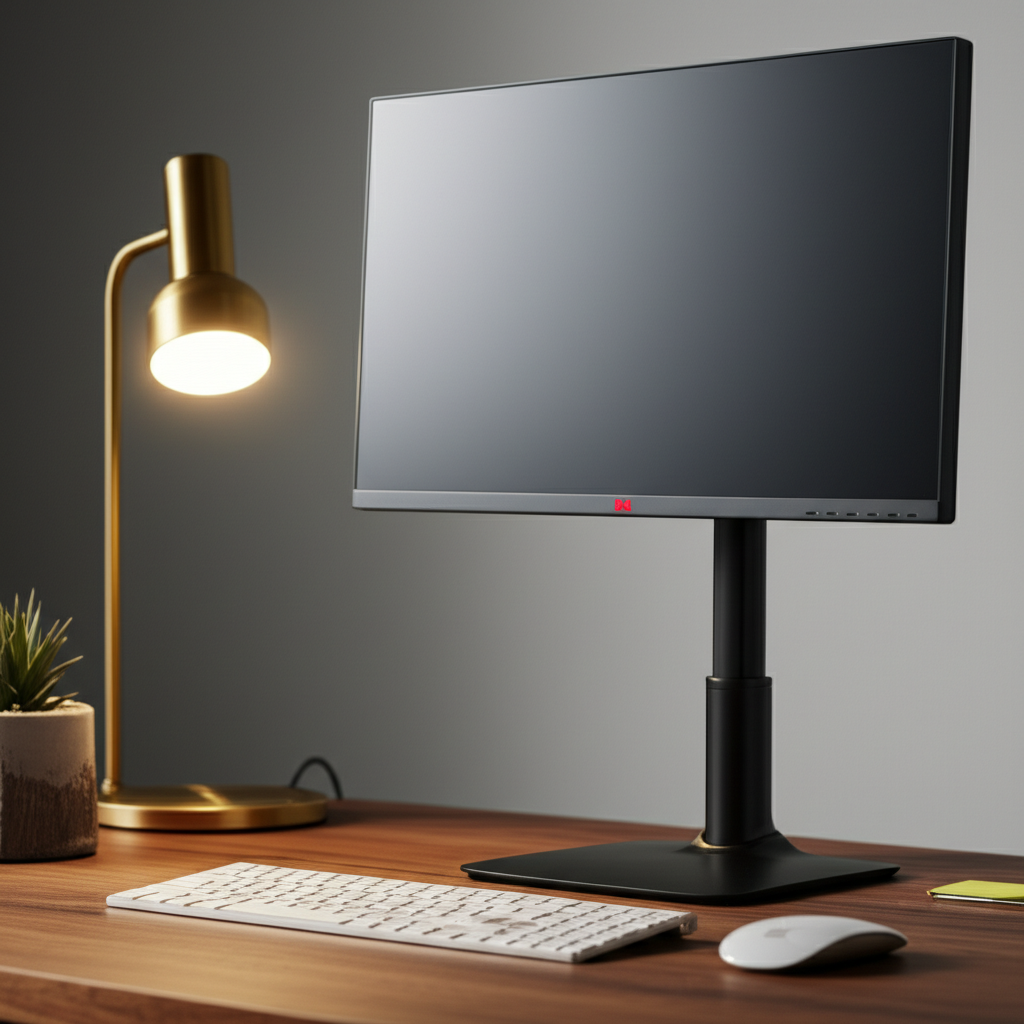
The 3M adjustable computer monitor stand is a key investment for anyone seeking to elevate their home office ergonomics, boosting comfort and productivity by optimizing screen height and viewing angle.
In the quest for a truly productive and comfortable home office, one often overlooked element is the humble monitor stand. It might seem like a minor detail, but the position of your screen profoundly impacts your posture, eye strain, and overall well-being. Many of us struggle with neck pain and fatigue, often stemming from a monitor that’s either too low or awkwardly angled. But what if there was a simple, effective solution to this pervasive problem? Today, we’ll explore how a high-quality adjustable monitor stand, specifically the 3M adjustable computer monitor stand, can transform your workspace and your workday. Get ready to discover the essential ergonomics that will make your home office a haven of comfort and efficiency.
The Ergonomic Imperative: Why Monitor Height Matters

Our bodies aren’t designed for prolonged sitting and staring at screens at suboptimal angles. When your monitor is too low, you tend to hunch forward, straining your neck and upper back. Conversely, a monitor that’s too high can force your head into an unnatural upward tilt. The ideal ergonomic setup positions your screen so that the top of the monitor is at or slightly below eye level, and you’re looking slightly downwards. This neutral posture minimizes muscle strain and helps prevent common issues like headaches, neck pain, and eye fatigue. Investing in a solution that allows for precise adjustment is crucial for maintaining this ideal viewing position throughout your workday.
The 3M adjustable computer monitor stand offers a straightforward yet powerful way to achieve this essential ergonomic alignment, ensuring your screen works with your body, not against it. Proper monitor positioning is a cornerstone of a healthy home office.
Unpacking the 3M Adjustable Computer Monitor Stand: Features and Benefits
When we talk about upgrading your home office, the 3M adjustable computer monitor stand stands out as a particularly smart choice. 3M is renowned for its commitment to innovation and quality, and their monitor stands are no exception. These stands are designed with user comfort and workspace efficiency firmly in mind.
Key features often include:
Adjustable Height: The primary benefit is the ability to raise or lower your monitor to the perfect viewing level. This is typically achieved through a smooth-lifting mechanism or sturdy height-adjustable legs.
Swivel and Tilt Functionality: Many models allow you to swivel your monitor left or right and tilt it forward or backward, giving you complete control over the viewing angle. This is invaluable for reducing glare and finding the most comfortable position for your eyes.
Sturdy Construction: Built with durable materials, these stands can safely support a wide range of monitor sizes and weights, providing a stable platform for your valuable equipment.
Space-Saving Design: Many stands incorporate clever storage solutions, such as a space beneath the monitor for keyboards or notebooks, helping to declutter your desk.
Aesthetic Appeal: While functionality is key, the best stands also complement your desk setup with a clean, modern look.
These features collectively contribute to a significantly improved work experience. By reducing physical strain, you can maintain focus for longer periods. The ability to fine-tune your setup means you’re not constantly readjusting or suffering discomfort. It’s about creating a workspace that supports your productivity and well-being.
Setting Up Your 3M Adjustable Computer Monitor Stand: A Step-by-Step Guide
Getting your 3M adjustable computer monitor stand set up is a straightforward process designed for ease of use. Following these steps will ensure you maximize its ergonomic benefits right from the start.
1. Unbox and Inspect: Carefully remove all components from the packaging. Check for any damage that might have occurred during shipping. Familiarize yourself with the stand’s parts, such as the base, the lifting mechanism, and the monitor platform.
2. Assemble the Base (if applicable): Some stands might require minor assembly, like attaching the base to the main column. Follow the included instructions, usually involving screws or a simple locking mechanism. Ensure the base is firmly secured for stability.
3. Attach the Monitor Platform: Connect the platform where your monitor will sit to the adjustable column. Again, this typically involves screws or a VESA mounting system if you are directly attaching your monitor to the stand.
4. Mount Your Monitor: If your stand has VESA compatibility, align the mounting holes on the back of your monitor with those on the stand’s platform. Secure your monitor using the provided screws. Ensure it’s tightly fastened for safety.
5. Position and Adjust: Place the assembled stand with your monitor onto your desk. Now, the crucial part: adjust the height and tilt. Start by setting the monitor so the top of the screen is roughly at eye level. Sit in your usual working position and make fine adjustments to achieve the most comfortable viewing angle, minimizing any need to crane your neck.
With your 3M adjustable computer monitor stand properly set up, you’ve taken a significant step towards a more ergonomic and productive workspace. This simple setup process unlocks a world of comfort.
Optimizing Your Viewing Angle: Beyond Just Height
While achieving the correct monitor height is paramount, the 3M adjustable computer monitor stand offers more than just vertical adjustment. The ability to tilt and swivel your monitor is equally important for a truly ergonomic setup. These movements allow you to combat glare from windows or overhead lights and ensure you’re viewing the screen without undue neck rotation.
Think about the natural curve of your spine and the line of your vision. You want your eyes to be directed slightly downwards onto the screen, not looking straight ahead or upwards. Tilting the monitor forward or backward helps achieve this, reducing the strain on your neck and eye muscles. Swiveling can be useful if you frequently collaborate with colleagues or need to turn your screen to show someone information.
Experiment with these adjustments while seated at your desk. Find the sweet spot where the screen is clear, glare is minimized, and your neck feels relaxed. This fine-tuning is what separates a good setup from a great one. Mastering these subtle adjustments with your 3M adjustable computer monitor stand can significantly enhance your daily comfort.
Integrating Your 3M Adjustable Computer Monitor Stand with Other Ergonomic Tools
A monitor stand is a fantastic component of an ergonomic workspace, but it’s most effective when integrated with other supportive tools. Consider your entire setup holistically to maximize comfort and productivity.
Ergonomic Chairs: A good chair supports your back and allows you to sit with proper posture, which is influenced by your monitor height. Ensure your chair is adjusted so your feet are flat on the floor and your knees are at a 90-degree angle.
Standing Desks: If you use a standing desk, the adjustable nature of the 3M monitor stand becomes even more critical. You’ll want to adjust your monitor height whether you’re sitting or standing, and a versatile stand makes this seamless.
External Keyboards and Mice: To maintain proper wrist and arm posture, it’s often recommended to use an external keyboard and mouse. These can be positioned at desk height, allowing your arms to rest comfortably at a 90-degree angle, independent of your monitor’s position.
Laptop Stands: If you primarily use a laptop, a laptop stand is essential. When paired with an external keyboard and mouse, this elevates your laptop screen to an ergonomic height, similar to a desktop monitor.
By combining your 3M adjustable computer monitor stand with these other ergonomic elements, you create a truly optimized environment. This comprehensive approach addresses multiple aspects of your posture and comfort, leading to a healthier and more productive work experience.
Enhancing Productivity and Focus with Better Ergonomics
The benefits of proper ergonomics extend far beyond just physical comfort; they directly impact your ability to focus and be productive. When you’re not constantly shifting to alleviate discomfort or squinting to see your screen clearly, your mind is free to concentrate on your tasks.
Think about it: a persistent neck ache or throbbing headache is a significant distraction. By eliminating these physical stressors with a well-adjusted setup, including your 3M adjustable computer monitor stand, you create a mental space that’s conducive to deep work. You can maintain focus for longer, process information more efficiently, and reduce the number of errors caused by fatigue.
Furthermore, improved ergonomics can lead to better sleep and reduced stress levels, both of which are crucial for sustained productivity. When your body feels good, your mind performs better. It’s a virtuous cycle that starts with simple, yet impactful, adjustments to your workspace. Investing in your comfort is investing in your output.
Maintaining Your 3M Adjustable Computer Monitor Stand and Workspace
Like any piece of equipment, your 3M adjustable computer monitor stand will perform best with a little care. Regular cleaning and maintenance will ensure its longevity and continued smooth operation.
Cleaning: For the stand itself, a soft, damp cloth is usually sufficient for most surfaces. Avoid harsh chemicals or abrasive cleaners that could damage the finish. For the monitor screen, use a microfiber cloth specifically designed for electronics and an approved screen cleaner.
Checking Stability: Periodically check that all screws and connections are tight, especially if you move your desk or stand frequently. Ensure the base remains firmly planted on your desk.
Desk Organization: While the stand helps organize your immediate monitor area, extending this to your entire desk can further boost productivity. Consider cable management solutions to keep wires tidy. Utilize desk organizers for pens, notepads, and other essentials.
A clean and organized workspace not only looks better but also contributes to a clearer mind and more efficient workflow. By taking good care of your 3M adjustable computer monitor stand and the surrounding desk area, you maintain an environment that fosters focus and well-being.
Troubleshooting Common Issues with Monitor Stands
While the 3M adjustable computer monitor stand is designed for reliability, occasional issues can arise. Knowing how to troubleshoot can save you time and frustration.
Stiff Adjustment Mechanism: If the height or tilt adjustment feels stiff, check for any obstructions. Sometimes, dust or debris can impede the mechanism. Gently cleaning the moving parts might help. Ensure you are following the intended adjustment method (e.g., using a lever or specific pressure points).
Wobbly Monitor: If your monitor feels unstable, the most common cause is an uneven desk surface or a loose connection. Ensure the stand’s base is flat on the desk and that all assembly screws are tightened. If your monitor is particularly heavy, ensure the stand is rated for its weight and that the VESA mount is secure.
Monitor Drifts Downward: This can happen if the locking mechanism isn’t fully engaged or if the stand is old and its gas spring or tension is weakening. Refer to your stand’s manual to ensure you’re properly locking it into position. If it’s a persistent issue, it might indicate wear and tear.
Most minor issues with your 3M adjustable computer monitor stand can be resolved with simple checks and cleaning. Always consult the user manual for specific troubleshooting guidance related to your model.
Alternatives and When to Consider Them
While the 3M adjustable computer monitor stand is an excellent choice, it’s always good to know your options. Depending on your specific needs, budget, and aesthetic preferences, other solutions might be worth considering.
Single Monitor Arms: These clamp onto the back of your desk and offer extensive adjustability, often allowing for more dynamic positioning and freeing up significant desk space. They are ideal for users who frequently reposition their monitor or need maximum desk real estate.
Dual or Triple Monitor Stands/Arms: If you use multiple displays, specialized stands or arms designed for two or more monitors are available. These ensure all screens are ergonomically aligned.
Fixed-Height Monitor Risers: For users whose monitor height is already perfect and they simply need a small boost or a place to store their keyboard, a simple, non-adjustable riser can be a more budget-friendly option. However, they lack the crucial adjustability for long-term ergonomic benefits.
* DIY Solutions: Some individuals opt for DIY solutions using books or sturdy boxes. While this can be a temporary fix, it often lacks stability and the precise adjustability needed for true ergonomic benefit.
The 3M adjustable computer monitor stand strikes a great balance between functionality, adjustability, and ease of use, making it a top contender for most home office users. It provides the essential ergonomic benefits without the complexity or cost of some more advanced mounting systems.
Frequently Asked Questions About 3M Adjustable Computer Monitor Stands
Q1: What is the main benefit of using a 3M adjustable computer monitor stand?
The primary benefit is achieving optimal ergonomic positioning for your monitor, which helps reduce neck, shoulder, and eye strain, leading to increased comfort and productivity.
Q2: How do I know if my monitor is at the correct height?
The top of your monitor screen should be at or slightly below your eye level when you are sitting upright in your chair. You should be looking slightly downward at the screen.
Q3: Can I use a 3M adjustable computer monitor stand with a laptop?
Yes, you can place a laptop directly on the stand, or for better ergonomics, use a separate laptop stand to elevate the laptop screen to the correct height and use an external keyboard and mouse.
Q4: Are 3M monitor stands difficult to assemble?
No, 3M adjustable computer monitor stands are generally designed for easy assembly with clear instructions. Most setups take only a few minutes.
Q5: How much weight can a typical 3M adjustable computer monitor stand support?
Weight capacity varies by model, but most are designed to support standard desktop monitors up to 20-30 pounds. Always check the product specifications for your specific stand.
Q6: Will a monitor stand help reduce glare?
While the primary function is height adjustment, the tilt feature on most adjustable stands, including 3M models, can help you angle the screen to minimize glare from light sources.
Q7: Is it worth investing in an adjustable monitor stand?
Absolutely. The long-term benefits for your physical health, comfort, and productivity far outweigh the cost, especially if you spend many hours working at your computer.
Conclusion: Elevate Your Workspace for Better Health and Productivity
The humble monitor stand is far more than just a desk accessory; it’s a critical component of a healthy and productive home office. By elevating your screen to the correct ergonomic height, the 3M adjustable computer monitor stand directly addresses common pain points like neck strain and eye fatigue. This simple yet powerful tool allows you to fine-tune your viewing angle, reduce glare, and create a workspace that supports your body rather than hinders it. Integrating this stand with other ergonomic tools like a supportive chair and an external keyboard can create a truly optimized environment, boosting your focus and efficiency throughout the day. Don’t underestimate the impact of small changes; investing in your ergonomic setup, starting with your 3M adjustable computer monitor stand, is an investment in your overall well-being and your professional success. Make the adjustment today and feel the difference.
