


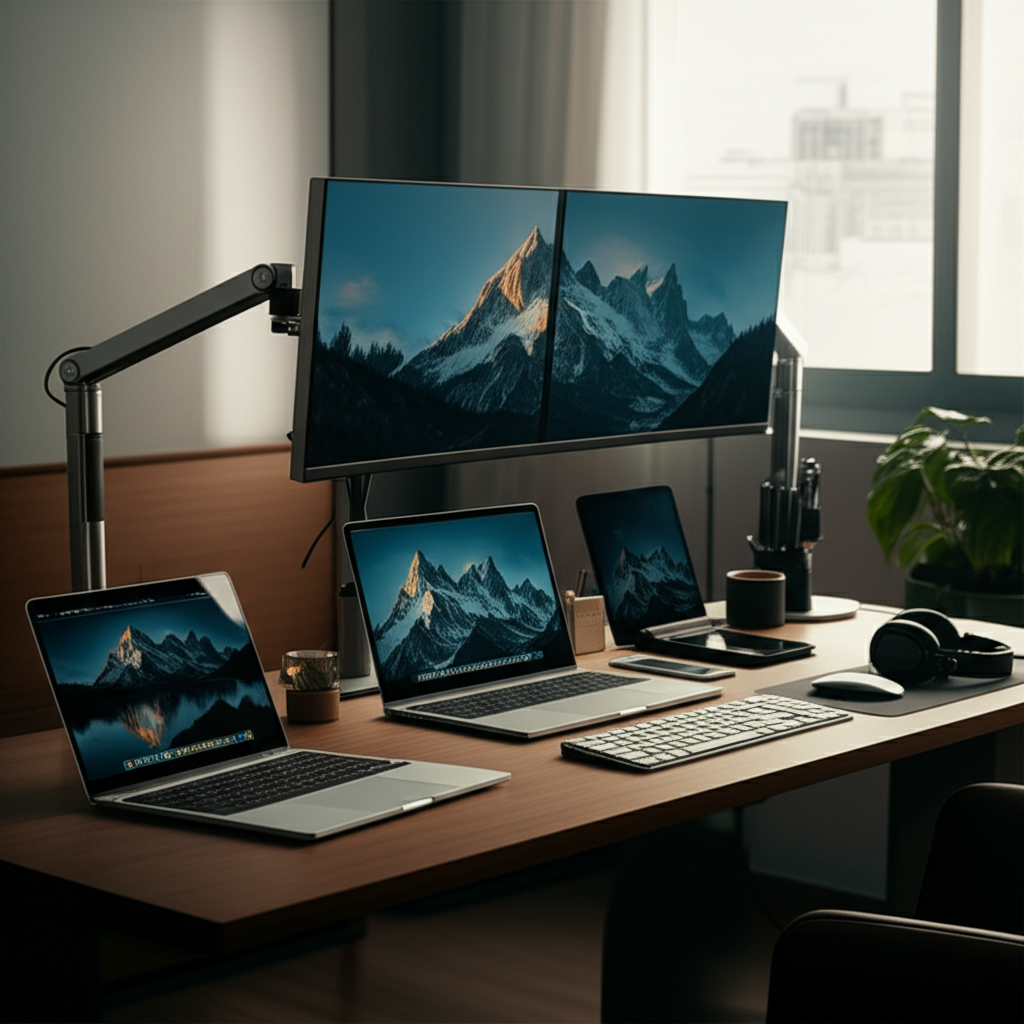
Published on: September 3, 2025 | Updated on: September 3, 2025
Discover genius and essential tips for a harmonious desk setup for two, transforming shared workspaces into zones of ultimate productivity and comfort.
Working side-by-side with a partner, family member, or colleague can be a fantastic way to boost productivity and share ideas. However, it also presents unique challenges when it comes to creating a shared workspace that caters to everyone’s needs. A well-designed desk setup for two isn’t just about fitting two desks; it’s about fostering an environment where both individuals can thrive, stay focused, and feel comfortable. This guide will walk you through everything you need to know to create a functional, ergonomic, and inspiring shared workspace.
Why a Great Desk Setup for Two Matters

A shared workspace, when designed thoughtfully, can significantly enhance collaboration and efficiency. It reduces the need for separate office spaces, potentially saving costs and optimizing home layout. When done right, a desk setup for two fosters a sense of partnership and shared purpose.
Before you even think about furniture, careful planning is key to a successful desk setup for two. Consider the available space, the primary functions of the workspace, and the individual needs and preferences of those who will be using it. This foundational step ensures your setup is practical and sustainable.
Assessing Your Space and Needs
The first step is to measure your available area and sketch out a floor plan. Think about natural light sources, power outlet locations, and potential noise distractions. Understanding how you’ll use the space—whether for focused individual work, collaborative projects, or a mix of both—will dictate the best layout.
Understanding Individual Work Styles
Each person has unique work habits and preferences. One might need quiet concentration, while the other thrives on background music. Identifying these differences early allows you to incorporate elements that cater to both, such as noise-canceling headphones or designated quiet zones within the shared space.
Defining the Purpose of the Shared Desk
Is this desk primarily for creative brainstorming, administrative tasks, or a blend of both? Knowing the main purpose helps in selecting the right desk size, storage solutions, and overall layout. For instance, a graphic design duo might need more surface area for sketchpads and larger monitors than two accountants.
Choosing the Right Desk for Two: Options and Considerations
The desk itself is the centerpiece of your shared workspace. With several configurations available, selecting the right one depends on your space, budget, and aesthetic preferences. Each option offers distinct advantages for a desk setup for two.
The Double-Desk Approach
This is perhaps the most straightforward solution, where two individual desks are placed side-by-side or back-to-back. This provides each person with their own defined territory, minimizing distractions and allowing for personal customization. It’s a versatile option that works well in various room sizes.
The L-Shaped Shared Desk
An L-shaped desk offers a generous amount of workspace and can create a natural separation between users while still fostering a sense of togetherness. This configuration is excellent for maximizing corner space and can provide distinct zones for each person’s tasks. It’s a popular choice for couples or business partners working closely.
The Long, Continuous Desk
A single, long desk can create a unified and cohesive workspace. This setup encourages a sense of team unity and is ideal for tasks that involve frequent interaction or sharing of materials. It can also offer a more minimalist aesthetic, reducing visual clutter.
Considerations for Desk Material and Durability
When choosing a desk, consider the materials used. Solid wood desks offer durability and a classic aesthetic, while laminate or engineered wood options can be more budget-friendly. Ensure the desk surface is scratch-resistant and easy to clean, especially if you’ll be sharing it frequently.
Ergonomics: The Key to Comfort and Long-Term Productivity
Ignoring ergonomics is a common pitfall in any workspace, but it’s especially critical when two people share a desk. Ensuring both individuals have comfortable and supportive setups will prevent strain and boost long-term productivity. Investing in ergonomic solutions is investing in your well-being.
The Importance of Ergonomic Chairs
A good chair is paramount. Look for chairs with adjustable height, lumbar support, armrests, and a comfortable seat. Ideally, each person should have a chair that fits their body perfectly. Many ergonomic chairs are designed to support various body types and sitting preferences, making them a worthwhile investment for any desk setup for two.
Desk Height and Monitor Positioning
The ideal desk height allows your arms to rest at a 90-degree angle while typing. If you opt for a sit-stand desk, ensure it has a good height range. Monitor arms are excellent for shared desks as they allow each person to adjust their screen height and angle independently, promoting proper posture and reducing neck strain.
Keyboard and Mouse Placement
Your keyboard and mouse should be positioned so your wrists are straight and your elbows are bent at approximately 90 degrees. Consider ergonomic keyboards or mice if either user experiences wrist discomfort. Proper placement minimizes the risk of repetitive strain injuries.
Good lighting is crucial for reducing eye strain and boosting mood and productivity. For a desk setup for two, you’ll want to consider both ambient and task lighting, ensuring it benefits both individuals without causing glare. A balanced lighting approach enhances the entire workspace.
Natural Light Maximization
Position your desks near windows if possible to take advantage of natural light. However, be mindful of glare on screens. Using sheer curtains or blinds can help diffuse harsh sunlight and allow you to control the light levels effectively.
Task Lighting Solutions
Each person may benefit from their own task light, such as a desk lamp. This allows for individual control over light intensity and direction, catering to different visual needs or tasks. Adjustable desk lamps are excellent for shared spaces as they can be easily repositioned.
Avoiding Glare and Eye Strain
Position monitors so that light sources are not directly in front of or behind them. Matte screen protectors can also help reduce reflections. Consider lighting that is indirect or diffused to create a more comfortable visual environment for everyone.
A cluttered workspace can be a major source of stress and distraction, especially in a shared environment. Implementing smart storage and organization solutions is essential for maintaining a functional and peaceful desk setup for two. A tidy space leads to a tidy mind.
Shared vs. Individual Storage
Decide whether you’ll use shared storage solutions, like a central filing cabinet, or individual drawers and shelves. A hybrid approach often works best, with shared items stored centrally and personal supplies kept within each person’s designated area. This balance respects individual needs and shared efficiency.
Desk Organizers and Drawer Inserts
Utilize desk organizers, pen holders, and drawer inserts to keep supplies neat and accessible. Cable management solutions, such as clips, ties, and sleeves, are also vital for tidying up the tangle of wires that often accompanies multiple devices. A clean desk surface promotes better focus.
Vertical Storage and Shelving
Don’t forget vertical space! Wall-mounted shelves or tall bookcases can provide ample storage without taking up valuable desk or floor space. These are great for books, binders, or decorative items that can personalize the workspace.
Technology and Connectivity: Powering Your Duo Workspace
In today’s digital age, managing technology and ensuring seamless connectivity is a core component of any desk setup for two. Thoughtful integration of tech can streamline workflows and prevent frustrating technical hurdles. Efficient tech setup supports collaborative efforts.
Managing Multiple Devices and Peripherals
With two people, you’ll likely have multiple computers, monitors, printers, and other peripherals. Invest in a good docking station or USB hub to simplify connections and reduce cable clutter. Consider wireless peripherals where possible to further declutter your shared desk.
Power Outlets and Surge Protection
Ensure you have enough power outlets to accommodate all devices. A surge protector is a must-have to safeguard your equipment from power fluctuations. Consider a power strip with USB ports for convenient charging of smaller devices.
Network Connectivity
Reliable internet access is crucial. If you’re experiencing Wi-Fi dead spots, consider a mesh Wi-Fi system or a Wi-Fi extender to ensure both users have strong and stable connections. A dedicated ethernet connection can also provide a more stable link for critical tasks.
Personalization and Décor: Making it Yours
While functionality is key, a shared workspace should also be a pleasant and inspiring place to spend time. Personalizing the space allows both individuals to express their style and create an environment that fosters creativity and well-being. Injecting personality makes the space feel welcoming.
Balancing Individual Styles
Finding a balance between two different aesthetic preferences can be a challenge. Focus on a neutral base and allow for personal touches through accessories, artwork, or plants. Open communication about preferences is essential here.
Adding Plants and Greenery
Indoor plants can significantly improve air quality, reduce stress, and add a touch of natural beauty to your workspace. Choose low-maintenance plants that thrive in office conditions. A touch of greenery can make the shared space feel more alive and inviting.
Artwork and Motivational Pieces
Incorporate artwork, inspirational quotes, or photographs that resonate with both individuals. This can be a great way to inject personality and create a more stimulating environment. Consider a shared corkboard or whiteboard for brainstorming and displaying shared inspiration.
Beyond the physical setup, certain habits and strategies can further enhance productivity when working in close proximity. Implementing these hacks ensures that sharing a desk leads to synergy rather than friction. These tips help maximize your shared output.
Establishing Clear Communication Channels
Open and honest communication is vital. Discuss work schedules, periods of deep focus, and preferred communication methods. Setting expectations prevents misunderstandings and ensures a smooth workflow. Regular check-ins can also be beneficial.
Respecting Personal Space and Focus Time
Even in close quarters, respecting each other’s need for personal space and uninterrupted focus time is crucial. Agree on signals for when someone is in deep work mode and should not be disturbed. This might involve using headphones or a small sign.
Utilizing Noise-Canceling Headphones
For those who need to concentrate, noise-canceling headphones are an invaluable tool. They can effectively block out ambient noise, allowing for deeper focus. Shared playlists or ambient sound apps can also be used to create a productive soundscape.
Frequently Asked Questions About Desk Setup for Two
Q1: How much space do I need for a desk setup for two?
The required space depends on the desk configuration and the size of your monitors and equipment. Generally, aim for at least 4-5 feet of width per person for comfortable individual workstations. An L-shaped desk might require a corner space of around 5×5 feet.
Q2: What is the best desk configuration for a small space?
For small spaces, consider back-to-back desks or a single, long desk against a wall. An L-shaped desk can also be very space-efficient when placed in a corner. Prioritize vertical storage to maximize space utilization.
Q3: How do we avoid distractions from each other?
Establish clear communication protocols, use noise-canceling headphones, and respect each other’s focus time. Desk dividers or strategically placed storage units can also create a subtle visual separation. Agreeing on a “do not disturb” signal is also effective.
Q4: Can I use a standing desk for a desk setup for two?
Absolutely! You can opt for two individual standing desks placed side-by-side, or a long, adjustable-height desk. This allows both users to benefit from the health advantages of alternating between sitting and standing.
Q5: What are the best lighting solutions for a shared desk?
A combination of natural light, adjustable desk lamps for each person, and overhead ambient lighting works best. Ensure monitors are positioned to avoid direct glare from any light source.
Q6: How do we divide storage in a shared workspace?
You can use a combination of shared storage (like a central filing cabinet) and individual storage (like desk drawers or personal shelves). Clearly label shared items and agree on a system for organization to prevent clutter.
Conclusion: Creating Your Dream Duo Workspace
Crafting the perfect desk setup for two is an achievable goal with the right approach. By carefully planning your space, choosing ergonomic furniture, optimizing lighting, implementing smart storage, and fostering open communication, you can create a shared workspace that is both highly functional and inspiring. Remember, the best desk setup for two is one that adapts to your unique needs and promotes a productive, comfortable, and harmonious working environment for everyone involved. Enjoy the process of building a space that supports your shared success!
