


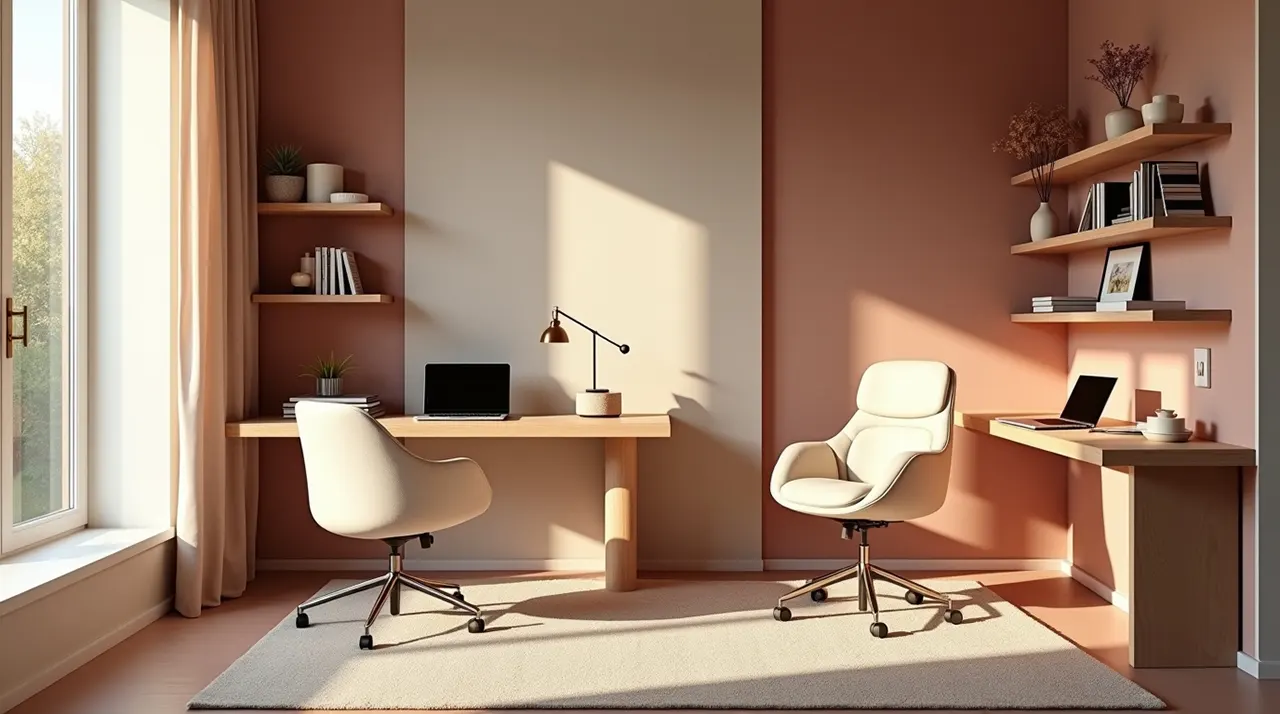
A shared home office is a workspace used by two or more people. It focuses on maximizing space, reducing noise, and choosing the right ergonomic furniture. With the right desk layout and productivity tools, you can stay focused and comfortable while working alongside a partner or roommate in a small room.
Working from home is great, but sharing a room can be hard. You might bump chairs or get distracted by your partner’s phone calls. It is a common problem for many couples and roommates today. I have spent years testing office setups to find what actually works for two people. In this guide, I will show you how to pick the best desks, stop the noise, and stay happy while working together. You will learn everything you need to build a workspace that feels private even when it is shared.
A shared home office is a dedicated area where two people work at the same time. It uses smart layouts like back-to-back or side-by-side desks to save space. Successful setups include ergonomic chairs, noise-canceling tools, and clear rules about personal space to keep everyone productive and comfortable throughout the day.
Many people think they just need two chairs and a table. But a real setup needs much more thought. You have to think about where the power plugs are. You also need to think about who gets the window view. According to Pew Research, many workers now stay home full-time, making these spaces vital.
I have seen that the best offices use vertical space. This means using tall shelves instead of wide ones. It keeps the floor clear so you don’t trip over each other. Using monitor stands can also help save desk space for both of you.
Planning your room layout early prevents arguments later. A good plan makes the room feel bigger and much more professional.
The layout is the most important part of a shared home office. You can put desks side-by-side along one wall to save floor space. Or, you can put them back-to-back so you don’t look at each other. Some people even use an “L” shape in a corner to give each person their own zone.
If you have a narrow room, the side-by-side layout is best. It leaves a long path for walking. If you talk on the phone a lot, face away from each other. This stops you from getting distracted by your partner’s screen or hand movements.
- Side-by-Side: Great for long walls and small rooms.
- Face-to-Face: Good for collaboration but can be distracting.
- Back-to-Back: Best for privacy and video calls.
- T-Shape: Uses a long middle desk to divide the room.
Think about where the door is located. You don’t want someone walking behind you during a big meeting. Always measure your room twice before buying any big home office furniture.
Picking the right shape for your room helps you move around without hitting furniture. It sets the stage for a calm and organized workday for both people.
Essential Furniture for Two People
To build a great shared home office, you need the right home office furniture. A standing desk is a smart choice because it lets you change heights. You also need ergonomic chairs that support your back for long hours. Don’t forget a sturdy monitor stand to keep your screens at eye level.
Quality furniture is an investment in your health. Cheap chairs often cause back pain after just one month. I recommend looking for chairs with adjustable armrests. This is important because everyone has a different body size and sitting style.
| Item | Best Feature | Benefit |
|---|---|---|
| Standing Desk | Height Adjustment | Reduces leg tiredness |
| Ergonomic Chair | Lumbar Support | Prevents back pain |
| Acoustic Panels | Sound Absorption | Quieter environment |
You might also want to look at Statista data on home office trends. It shows that more people are buying height-adjustable tables than ever before. If one person likes to stand and the other likes to sit, separate desks are better than one long table.
Using the right furniture ensures that nobody leaves the office with a sore neck. High-quality tools make working together much easier and more enjoyable every day.
Managing Noise and Distractions
Noise is the biggest challenge in a shared home office. To fix this, use noise-canceling headphones or soft rugs to soak up sound. You can also put up a desk divider or a bookshelf between the two desks. This creates a visual and sound barrier that helps you focus on your own work.
When two people have meetings at the same time, it gets loud. I suggest using a “meeting light” system. A small red light on your desk means “do not disturb.” This simple trick saves a lot of frustration and interrupted calls.
“The best way to share a space is to respect the silence of the other person.”
If the room has hardwood floors, sound will bounce around. Adding a thick rug or even curtains can make the room much quieter. These are work-from-home essentials that people often forget to buy until it is too late.
Reducing noise keeps the stress levels low for everyone in the room. A quiet space allows for deeper focus and much better work results throughout the week.
Storage Solutions for Two
A shared home office can get messy very fast with two sets of papers and gadgets. Use productivity tools like matching filing cabinets or shared wall shelves. Label everything so you know whose stuff is whose. Keeping the desk surface clear helps your brain feel less crowded and more ready to work.
I like using rolling carts for storage. You can move them around if you need more legroom. Wall-mounted pegboards are also great for office gadgets like cables and headphones. They keep small items off the desk and within easy reach.
- Use color-coded folders for each person.
- Install floating shelves to save floor space.
- Get a cable management box to hide messy wires.
- Use a shared tray for mail and basic office supplies.
Remember to clean your desk at the end of every day. A clean start every morning makes a huge difference in how you feel about your workspace. It prevents “clutter creep” from taking over your shared area.
Smart storage stops the room from feeling small and messy. When everything has a home, you spend less time searching and more time getting things done.
Good lighting prevents eye strain in a shared home office. Each person should have their own desk lamp with adjustable brightness. This is helpful if one person likes a bright light and the other prefers a softer glow. Try to place desks near a window for natural light, but watch out for screen glare.
Natural light is the best for your mood. However, the sun moves during the day. Use thin blinds to control the light so it doesn’t hit your monitor stands directly. If you work at night, use warm-colored bulbs to help your eyes relax before bed.
I suggest using “task lighting.” This means the light shines exactly where you are writing or reading. It prevents shadows from your partner’s equipment from falling on your work. It is a simple way to make the home workspace optimization feel professional.
Individual lights give each person control over their own environment. Proper lighting keeps you awake and helps you avoid headaches during long work sessions.
The Best Office Gadgets for Two
Small office gadgets can make a big difference in a shared home office. A dual-port charging station keeps all phones and tablets powered up. A high-quality webcam with a wide angle is great if you ever need to join a call together. Also, consider a shared printer that connects to the Wi-Fi so no cables are needed.
We often forget about power strips. You will need a lot of outlets for two computers, four monitors, and lamps. Buy a power strip with surge protection to keep your expensive productivity tools safe from electricity spikes.
Specs for a Shared Power Setup:
Outlets needed: At least 8
USB Ports: 4 or more
Cable Length: 6 to 10 feet
Safety: Surge protection required
Using a shared Bluetooth speaker for low background music can also be nice. Just make sure both people agree on the playlist! Small touches like these make the office feel like a fun place to be.
The right gadgets take the friction out of sharing a small room. They help you stay organized and ensure your tech always works when you need it most.
Ergonomics: Staying Healthy Together
Ergonomics is about fitting the workspace to your body in your shared home office. Since you and your partner are likely different heights, you need adjustable home office furniture. Make sure your feet are flat on the floor and your wrists are straight while typing to avoid injury.
I always tell people to follow the 20-20-20 rule. Every 20 minutes, look at something 20 feet away for 20 seconds. This is even easier to remember when you have a partner to remind you. You can take short “stretch breaks” together to keep your energy high.
Check out Mayo Clinic’s guide on office ergonomics for more tips. They explain how to set your chair height perfectly. If your desk is too high, a simple footrest can fix the problem quickly.
Health should always come first in any office design. When you both feel physically good, you will be much more productive and less grumpy at the end of the day.
A shared home office is a wonderful way to stay connected while staying productive. The best setup uses ergonomic chairs, smart desk layouts, and plenty of storage. If you focus on reducing noise and giving each person their own space, you will both succeed. I have found that the most successful pairs are the ones who talk about their needs before they start building.
Don’t be afraid to change things if they aren’t working. Move the desks around or try a new lamp. Your office should grow and change just like your work does. With these tips, you can turn any small room into a professional hub for two.
Ready to upgrade your space? Check out our other guides on the best standing desks and productivity tools to finish your setup!
Frequently Asked Questions
How much space do I need for a shared home office?
You usually need at least 80 to 100 square feet to fit two desks and chairs comfortably. This allows enough room for both people to move their chairs back without hitting each other.
What is the best desk for two people?
A long “double desk” or two separate standing desks are usually the best choices. Separate desks allow each person to adjust their own height and move their desk if needed.
How can we stop our voices from carrying during calls?
Use noise-canceling headphones and add “soft” items to the room like rugs, curtains, or acoustic foam panels. These materials soak up sound waves and stop them from bouncing.
Should we face each other or the wall?
Facing the wall is usually better for focus because it limits visual distractions. However, facing each other can be nice if you need to talk often for your jobs.
Is one big monitor better than two small ones for a shared desk?
It depends on your work, but a monitor stand with two screens often helps with multitasking. Just make sure the monitors don’t block your partner’s view or light.
How do we handle different temperature preferences?
This is common! Use a small desk fan for the person who gets hot, or keep a cozy blanket near the desk for the person who feels cold. It’s all about personal “micro-climates.”
