


Published on: September 10, 2025 | Updated on: September 10, 2025
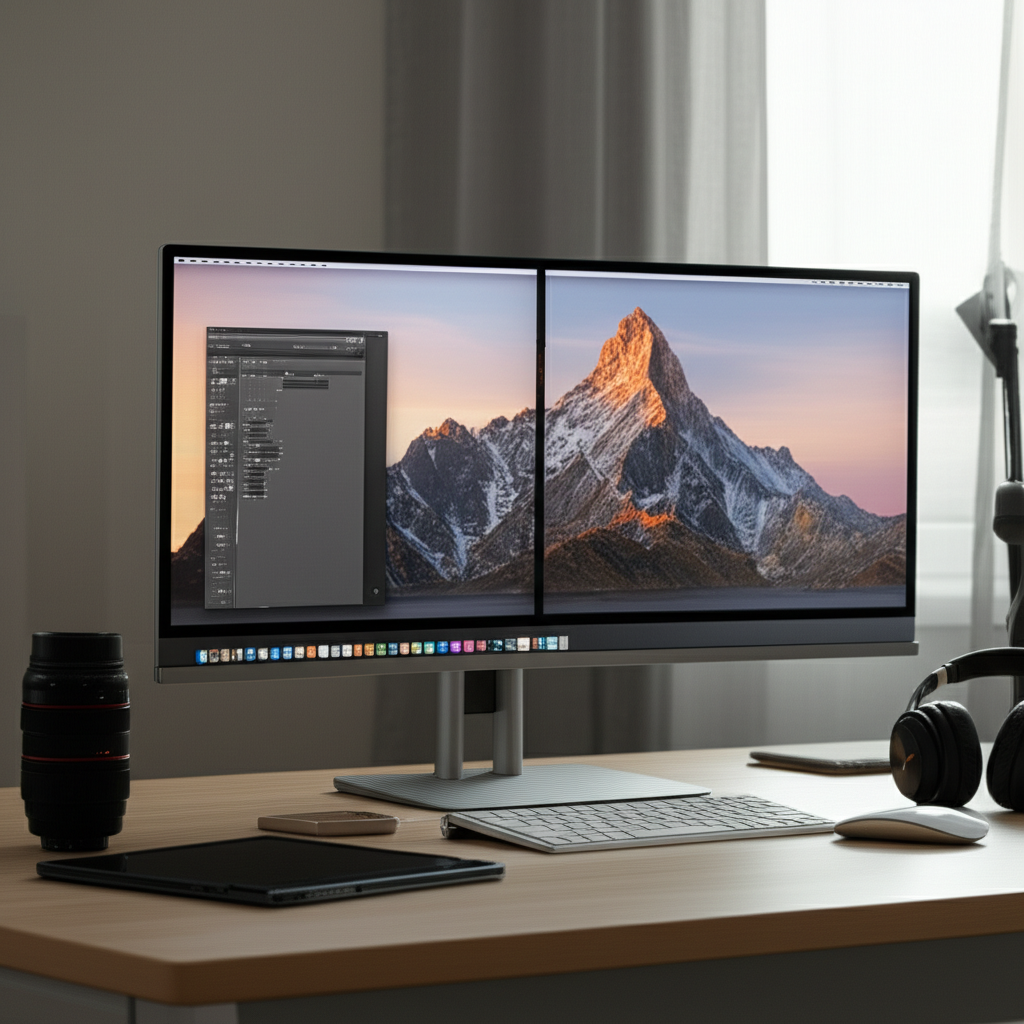
Unlock peak productivity with a minimalist dual monitor desk for content creators, blending essential power, ergonomic design, and streamlined aesthetics for your ultimate creative sanctuary.
Welcome, fellow creators! Navigating the quest for the perfect workspace can feel overwhelming, especially when juggling multiple creative projects. A cluttered desk often leads to a cluttered mind, hindering your flow and draining your energy. But what if I told you that a thoughtfully designed, minimalist dual monitor desk could be your secret weapon for enhanced focus and efficiency? It’s not just about aesthetics; it’s about creating a powerful hub for your creative endeavors.
Contents
- 1 The Power of a Minimalist Dual Monitor Desk for Content Creators
- 2 Designing Your Minimalist Dual Monitor Desk Setup: Key Considerations
- 3 Essential Tech and Accessories for Your Dual Monitor Setup
- 4 Optimizing Your Minimalist Dual Monitor Desk For Content Creators
- 5 Integrating Your Minimalist Dual Monitor Desk into Your Home
- 6 Standing Desks: A Dynamic Addition to Your Minimalist Setup
- 7 FAQ: Your Minimalist Dual Monitor Desk Questions Answered
- 8 Conclusion: Elevate Your Creativity with Intentional Design
- 9 Author
The Power of a Minimalist Dual Monitor Desk for Content Creators

A minimalist dual monitor desk for content creators is more than just furniture; it’s a strategic workspace designed to amplify focus and efficiency. By stripping away distractions and organizing essentials, you create an environment that supports sustained creative output and well-being. This setup harnesses the power of dual screens for multitasking while maintaining a clean, inspiring aesthetic.
Why Dual Monitors Are Essential for Content Creators
Dual monitors have become indispensable tools for many content creators, offering a significant boost in productivity and workflow efficiency. The ability to view multiple applications simultaneously, compare assets, or keep reference materials visible while working streamlines complex tasks and reduces the constant switching between windows. This setup is particularly beneficial for tasks like video editing, graphic design, coding, and writing, where having different elements in view at once is crucial.
For content creators, the benefits extend beyond mere multitasking. Imagine editing a video with your editing timeline open on one screen and your raw footage or reference material on the other. Or perhaps a graphic designer working on a layout with design software on one monitor and inspiration or client feedback on the second. This dual-screen approach dramatically reduces cognitive load and saves precious time, allowing for a more immersive and efficient creative process. Investing in a dual monitor setup, paired with the right desk, is an investment in your creative output and overall professional performance.
The Philosophy Behind Minimalism in the Workspace
Minimalism in the workspace isn’t about deprivation; it’s about intentionality. It’s the practice of curating only the essential items that serve a purpose, thereby reducing visual clutter and mental distractions. This approach frees up mental energy, allowing you to concentrate on the creative tasks at hand. A minimalist desk setup fosters a sense of calm and order, which can be incredibly conducive to deep work and innovative thinking.
The core principle is to surround yourself only with what adds value to your work and your well-being. This means decluttering unnecessary items, organizing what remains efficiently, and choosing furniture and accessories that are both functional and aesthetically pleasing without being overbearing. When your workspace is intentionally simple, it becomes a sanctuary for creativity, rather than a source of stress.
Designing Your Minimalist Dual Monitor Desk Setup: Key Considerations
Creating a functional and aesthetically pleasing minimalist dual monitor desk for content creators involves careful planning. It’s about finding the perfect balance between form and function, ensuring your workspace supports your creative process without overwhelming your senses. Here, we’ll explore the crucial elements to consider for your ultimate setup.
Choosing the Right Desk: Size, Material, and Style
The desk is the foundation of your workspace, and for a dual monitor setup, size is paramount. You need ample surface area to comfortably accommodate two monitors, a keyboard, a mouse, and any other essential peripherals, while still leaving room to work. Opt for a desk that is at least 55-60 inches wide and 24-30 inches deep to ensure adequate space.
When considering material, solid wood desks offer durability and a natural aesthetic, while metal frames provide sturdiness and a modern industrial look. For a minimalist vibe, clean lines and a neutral color palette are key. Whether you prefer a sleek, modern design, a warm Scandinavian feel, or a functional standing desk, ensure it aligns with your personal style and the overall aesthetic of your home office.
Ergonomics: Protecting Your Body While You Create
Ergonomics is non-negotiable for any content creator spending long hours at their desk. A minimalist dual monitor desk setup should prioritize your physical well-being. This means ensuring your monitors are at eye level to prevent neck strain, your keyboard and mouse are positioned to allow for neutral wrist posture, and your chair provides adequate support.
Investing in an ergonomic chair is as crucial as the desk itself. Look for adjustable lumbar support, armrests, and seat height. Consider a monitor arm mount to free up desk space and allow for precise monitor positioning, further enhancing your ergonomic setup. A well-designed ergonomic space not only prevents discomfort but also boosts focus and stamina, allowing you to create for longer periods without fatigue.
Cable Management: The Unsung Hero of Minimalism
The secret to a truly minimalist desk is impeccable cable management. Tangled wires are the antithesis of a clean aesthetic and can be a significant source of distraction. Investing time and resources into managing your cables will transform your workspace from chaotic to serene.
Solutions range from simple cable ties and sleeves to more advanced under-desk trays and wireless charging pads. Concealing wires not only makes your desk look tidier but also makes cleaning easier and prevents accidental disconnections. A clutter-free environment fosters a clutter-free mind, allowing your creativity to flow unimpeded.
Lighting: Setting the Mood and Reducing Eye Strain
Proper lighting is critical for both productivity and eye health. A minimalist dual monitor desk setup should incorporate a layered lighting strategy. Natural light is always ideal, so position your desk near a window if possible, but be mindful of glare on your screens.
Supplement natural light with ambient lighting, such as a stylish ceiling fixture, and task lighting. A good desk lamp can provide focused illumination without creating harsh shadows. Consider a monitor light bar that attaches to the top of your monitor, illuminating your desk surface without reflecting off the screen. Warm, adjustable lighting can create a cozy atmosphere, while brighter, cooler light can enhance focus during intense work sessions.
Storage Solutions: Keeping Essentials Within Reach, Out of Sight
Minimalism doesn’t mean sacrificing functionality. Effective storage solutions are vital for keeping your workspace organized and your essentials within easy reach, yet out of sight. This maintains the clean aesthetic of your minimalist dual monitor desk for content creators.
Consider integrated drawers, minimalist shelving units, or desk organizers that complement your desk’s style. Floating shelves can add storage without taking up valuable desk real estate. The goal is to have frequently used items easily accessible while storing less frequently used items away neatly.
Essential Tech and Accessories for Your Dual Monitor Setup
Beyond the desk and chair, a few key tech and accessory choices can significantly enhance your minimalist dual monitor desk for content creators. These items are selected for their functionality, aesthetic appeal, and ability to integrate seamlessly into a streamlined workflow.
The Monitors: Choosing Wisely for Your Creative Needs
Selecting the right monitors is perhaps the most critical decision for a dual monitor setup. For content creators, resolution, color accuracy, and refresh rate are paramount. Consider monitors with at least a 1440p (QHD) resolution for detailed work, or even 4K for ultra-high definition content creation.
Look for monitors with excellent color gamut coverage (like sRGB or Adobe RGB) if your work involves graphic design, photography, or video editing. A higher refresh rate can benefit gaming or fast-paced video editing. Ergonomic stands or VESA mount compatibility are also important for adjustability and integrating monitor arms.
Keyboard and Mouse: Comfort and Precision
Your keyboard and mouse are your primary tools for interaction. For a minimalist setup, consider sleek, wireless options to reduce cable clutter. Mechanical keyboards offer a satisfying tactile experience and can improve typing speed and accuracy, but choose quiet switches if you share your workspace.
Ergonomic mice are designed to reduce strain on your wrist and hand, which is vital for long creative sessions. Look for mice with customizable buttons that can be programmed for shortcuts, further streamlining your workflow. A comfortable and responsive input device is key to maintaining focus and efficiency.
Audio Solutions: Immersive Sound or Focused Silence
Whether you need immersive sound for editing audio or focused silence to concentrate, audio solutions play a role. Consider compact, high-quality studio monitors for audio work, or a good pair of noise-canceling headphones for deep focus.
For a minimalist aesthetic, choose speakers with a sleek design that doesn’t overpower your desk. Wireless headphones can offer freedom of movement and reduce cable clutter. Prioritize sound quality that enhances your creative output, whether it’s through crisp audio playback or effective noise cancellation.
Desk Accessories: Smart Additions for Efficiency
Minimalist desk accessories should serve a clear purpose and enhance your workflow. A wireless charging pad can keep your phone powered without extra cables. A good quality desk mat can protect your desk surface and provide a smooth, consistent surface for your mouse.
Consider a monitor stand or riser if you aren’t using monitor arms, ensuring your monitors are at the correct height. A small, stylish tray for pens and other small items can prevent them from cluttering your main workspace. Every accessory should be chosen with intention, contributing to both function and form.
Optimizing Your Minimalist Dual Monitor Desk For Content Creators
Once you have the core elements in place, optimization is key to unlocking the full potential of your minimalist dual monitor desk for content creators. This involves fine-tuning your setup and workflow for maximum efficiency and comfort.
Screen Real Estate Maximization: Software and Settings
Effectively utilizing the space on your dual monitors is an art. Learn to use window management tools or operating system features to quickly arrange and snap applications into place. This ensures you can have multiple programs open and easily accessible without feeling overwhelmed.
Explore software that allows for virtual desktops, giving you even more organized space to switch between different projects or task types. Adjusting display scaling and resolution settings can also ensure text and elements are legible and appropriately sized on each screen, preventing eye strain and improving readability.
Workflow Enhancements: Keyboard Shortcuts and Automation
Mastering keyboard shortcuts for your most-used applications is a game-changer. This significantly speeds up repetitive actions and reduces reliance on the mouse, allowing for a more fluid workflow. Many creative software programs offer extensive shortcut customization, so tailor them to your specific needs.
Consider exploring automation tools or scripting for repetitive tasks. For example, you could automate file organization, software launches, or even simple text expansions. These small optimizations, when added together, can save a substantial amount of time over the course of a week or month.
Personalizing Your Space: The Art of Subtle Décor
Even within a minimalist framework, personalization is important to make your workspace feel inspiring and uniquely yours. The key is to add elements that are subtle, functional, or deeply meaningful without contributing to clutter.
This could include a small, aesthetically pleasing plant that adds a touch of nature, a framed piece of art that inspires you, or a high-quality desk lamp that doubles as a decorative piece. Choose items that resonate with you and enhance the overall ambiance of your creative sanctuary. Remember, the goal is to inspire, not to distract.
Integrating Your Minimalist Dual Monitor Desk into Your Home
Your workspace doesn’t exist in a vacuum; it’s part of your home. Integrating your minimalist dual monitor desk for content creators thoughtfully ensures it complements your living space while maintaining its functional integrity.
Seamlessly Blending with Home Aesthetics
The beauty of a minimalist design is its inherent ability to blend. Choose a desk with clean lines and neutral colors that can easily integrate into various interior design styles, whether modern, Scandinavian, or bohemian. If your desk is in a shared living area, this seamless integration is especially important.
Consider cable management solutions that are not only functional but also discreet. Opt for monitor arms that have a sleek, unobtrusive design. The goal is for your workspace to feel like a natural extension of your home, not an industrial intrusion.
Creating a Productive and Inspiring Environment
Beyond aesthetics, the environment surrounding your desk plays a role in your productivity. Ensure the area is well-lit, free from excessive noise, and organized. A calm, orderly environment can significantly reduce stress and improve focus.
Surround your workspace with elements that inspire you, whether it’s a view of nature, a carefully curated bookshelf, or subtle decorative items. This intentional environment fosters creativity and makes your workspace a place you genuinely want to spend time in.
The Role of Ergonomic Chairs in Home Integration
An ergonomic chair is crucial for comfort and health, but it doesn’t have to clash with your home décor. Many modern ergonomic chairs come in a variety of stylish designs and colors, allowing you to find one that complements your interior.
Consider chairs with minimalist frames and high-quality, breathable upholstery. Some chairs even offer adjustable features that can be discreetly tucked away when not in use. The right chair ensures your workspace is not only functional but also a comfortable and visually appealing part of your home.
Standing Desks: A Dynamic Addition to Your Minimalist Setup
The concept of a standing desk has gained immense popularity, and for good reason. Integrating a standing desk into your minimalist dual monitor desk for content creators can add a dynamic element to your workday, promoting movement and well-being.
Benefits of Incorporating a Standing Desk
Alternating between sitting and standing throughout the day can significantly improve circulation, reduce back pain, and boost energy levels. For content creators, this increased physical activity can also lead to enhanced mental clarity and creativity. A standing desk encourages micro-movements that combat the sedentary nature of prolonged desk work.
The transition from sitting to standing can be as simple as adjusting the desk height. Many electric standing desks offer programmable memory settings, allowing you to effortlessly switch between your preferred sitting and standing positions. This adaptability makes it easy to incorporate movement into your daily routine without disrupting your workflow.
Choosing the Right Standing Desk for Dual Monitors
When selecting a standing desk for a dual monitor setup, ensure it offers ample surface area and stability. The desk needs to support the weight of two monitors, a computer, and other peripherals without wobbling. Look for desks with a sturdy frame and a smooth, reliable adjustment mechanism.
Consider the dimensions carefully to ensure it fits your space and accommodates your dual monitor setup comfortably. Some standing desks come with built-in cable management systems, which are invaluable for maintaining a minimalist aesthetic. The overall design should align with your minimalist principles, prioritizing clean lines and functional simplicity.
Transitioning to a Standing Desk Routine
Starting with a standing desk can feel like a big change, but the transition can be smooth with a gradual approach. Begin by standing for short periods, perhaps 15-30 minutes every hour, and gradually increase the duration as your body adjusts. Listen to your body and find a rhythm that works for you.
Investing in an anti-fatigue mat can make a significant difference in comfort while standing. Ensure your monitor height is adjusted correctly in both sitting and standing positions to maintain proper ergonomics. Consistency is key; the more you incorporate standing into your routine, the more natural it will feel.
FAQ: Your Minimalist Dual Monitor Desk Questions Answered
Q1: What is the ideal desk size for a minimalist dual monitor setup?
A1: For a comfortable minimalist dual monitor desk for content creators, aim for a desk that is at least 55-60 inches wide and 24-30 inches deep. This provides ample space for two monitors, peripherals, and essential workspace without feeling cramped.
Q2: How can I manage cables effectively in a minimalist setup?
A2: Effective cable management involves using cable ties, sleeves, under-desk trays, or raceways to bundle and conceal wires. Wireless peripherals and desk grommets can also significantly reduce visible cables for a cleaner look.
Q3: Is a standing desk necessary for a minimalist dual monitor setup?
A3: While not strictly necessary, a standing desk can be a beneficial addition. It promotes movement, improves ergonomics, and can be integrated into a minimalist design with the right choice of model and accessories.
Q4: What type of lighting is best for a dual monitor workspace?
A4: A combination of natural light, ambient room lighting, and focused task lighting is ideal. A monitor light bar is an excellent minimalist solution to illuminate your desk without screen glare.
Q5: How do I keep my minimalist desk clutter-free?
A5: Regularly decluttering, utilizing smart storage solutions (drawers, shelves), and having a designated place for everything are key. Only keep essential items on your desk surface to maintain the minimalist aesthetic.
Q6: What are the main advantages of dual monitors for content creators?
A6: Dual monitors significantly boost productivity by allowing simultaneous viewing of multiple applications, reference materials, and complex project timelines, reducing task-switching time and enhancing workflow efficiency.
Q7: Can a minimalist desk still be stylish?
A7: Absolutely! Minimalism focuses on intentional design and clean aesthetics. By choosing quality materials, simple forms, and a cohesive color palette, your minimalist dual monitor desk can be both highly functional and exceptionally stylish.
Conclusion: Elevate Your Creativity with Intentional Design
Crafting the perfect minimalist dual monitor desk for content creators is an investment in your productivity, well-being, and creative output. By embracing intentional design, prioritizing ergonomics, and managing clutter, you create a powerful sanctuary that fuels your imagination. Remember, a minimalist approach isn’t about having less; it’s about making room for what truly matters – your creative flow. This carefully curated workspace will empower you to tackle your projects with renewed focus and efficiency, transforming your creative journey.
