


Published on: September 3, 2025 | Updated on: September 3, 2025
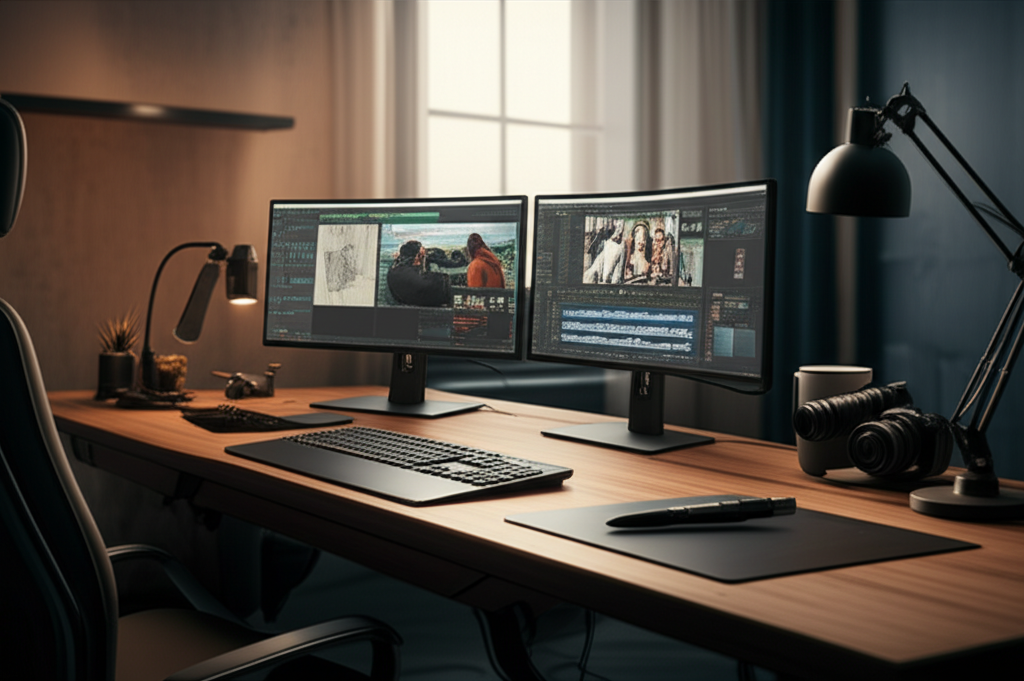
Unlock peak productivity and creative flow with a dual monitor home office for content creators. This guide offers genius solutions for ergonomic setups, optimized workflows, and stylish design, transforming your workspace into a haven of efficiency and inspiration.
Creating a home office that truly fuels your creativity and productivity can feel like a puzzle. Many content creators struggle with cluttered desks, eye strain, and inefficient workflows, wishing for a more streamlined and inspiring environment. If you’re nodding along, you’re not alone. This guide is crafted to be your trusted companion, walking you through the essential genius behind a dual monitor home office for content creators. We’ll cover everything from ergonomic essentials to smart organizational hacks, ensuring your workspace is as functional as it is beautiful. Get ready to transform your home office into a powerhouse of creativity!
Why a Dual Monitor Home Office is a Game-Changer for Content Creators

A dual monitor setup isn’t just about having more screen real estate; it’s a fundamental shift in how you interact with your digital world. For content creators, this means simultaneous access to multiple applications, research materials, and your creative projects without constant window switching. It significantly reduces cognitive load and streamlines complex tasks like video editing, graphic design, and writing. This setup directly boosts efficiency, allowing you to focus on what you do best: creating.
The Ergonomic Foundation: Building Your Dual Monitor Command Center
Your health and comfort are paramount, especially when you spend long hours at your desk. An ergonomic dual monitor setup minimizes strain and promotes better posture, allowing you to work longer and more comfortably. Investing in ergonomic solutions means investing in your long-term well-being and productivity.
Choosing the Right Monitors for Your Creative Workflow
The type of content you create will heavily influence your monitor choice. For graphic designers and photographers, color accuracy and resolution are key, while video editors might prioritize refresh rates and response times. Having two monitors allows you to dedicate one screen to your primary workspace and the other to tools, reference materials, or communication apps.
Resolution: Higher resolutions like 4K offer sharper details, crucial for visual work.
Size: Aim for monitors of similar size and resolution to ensure a seamless visual experience.
Panel Type: IPS panels generally offer the best color accuracy and viewing angles.
Connectivity: Ensure your monitors have the ports compatible with your computer.
Consider pairing a high-resolution primary monitor with a secondary monitor that can display your timeline, toolbars, or reference images. This thoughtful selection ensures your dual monitor home office for content creators truly serves your specific needs.
The Ergonomic Desk: Your Dual Monitor’s Foundation
Your desk is the anchor of your home office, and its suitability for a dual monitor setup is critical. An ergonomic desk promotes healthy working habits and supports the weight and placement of your monitors comfortably. A stable and appropriately sized desk is the first step to a functional dual monitor home office for content creators.
Size: Ensure enough surface area for two monitors, a keyboard, mouse, and other essentials.
Height: The ideal desk height allows your elbows to be at a 90-degree angle when typing.
Stability: A wobbly desk is distracting and can lead to accidental damage to your equipment.
Standing desks are a popular choice for their health benefits, allowing you to switch between sitting and standing throughout the day. Many are designed to comfortably accommodate multiple monitors.
The All-Important Ergonomic Chair
Paired with your desk, an ergonomic chair is vital for maintaining good posture and preventing back pain. It supports your spine and allows you to adjust to your specific body type. A supportive chair makes long creative sessions much more manageable.
Lumbar Support: Crucial for maintaining the natural curve of your lower back.
Adjustability: Look for adjustable seat height, armrests, and backrest recline.
Breathability: Mesh or breathable fabrics can prevent discomfort during extended use.
Investing in a quality ergonomic chair is one of the most impactful decisions you can make for your dual monitor home office for content creators. It directly contributes to your physical comfort and sustained productivity.
Optimizing Your Dual Monitor Layout for Maximum Efficiency
The arrangement of your monitors can significantly impact your workflow. A well-planned layout minimizes neck strain and keeps your most-used applications within easy reach. Efficient placement is key to unlocking the full potential of your dual monitor home office for content creators.
The Standard Dual Monitor Setup: Side-by-Side
The most common and often most effective layout involves placing your monitors next to each other. This arrangement is intuitive and works well for most applications. It allows for a broad field of vision, reducing the need to turn your head excessively.
Placement: Position your primary monitor directly in front of you, with the secondary monitor slightly to the side.
Angle: Angle the monitors slightly inward towards you to create a more immersive experience.
Distance: Maintain an arm’s length distance from the screens to reduce eye strain.
This simple yet effective setup forms the backbone of many successful dual monitor home office for content creators. It’s a versatile starting point that can be tailored to your unique needs.
The Stacked Dual Monitor Setup: Vertical Productivity
For certain workflows, particularly writing or coding, a stacked setup can be highly beneficial. This involves placing one monitor above the other, promoting a more upright posture and keeping essential tools within your central focus. This vertical arrangement can enhance concentration.
Primary Monitor: Place your main monitor at eye level.
Secondary Monitor: Mount the second monitor above or below the primary one.
Ergonomics: Ensure the secondary monitor isn’t too high to cause neck strain.
A stacked setup can be an excellent choice for specific tasks within your dual monitor home office for content creators, offering a different approach to visual organization.
Monitor Arms: Elevating Your Setup and Your Health
Monitor arms are a game-changer for any dual monitor home office for content creators. They free up desk space, offer incredible flexibility in monitor positioning, and are essential for achieving optimal ergonomic height and angle. These arms are a cornerstone of a truly optimized workspace.
Desk Space: Frees up valuable real estate on your desk.
Ergonomics: Allows precise adjustment of monitor height, tilt, and swivel.
Versatility: Easily switch between portrait and landscape orientations.
Aesthetics: Contributes to a cleaner, more minimalist look.
Choosing a sturdy dual monitor desk mount is crucial to ensure both monitors are securely held. This investment directly contributes to the comfort and efficiency of your dual monitor home office for content creators.
Essential Accessories to Complement Your Dual Monitor Home Office
Beyond the core setup, a few key accessories can elevate your dual monitor home office for content creators from functional to exceptional. These items enhance productivity, organization, and overall user experience. Thoughtful additions make a significant difference.
Keyboard and Mouse: Your Primary Interaction Tools
The right keyboard and mouse are extensions of your creativity. Ergonomic designs can prevent repetitive strain injuries, while responsive peripherals enhance your speed and accuracy. They are critical for comfortable and efficient interaction with your dual monitor setup.
Ergonomic Keyboards: Split or curved designs can promote a more natural hand position.
Vertical Mice: Reduce wrist pronation, easing strain.
Mechanical Keyboards: Offer tactile feedback and durability, often preferred by writers and programmers.
Selecting input devices that feel good in your hands will make your dual monitor home office for content creators a joy to work in.
Lighting: Illuminating Your Workspace and Your Eyes
Proper lighting is crucial for reducing eye strain and creating a pleasant working atmosphere. Avoid glare on your screens and ensure your workspace is well-lit. Good lighting is foundational for comfortable use of your dual monitor home office for content creators.
Ambient Light: Diffuse, natural light is ideal.
Task Lighting: A desk lamp can provide focused light without causing screen glare.
Monitor Light Bars: These sit atop your monitor and illuminate your desk without screen reflection.
Consider a desk lamp with adjustable brightness and color temperature to suit your needs throughout the day. This small addition can make a big difference in eye comfort.
Cable Management: The Secret to a Clean Workspace
Tangled cables can be a major source of visual clutter and frustration. Effective cable management keeps your workspace tidy, makes it easier to clean, and contributes to a more focused environment. A clean setup enhances the aesthetic and functionality of your dual monitor home office for content creators.
Cable Sleeves: Bundle multiple cables into one.
Cable Clips/Ties: Secure cables to desk legs or walls.
Under-Desk Trays: Hide power strips and excess cable length.
Implementing a good cable management system transforms a potentially chaotic setup into a sleek, organized command center. This is a key element for any professional dual monitor home office for content creators.
Boosting Productivity: Software and Workflow Hacks for Dual Monitors
Beyond hardware, optimizing your software and workflows is essential for maximizing the benefits of a dual monitor home office for content creators. Smart configurations can streamline your tasks and enhance your creative output. Leverage technology to your advantage.
Window Management Tools
Efficiently managing multiple windows across two screens is key. Several software tools can help you snap windows into specific layouts, switch between them quickly, and keep your workspace organized. These tools are invaluable for multitasking.
Windows Snap Layouts: Built-in feature to arrange windows.
Third-Party Apps: Tools like FancyZones (part of Microsoft PowerToys) offer more advanced customization for window snapping.
Virtual Desktops: Use separate desktop spaces for different tasks or projects.
Mastering window management ensures you can access everything you need without losing track of your progress. This is a critical component for any dual monitor home office for content creators.
Application-Specific Workflows
Tailor your dual monitor setup to your primary creative applications. For example, in video editing, one monitor can display your editing timeline and footage, while the other shows your program monitor, effects panels, and audio mixer. This dedicated space for tools speeds up editing.
Video Editing: Timeline on one screen, program monitor/effects on the other.
Graphic Design: Design canvas on one, tools and layers on the other.
Writing: Manuscript on one screen, research or notes on the other.
Understanding how your favorite software functions best across two screens is crucial for a productive dual monitor home office for content creators.
Staying Focused: Minimizing Distractions
While dual monitors offer more space, they can also present more opportunities for distraction. Implement strategies to keep your focus sharp and prevent digital clutter from hindering your creativity. Maintaining focus is vital for deep work.
Dedicated Screens: Assign specific applications or task types to each monitor.
Notification Management: Turn off non-essential notifications on your secondary screen.
Full-Screen Mode: Use full-screen for your primary creative application to minimize visual noise.
A disciplined approach to managing your digital environment will ensure your dual monitor home office for content creators remains a zone of focused productivity.
Designing for Inspiration: Aesthetics and Personalization
Your home office should not only be functional but also inspiring. Incorporating design elements that reflect your personality and create a positive atmosphere can significantly boost your motivation and creativity. Make your space a reflection of you.
Color Psychology and Workspace Ambiance
The colors in your office can influence your mood and productivity. Calming blues and greens can promote focus, while energizing yellows or oranges can spark creativity. Choose colors that resonate with your personal style and work needs.
Calming Colors: Blues, greens, and neutrals for focus.
Energizing Colors: Yellows, oranges, or reds for creativity bursts.
Personal Touch: Incorporate your favorite colors through accents or décor.
A well-chosen color palette can make your dual monitor home office for content creators feel more inviting and conducive to long work sessions.
Decor and Personal Touches
Personal items, plants, and artwork can transform a sterile workspace into a vibrant and inspiring environment. These elements make your office feel uniquely yours and can provide visual breaks. Small details make a big impact.
Plants: Add life and improve air quality.
Artwork: Choose pieces that inspire or uplift you.
Personal Photos: Reminders of what matters most.
Desk Organization: Stylish containers for pens, notebooks, and accessories.
These personal touches are what truly make a dual monitor home office for content creators feel like a home, not just an office.
The Power of Natural Light
Maximizing natural light is one of the best design choices for any workspace. Position your desk to benefit from daylight, which can improve mood, energy levels, and reduce eye strain. Natural light is a powerful productivity enhancer.
Desk Placement: Position your desk perpendicular to a window to avoid glare.
Window Treatments: Use blinds or curtains to control light intensity.
Mirrors: Strategically placed mirrors can reflect natural light deeper into the room.
Embracing natural light is a simple yet profound way to enhance your dual monitor home office for content creators.
Overcoming Common Challenges in Dual Monitor Setups
Even with the best intentions, setting up and maintaining a dual monitor home office for content creators can present challenges. Understanding these common issues and their solutions will help you create a seamless experience. Proactive problem-solving is key.
Monitor Alignment and Height Adjustment
Ensuring your two monitors are perfectly aligned and at the correct height can be tricky. This is where monitor arms truly shine, offering granular control over positioning. Precise alignment prevents neck strain.
Monitor Arms: Provide the most flexibility for precise adjustment.
Leveling Tools: Use a small level to ensure your monitors are perfectly horizontal.
Trial and Error: Don’t be afraid to adjust until it feels right for your body.
Achieving perfect alignment is crucial for comfort and long-term use of your dual monitor home office for content creators.
Glare and Screen Brightness
Managing glare from windows or overhead lights is a common problem. Adjusting screen brightness and using anti-glare screen protectors can significantly improve visibility and reduce eye strain. A comfortable viewing experience is essential.
Screen Protectors: Opt for matte or anti-glare finishes.
Brightness Adjustment: Match screen brightness to ambient light levels.
Lighting Control: Use blinds or adjust room lighting to minimize reflections.
Addressing glare directly impacts your ability to work comfortably for extended periods in your dual monitor home office for content creators.
Cable Clutter and Management
As mentioned earlier, managing cables can be a persistent challenge. A proactive approach to cable management from the start will save you headaches later. Keeping cables organized is vital for a clean aesthetic.
Plan Ahead: Think about cable routing during initial setup.
Use Bundling Solutions: Invest in Velcro straps, zip ties, or cable sleeves.
* Hide Power Strips: Utilize under-desk trays or mounts.
A tidy cable setup contributes to a more professional and less distracting dual monitor home office for content creators.
The Future of Dual Monitor Home Offices for Content Creators
The evolution of technology continues to shape our workspaces. Expect advancements in monitor technology, more integrated smart solutions, and increasingly ergonomic furniture designed for hybrid work. The dual monitor setup will likely become even more sophisticated.
Emerging Technologies
As displays become more flexible and integrated, we may see even more innovative ways to utilize multiple screens. Think about foldable monitors or even projected displays that can augment your primary setup. The possibilities are exciting.
Smart Office Integration
The concept of the “smart office” is extending into home environments. Expect more integration with voice assistants, automated lighting, and personalized climate control, all designed to enhance your productivity and well-being. Your workspace will become more responsive.
Continued Emphasis on Well-being
As remote work becomes more ingrained, the focus on creating healthy and sustainable home office environments will only intensify. Expect continued innovation in ergonomic design and tools that promote physical and mental well-being. Your comfort is a priority.
The dual monitor home office for content creators is more than just a trend; it’s a fundamental shift towards more efficient, comfortable, and personalized work experiences. Embracing these advancements will keep you at the forefront of your creative endeavors.
Frequently Asked Questions
Q1: Is a dual monitor setup necessary for all content creators?
While not strictly necessary, a dual monitor setup significantly enhances productivity for most content creators by allowing simultaneous viewing of multiple applications and resources. It streamlines workflows for tasks like editing, research, and project management.
Q2: What is the best resolution for content creation monitors?
For graphic design, photography, and video editing, 4K resolution (3840 x 2160) is highly recommended for its detail and clarity. For writers or those with less visually intensive tasks, QHD (2560 x 1440) can also be sufficient.
Q3: How far should my monitors be from my eyes?
A good rule of thumb is to position your monitors at an arm’s length away, approximately 20-30 inches (50-75 cm), to minimize eye strain. The top of your screen should ideally be at or slightly below eye level.
Q4: Can I use monitors of different sizes and resolutions?
Yes, you can, but it’s generally recommended to use monitors of similar sizes and resolutions for a more seamless visual experience. If using different sizes, ensure your primary monitor is directly in front of you at the optimal viewing height and distance.
Q5: What are the benefits of using monitor arms?
Monitor arms offer significant benefits by freeing up desk space, allowing for precise ergonomic adjustments (height, tilt, swivel), and enabling easy switching between portrait and landscape orientations, all of which contribute to a more comfortable and efficient workspace.
Q6: How do I prevent eye strain with a dual monitor setup?
Prevent eye strain by ensuring proper lighting, maintaining the correct viewing distance and angle, taking regular breaks (e.g., the 20-20-20 rule: every 20 minutes, look at something 20 feet away for 20 seconds), and adjusting screen brightness to match your environment.
Conclusion: Embrace the Genius of Your Dual Monitor Home Office
Transforming your workspace into a dual monitor home office for content creators is a journey towards enhanced productivity, comfort, and creative expression. By focusing on ergonomic principles, smart layout optimization, essential accessories, and mindful personalization, you can craft a space that not only supports your work but actively fuels your passion. Remember, this setup is an investment in your well-being and your craft, empowering you to create with greater efficiency and joy.
Start by assessing your current needs and gradually implement these changes. Whether it’s investing in a quality monitor arm, optimizing your cable management, or finding the perfect ergonomic chair, each step brings you closer to your ideal creative environment. The genius of a dual monitor home office for content creators lies in its ability to adapt to your unique workflow, providing the foundation for sustained success and artistic fulfillment. Your most inspired work awaits!
